Introduction
Stored information changes over time. A student’s marks may need correction, a customer may change their address, or a product’s price may increase.
The SQL UPDATE statement modifies existing records. It specifies what should change and, through a condition, which rows should receive the change.
What Is UPDATE in SQL?
UPDATE is a Data Manipulation Language (DML) statement. It changes column values in existing rows without adding columns or creating new records.
The basic syntax is:
UPDATE table_nameSET column_name = new_valueWHERE condition;Each part has a separate role:
UPDATE: Identifies the table.
SET: Defines the value assignments.
WHERE: Selects eligible rows.
The examples below use MySQL :
student_id | student_name | department | marks |
|---|---|---|---|
101 | Asha | CSE | 75 |
102 | Ravi | ECE | 72 |
103 | Meera | CSE | 91 |
104 | Kabir | ME | NULL |
Unless stated otherwise, each example starts from this original data.
Updating a Single Record
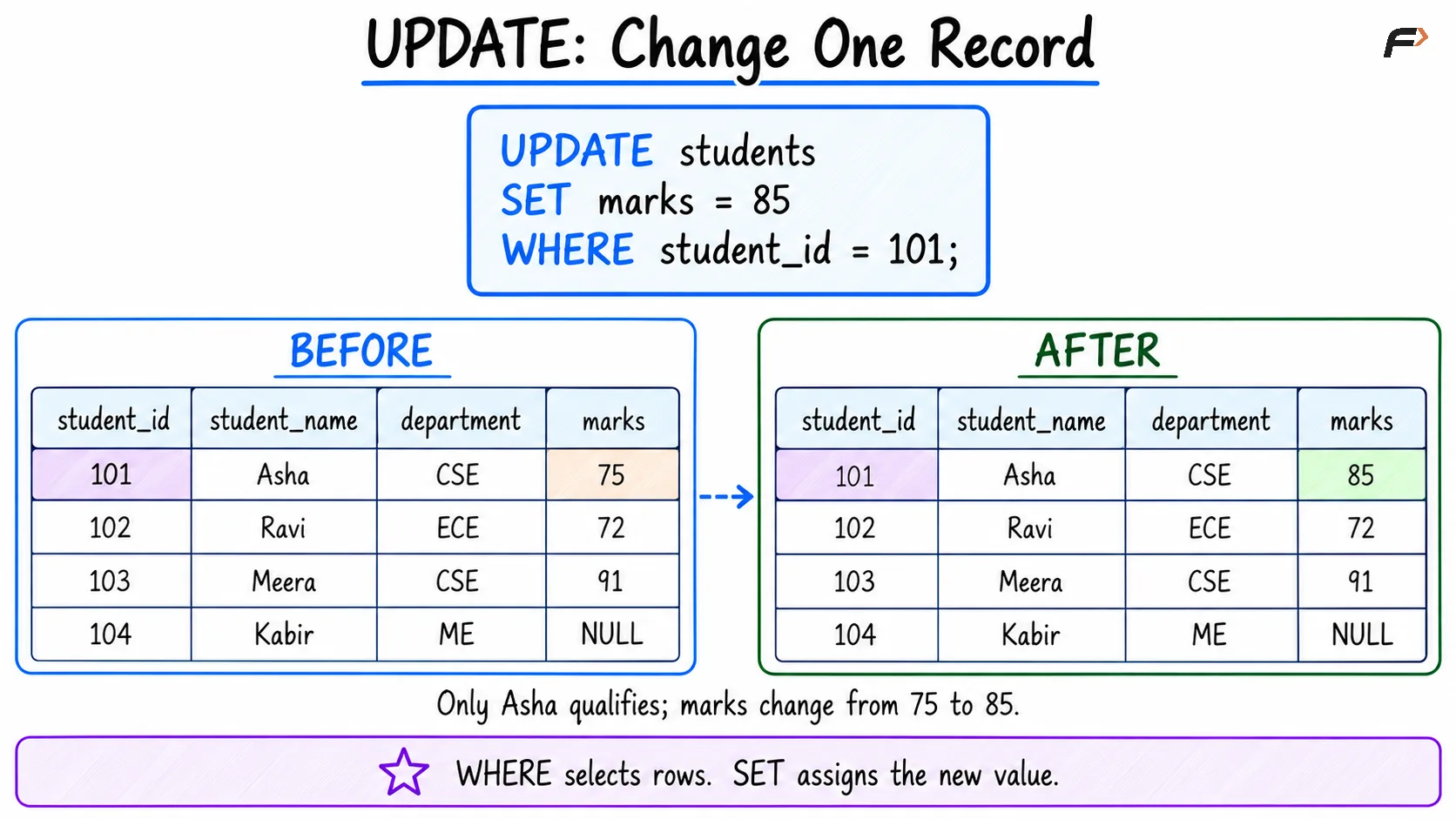
Correct Asha’s marks using her unique identifier:
UPDATE studentsSET marks = 85WHERE student_id = 101;The resulting record is:
student_id | student_name | department | marks |
|---|---|---|---|
101 | Asha | CSE | 85 |
Only the assigned column changes. Asha’s name, department, and identifier remain the same.
A condition using a primary key is useful when the requirement targets one specific record. Filtering by a name alone may match several students if names repeat.
If no row satisfies the condition, UPDATE does not create one. That behavior differs from an insert or an UPSERT.
UPDATE : Change one record
Updating Multiple Columns
Separate assignments with commas to change several columns:
UPDATE studentsSET department = 'CSE', marks = 80WHERE student_id = 102;Ravi’s department becomes CSE and his marks become 80.
Use commas between assignments, not AND. Logical operators belong inside conditions when combining requirements.
Assignments can also use NULL where permitted:
UPDATE studentsSET marks = NULLWHERE student_id = 101;This records a missing mark. It is different from storing zero or the text 'NULL'.
Updating Several Rows with a Condition
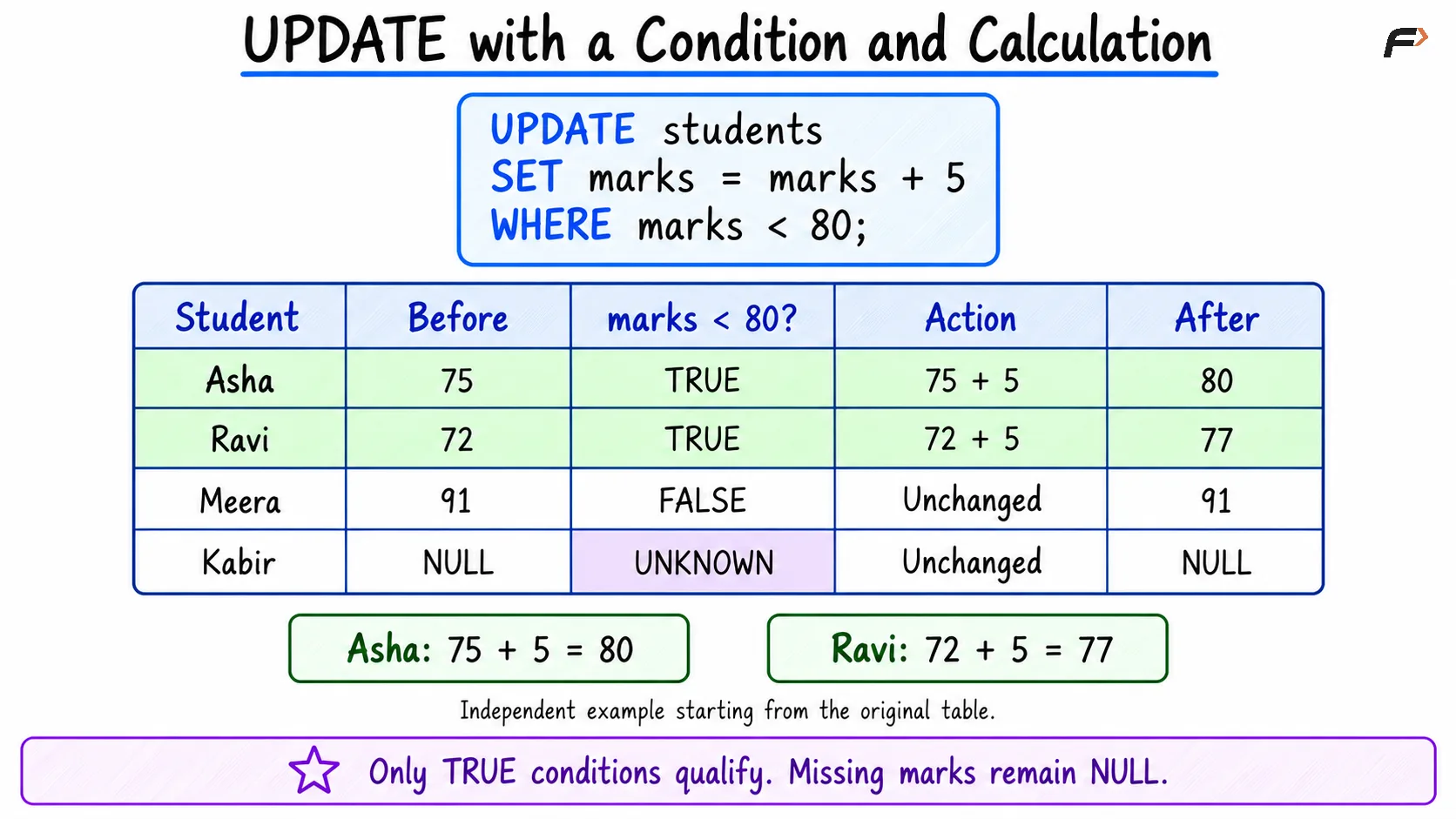
A condition can deliberately match multiple records. For example, add five marks to students currently below 80:
UPDATE studentsSET marks = marks + 5WHERE marks < 80;Starting from the original table:
Student | Original marks | Result |
|---|---|---|
Asha | 75 | 80 |
Ravi | 72 | 77 |
Meera | 91 | Unchanged |
Kabir | NULL | Unchanged |
The assignment uses each matching row’s stored value. Kabir does not qualify because comparing a missing mark with 80 produces unknown.
The database still enforces constraints. If an update would violate a check, unique key, or foreign key, it can fail.
Conditional Updates with CASE
Use CASE when different rows need different assigned values.
For example, assign departments according to student identifiers:
UPDATE studentsSET department = CASE WHEN student_id = 101 THEN 'ECE' WHEN student_id = 102 THEN 'CSE' ELSE departmentENDWHERE student_id IN (101, 102);Asha receives ECE and Ravi receives CSE. The WHERE clause limits eligible rows, while CASE determines the value assigned.
ELSE department preserves the existing value if no listed branch matches. Without an ELSE, an unmatched CASE expression returns NULL, which may be unintended or prohibited.
UPDATE with a condition and calculation
The Importance of WHERE
Without WHERE, every row is eligible for the assignment:
UPDATE studentsSET department = 'CSE';This sets every student’s department to CSE, assuming the statement succeeds. Such an operation can be intentional, but it should reflect the requirement.
Before applying a targeted change, inspect its condition:
SELECT student_id, student_name, marksFROM studentsWHERE student_id = 101;Then use that same condition in the update. This helps check the intended scope, although a separate preview does not prevent concurrent sessions from changing data.
Afterward, query the relevant records to verify their values.
Transactions and Rollback
With MySQL , an uncommitted update can be discarded within a transaction:
START TRANSACTION;UPDATE studentsSET marks = 85WHERE student_id = 101;SELECT student_id, marksFROM studentsWHERE student_id = 101;ROLLBACK;The session can inspect the changed value before rolling back. After this rollback, Asha’s marks return to 75.
Use COMMIT instead of ROLLBACK when the transaction’s changes should be retained. These are alternative decisions, not consecutive undo-and-save steps.
MySQL normally enables autocommit. A successful standalone update is therefore usually committed automatically, and a later rollback cannot undo it.
Common Mistakes
Check these points before relying on an update:
Missing or broad filters: Confirm whether the condition targets one row, several rows, or the entire table.
Confusing UPDATE with ALTER:
UPDATEchanges stored values;ALTER TABLEchanges structure.Using equality for missing-value tests: Write
WHERE marks IS NULL, notWHERE marks = NULL.Expecting arithmetic to fill NULL:
NULL + 5remainsNULL; use an explicit assignment when replacing missing marks.Relying on assignment order across systems: Expressions involving several updated columns can behave differently by database.
Assuming matched rows always changed: Assigning an existing value may leave it unchanged, and affected-row reporting varies by client settings.
Use suitable data types and assignments that preserve the meaning of each column.
Summary
UPDATE modifies existing records through assignments in SET and conditions in WHERE. It supports single-row corrections, multi-column changes, calculations, and conditional values.
Verify the eligible records and account for constraints and missing values. Use transactions when changes need inspection before committing, and remember that committed updates cannot be reversed by an ordinary rollback.
Be the first to add a comment.