Introduction
Sometimes, a table needs a fresh start. For example, after completing a practice exercise, you may want to remove every student record while keeping the columns ready for another dataset.
SQL provides TRUNCATE TABLE for this purpose. Understanding how it differs from DELETE and DROP helps you choose the correct command when clearing data.
What Is TRUNCATE TABLE?
TRUNCATE TABLE removes all rows from a table while preserving its definition, including its columns, indexes, and constraints. In MySQL, it is classified as a Data Definition Language (DDL) command.
The basic syntax is:
TRUNCATE TABLE table_name;There is no WHERE clause. You cannot use TRUNCATE to remove only selected records.
TRUNCATE TABLE Example
Suppose the students table contains:
student_id | student_name | department |
|---|---|---|
101 | Asha | CSE |
102 | Ravi | ECE |
103 | Meera | ME |
To remove every record:
TRUNCATE TABLE students;Check the result:
SELECT * FROM students;The query returns an empty result set. The table still has the same three columns, but it contains no records.
You can immediately insert new data:
INSERT INTO students (student_id, student_name, department)VALUES (104, 'Kabir', 'CSE');The table now contains only Kabir’s record. The value 104 is supplied explicitly; it is not generated by TRUNCATE.
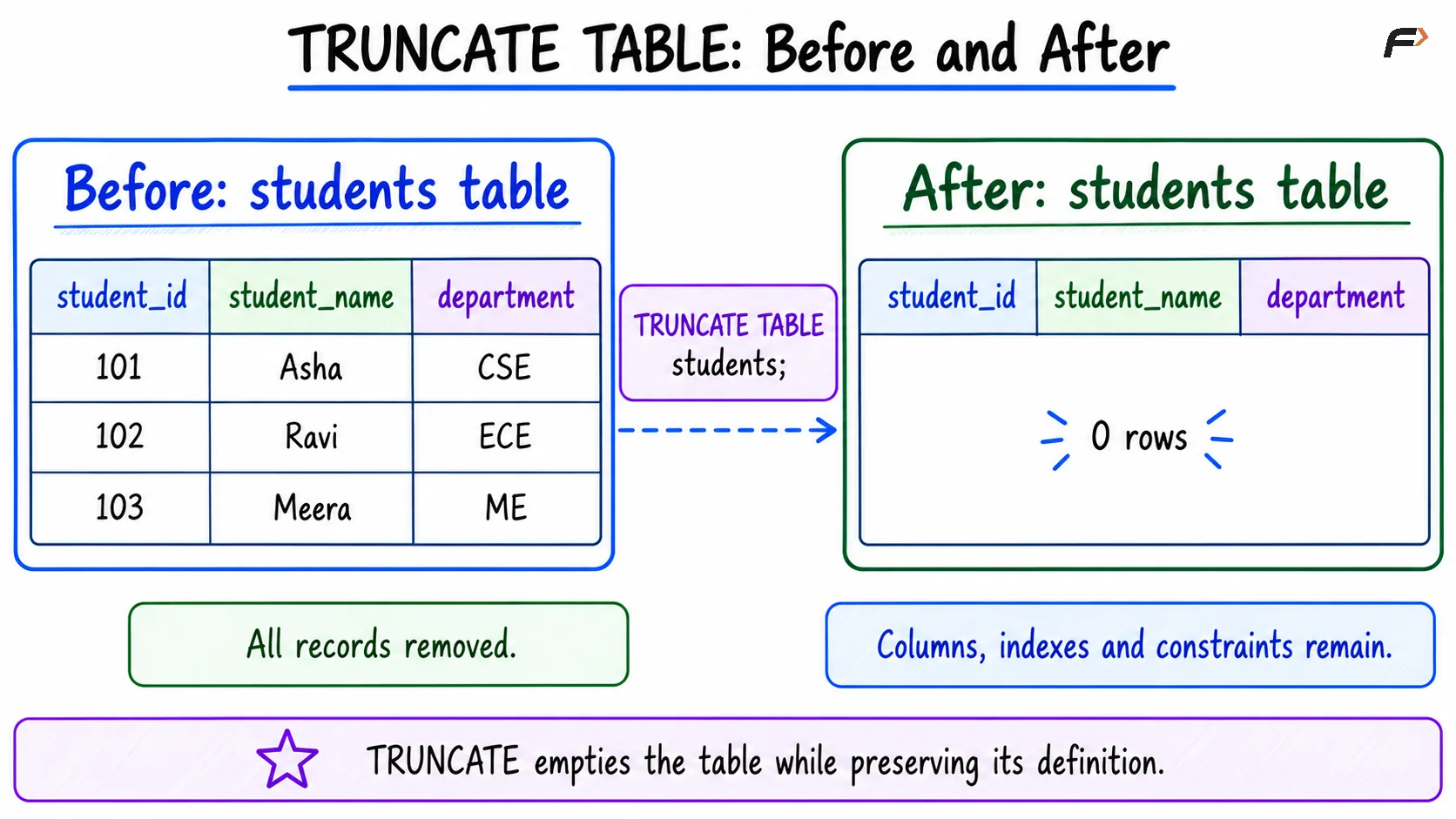
TRUNCATE TABLE : before and after
When Should You Use TRUNCATE?
Use TRUNCATE when all existing records can be removed and the table will be reused. Common examples include:
Practice tables: Clear exercise data before starting another task.
Staging tables: Remove a previous import before loading a replacement dataset.
Test environments: Reset disposable test data between test runs.
Rebuildable reports: Empty a derived table before regenerating its contents.
Choose DELETE when only selected rows should be removed. Choose DROP when the table itself is no longer needed.
Common Mistakes with TRUNCATE
Assuming ROLLBACK Always Restores the Data
A transaction groups database changes together. COMMIT makes those changes permanent, while ROLLBACK cancels changes that have not been committed.
MySQL: TRUNCATE TABLE causes an implicit commit, meaning the database commits without an explicit COMMIT command. It can also commit earlier pending changes in the transaction. An ordinary ROLLBACK cannot undo the truncation.
PostgreSQL: Truncation can be rolled back when it runs inside a transaction that has not committed:
BEGIN;TRUNCATE TABLE students;ROLLBACK;After ROLLBACK, the original records are restored.
Ignoring Foreign-Key Dependencies
Suppose an enrollments table has a foreign key referencing students.
MySQL: A foreign key from another table can prevent truncating the referenced table, even when the referencing table is empty. ON DELETE CASCADE does not make TRUNCATE cascade.
PostgreSQL: By default, referencing tables must also be included in the same truncation command:
TRUNCATE TABLE enrollments, students;This empties both tables. PostgreSQL also supports CASCADE, which automatically includes referencing tables, so review its scope before using it.
Assuming Generated IDs Behave the Same Way
MySQL: Truncation resets an AUTO_INCREMENT counter to its starting value.
PostgreSQL: Truncation preserves sequence values by default. To reset sequences owned by the table’s columns, use:
TRUNCATE TABLE students RESTART IDENTITY;These rules concern generated identifiers. They do not change explicitly supplied values such as 104 in the earlier example.
Expecting DELETE Triggers to Run
TRUNCATE does not fire DELETE triggers in either system. PostgreSQL supports separate TRUNCATE triggers. If row removal must run existing delete-trigger logic, use DELETE.
Summary
TRUNCATE TABLE removes every row while preserving the table’s structure. It is useful for clearing practice data, staging tables, and other datasets that will be replaced completely.
MySQL truncation causes an implicit commit and resets auto-increment values. PostgreSQL supports transactional rollback and preserves sequences unless RESTART IDENTITY is specified. Check foreign-key dependencies before truncating related tables.
Be the first to add a comment.