Introduction
Related information is often stored in separate database tables. A join combines that information into a query result by finding rows that satisfy a matching condition.
NATURAL JOIN determines this condition automatically from shared column names. Its syntax is short, but understanding exactly which columns it compares is essential for producing the correct result.
What Is a NATURAL JOIN?
A NATURAL JOIN combines two tables by comparing the values in all columns that have the same name in both tables. The corresponding data types must support comparison.
By default, NATURAL JOIN behaves as an inner join: it returns only matching row pairs. NATURAL INNER JOIN expresses the same operation.
Its main characteristics are:
Automatic matching: Shared column names determine the join condition.
Equality comparison: Every shared column must have equal values for a row pair to match.
One shared output column: Each matching column name appears once in the joined table.
No additional join condition:
ONandUSINGare not written alongsideNATURALfor the same join.
The database identifies matching columns by their names. It does not inspect the meaning of the data to decide which columns should be related.
Example Tables
Consider a college database containing two tables: Student and Department.
The Student table stores each student’s identifier, name, assigned department, and current semester.
Student
StudentID | Name | DeptID | Semester |
|---|---|---|---|
101 | Asha | 10 | 2 |
102 | Ravi | 20 | 4 |
103 | Meera | 10 | 2 |
104 | Neha | NULL | 2 |
The Department table stores each department’s identifier and name. It can contain a department even when no students belong to it.
Department
DeptID | DeptName |
|---|---|
10 | Computer Science |
20 | Electronics |
30 | Mathematics |
StudentID uniquely identifies a student, while Department.DeptID uniquely identifies a department. Neha has no assigned department, represented by NULL. Mathematics currently has no students.
The only column name shared by these tables is DeptID. Both tables store it as an integer, so it can be used for equality matching.
Matching Rows with NATURAL JOIN
Objective: Display students who have a matching department, along with their department names.
Consider the following queries to combine student records with their matching department records.
SELECT StudentID, Name, DeptID, DeptNameFROM StudentNATURAL JOIN DepartmentORDER BY StudentID;Expected result
StudentID | Name | DeptID | DeptName |
|---|---|---|---|
101 | Asha | 10 | Computer Science |
102 | Ravi | 20 | Electronics |
103 | Meera | 10 | Computer Science |
Because DeptID is the only shared column name, the automatic matching condition is Student.DeptID = Department.DeptID. Here, = means that the two values must be equal.
Asha and Meera match department 10, while Ravi matches department 20. Neha is excluded because her DeptID is NULL. Mathematics is excluded because it has no matching student.
SELECT chooses the displayed columns, and ORDER BY StudentID sorts the result by student identifier.
The joined table exposes one shared DeptID column. Even when SELECT * is used to select all columns, that shared column appears only once. This combines the output columns without changing either stored table.
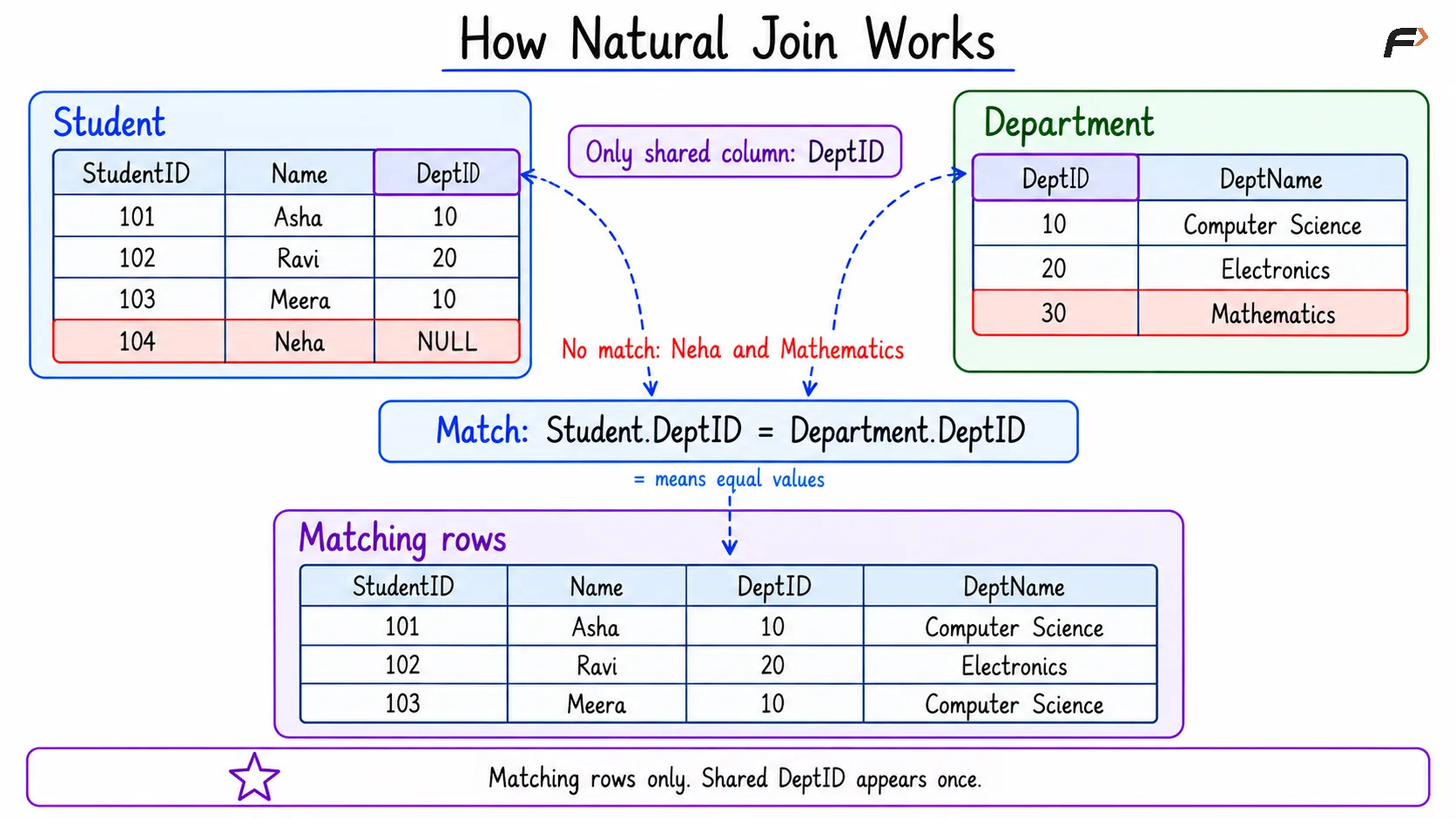
HOW NATURAL JOIN WORKS
Keeping Unmatched Rows with Natural Outer Joins
The word NATURAL controls how the matching columns are selected. Adding LEFT or RIGHT controls which table’s unmatched rows are retained.
NATURAL LEFT JOIN: Keep Every Student
Objective: Display every student, including students without an assigned department.
Consider the following queries to retain all rows from Student and add department details wherever a match exists.
SELECT StudentID, Name, DeptID, DeptNameFROM StudentNATURAL LEFT JOIN DepartmentORDER BY StudentID;Expected result
StudentID | Name | DeptID | DeptName |
|---|---|---|---|
101 | Asha | 10 | Computer Science |
102 | Ravi | 20 | Electronics |
103 | Meera | 10 | Computer Science |
104 | Neha | NULL | NULL |
Student is the left table because it appears before the join. Every student remains in the result.
Neha’s DeptID is already NULL in the source table. Her DeptName becomes NULL in the result because no matching department supplies a name.
NATURAL RIGHT JOIN: Keep Every Department
Objective: Display every department, including departments that currently have no students.
Consider the following queries to retain all rows from Department and include matching student details.
SELECT DeptID, DeptName, StudentID, NameFROM StudentNATURAL RIGHT JOIN DepartmentORDER BY DeptID, StudentID;Expected result
DeptID | DeptName | StudentID | Name |
|---|---|---|---|
10 | Computer Science | 101 | Asha |
10 | Computer Science | 103 | Meera |
20 | Electronics | 102 | Ravi |
30 | Mathematics | NULL | NULL |
Department is the right table, so Mathematics remains even without a matching student. Its student-related columns contain NULL.
The shared DeptID column retains Mathematics’ identifier, 30. Computer Science appears twice because two students match it. Keeping every department does not mean returning exactly one row per department.
PostgreSQL also supports NATURAL FULL JOIN, which retains unmatched rows from both tables. MySQL does not provide a native FULL OUTER JOIN form.
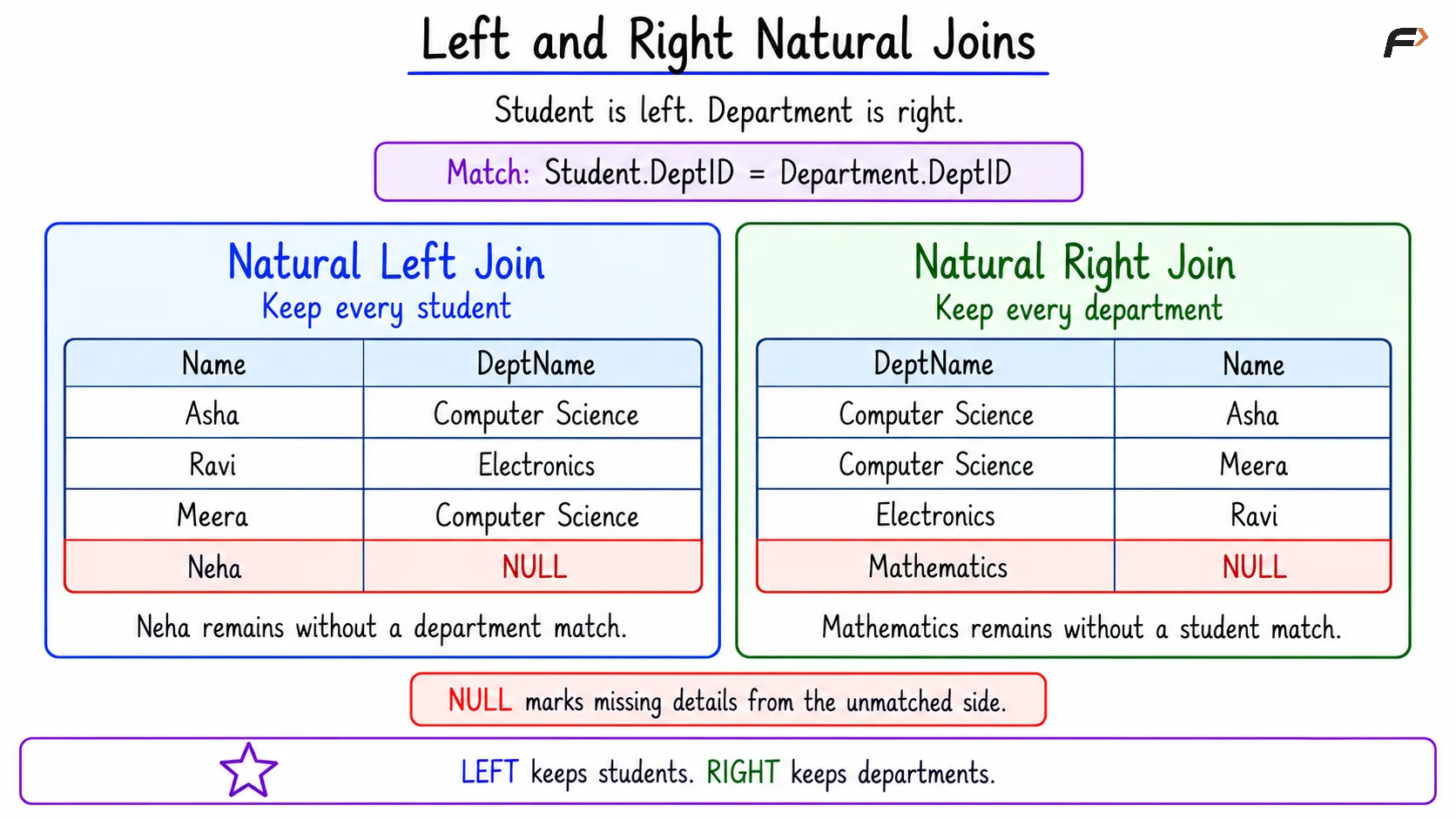
LEFT AND RIGHT NATURAL JOINS
NATURAL JOIN, USING, and ON
NATURAL JOIN and INNER JOIN are not completely separate categories. A plain natural join is an inner join whose equality conditions are chosen automatically.
The main distinction is how much control the query provides over matching.
Join form | How matching is specified | Shared columns in |
|---|---|---|
| Automatically uses every shared column name | Each shared column appears once |
| Explicitly lists the shared column names to compare | Each listed matching column appears once |
| Explicitly writes the matching condition | Both input columns remain available |
For the example tables, USING (DeptID) explicitly chooses DeptID. An ON condition can instead state Student.DeptID = Department.DeptID.
All three approaches can produce the same student-department matches here because DeptID is the only shared name. However, ON can also compare differently named columns or express conditions other than equality.
Summary
NATURAL JOIN automatically compares all shared column names and exposes each shared column once in the joined output. Its default inner form returns matching pairs, while natural left and right joins can retain unmatched rows from the specified side.
Correct results depend on shared names representing the intended relationship. Checking all participating columns, understanding NULL and multiple matches, and using explicit USING or ON conditions when greater control is needed help prevent unexpected results.
Be the first to add a comment.