Introduction
After defining a table, the next step is adding records. A student portal needs new student entries, while an order system needs records for purchases and their items.
The SQL INSERT statement performs this task. It adds rows to an existing table while following its data types, defaults, and constraints.
What Is INSERT in SQL?
INSERT is a Data Manipulation Language (DML) statement that adds records. It changes table contents rather than the table’s definition.
The basic syntax is:
INSERT INTO table_name (column1, column2)VALUES (value1, value2);The column list identifies the destination columns. Each value maps to the column in the corresponding position.
The following example use the students table:
CREATE TABLE students ( student_id INT PRIMARY KEY, student_name VARCHAR(100) NOT NULL, department VARCHAR(20) DEFAULT 'Undeclared', marks INT CHECK (marks BETWEEN 0 AND 100)) ;This creates an empty table ready to accept student records.
Inserting a Single Row
Add one student with:
INSERT INTO students (student_id, student_name, department, marks)VALUES (101, 'Asha', 'CSE', 85);The supplied values map as follows:
Column | Value |
|---|---|
student_id | 101 |
student_name | Asha |
department | CSE |
marks | 85 |
Text literals use single quotes. Numeric values are written without quotes, while a missing value is represented by the unquoted keyword NULL.
Verify the inserted record:
SELECT student_id, student_name, department, marksFROM studentsWHERE student_id = 101;The record is now available for later queries.
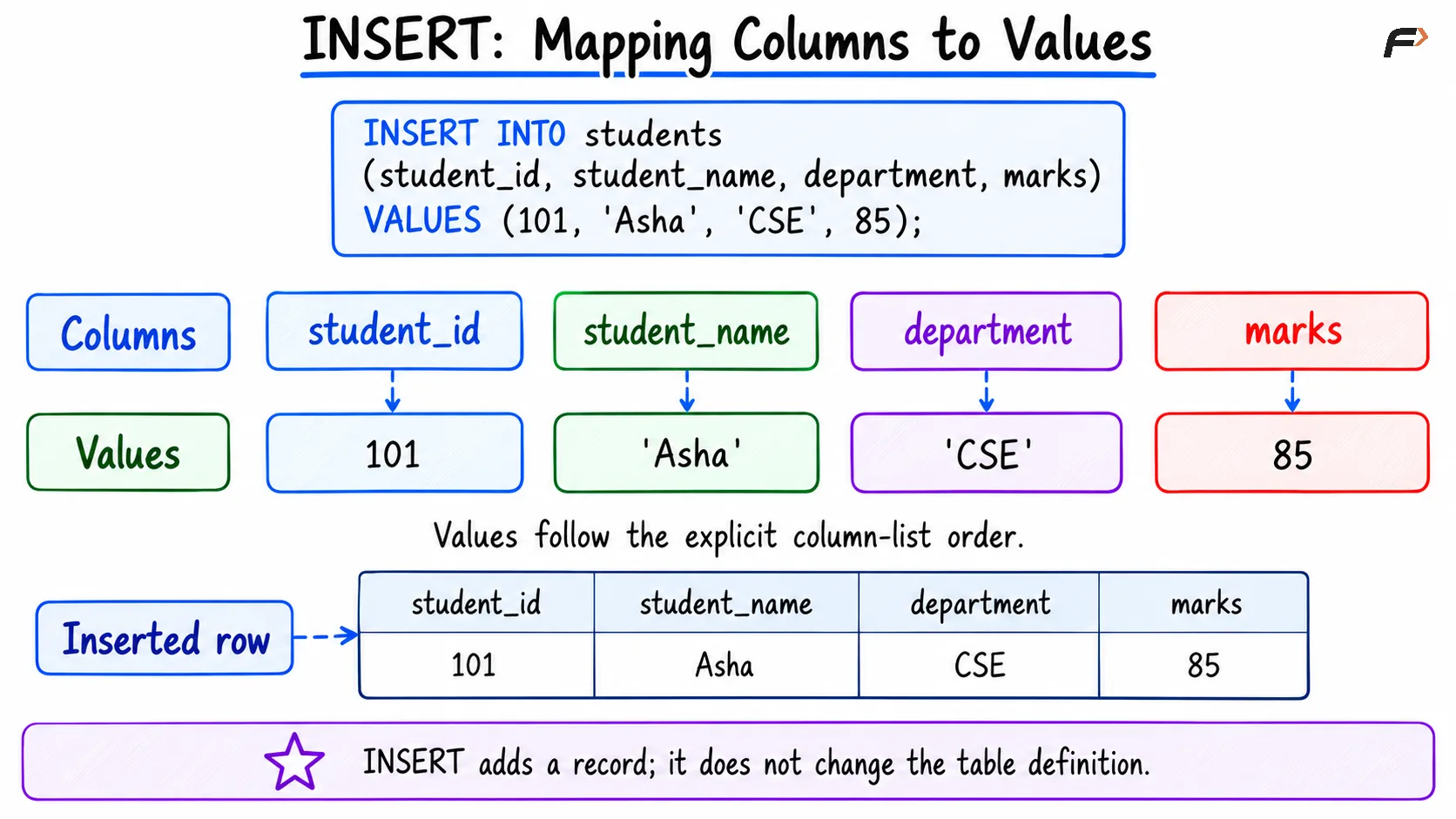
INSERT : Mapping columns to vlaues
Inserting Multiple Rows
A single statement can insert several rows. Give each row its own parenthesized value list, separated by commas:
INSERT INTO students (student_id, student_name, department, marks)VALUES (102, 'Ravi', 'ECE', 72), (103, 'Meera', 'CSE', 91);Both lists follow the same column mapping. Each must contain four values in the specified order.
After this statement and the earlier insert, the table contains:
student_id | student_name | department | marks |
|---|---|---|---|
101 | Asha | CSE | 85 |
102 | Ravi | ECE | 72 |
103 | Meera | CSE | 91 |
Inserting several rows together can reduce repeated statement and communication overhead. For very large imports, database-specific bulk-loading tools may be more suitable.
Column Order, Defaults, and NULL
Values follow the explicit column list, even when that order differs from the table definition:
INSERT INTO students (student_name, student_id, marks, department)VALUES ('Kabir', 104, 60, 'ME');Kabir’s name maps to student_name, and 104 maps to student_id.
Although a column list can sometimes be omitted, writing it explicitly makes the mapping clearer and reduces dependence on the table’s column order.
Omitted columns use applicable defaults or generated values. For the sample table:
INSERT INTO students (student_id, student_name)VALUES (105, 'Nila');Nila receives 'Undeclared' for department and NULL for the nullable marks column.
You can also request a default explicitly:
INSERT INTO students (student_id, student_name, department, marks)VALUES (106, 'Omar', DEFAULT, NULL);DEFAULT, NULL, zero, and an empty string have different meanings. Supplying NULL does not generally request the column’s default.
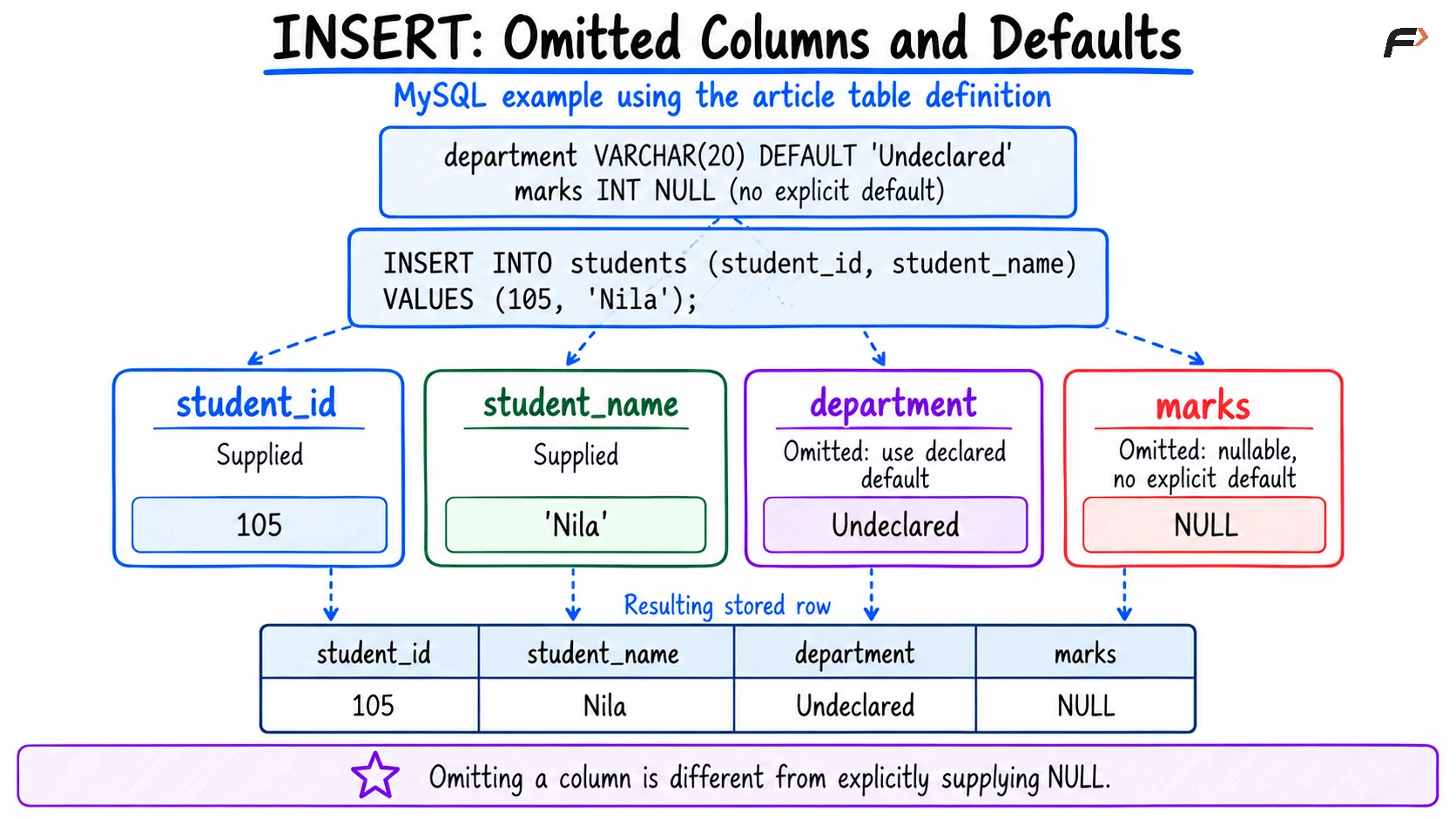
INSERT : Omitted columns and defaults
Constraints and Generated Identifiers
Inserted records must satisfy the table’s rules:
PRIMARY KEY: Student identifiers must be unique and non-null.
NOT NULL: A student name must be supplied.
CHECK: A supplied mark must fall between 0 and 100.
FOREIGN KEY: When defined, a non-null reference must match an allowed parent key.
For example, another ordinary insert using identifier 101 fails because Asha already has that key.
In MySQL strict mode, omitting a required column without a default produces an error. Invalid-value handling can differ with SQL mode, so do not rely on silent conversions or automatic corrections.
The sample identifier is supplied manually. If a MySQL column is instead defined with AUTO_INCREMENT, it can be omitted from the insert so the database generates its value. Generated identifiers need not form a gap-free sequence.
Inserting Records from a SELECT Query
INSERT INTO ... SELECT inserts rows produced by a query instead of manually listed values.
Assume an existing, empty student_archive table has compatible columns:
INSERT INTO student_archive (student_id, student_name, department, marks)SELECT student_id, student_name, department, marksFROM studentsWHERE marks >= 80;Asha and Meera are copied into the archive. Their original records remain in students.
The selected expressions must match the destination column count and have compatible types. Destination constraints still apply, so repeating the statement may fail if it would duplicate primary keys.
Transactions and Common Mistakes
With MySQL inserts can participate in a transaction:
START TRANSACTION;INSERT INTO students (student_id, student_name)VALUES (107, 'Tara');ROLLBACK;The rollback discards Tara’s uncommitted insert. Using COMMIT instead retains it.
With autocommit enabled, a successful standalone insert is normally committed automatically; a later rollback cannot undo it.
Before inserting, check these common issues:
Mismatched counts: Every value list must match the destination column list.
Incorrect mapping: Keep values in the listed column order.
Duplicate keys: Use identifiers that satisfy uniqueness requirements.
Incorrect quoting:
'NULL'is text, whileNULLrepresents missing information.Wrong operation: Use
UPDATEwhen changing an existing row rather than adding one.
Summary
INSERT INTO adds new records through explicit values or query results. A clear column list makes the destination of each value easy to understand.
Check defaults, nullability, data types, and constraints before inserting. Use transactions when related changes need to be committed or discarded together.
Be the first to add a comment.