Introduction
A support account may need a new password, or its login access may need to be paused during an investigation. These changes should preserve the account so that its permissions do not have to be rebuilt later.
ALTER USER modifies an existing database account. Common uses include changing its password, preventing new logins, and allowing logins again. The exact syntax depends on the database system.
What ALTER USER Changes
ALTER USER manages account settings. GRANT gives permissions, such as permission to read a table, while REVOKE removes permissions. Changing a password or login status does not automatically add or remove those permissions.
The examples use an existing support account:
MySQL: 'tuf_support'@'localhost'. Both the username and host identify the account.
PostgreSQL: tuf_support. PostgreSQL represents users as roles with permission to log in, and ALTER USER is an alias for ALTER ROLE.
Run commands that manage another account as an administrator authorized to manage that account. Regular users can also change their own password, subject to the database’s authentication and password-policy requirements.
Changing a User’s Password
Change a password when it may have been exposed or when your organization’s credential policy requires it. Replacing an existing password is commonly called password rotation.
Assume the account uses a password managed by the database. For the MySQL example, assume it has a single password.
ALTER USER 'tuf_support'@'localhost'IDENTIFIED BY 'ExampleOnly#7mQ92!';The password shown is illustrative. Replace it with a unique password that meets your configured policy.
Once the change takes effect, a new password-based login must use the new password. The previous password no longer works for this example.
An existing session is not disconnected by a password change. A session is a connection that has already signed in. It can continue running queries, but a later reconnection must use the new password. Update any application or connection-pool configuration that still holds the old password.
Disabling and Re-enabling Login
Temporarily disabling login is useful when an account needs to be investigated or paused. The account and its assigned permissions remain available for later use.
Disable New Logins
ALTER USER 'tuf_support'@'localhost'ACCOUNT LOCK;MySQL rejects new direct connections to the locked account, even when the password is correct. PostgreSQL’s NOLOGIN prevents new connections from signing in directly as that role.
These commands do not terminate existing sessions. If immediate disconnection is required, an authorized administrator must also identify and end the account’s active sessions.
The diagram shows how MySQL treats a new login and an already authenticated session after ACCOUNT LOCK.
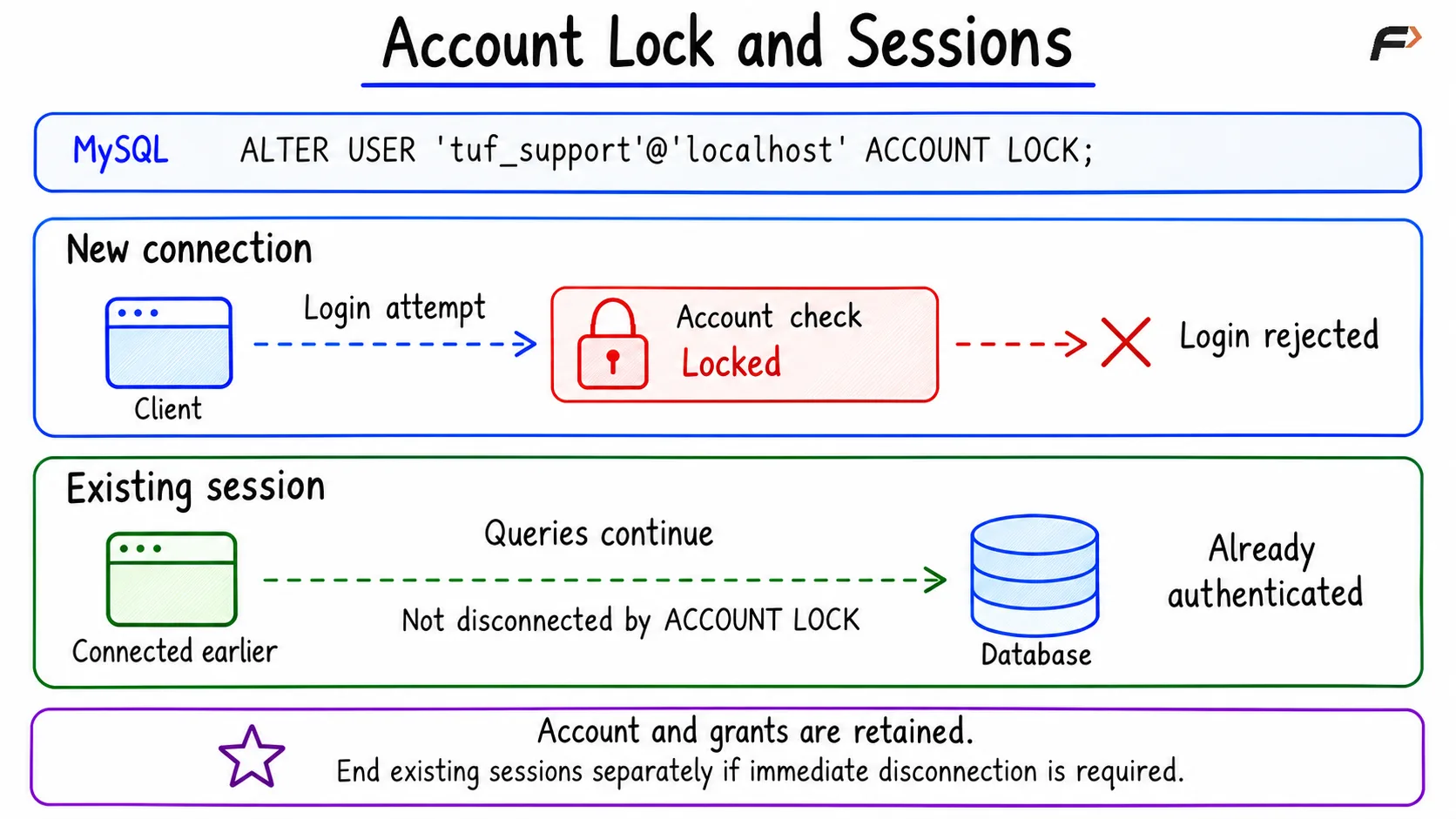
Account Lock and Sessions
In PostgreSQL, NOLOGIN also leaves role memberships unchanged. Another role that is already allowed to use SET ROLE can still switch to this role; disabling direct login does not revoke that permission.
Allow New Logins Again
ALTER USER 'tuf_support'@'localhost'ACCOUNT UNLOCK;These commands restore eligibility to log in. They do not reset the password or grant additional permissions. The user must still provide valid credentials and satisfy the database’s other connection requirements.
If the password was changed before or during the lock, the user must use that updated password. Existing privileges and role memberships remain assigned, provided they were not separately changed.
If you run these PostgreSQL commands inside an explicit transaction, commit it before testing the change from a new connection.
Common Mistakes to Avoid
Choosing the wrong MySQL host: 'tuf_support'@'localhost' and 'tuf_support'@'%' are separate accounts. Changing one does not change the other. Check both parts of the account name.
Expecting ALTER USER to create an account: The target account must already exist. Use CREATE USER when a new account is needed.
Using a password change to fix missing permissions: A new password does not give access to a table. Use the appropriate GRANT statement for the required privilege.
Treating a login lock as complete access removal: Locking blocks new direct logins. It preserves assigned permissions and does not end existing sessions, so it is only one part of disabling access completely.
Adding FLUSH PRIVILEGES after ALTER USER: MySQL applies account-management statements directly. FLUSH PRIVILEGES is not required after these commands. Reloading grant tables concerns other situations, such as direct edits to system grant tables, which should be avoided.
Summary
ALTER USER changes an existing account’s settings. Use it to replace a password, disable new logins, or restore login eligibility. Password changes and login restrictions do not automatically disconnect active sessions or remove assigned permissions. Choose the correct account, use the syntax for your database, and handle active sessions separately when immediate disconnection is necessary.
Be the first to add a comment.