Introduction
Text searches often need more flexibility than an exact comparison. An application might retrieve names beginning with a letter, product codes following a format, or descriptions containing a particular word.
SQL provides LIKE and NOT LIKE for these pattern-based conditions. Their behavior depends on the pattern, wildcard placement, and the database’s text-comparison rules.
What Do LIKE and NOT LIKE Do?
LIKE tests whether a value matches a pattern. NOT LIKE negates that test.
WHERE column_name LIKE 'pattern'WHERE column_name NOT LIKE 'pattern'Two wildcards provide the main pattern-matching behavior:
Wildcard | Meaning | Example |
|---|---|---|
| Zero or more characters |
|
| Exactly one character |
|
The pattern describes the whole value. To search for text anywhere inside a value, place % on both sides.
Matching Text with the Percent Wildcard
Consider this students table:
student_id | student_name |
|---|---|
101 | Asha |
102 | Ravi |
103 | Meera |
104 | Mohan |
105 | Nila |
106 | NULL |
Find names beginning with M:
SELECT student_id, student_nameFROM studentsWHERE student_name LIKE 'M%';Meera and Mohan qualify. The % allows any number of characters after M, including none.
Its position changes the requirement:
Pattern | Meaning | Matching sample names |
|---|---|---|
| Begins with M | Meera, Mohan |
| Ends with a | Asha, Meera, Nila |
| Contains ee | Meera |
| Any non-null text value, including empty text | All five supplied names |
Matching case depends on the collation. The examples assume ordinary matching for the displayed letters.
Matching Characters with the Underscore
The underscore _ matches exactly one character.
SELECT student_nameFROM studentsWHERE student_name LIKE '_a%';This selects names whose second character is a. Ravi qualifies because _ matches R, a matches the second character, and % matches the remaining text.
Multiple underscores require a specific character count:
SELECT student_nameFROM studentsWHERE student_name LIKE '____';Four underscores match four-character names: Asha, Ravi, and Nila.
Wildcards can be combined. For example, 'M___a' matches a five-character value beginning with M and ending with a, including Meera.
Unlike %, an underscore cannot match zero characters.
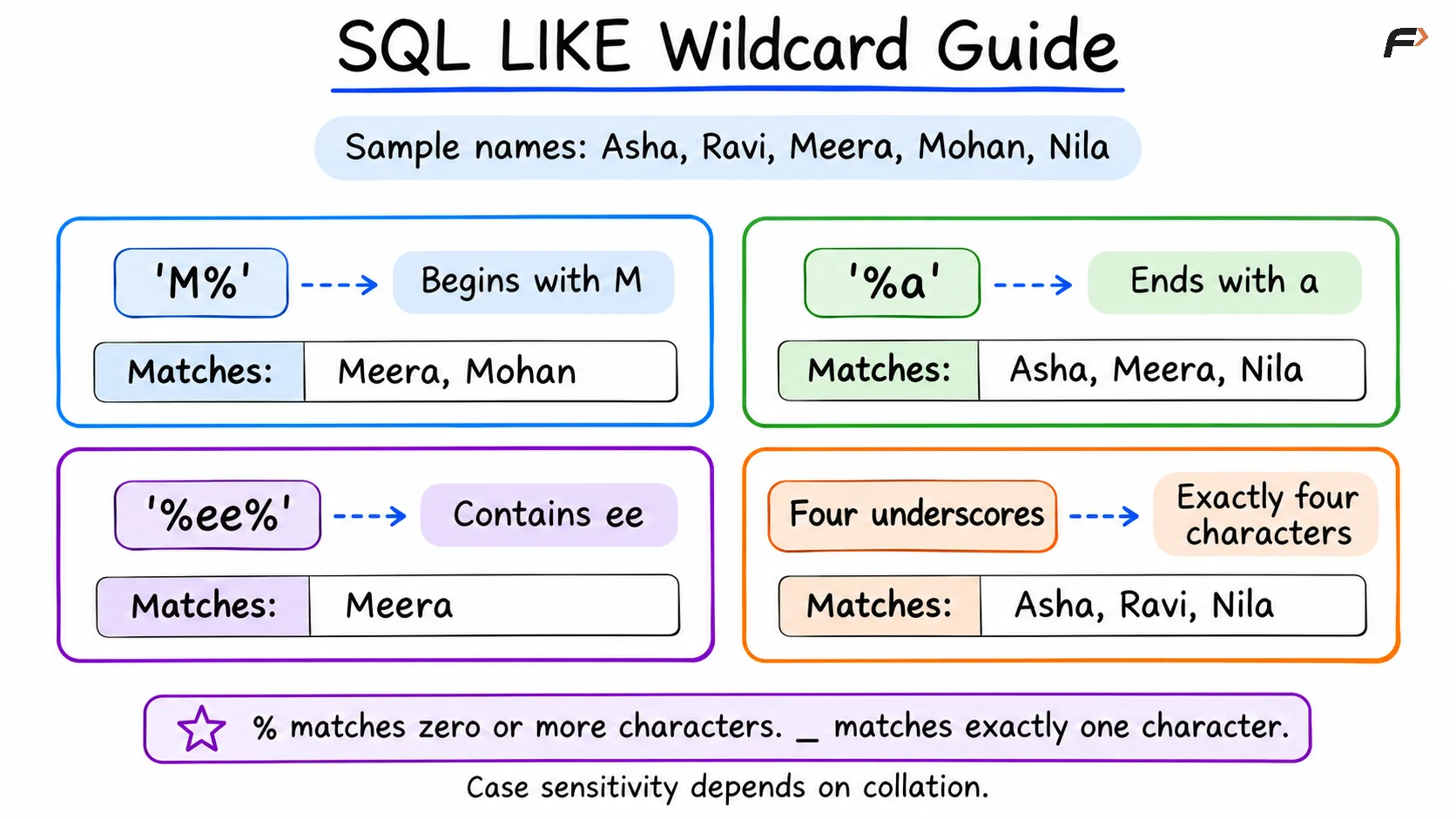
SQL LIKE wildcard guide
Excluding Patterns with NOT LIKE
Use NOT LIKE to return values that fail a pattern test:
SELECT student_nameFROM studentsWHERE student_name NOT LIKE 'M%';This returns Asha, Ravi, and Nila. It excludes Meera and Mohan because their names match the pattern.
The null name is also excluded, but for a different reason: its pattern comparison is unknown rather than true.
Patterns can be combined with logical operators. To exclude names beginning with either M or A:
SELECT student_nameFROM studentsWHERE student_name NOT LIKE 'M%' AND student_name NOT LIKE 'A%';Ravi and Nila qualify. Both exclusion conditions must hold, which is why AND is appropriate here.
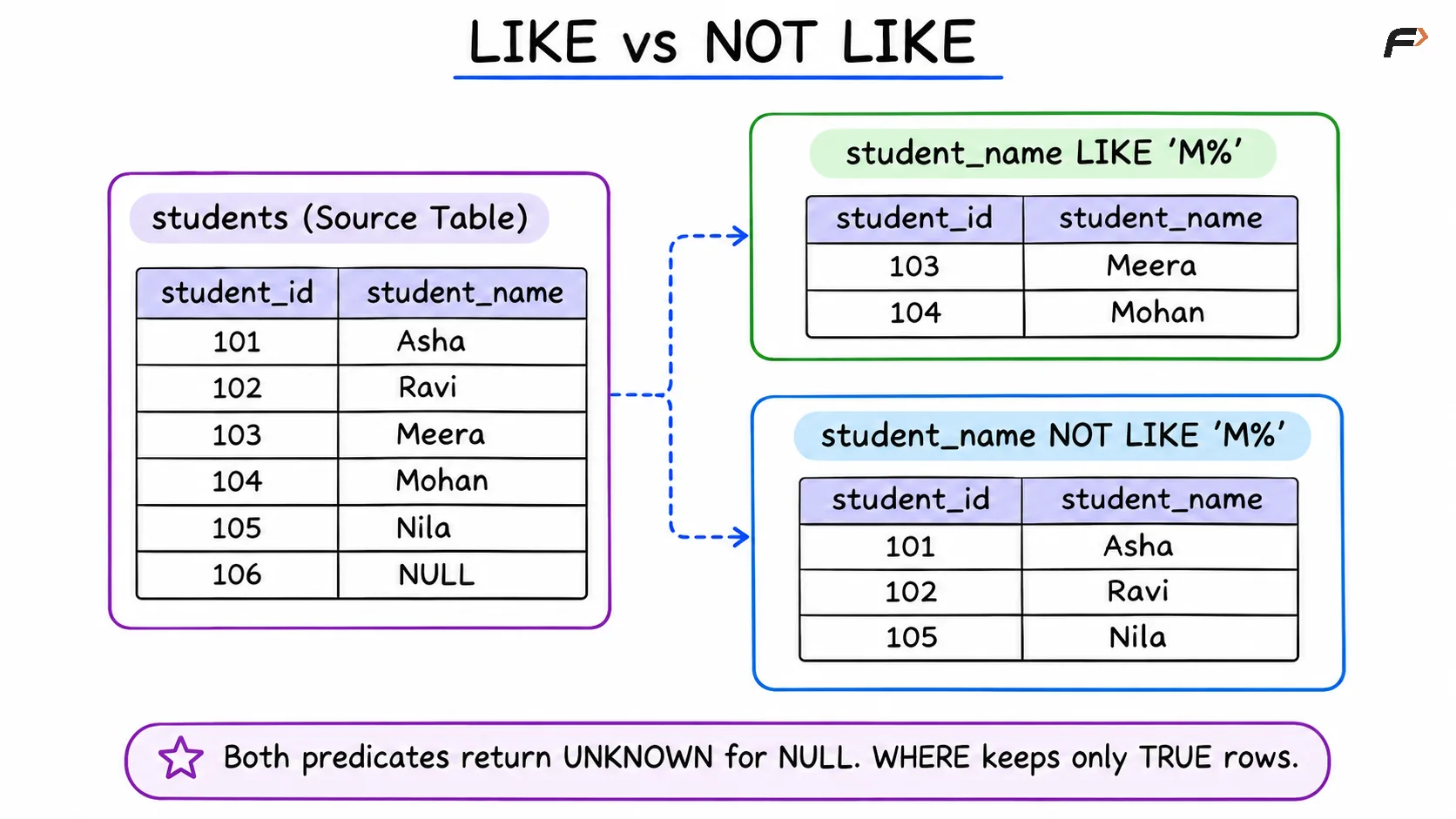
LIKE vs NOT LIKE
Searching for Literal % and _ Characters
Sometimes a percent sign or underscore is part of the actual data. Escape it when it should be matched literally rather than used as a wildcard.
For a hypothetical products table, find descriptions containing a literal percent sign:
SELECT product_nameFROM productsWHERE description LIKE '%!%%' ESCAPE '!';Here:
First
%: Allows text before the percent sign.!%: Matches a literal%.Final
%: Allows text after it.
Similarly, find codes beginning with the literal prefix AB_:
SELECT product_codeFROM productsWHERE product_code LIKE 'AB!_%' ESCAPE '!';The explicit escape character makes the intention clear without relying on default backslash behavior.
NULL, Case Sensitivity, and Exact Matching
If the tested value or pattern is NULL, the result of LIKE is unknown. NOT LIKE does not turn that unknown result into true.
Include missing names explicitly when required:
SELECT student_id, student_nameFROM studentsWHERE student_name NOT LIKE 'M%' OR student_name IS NULL;This returns Asha, Ravi, Nila, and student 106.
In MySQL, case sensitivity depends on the operands and collation. A case-insensitive collation may allow 'M%' to match lowercase m as well; a case-sensitive collation can distinguish them.
Use = when the requirement is an exact-value comparison:
WHERE student_name = 'Meera'A LIKE pattern without wildcards also performs pattern matching, but its text-comparison details are not necessarily identical to = in every case.
Common Mistakes
Check the pattern carefully before relying on its results:
Using
*as a wildcard: SQLLIKEuses%and_.Confusing the wildcards:
%permits any length;_requires one character.Forgetting surrounding
%:'ee'does not search for ee anywhere inside a name.Assuming case-insensitive matching: Check the database and collation.
Expecting NOT LIKE to include NULL: Add an explicit missing-value condition.
Assuming every pattern uses an index efficiently: A leading wildcard often limits ordinary B-tree lookup opportunities; inspect the execution plan.
LIKE provides simple pattern matching. More complex requirements may need regular expressions or specialized text-search features.
Summary
LIKE selects values matching a text pattern, while NOT LIKE selects known values that do not match. The % wildcard matches zero or more characters, and _ matches exactly one.
Place wildcards according to the requirement and escape them when they represent literal characters. Account for NULL values and collation rules so the filter behaves as intended.
Be the first to add a comment.