Introduction
The HAVING clause filters groups based on a condition. It is commonly used with GROUP BY and aggregate functions such as COUNT to return only the summaries that meet a requirement.
For example, a report may need groups containing at least a certain number of records. WHERE determines which individual rows enter the calculation, while HAVING determines which group summaries appear in the result.
An Example Relation
Consider a table named StudentMarks that stores students’ marks in the same examination. Each row represents one student’s result.
StudentMarks : initial data
StudentID | Name | Department | Marks |
|---|---|---|---|
101 | Asha | Computer Science | 80.00 |
102 | Ravi | Electronics | 60.00 |
103 | Meera | Computer Science | 90.00 |
104 | Arjun | Electronics | 70.00 |
105 | Neha | Computer Science | NULL |
106 | Kabir | Computer Science | 80.00 |
StudentID is the primary key. Neha’s NULL means that her marks have not been recorded; it does not mean that she scored zero.
Computer Science has four students, while Electronics has two. These department groups provide the starting point for the following examples.
Using HAVING with COUNT(*)
GROUP BY Department collects rows belonging to the same department. COUNT(*) counts every row in each group, including rows containing NULL values.
HAVING can then test each group’s count. In a grouped query, it is written after GROUP BY and before ORDER BY, when sorting is included.
Consider the following queries to find departments containing at least three students.
SELECT Department AS department, COUNT(*) AS student_countFROM StudentMarksGROUP BY DepartmentHAVING COUNT(*) >= 3ORDER BY Department;Expected result
department | student_count |
|---|---|
Computer Science | 4 |
In HAVING COUNT(*) >= 3, the operator >= means “greater than or equal to.” Computer Science qualifies with four students; Electronics is excluded because its count is two.
Neha contributes to the Computer Science count because COUNT(*) counts her row even though her mark is missing. HAVING excludes the Electronics summary from this query’s result; it does not delete any student records.
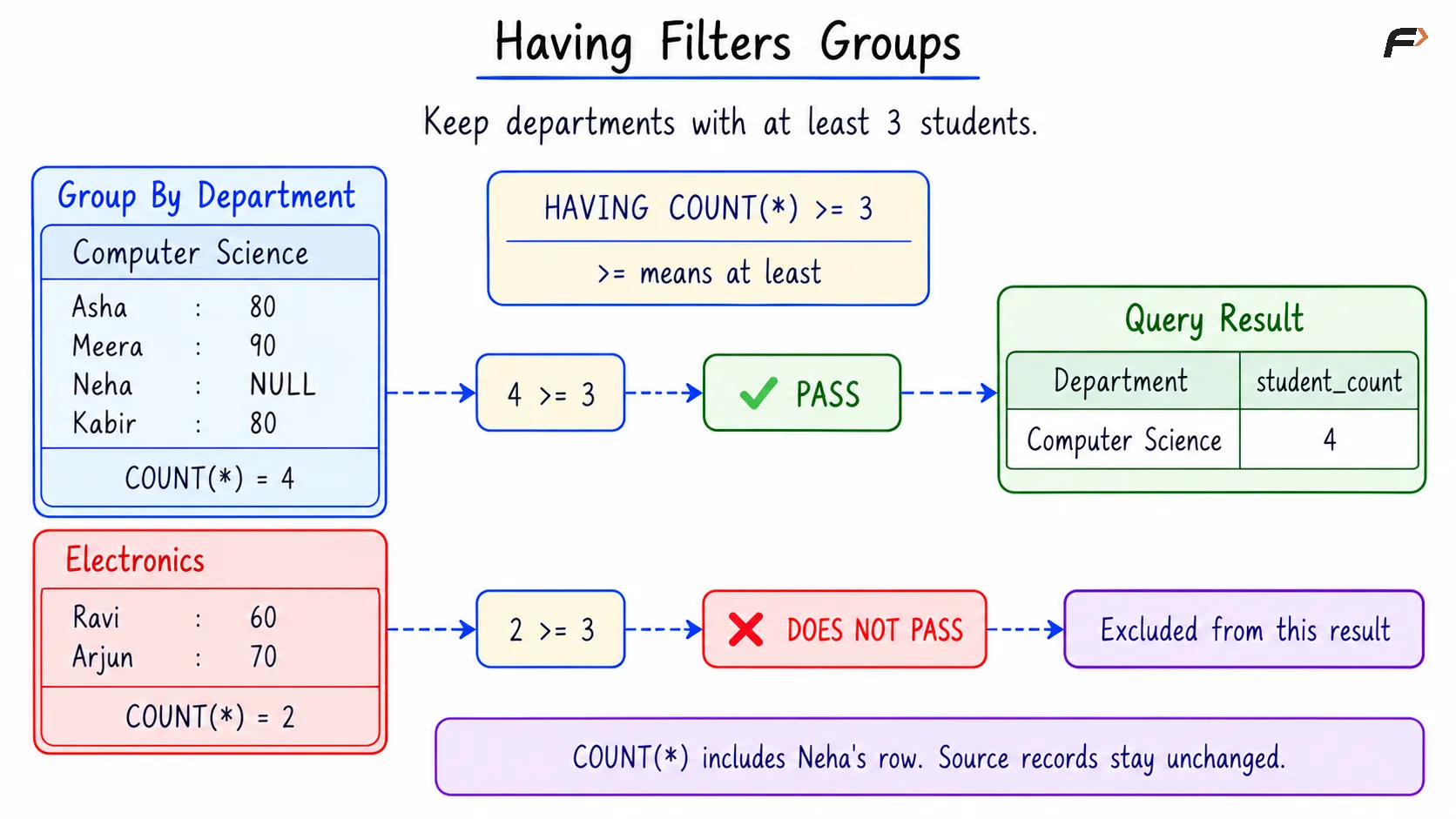
HAVING FILTERS GROUPS
WHERE and HAVING: Different Filtering Roles
Both clauses filter data, but they act on different things.
Aspect | WHERE | HAVING |
|---|---|---|
Filters | Individual input rows | Groups or aggregate summaries |
Typical condition |
|
|
Effect | Determines which rows contribute to the aggregates | Determines which group summaries are returned |
For example, filtering marks below 70 with WHERE changes the rows available for counting. Applying HAVING to the resulting counts then decides which department groups qualify.
A condition on the current group’s aggregate count belongs in HAVING. WHERE cannot directly test that aggregate count because it selects the individual rows from which the count will be calculated.
Choosing the Right COUNT Expression
The expression inside COUNT determines what the HAVING condition measures.
Expression | What it counts in each group |
|---|---|
| All input rows |
| Rows with non- |
| Different non- |
For Computer Science, these counts are 4, 3, and 2, respectively. Neha has no recorded mark, while Asha and Kabir share the score of 80.
Consider the following queries to find departments with at least three recorded marks.
SELECT Department AS department, COUNT(Marks) AS recorded_countFROM StudentMarksGROUP BY DepartmentHAVING COUNT(Marks) >= 3ORDER BY Department;Expected result
department | recorded_count |
|---|---|
Computer Science | 3 |
Computer Science qualifies because Asha, Meera, and Kabir have recorded marks. Electronics has only two recorded marks and is excluded.
A requirement for four students would be satisfied by Computer Science, but a requirement for four recorded marks would not. Choosing the appropriate COUNT expression therefore changes the meaning of the condition.
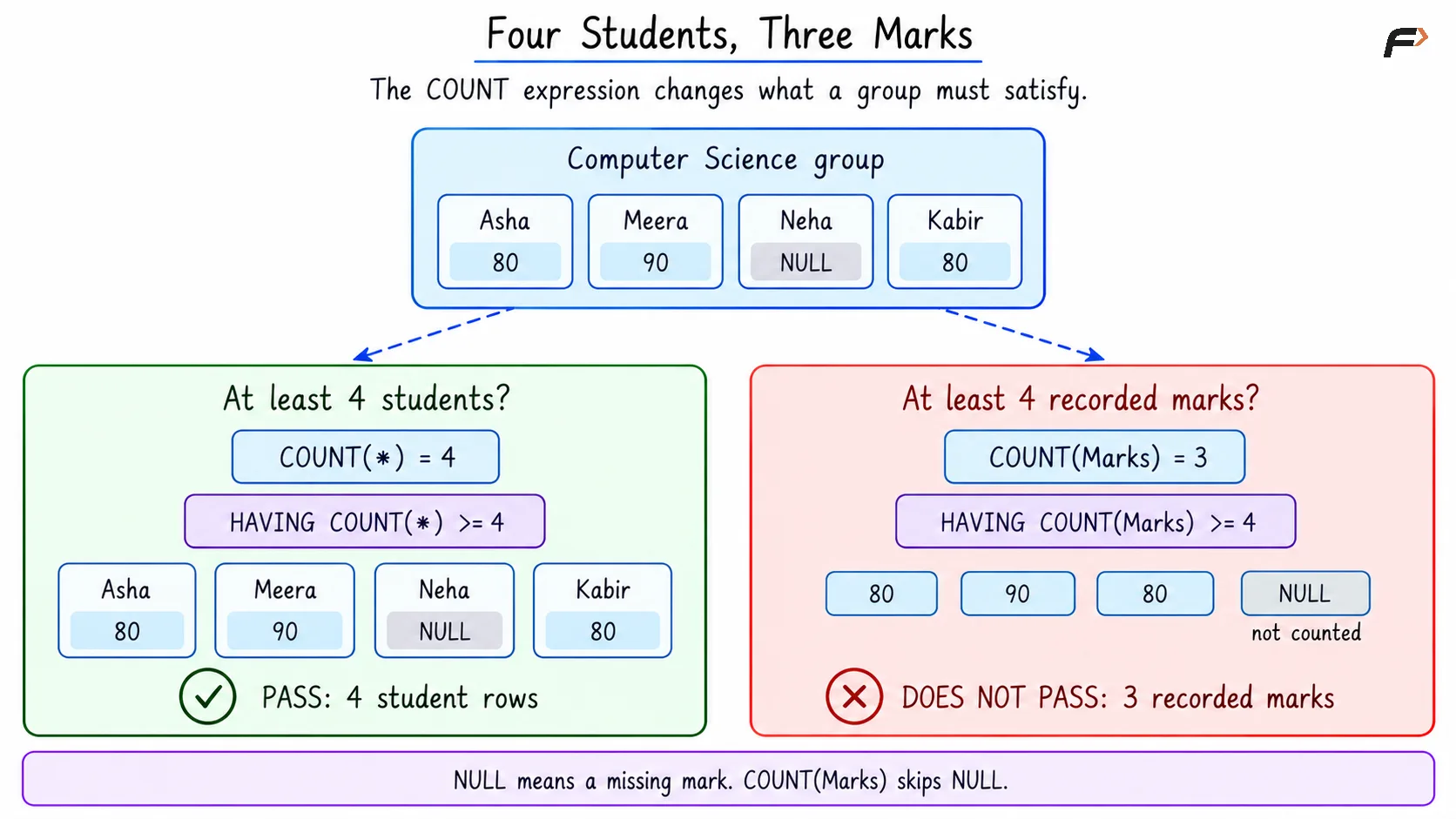
FOUR STUDENTS , THREE MARKS
HAVING Without GROUP BY
HAVING can also be used in an aggregate query without an explicit GROUP BY. In that case, all selected rows form one group, and the condition decides whether its single summary row is returned.
Consider the following queries to return the total student count only when the table contains at least five students.
SELECT COUNT(*) AS total_studentsFROM StudentMarksHAVING COUNT(*) >= 5;Expected result
total_students |
|---|
6 |
The single group contains six rows, so it satisfies the condition. If the threshold were changed to seven, the summary row would be excluded and the result would be empty.
A Compact Example
Objective: Among students who scored at least 70, find departments containing at least three such students and at least two different scores.
The example data is repeated below for reference.
StudentMarks
StudentID | Name | Department | Marks |
|---|---|---|---|
101 | Asha | Computer Science | 80.00 |
102 | Ravi | Electronics | 60.00 |
103 | Meera | Computer Science | 90.00 |
104 | Arjun | Electronics | 70.00 |
105 | Neha | Computer Science | NULL |
106 | Kabir | Computer Science | 80.00 |
The row condition belongs in WHERE. The requirements concerning the number of students and different scores belong in HAVING.
Consider the following queries to produce the qualifying department report.
SELECT Department AS department, COUNT(*) AS qualifying_students, COUNT(DISTINCT Marks) AS distinct_scoresFROM StudentMarksWHERE Marks >= 70GROUP BY DepartmentHAVING COUNT(*) >= 3 AND COUNT(DISTINCT Marks) >= 2ORDER BY Department;Expected result
department | qualifying_students | distinct_scores |
|---|---|---|
Computer Science | 3 | 2 |
The keyword AND requires both conditions in HAVING to be true.
Row filtering:
WHERE Marks >= 70keeps Asha, Meera, Arjun, and Kabir. Ravi’s 60 is below the threshold, and Neha’sNULLdoes not satisfy the comparison.Grouping and counting: Computer Science has three qualifying students with two different scores: 80 and 90. Electronics has one qualifying student with one score: 70.
Group filtering: Computer Science satisfies both requirements. Electronics fails the requirements, so its summary is excluded.
ORDER BY Department sorts the surviving department summaries alphabetically.
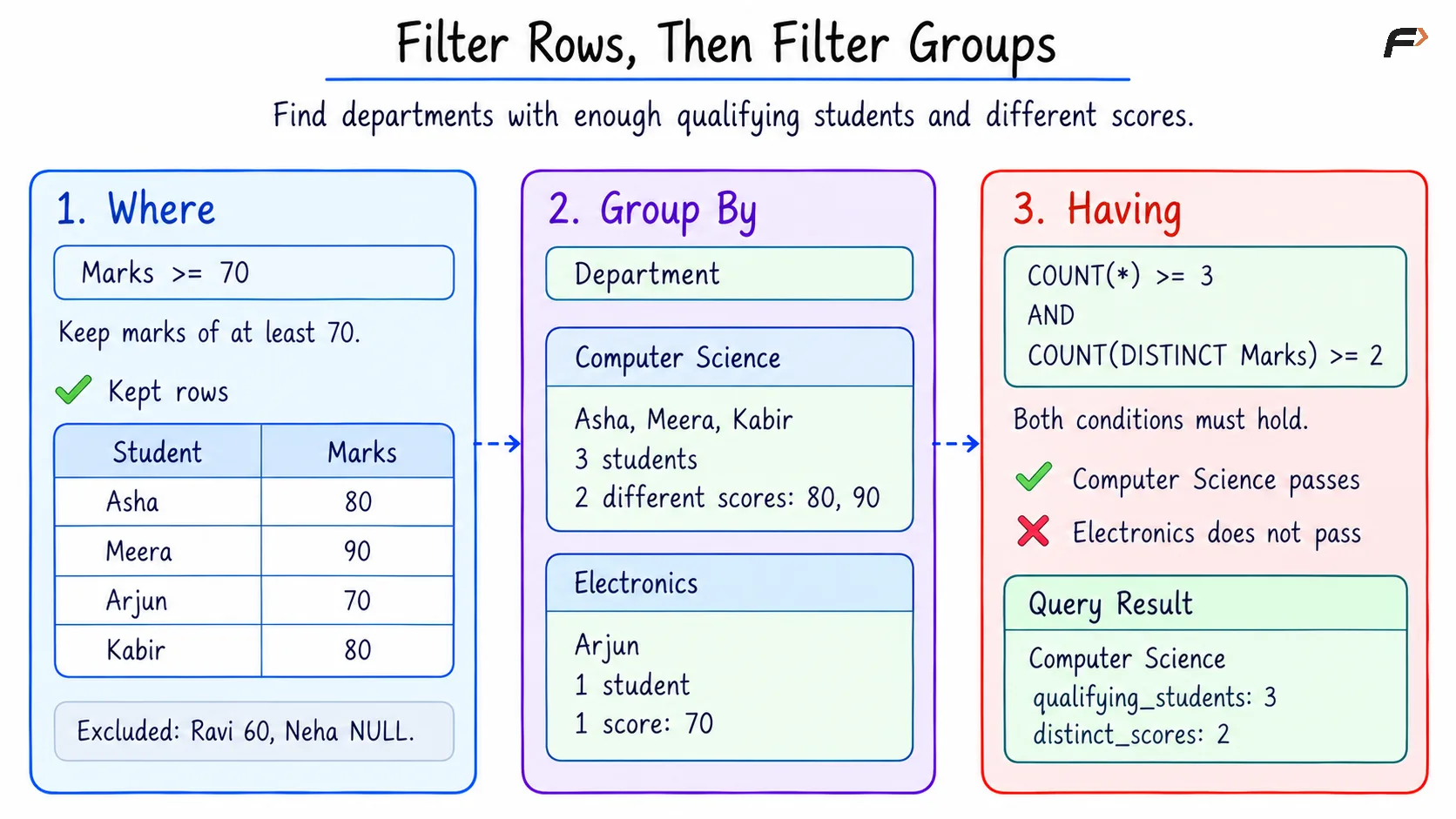
FILTER ROW THEN FILTER GROUPS
The aggregate expressions are written directly in HAVING for compatibility with both databases. MySQL permits a SELECT alias in this clause, but PostgreSQL does not allow those output aliases there.
Summary
HAVING filters groups or aggregate summaries according to a condition. With COUNT, it can identify groups containing enough records, recorded values, or different values. WHERE filters the individual rows that contribute to those calculations.
The choice between COUNT(*), COUNT(column), and COUNT(DISTINCT column) determines what the requirement measures. HAVING can combine conditions and can also filter a single aggregate summary without GROUP BY; summaries that fail its condition are excluded from the result.
Be the first to add a comment.