Introduction
A college office needs to pull up student 105 to correct a name. Later that day, it needs every student record with an ID from 103 through 105. Both requests use the same table, but they look for data in different ways. One needs an exact match. The other needs a range.
How much work the database does for each request depends partly on how the records are stored.
What Is File Organization?
File organization is how a database arranges records across data pages. A page can hold several records, so when we look for a student, the first question is which page to check.
Say these six records arrive in this order. We’ll use them for all three layouts.
|
|
|---|---|
104 | Kabir |
101 | Asha |
106 | Nila |
102 | Ravi |
105 | Omar |
103 | Meera |
Heap File Organization
In a heap file, records can go on any page with enough free space. Say each page holds two records and we fill the pages in the order the students arrive.
Data page | Student IDs |
|---|---|
P0 |
|
P1 |
|
P2 |
|
Now look for IDs 103 through 105. The first page gives us 104. The next page has no matches, but we still have to check P2, where 105 and 103 are stored. Without a suitable index, the database has to scan all three pages to find every match.
That freedom is handy when adding records. If a slot opens up on P0, the next student can go there regardless of their ID.
Sorted File Organization
Store those same records in student_id order and the pages look different.
Data page | Student IDs |
|---|---|
P0 |
|
P1 |
|
P2 |
|
This time, once the database locates 103 on P1, it can keep reading through 104 and 105. When it reaches 106, it can stop. The rest of the IDs will be outside the range.
Now suppose student 100 arrives and P0 is full. The new record belongs ahead of 101, so the database has to make room or handle the insert through an overflow area, depending on how the file is implemented.
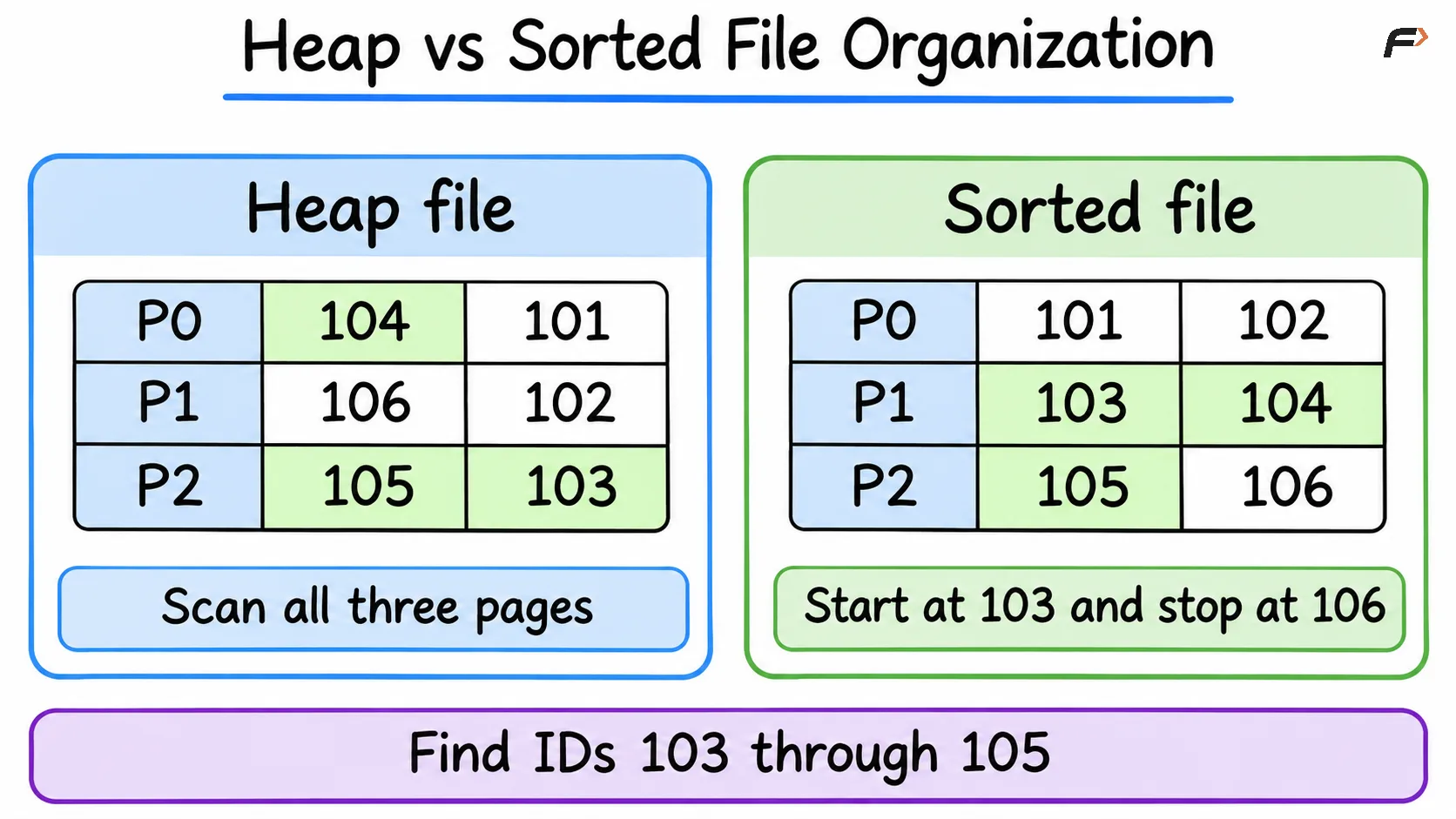
Heap vs Sorted File Organization
Hash File Organization
For the office’s first request, we only need student 105. A hash file uses the student ID to choose a bucket. In this example, divide the ID by 3 and use the remainder as the bucket number.
Bucket | Student IDs |
|---|---|
0 |
|
1 |
|
2 |
|
Since 105 MOD 3 = 0, the database goes straight to bucket 0. It still checks the IDs inside that bucket because 102 also leaves a remainder of 0. Two different IDs landing in the same bucket is a hash collision.
Try the range request again and the trade-off becomes clear. ID 103 is in bucket 1, 104 is in bucket 2, and 105 is in bucket 0. The hash function tells us where to look for an exact ID, but it gives us no useful order for reading a range.
Key Differences at a Glance
File organization | Where a new record goes | What the layout helps with | Trade-off |
|---|---|---|---|
Heap | A page with room | Inserting records without maintaining key order | Finding matches may require scanning the file |
Sorted | In key order | Reading a range on the ordering field | Inserts can take extra work |
Hash | A bucket chosen from the key | Finding an exact match on the hash key | Collisions add checks, and nearby keys can land in different buckets |
File Organization and Indexes
The college could keep the student records in a heap file and create a separate index on student_id. Student 105 would still live on P2 in our example, but the index would give the database a way to locate that record without scanning the heap.
If the office wants the report in student ID order, the query should use ORDER BY student_id. That is how SQL specifies the order of the result.
Summary
Think about the request the database handles most often. A heap file is handy when records arrive frequently and can go wherever there’s room. A sorted file helps when readers ask for a run of IDs. A hash file helps when the usual request is to find one exact ID.
Be the first to add a comment.