Introduction
An employee joins a company, receives a salary revision, and eventually leaves. Each event changes the stored records, but it does not necessarily change the table that holds them.
A new requirement, such as recording an employee’s email address, is different: the table needs another column. SQL provides separate commands for changing records and changing their structure.
Set Up the Example Table
The following table definition works in both MySQL and PostgreSQL:
CREATE TABLE employees ( emp_id INT PRIMARY KEY, name VARCHAR(100) NOT NULL, department VARCHAR(50), salary DECIMAL(10, 2) NOT NULL, CONSTRAINT chk_salary_nonnegative CHECK (salary >= 0));The primary key identifies each employee. The salary constraint rejects negative amounts, while department permits NULL when the department has not been supplied.
INSERT: Add New Records
Use INSERT when an employee does not yet have a record. Specify the column names so the relationship between columns and supplied values is clear.
INSERT INTO employees (emp_id, name, department, salary)VALUES (301, 'Neha Sharma', 'Sales', 55000.00);Several records can be added in one statement:
INSERT INTO employees (emp_id, name, department, salary)VALUES (302, 'Ishan Gupta', 'Engineering', 90000.00), (303, 'Priya Singh', 'Support', 45000.00);The table now contains:
emp_id | name | department | salary |
|---|---|---|---|
301 | Neha Sharma | Sales | 55000.00 |
302 | Ishan Gupta | Engineering | 90000.00 |
303 | Priya Singh | Support | 45000.00 |
An ordinary insert using an existing emp_id fails because it would violate the primary key. When that conflict should update an existing record, use an upsert.
UPSERT: Insert or Update
Suppose a payroll feed supplies employee 301 with a salary of 57000.00. The intended behavior is to insert the employee if absent or update the salary if that employee already exists.
MySQL
INSERT INTO employees (emp_id, name, department, salary)VALUES (301, 'Neha Sharma', 'Sales', 57000.00)AS incomingON DUPLICATE KEY UPDATE salary = incoming.salary;PostgreSQL
INSERT INTO employees (emp_id, name, department, salary)VALUES (301, 'Neha Sharma', 'Sales', 57000.00)ON CONFLICT (emp_id)DO UPDATE SET salary = EXCLUDED.salary;Run the version for your database. With the existing example data, Neha’s salary changes from 55000.00 to 57000.00. Her name and department stay unchanged because the update assignment specifies only salary.
MySQL responds to a conflicting primary or unique key. The PostgreSQL example explicitly selects emp_id as its conflict target.
UPDATE: Change Existing Values
Use UPDATE when the record already exists. SET specifies the new values, and WHERE determines which records qualify.
UPDATE employeesSET department = 'Customer Success', salary = 48000.00WHERE emp_id = 303;This changes Priya’s department and salary. A primary-key condition identifies one record, while a broader condition can intentionally update several:
UPDATE employeesSET salary = salary * 1.05WHERE department = 'Engineering';Ishan’s salary becomes 94500.00, a 5% increase. The expression uses the salary currently stored in each qualifying row.
Without WHERE, every row qualifies:
UPDATE employeesSET department = 'HR';That statement assigns HR to every employee. Before running a targeted update, checking the same condition with SELECT helps reveal whether it matches the intended records.
DELETE: Remove Records
DELETE removes complete rows. For example, to remove Priya’s record:
DELETE FROM employeesWHERE emp_id = 303;To remove several known employees, a condition can use IN:
DELETE FROM employeesWHERE emp_id IN (301, 302);Without a condition, DELETE FROM employees; removes every row while leaving the table available. Foreign-key rules may reject a deletion or apply a configured action to related records.
Unlike UPDATE, DELETE does not clear individual column values. To remove a department value while retaining the employee, use UPDATE to set that nullable column to NULL.
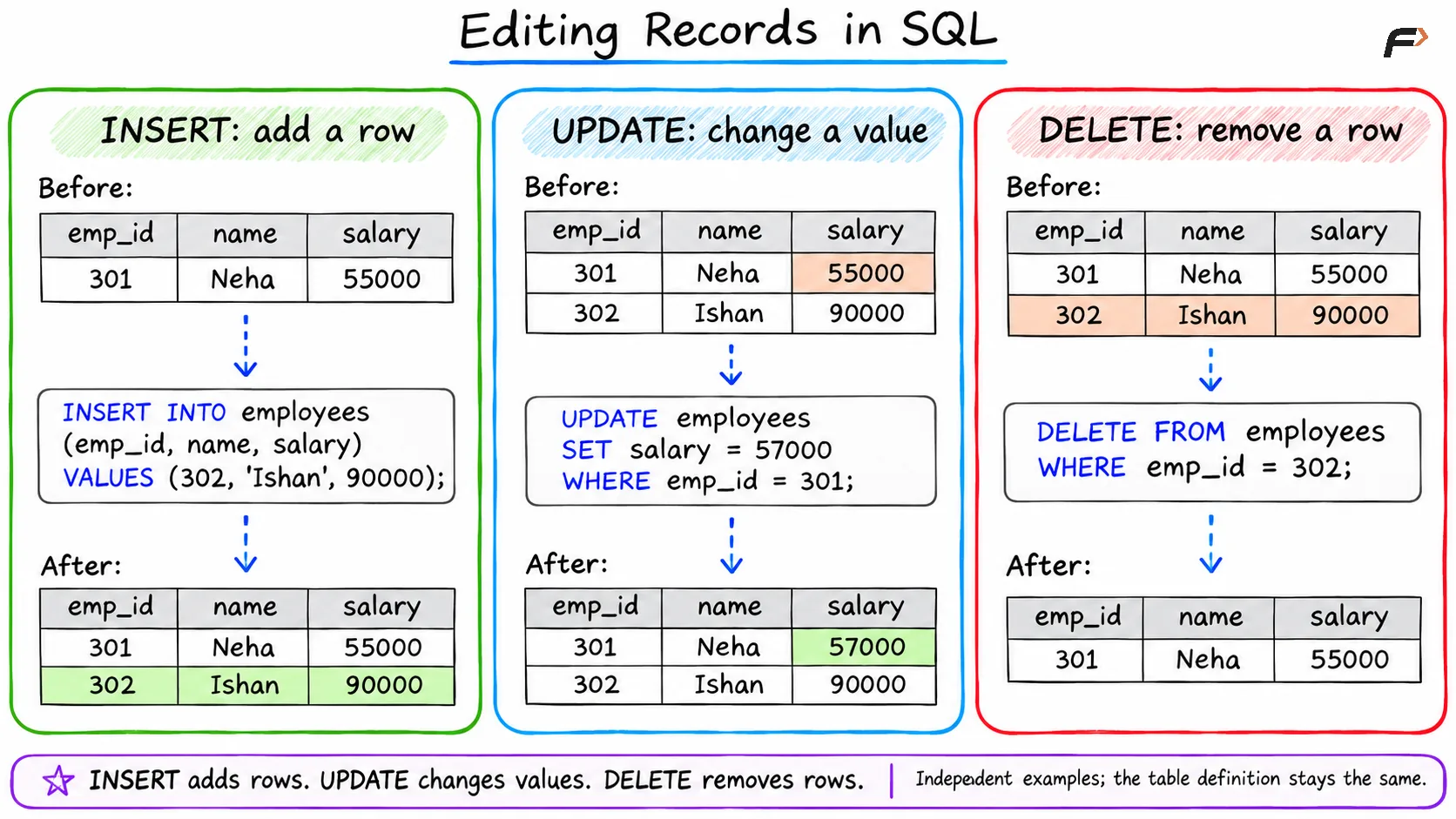
Editing Records in SQL
ALTER TABLE: Change the Structure
ALTER TABLE changes the table definition. The examples below illustrate separate changes to the original employees table.
Add and Populate a Column
Suppose the company starts collecting email addresses:
ALTER TABLE employeesADD COLUMN email VARCHAR(150);This nullable column has no explicit default, so existing rows receive NULL. Adding the column does not supply email addresses; that requires a data update:
UPDATE employeesSET email = 'neha@example.com'WHERE emp_id = 301;Populating a newly added column for existing records is called backfilling. This example shows the distinction directly: ALTER TABLE creates the column, and UPDATE supplies its value.
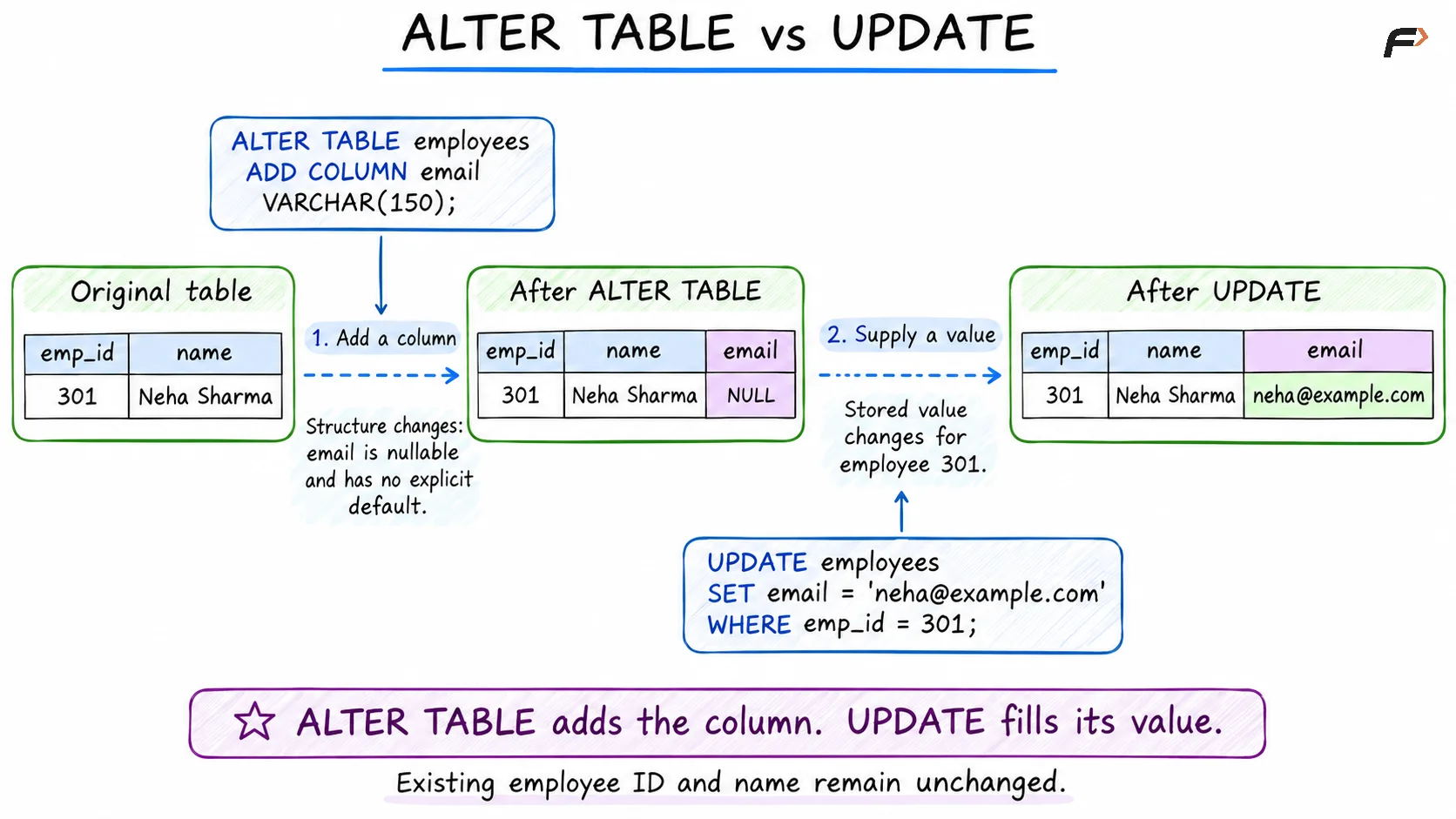
ALTER TABLE vs UPDATE
Rename or Modify Columns
Both systems support renaming a column:
ALTER TABLE employeesRENAME COLUMN name TO employee_name;Changing a column’s type uses different syntax.
MySQL
ALTER TABLE employeesMODIFY COLUMN salary DECIMAL(12, 2) NOT NULL;PostgreSQL
ALTER TABLE employeesALTER COLUMN salary TYPE DECIMAL(12, 2);MySQL’s MODIFY redefines the column, so retain attributes such as NOT NULL when they should continue to apply. Its CHANGE clause can rename and redefine a column together:
ALTER TABLE employeesCHANGE COLUMN name employee_name VARCHAR(100) NOT NULL;Use either rename example, not both. PostgreSQL uses separate rename and type-change operations instead of MySQL’s CHANGE syntax.
Both systems also support dropping a column and renaming a table:
ALTER TABLE employeesDROP COLUMN email;ALTER TABLE employeesRENAME TO staff;Dropping email removes its stored values. Renaming the table preserves its records, but subsequent statements must use staff.
DELETE, TRUNCATE, or DROP?
These commands serve different purposes. The examples here use the original table name employees.
Command | Effect | Supports WHERE? | Table remains? |
|---|---|---|---|
| Removes matching rows, or all rows without a condition | Yes | Yes |
| Empties the table | No | Yes |
| Removes the table definition and its data | No | No |
To clear a reusable practice table:
TRUNCATE TABLE employees;To remove the table itself:
DROP TABLE employees;TRUNCATE is useful when the entire dataset will be replaced. Its transaction behavior differs: MySQL truncation causes an implicit commit and cannot be undone with an ordinary rollback, while PostgreSQL permits rollback within an uncommitted transaction. Dependencies can also restrict truncation or dropping.
Summary
INSERT, UPSERT, UPDATE, and DELETE handle changes to records. Choose the command according to whether a row is new, already exists, needs different values, or should be removed.
ALTER TABLE changes the structure, TRUNCATE clears the records, and DROP TABLE removes the table. Keep those purposes distinct, and check the scope of a change before applying it.
Be the first to add a comment.