Introduction
SQL queries often need to distinguish records by their values. A student portal might retrieve a particular student, find marks above a threshold, or exclude records from one department.
Comparison operators express these conditions. They compare two values and produce a result that determines whether a record satisfies the requirement.
What Are Comparison Operators?
A comparison operator tests the relationship between two expressions. Those expressions can be columns, literal values, or calculated results.
The general form is:
expression1 operator expression2For example, marks >= 80 tests whether a recorded mark is at least 80. In a WHERE clause, only rows whose condition evaluates to true are retained.
The six main comparison operators are:
Operator | Meaning | Example | Result |
|---|---|---|---|
| Equal to |
| True |
| Not equal to |
| True |
| Greater than |
| True |
| Less than |
| True |
| Greater than or equal to |
| True |
| Less than or equal to |
| True |
MySQL also supports != for “not equal.” The standard SQL spelling is <>.
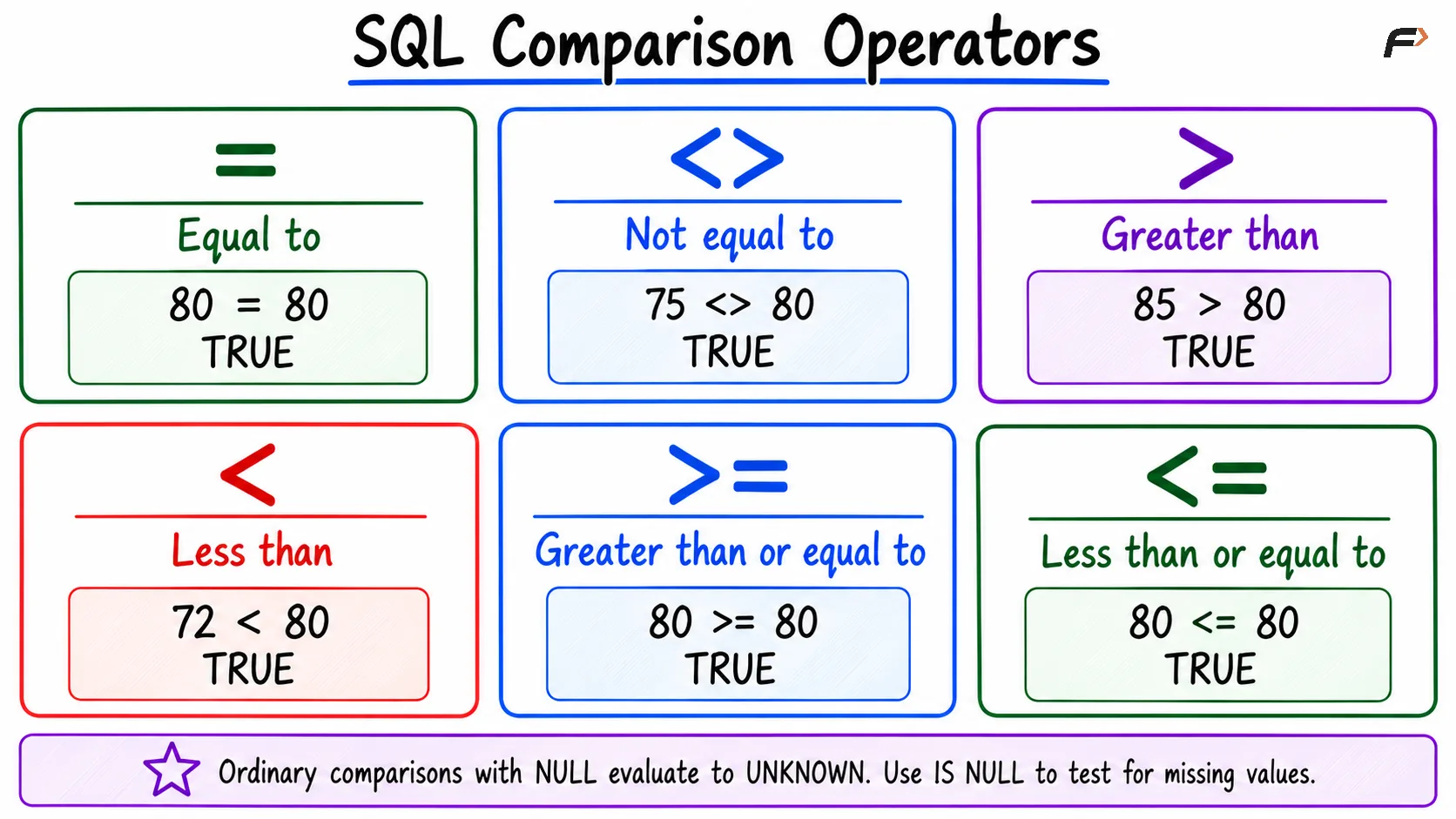
SQL comparison operator
Comparing Values in a WHERE Clause
The examples below use MySQL-compatible SQL and this students table:
student_id | student_name | department | marks |
|---|---|---|---|
101 | Asha | CSE | 85 |
102 | Ravi | ECE | 72 |
103 | Meera | CSE | 91 |
104 | Kabir | ME | NULL |
Use equality to find a particular department:
SELECT student_name, departmentFROM studentsWHERE department = 'CSE';Asha and Meera qualify. To exclude that department, use:
SELECT student_name, departmentFROM studentsWHERE department <> 'CSE';This returns Ravi and Kabir because their department values are known and differ from 'CSE'.
The condition does not have to use a displayed column. For example, a query can filter by student_id while returning only student_name.
Inclusive and Exclusive Boundaries
The difference between > and >= matters when a value lies exactly on the threshold.
SELECT student_name, marksFROM studentsWHERE marks > 85;Only Meera qualifies. Asha’s mark is exactly 85, so it is excluded.
Changing the operator includes the boundary:
SELECT student_name, marksFROM studentsWHERE marks >= 85;Now Asha and Meera qualify.
Condition | Is a mark of exactly 85 included? | Matching students |
|---|---|---|
| No | Meera |
| Yes | Asha, Meera |
| No | Ravi |
| Yes | Asha, Ravi |
Read requirements carefully: “above 85” usually means > 85, while “at least 85” means >= 85. Without ORDER BY, the order of matching rows is not guaranteed.
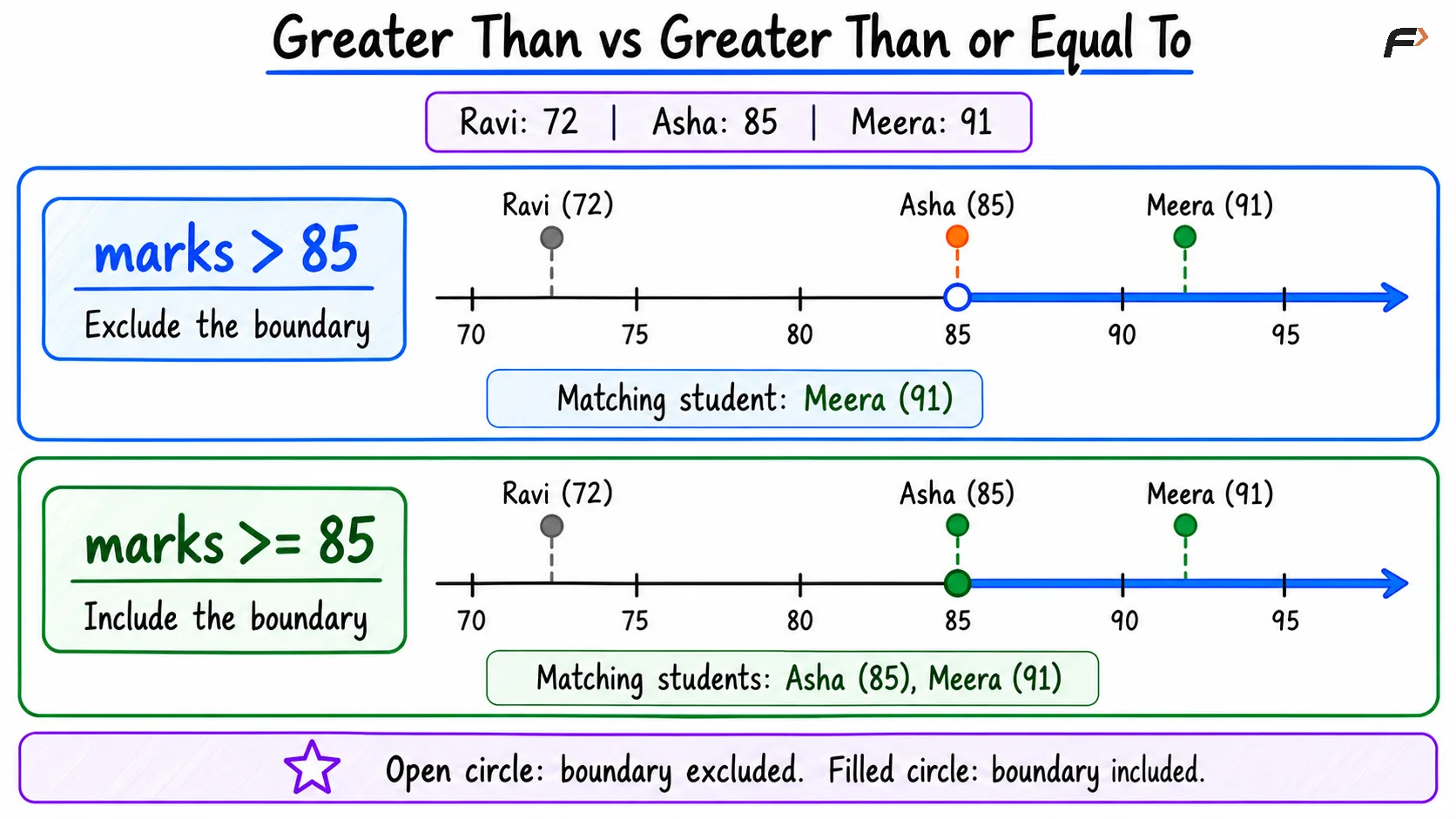
Greater than vs greater than or equal to
Comparing Text, Dates, and Columns
Comparison operators are not limited to numeric constants. They can compare text, dates, and compatible column values.
Use single quotes for text values:
WHERE department = 'CSE'Text equality and ordering depend on the column’s collation, which defines comparison rules. Case sensitivity and the significance of certain character differences can vary, so do not assume every database treats 'CSE' and 'cse' identically.
For a hypothetical enrollment_date column of type DATE, a condition could be:
WHERE enrollment_date >= '2026-08-01'This includes that date and later dates. Use an appropriate temporal data type rather than relying on the alphabetical ordering of inconsistently formatted date strings.
Comparisons can also use two columns. In an assessment table, obtained_marks < passing_marks checks each record against its own passing requirement.
Keep compared values type-compatible. Mixing numbers and text can trigger implicit conversions with database-specific results.
Comparison Operators and NULL
NULL represents missing or unknown information. Ordinary comparisons involving it evaluate to unknown rather than true or false.
For Kabir’s missing mark:
Expression | Result |
|---|---|
| Unknown |
| Unknown |
| Unknown |
| Unknown |
Because WHERE retains only true conditions, none of these expressions selects Kabir.
Use IS NULL to test for missing values:
SELECT student_nameFROM studentsWHERE marks IS NULL;This returns Kabir. IS NOT NULL finds records with supplied marks.
A common mistake is assuming that “not equal to 85” automatically includes missing values. To include both, write:
SELECT student_name, marksFROM studentsWHERE marks <> 85 OR marks IS NULL;MySQL also provides the database-specific NULL-safe equality operator <=>. Unlike ordinary =, it returns true when both operands are null and false when only one is null.
Combining Comparisons
Logical operators connect comparison conditions. For example, retrieve CSE students whose marks fall within an inclusive range:
SELECT student_name, marksFROM studentsWHERE department = 'CSE' AND marks >= 80 AND marks <= 90;Only Asha qualifies: her department matches and her mark satisfies both boundaries.
Comparisons establish individual conditions; AND, OR, and NOT combine or negate them. When mixing logical operators, use parentheses to make the intended grouping clear.
For updates and deletions, the same comparison principles determine which rows are affected. Verify the condition before changing stored records.
Summary
SQL comparison operators test equality, inequality, and ordering between values. Choosing inclusive or exclusive operators correctly ensures that records at a boundary are handled as intended.
Compare compatible data types and account for text-comparison rules. Use IS NULL for missing values, since ordinary comparisons with NULL do not produce true conditions.
Be the first to add a comment.