Introduction
Database queries often need to calculate values rather than simply display stored columns. An order system might calculate a total from price and quantity, while a student portal might calculate a percentage from obtained marks.
SQL arithmetic operators perform these calculations within queries. They can produce calculated result columns, form filtering conditions, or update stored numeric values.
What Are Arithmetic Operators?
Arithmetic operators perform mathematical operations on numeric expressions. Their operands can be literal numbers, column values, or other expressions.
The examples below use MySQL.
Operator | Operation | Example | Result |
|---|---|---|---|
| Addition |
| 15 |
| Subtraction |
| 5 |
| Multiplication |
| 50 |
| Division |
| 2.5 |
| Modulo, or remainder |
| 2 |
| Integer division in MySQL |
| 2 |
The minus sign can also negate a value, as in -5. MySQL supports MOD as an alternative to %, along with the function form MOD(10, 4).
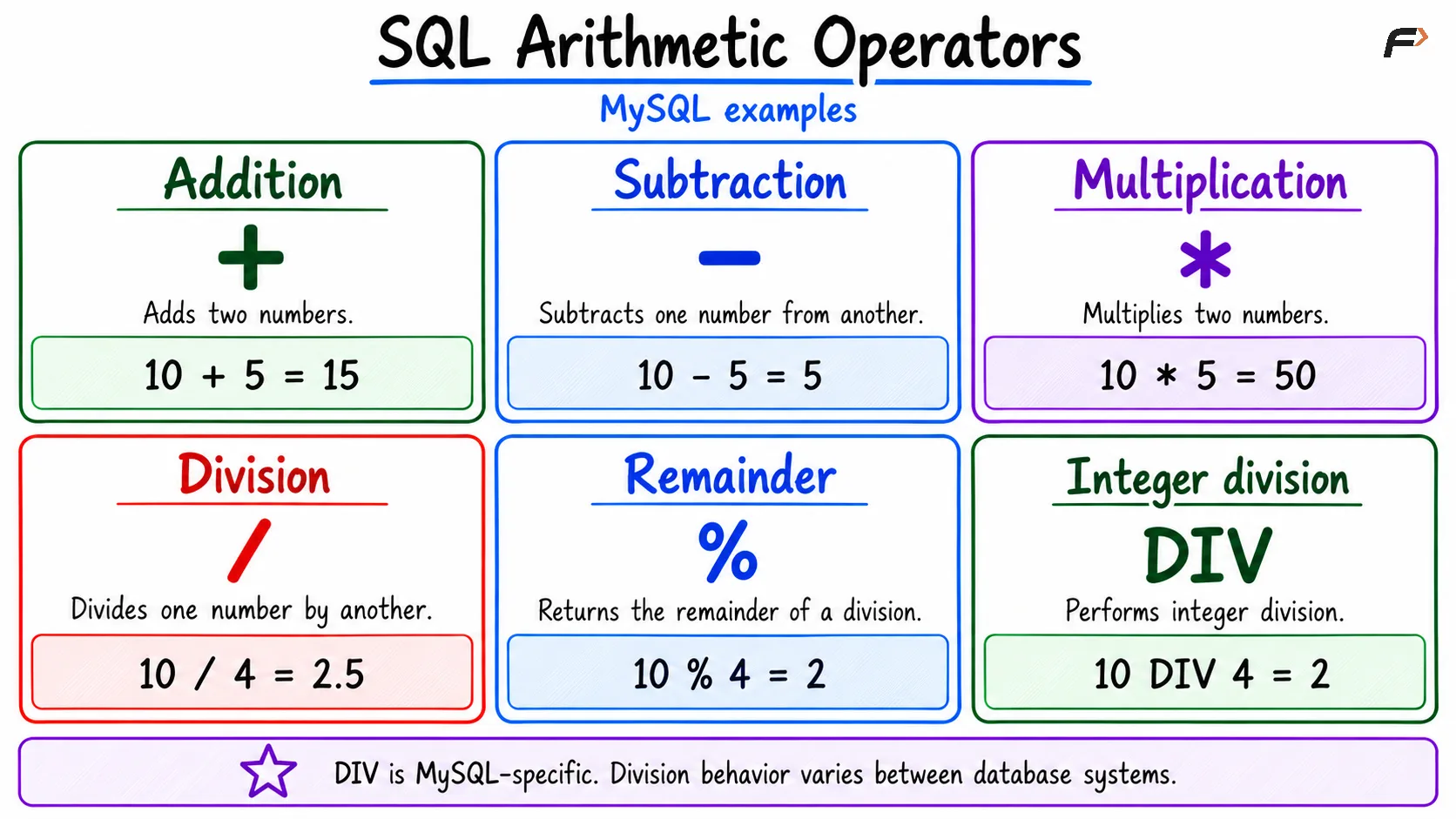
SQL arithmetic operator
Calculating Values with SELECT
Use arithmetic expressions in the SELECT list to calculate results for each row.
Assume an order_items table contains:
item_id | item_name | unit_price | quantity |
|---|---|---|---|
1 | Notebook | 50.00 | 3 |
2 | Pen | 10.00 | 5 |
3 | Folder | 80.00 | 2 |
Calculate each item’s total:
SELECT item_name, unit_price, quantity, unit_price * quantity AS total_priceFROM order_items;The result contains:
item_name | unit_price | quantity | total_price |
|---|---|---|---|
Notebook | 50.00 | 3 | 150.00 |
Pen | 10.00 | 5 | 50.00 |
Folder | 80.00 | 2 | 160.00 |
The alias total_price labels the calculated result. This query does not add a stored column or change the original prices and quantities.
Other expressions work similarly. For example, unit_price - 5 calculates a price after a fixed discount, while quantity + 1 calculates an increased quantity.
Division, Integer Division, and Modulo
Division and modulo answer different questions:
Division
/: Calculates the quotient, potentially including a fractional part.Integer division
DIV: In MySQL, discards the fractional part toward zero.Modulo
%: Calculates the remainder.
For example:
SELECT 17 / 5 AS quotient, 17 DIV 5 AS whole_groups, 17 % 5 AS remaining_items;The mathematical quotient is 3.4, the integer quotient is 3, and the remainder is 2. MySQL may display additional decimal places for /.
These operations are useful when dividing items into groups: 17 items form three complete groups of five, with two items remaining.
Division behavior is database-specific. Some systems perform integer division when both operands are integers, so do not assume MySQL’s / behavior applies everywhere.
Operator Precedence and Parentheses
Multiplication, division, integer division, and modulo take precedence over addition and subtraction. Parentheses change the grouping.
Compare these expressions:
SELECT 10 + 5 * 2 AS first_result, (10 + 5) * 2 AS second_result;The results are:
Expression | Calculation | Result |
|---|---|---|
| Multiply 5 by 2, then add 10 | 20 |
| Add 10 and 5, then multiply by 2 | 30 |
Operators at the same precedence level generally group from left to right. For example, 20 / 5 * 2 groups as (20 / 5) * 2, producing 8 in MySQL.
Use parentheses whenever they make the intended calculation clearer, especially in formulas involving totals, discounts, or percentages.
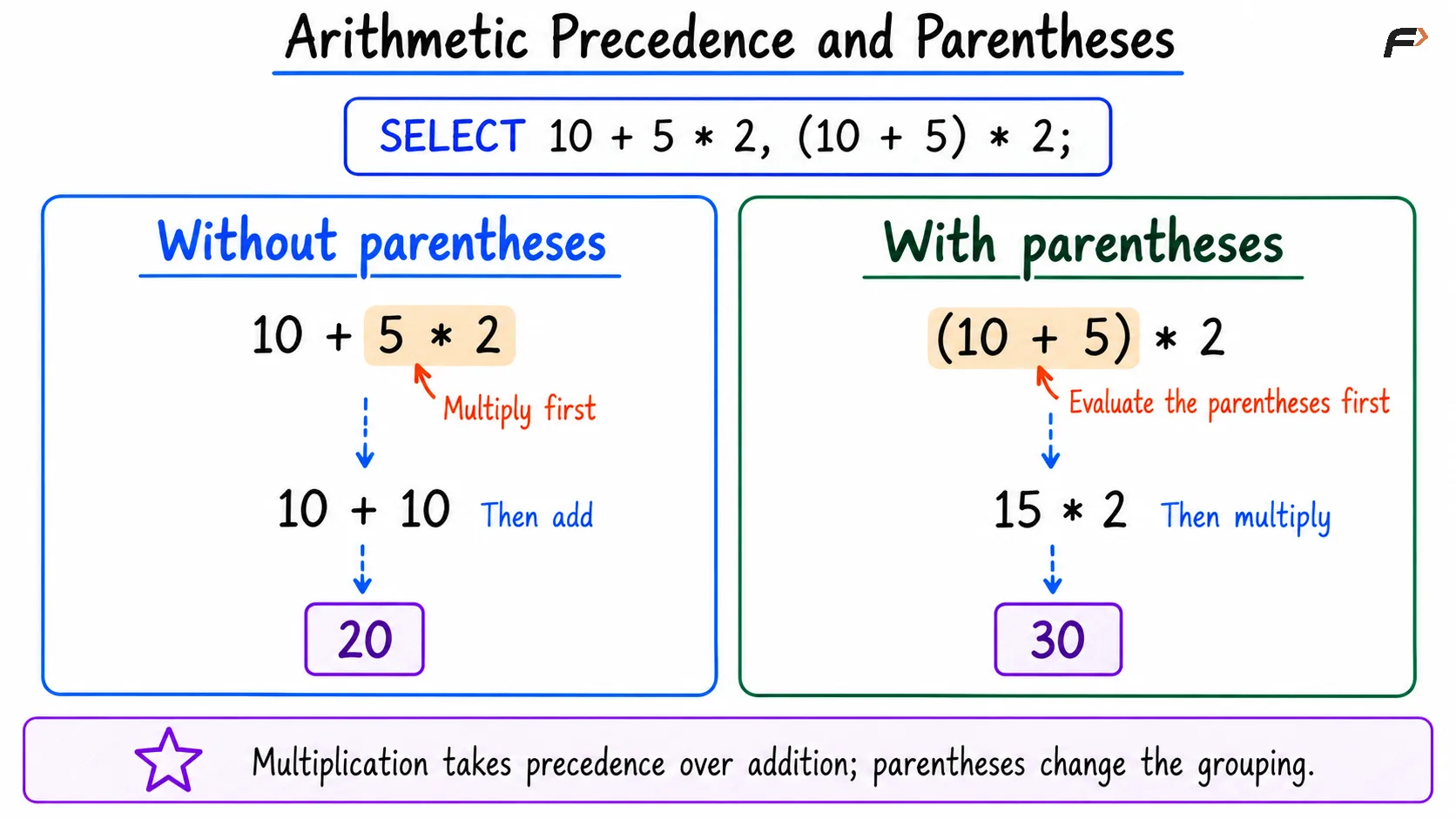
Arithmetic precedence and parentheses
Arithmetic with NULL and Zero
A missing value is not automatically treated as zero. Ordinary arithmetic involving NULL produces NULL.
For example, if quantity is unknown, unit_price * quantity is also unknown. Replacing it with zero would change the meaning from “total not known” to “total is zero.”
Division by zero also needs deliberate handling. In a MySQL SELECT, it produces NULL and may generate a warning; data-changing statements can raise errors depending on SQL mode.
For a ratio involving existing obtained_marks and total_marks columns, use:
SELECT obtained_marks * 100.0 / NULLIF(total_marks, 0) AS percentageFROM exam_results;NULLIF(total_marks, 0) returns NULL when the denominator is zero. The percentage then becomes unknown rather than attempting division by zero.
Use a fallback such as COALESCE only when replacing an unknown result is appropriate for the requirement.
Using Arithmetic in WHERE and UPDATE
Arithmetic expressions can form filtering conditions. To find items whose total exceeds 100:
SELECT item_nameFROM order_itemsWHERE unit_price * quantity > 100;Notebook and Folder qualify. The calculation determines eligibility without changing stored data.
Arithmetic can also update values:
UPDATE order_itemsSET unit_price = unit_price + 5WHERE item_id = 2;This increases the Pen’s stored price from 10.00 to 15.00. Unlike a calculated SELECT result, the update changes the table.
Check the condition before executing an update. Omitting WHERE makes every row eligible for the price increase.
Choosing Suitable Numeric Types
The data types involved affect precision, rounding, and the result’s range.
Use integers for counts: Quantities and whole-item counts usually do not need fractional values.
Use DECIMAL for exact amounts: Prices and fees generally require exact decimal representation.
Treat floating-point results as approximate:
FLOATandDOUBLEcan introduce small representation differences.Allow sufficient range: Calculations can exceed the range supported by their operands or destination columns.
Avoid accidental conversions: Store numeric information in suitable numeric columns rather than relying on text-to-number conversion.
Formatting a displayed number is separate from preserving its numeric precision. A value shown with two decimal places is not necessarily stored using exact decimal arithmetic.
Summary
SQL arithmetic operators calculate sums, differences, products, quotients, and remainders. They support calculated result columns, filtering conditions, and changes to stored values.
Use clear parentheses, suitable numeric types, and explicit handling of missing values and zero denominators. Check database-specific division behavior before relying on a formula across different SQL systems.
Be the first to add a comment.