Introduction
Knowing a programming language is useful, but it is not the same as knowing how to solve a problem. Syntax helps you write instructions in a language like C++, Java or Python. Logical thinking helps you decide what those instructions should be.
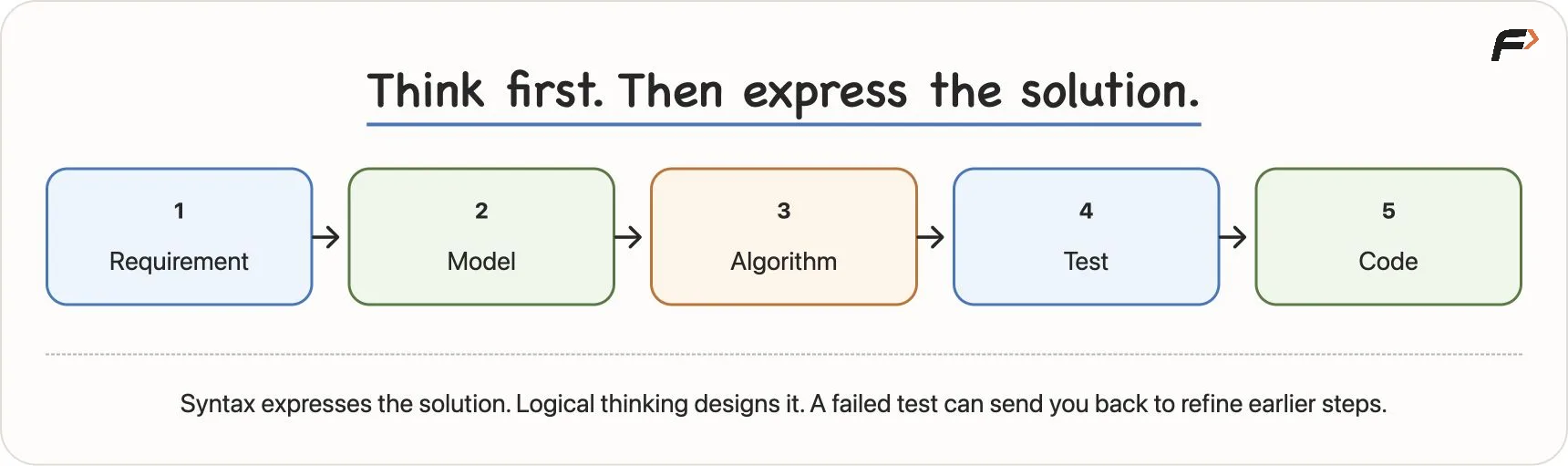
Before writing code, a programmer must understand the requirement, identify the input and output, plan the steps, test the logic, and then express the solution in code. This habit makes programming less about guessing and more about reasoning.
Syntax Does Not Create the Solution
A beginner may know keywords such as if, else, for and while. These are important, but they do not automatically tell us how to solve a task.
For example, knowing the words “boil”, “water”, “tea” and “sugar” does not automatically make a good tea recipe. We still need to know the order of steps, quantity, timing and stopping condition.
Programming works the same way.
Syntax helps us express a solution. Logical thinking helps us design the solution.
A better habit is:
Understand the problem => design the logic => test the logic => write the code
Sometimes, while testing or coding, we may discover that our logic is incomplete. Then we return to the requirement and improve the solution. This is normal.
Syntax Does Not Create the Solution
Start With Input and Output
Every programming problem has some information given to it and some result expected from it.
Input: the information given to the solution.
Output: the result the solution must produce.
Consider this task:
Compare two numbers and report which one is larger, or report that both are equal.
For this task:
Input: two numbers.
Output: the larger number, or an
Equalmessage if both numbers are the same.
Once the input and output are clear, the problem becomes easier to reason about.
We can call the two numbers a and b. These names allow us to design one general solution instead of solving only one pair of numbers.
Build an Algorithm
An algorithm is a finite sequence of clear steps used to solve a defined problem.
For comparing two numbers, a first attempt may look like this:
READ a, b

IF a > b
    DISPLAY a
ELSE
    DISPLAY b
END IF
This works when one number is clearly larger than the other. But it misses one important case: equality.
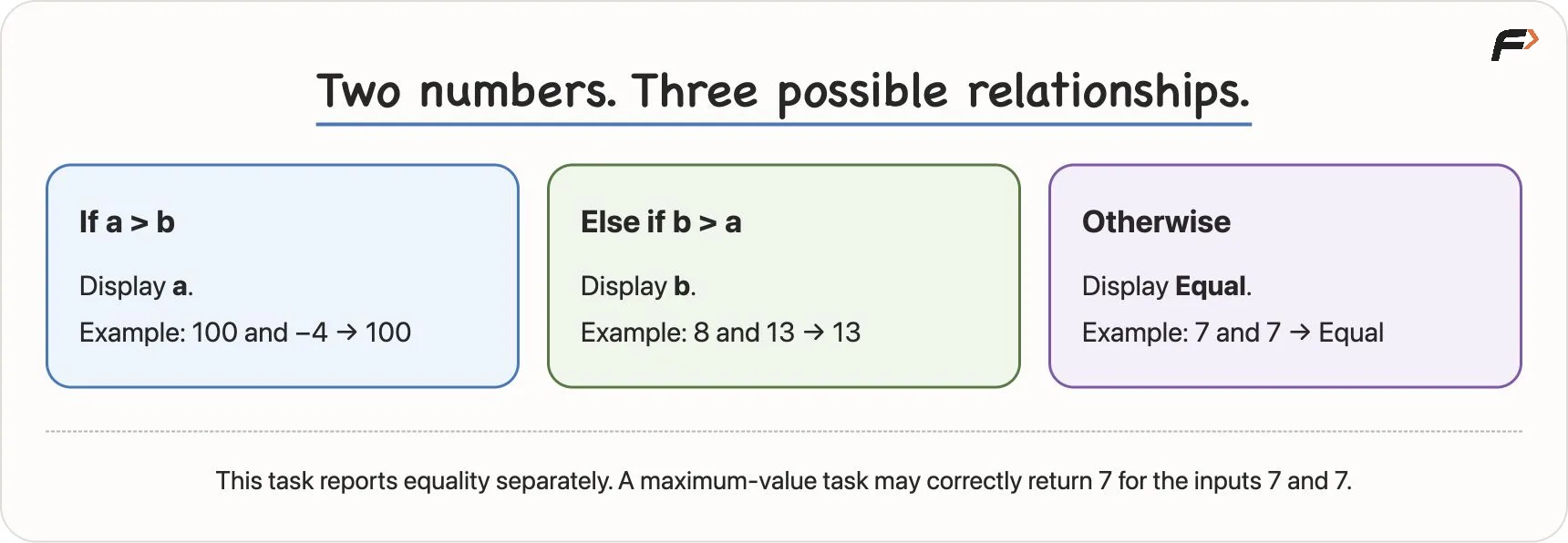
If a = 7 and b = 7, the condition a > b is false, so the algorithm displays b. But the requirement says we must report that both numbers are equal.
So the algorithm should be:
READ a, b

IF a > b
    DISPLAY a
ELSE IF b > a
    DISPLAY b
ELSE
    DISPLAY "Equal"
END IF
Now all three possible relationships are covered:
Case | Output |
|---|---|
| display |
| display |
both are equal | display |
This shows why the exact requirement matters. If the task only asked for the maximum value, displaying 7 for (7, 7) would be fine. But if the task asks for an equality message, the algorithm must handle equality separately.
Two Numbers and Equality
Problem and Problem Instance
A problem is the general task. A problem instance is one particular set of inputs.
For example:
Problem: compare two numbers.
Problem instances:
(8, 13),(100, -4),(7, 7).
A good algorithm solves the general problem, not just one example. Hard-coding the answer 13 may work for (8, 13), but it fails for every other input pair.
This is why programmers use variables such as a and b. They allow the same logic to work for different input values.
Read a Problem Like a Contract
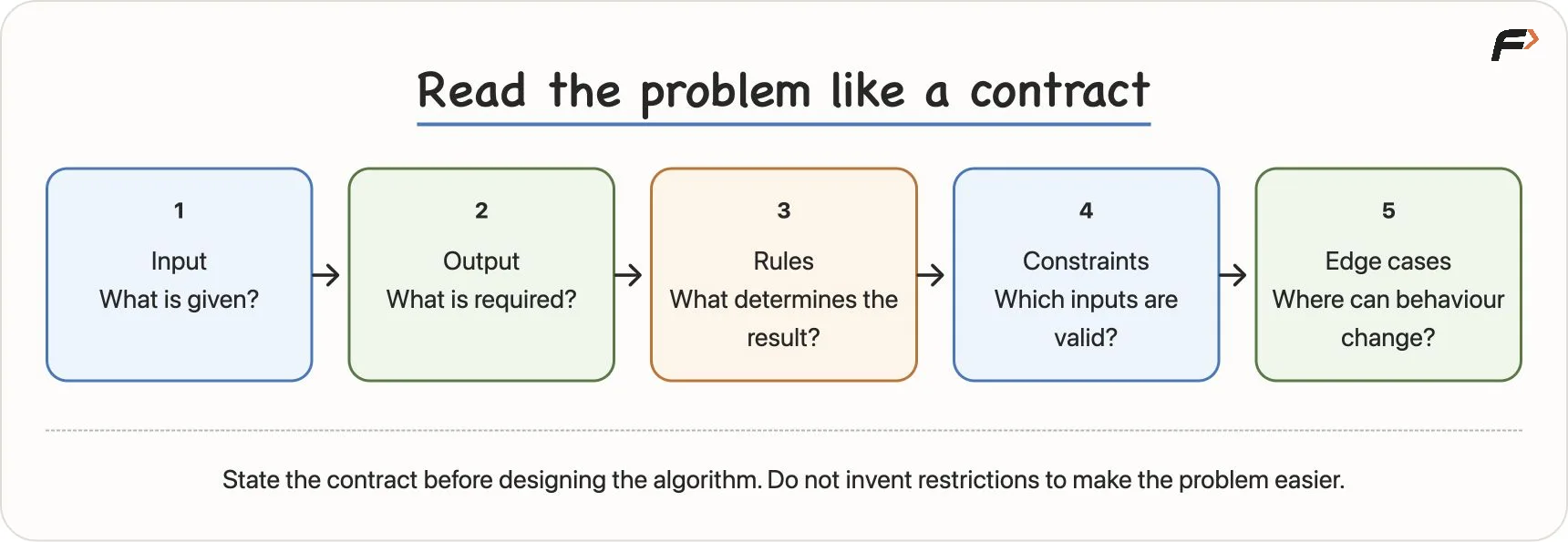
A problem statement should be treated like a contract. Before solving it, identify five things.
Part | Question |
|---|---|
Input | What information is given? |
Output | What result is required? |
Rules | What conditions decide the result? |
Constraints | Which inputs are valid? |
Edge cases | Which valid cases may need special care? |
Small words in a problem statement can change the logic. Words like every, at least, greater than, equal to, only if and exactly should be read carefully.
For example, “marks must be greater than 40” and “marks must be at least 40” are different rules. In the first case, 40 is not enough. In the second case, 40 is allowed.
Read a Problem Like a Contract
Example: Student Marks
Consider this requirement:
Read marks in three subjects. Display the average. Display Pass only if every subject has at least 40 marks. Otherwise display Fail.
The inputs are:
mark1mark2mark3
The average is:
average = (mark1 + mark2 + mark3) / 3But the pass rule is not based only on the average. The student passes only if every subject has at least 40 marks.
READ mark1, mark2, mark3

SET average = (mark1 + mark2 + mark3) / 3
DISPLAY average

IF mark1 >= 40 AND mark2 >= 40 AND mark3 >= 40
    DISPLAY "Pass"
ELSE
    DISPLAY "Fail"
END IF
The word AND matters here. It means all three conditions must be true.
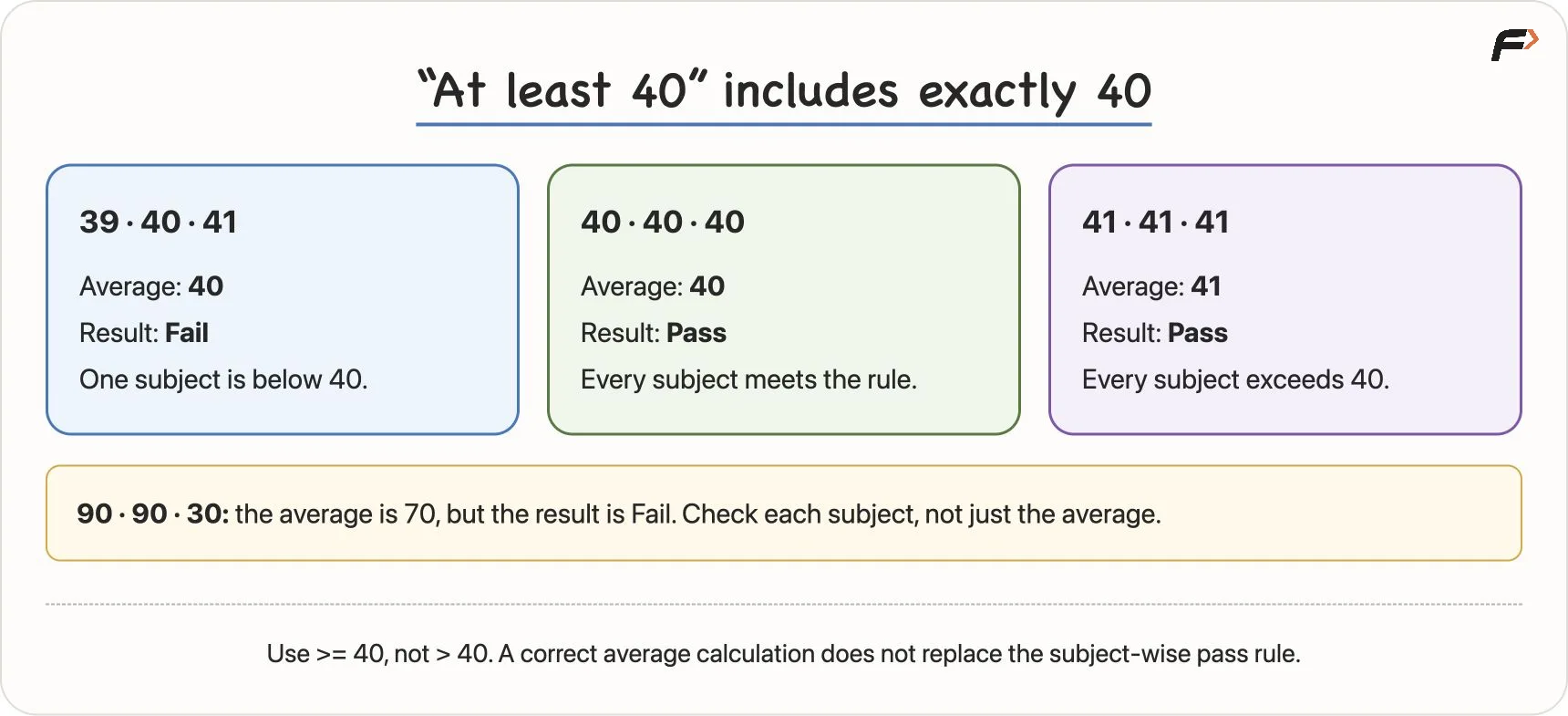
For example, if the marks are 90, 90, 30, the average is 70, but the result is still Fail because one subject is below 40.
This is a common beginner mistake: solving a similar-looking problem instead of the actual requirement.
Edge Cases and Boundaries
An edge case is a valid input near a boundary or a case that may change the behaviour of the solution.
In the marks problem, 40 is an important boundary because the rule says “at least 40”.
Useful tests include:
Marks | Expected Result | Reason |
|---|---|---|
| Fail | one subject is below 40 |
| Pass | exactly 40 is allowed |
| Pass | all marks are above 40 |
| Fail | high average cannot hide one failed subject |
If we write > 40 instead of >= 40, then 40, 40, 40 will incorrectly fail. A small symbol can change the complete result.
Marks and Boundary Tests
Computational Thinking
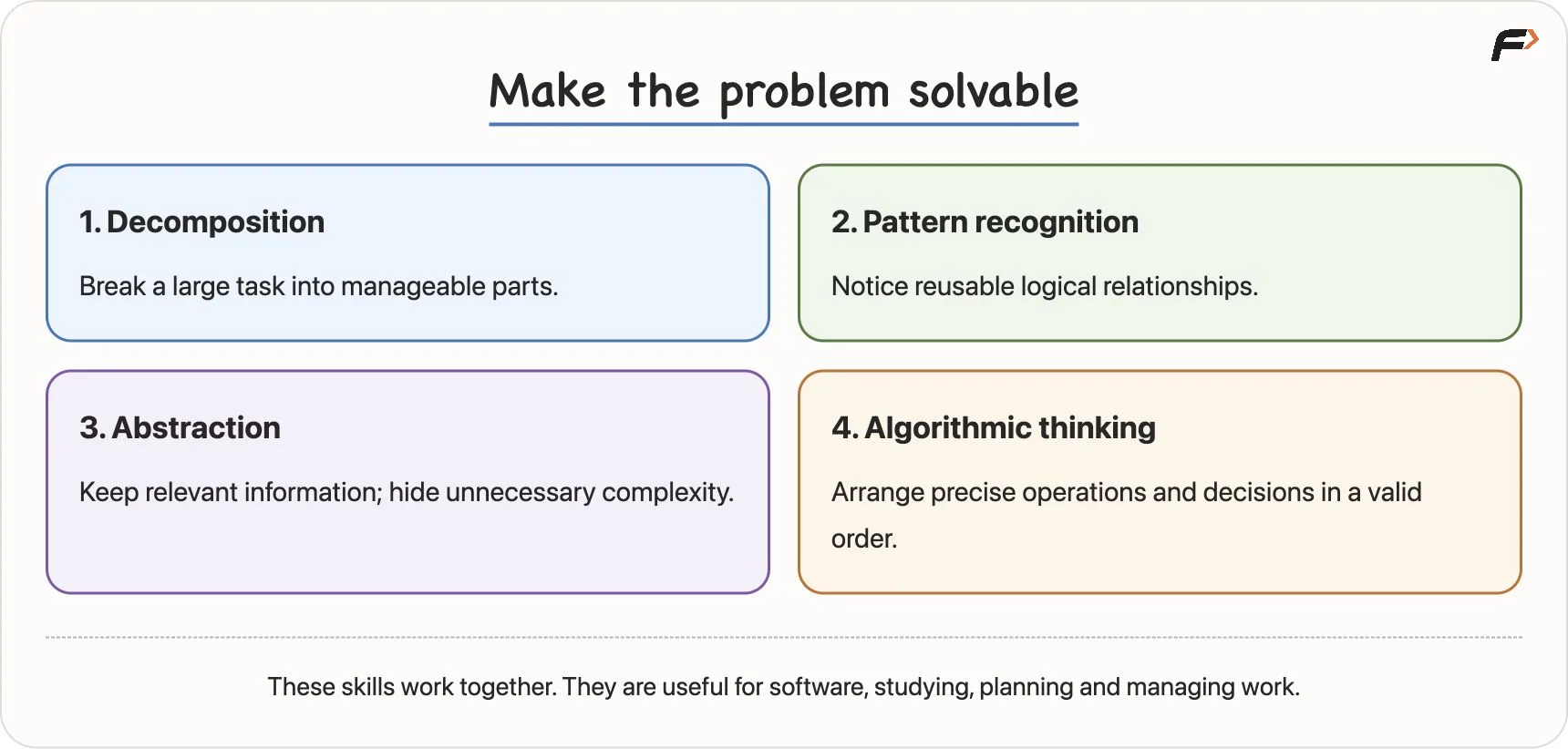
Computational thinking is a way of organising a problem so that it can be solved clearly and precisely.
It includes four useful habits:
Skill | Meaning |
|---|---|
Decomposition | Break a large problem into smaller parts |
Pattern recognition | Notice similar logic from previous problems |
Abstraction | Focus on relevant details and ignore unnecessary ones |
Algorithmic thinking | Arrange steps and decisions in the correct order |
These skills are useful in programming, but they also appear in real life. Cleaning a room, planning a trip, managing a project, or designing an app all become easier when the work is divided and organised.
Four Thinking Skills
Decomposition: Break the Problem
A large task can feel difficult when seen as one big instruction.
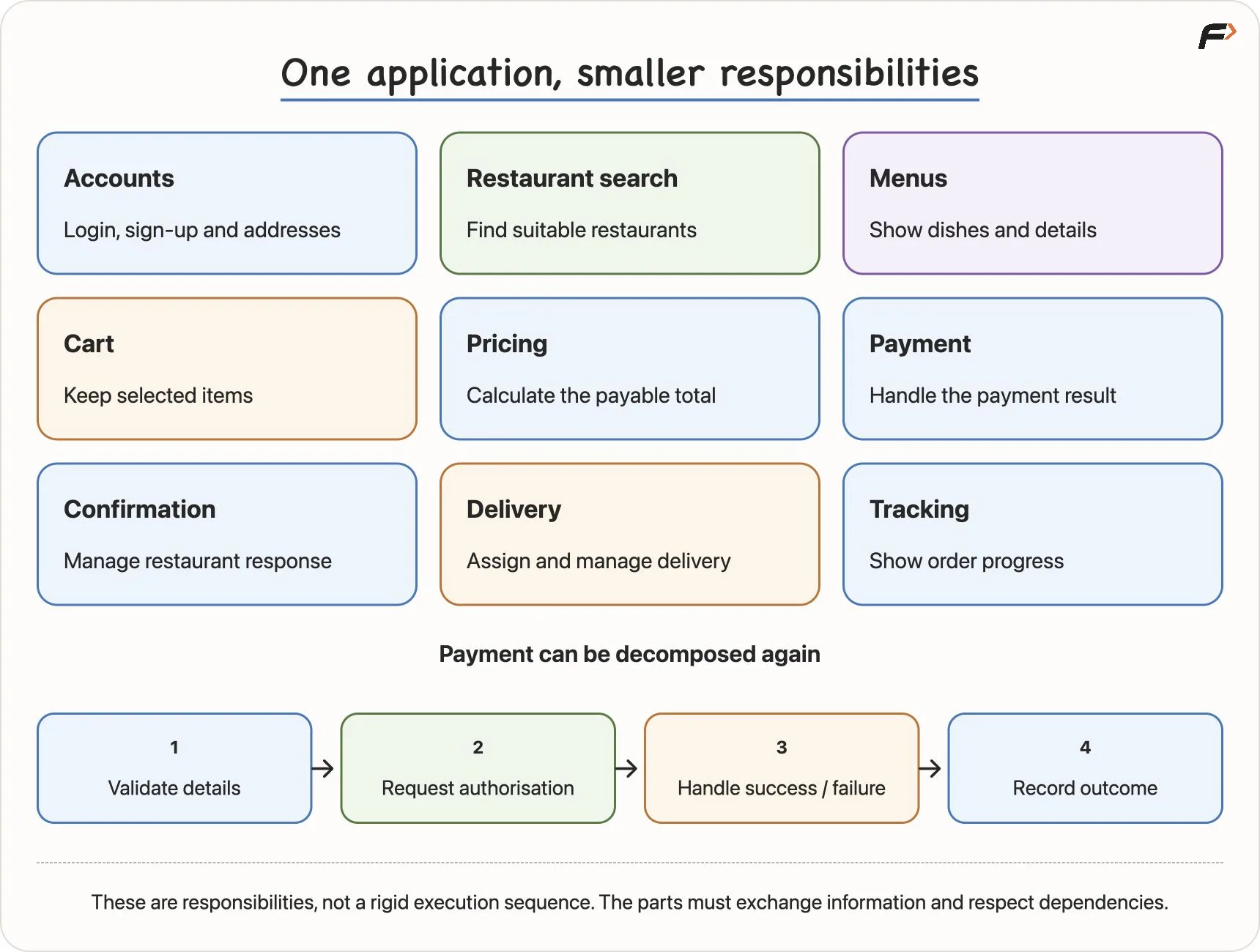
For example, “build a food-delivery app” is too large to solve directly. We can break it into smaller responsibilities:
user account and login
restaurant search
menu display
cart management
price calculation
payment
order confirmation
delivery tracking
Each part can be understood and built separately. But the parts still need to work together. Payment affects order status. Restaurant confirmation affects delivery. Cancellation may affect refund.
So decomposition is not only about splitting work. It is also about understanding how the smaller parts connect.
Decomposition: Break the Problem
Pattern Recognition: Reuse Similar Logic
Many problems have a similar structure even when their stories are different.
For example:
voting eligibility
exam pass or fail
free delivery eligibility
checking whether account balance is enough
All of these involve a similar pattern:
Input => compare with rule => choose result
Recognising a pattern helps, but it should not replace careful reading. Two problems may look similar but have different boundaries or conditions.
For example:
“age is greater than 18”
“age is at least 18”
These need different conditions.
Abstraction: Keep What Matters
Abstraction means focusing on the details needed for the current task and hiding details that are not necessary at that level.
For a shopping-total calculation, we may need:
item price
quantity
discount
tax
delivery charge
We usually do not need the customer’s favourite colour or phone wallpaper.
Abstraction is useful because it prevents unnecessary complexity. But it should not remove a rule that affects the answer. If delivery is free only above a certain amount, that rule must stay because it changes the result.
Good abstraction keeps the relevant details and hides only the unnecessary ones.
Algorithmic Thinking: Put Steps in Order
Algorithmic thinking means arranging operations and decisions in a valid sequence.
For a payment process, the order matters:
Calculate the payable amount.
Request payment authorization.
Check whether payment succeeded.
Confirm the order or show failure.
If we confirm the order before checking payment, the process is wrong. If we request payment before calculating the amount, the process is incomplete.
A correct algorithm needs clear steps, correct order, required decisions, and a stopping point.
One Problem Can Have Many Algorithms
A problem may have more than one correct solution.
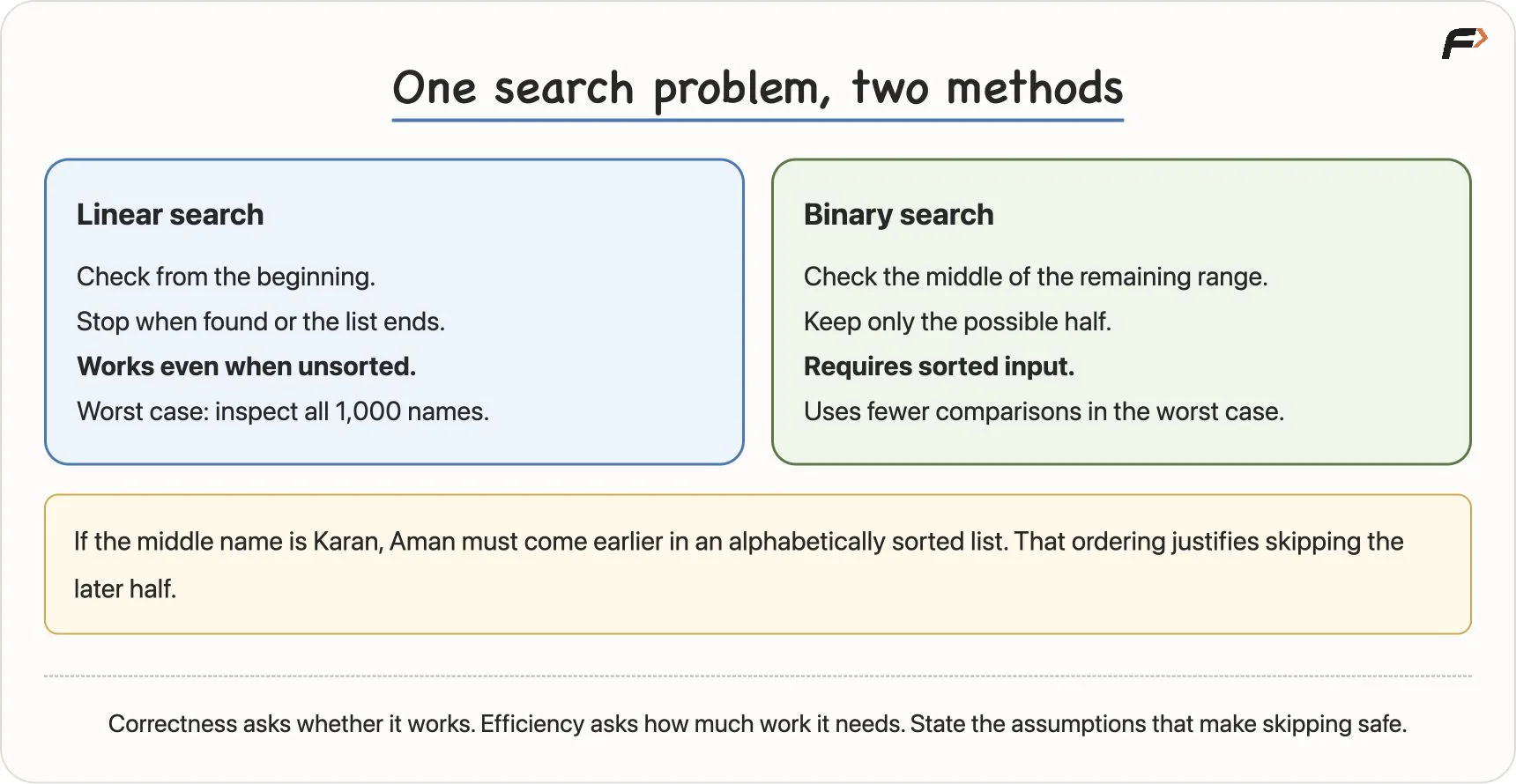
Suppose we need to find the name Aman in a list of 1,000 names.
One method is linear search:
Start from the first name.
Check each name one by one.
Stop when Aman is found or the list ends.
This works even if the list is unsorted. But in the worst case, we may check all 1,000 names.
If the list is sorted alphabetically, we can use a faster method: binary search.
Check the middle name.
If it is Aman, stop.
If Aman should come before it, search the left half.
If Aman should come after it, search the right half.
Repeat until found or no names remain.
Binary search works because the list is sorted. If the list is not sorted, we cannot safely discard half of it.
This teaches an important point:
A faster algorithm is useful only when its assumptions are true.
Search Algorithm
Correctness and Efficiency
Two important questions should be asked about an algorithm.
Question | Meaning |
|---|---|
Is it correct? | Does it produce the required result for every valid input? |
Is it efficient? | How much time, work or memory does it use? |
An algorithm can be correct but slow. Another algorithm can be faster but valid only under certain assumptions.
For beginners, correctness comes first. A fast wrong answer is still wrong. Once the logic is correct, efficiency becomes the next concern.
Dry Run: Test the Logic Manually
A dry run means manually following an algorithm step by step using sample inputs.
Consider this task:
Read three numbers and display the largest value.
A simple algorithm is the current-champion method:
READ a, b, c
SET largest = a

IF b > largest
    SET largest = b
END IF

IF c > largest
    SET largest = c
END IF

DISPLAY largest
For input (8, 15, 11):
Step | Value of | Reason |
|---|---|---|
Start with | 8 | first value becomes current largest |
Compare | 15 |
|
Compare | 15 |
|
Display | 15 | largest value found |
This method also works for equal values such as (7, 7, 2). The largest value is still 7, even if there is more than one 7.
It also works for negative numbers such as (-8, -3, -12). The answer is -3.
A common mistake is starting with largest = 0. That fails for all-negative inputs because 0 may not even be part of the input. Starting with an actual input value avoids this problem.
Common Beginner Mistakes
Here are some mistakes beginners often make while solving programming problems:
Starting code too early: First understand the input, output, rules and edge cases.
Testing only sample examples: Create your own tests, especially boundary cases.
Ignoring exact wording: Words like
at least,every, andequalmatter.Dropping difficult rules: Removing a rule changes the problem instead of solving it.
Assuming one correct method: Many problems have more than one valid algorithm.
Forgetting assumptions: A method like binary search works only when the data is sorted.
Expecting the computer to understand intention: The computer follows written logic, not hidden intention.
Better programming begins with better thinking.
What Makes a Useful Algorithm?
A useful algorithm should have these properties:
Property | Meaning |
|---|---|
Defined input | It is clear what information is received |
Defined output | It is clear what result must be produced |
Clear steps | Each step can be followed precisely |
Termination | The process finishes after finite work |
Correctness | It gives the right result for every valid input |
Effective steps | Each step can actually be performed |
For example, “keep checking until done” is vague. A computer needs a clear condition for when the process should stop.
Similarly, “do the calculation” is not precise enough. “Add the three marks and divide the total by 3” is much clearer.
Explain Your Assumptions
When solving a problem, especially in interviews or discussions, state your assumptions clearly.
For example:
Are the inputs always valid?
Can the numbers be negative?
Can two values be equal?
Is the list sorted?
Should invalid input be rejected or ignored?
What should happen if no result is found?
If a requirement is unclear, it is better to clarify it than silently choose the easiest version.
Once you design an algorithm, test it with different cases and explain why it works. Passing a few examples is useful, but understanding why the logic covers the requirement is more important.
Key Terms
Term | Meaning |
|---|---|
Problem | A defined task or desired result |
Problem instance | One specific set of inputs for a problem |
Input | Information given to a solution |
Output | The result the solution must produce |
Rule | A condition that determines the required behaviour |
Constraint | A limit on valid inputs |
Edge case | A valid boundary or special case |
Computational thinking | Organising a problem so it can be solved clearly |
Decomposition | Breaking a task into smaller parts |
Pattern recognition | Finding reusable similarities in logic |
Abstraction | Focusing on relevant details |
Algorithmic thinking | Arranging operations and decisions in order |
Algorithm | A finite sequence of clear steps |
Pseudocode | Language-independent writing of logic |
Dry run | Manually tracing an algorithm |
Correctness | Giving the required answer for valid inputs |
Efficiency | The time, work or memory used by a solution |
Summary
Thinking like a programmer means understanding the problem before writing code. Syntax is important, but syntax only expresses the solution. Logic creates the solution.
A good programmer identifies the input, output, rules, constraints and edge cases. Then they design an algorithm, test it with examples, check boundaries, and only then convert the logic into code.
Computational thinking makes this process easier. Decomposition breaks large tasks into smaller ones, pattern recognition helps reuse familiar logic, abstraction keeps focus on relevant details, and algorithmic thinking connects everything in the right order.
The central habit is simple:
Understand the problem => design the steps => test the reasoning => write the code
Be the first to add a comment.