Introduction
A program may run, but that does not always mean it is correct. Sometimes the output is wrong, a loop never stops, or a boundary value behaves differently from what the requirement says.
This is where dry runs, edge cases and debugging become important. They help us inspect the logic step by step instead of randomly changing code and hoping the problem disappears.
A good debugging habit is:
Reproduce => Predict => Trace => Find the first mismatch => Fix => Retest
What Is a Dry Run?
A dry run is the manual execution of an algorithm using selected input. The program is not actually running on a computer. We simulate its execution on paper or mentally.
A dry run helps answer questions like:
Which instruction runs next?
What are the current values?
Is the condition true or false?
Which branch is selected?
Does the loop run again?
What is finally displayed?
Dry runs are especially useful for loops, conditions, counters, accumulators and boundary cases.
Debugging Starts With the First Mismatch
A bug is a defect that causes incorrect or unexpected behaviour. Debugging is the systematic process of finding and correcting that defect.
When beginners get a wrong answer, they may say, “The computer is giving the wrong answer.” Usually, the computer is simply following the instructions it was given. The real question is:
At which step did the actual logic become different from the intended logic?
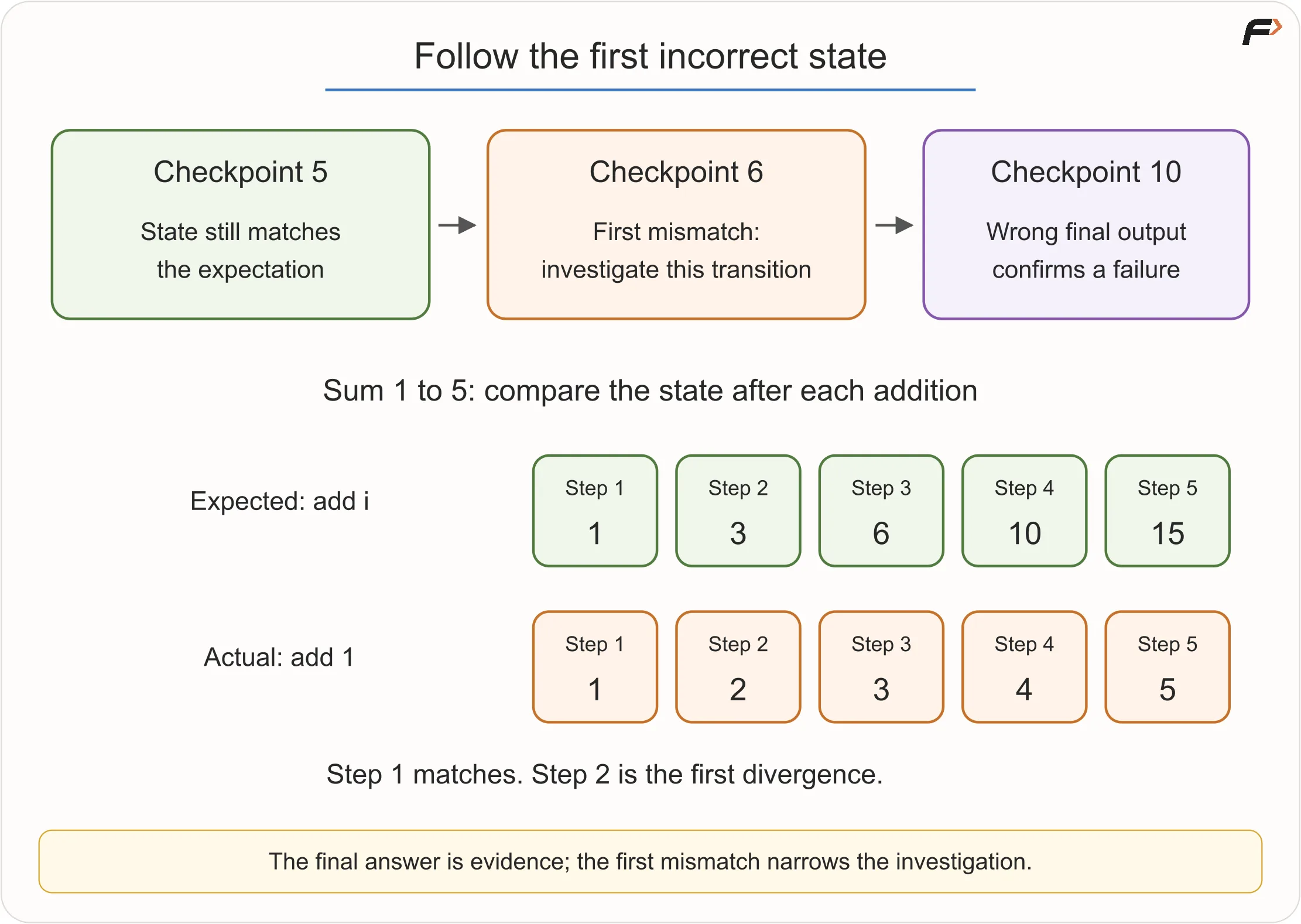
Think of a parcel moving through checkpoints. If the parcel was correct at checkpoint 5 but wrong at checkpoint 6, then checkpoint 6 is where the investigation should begin. Looking only at the final checkpoint may waste time.
Programs also move through checkpoints. Variable values change, conditions are tested, and branches are selected. A dry run helps us inspect those checkpoints.
Trace Tables
A trace table records important values as an algorithm runs.
Consider this algorithm for finding the sum of digits of a non-negative integer:
READ N
SET sum = 0

WHILE N > 0
    SET digit = N MOD 10
    SET sum = sum + digit
    SET N = N DIV 10
END WHILE

DISPLAY sum
For N = 472, the trace is:
Iteration |
|
|
|
|
| Loop Again? |
|---|---|---|---|---|---|---|
1 | 472 | 2 | 0 | 2 | 47 | Yes |
2 | 47 | 7 | 2 | 9 | 4 | Yes |
3 | 4 | 4 | 9 | 13 | 0 | No |
The output is 13.
A trace table is powerful because it shows where values change. If the algorithm accidentally used N MOD 100, the first digit would become 72 instead of 2. The table would expose the mistake immediately.
Do not trace every possible value. Trace only the values that matter for the behaviour you are checking.
Expected State and Actual State
Debugging needs two versions of the story:
Type | Meaning |
|---|---|
Expected state | What should happen according to the requirement |
Actual state | What the current algorithm actually does |
Consider the task:
Find the sum from 1 to 5.
The expected running totals are:
Number Added | Expected Sum |
|---|---|
1 | 1 |
2 | 3 |
3 | 6 |
4 | 10 |
5 | 15 |
First Mismatch
Now suppose the faulty algorithm uses:
SET sum = sum + 1instead of:
SET sum = sum + iThe actual totals become:
Iteration | Actual Sum |
|---|---|
1 | 1 |
2 | 2 |
3 | 3 |
4 | 4 |
5 | 5 |
The first iteration looks correct, but the second iteration reveals the problem. This is why one passing step does not prove the logic is correct.
Types of Errors
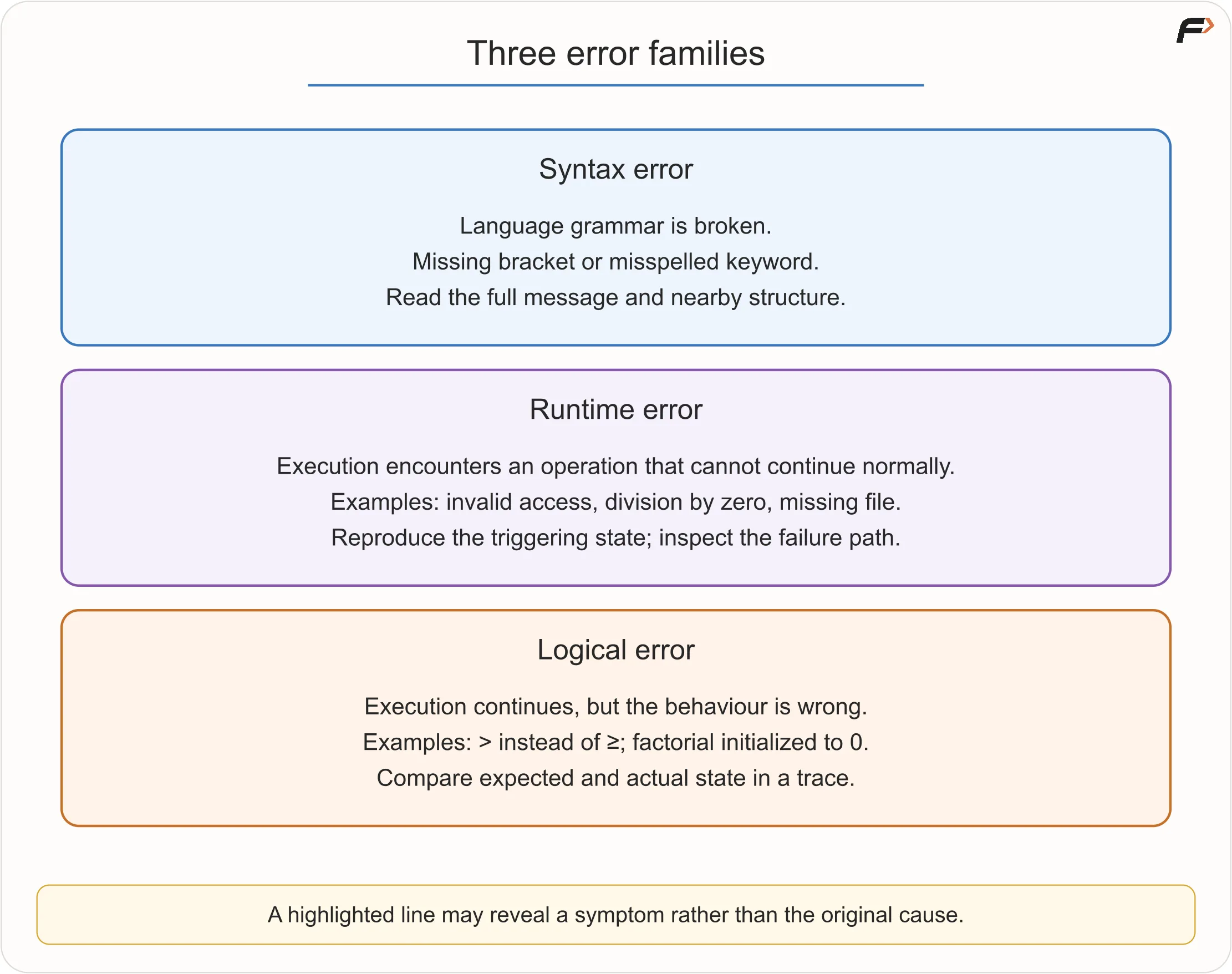
Programming errors can be grouped into three broad types.
Error Type | Meaning | Example |
|---|---|---|
Syntax error | The code violates language grammar | missing bracket, misspelled keyword |
Runtime error | The program starts but fails during execution | division by zero, invalid file access |
Logical error | The program runs but gives the wrong result | using |
Syntax errors are often easier to notice because the compiler or interpreter usually reports them. Runtime errors appear while the program is running. Logical errors can be harder because the program may run normally and still produce the wrong answer.
Types of Errors
Example: Factorial Always Returns Zero
Requirement:
Calculate
N! = 1 * 2 * 3 * ... * Nfor a non-negative integerN.
Faulty algorithm:
READ N
SET answer = 0

FOR i FROM 1 TO N
    SET answer = answer * i
END FOR

DISPLAY answer
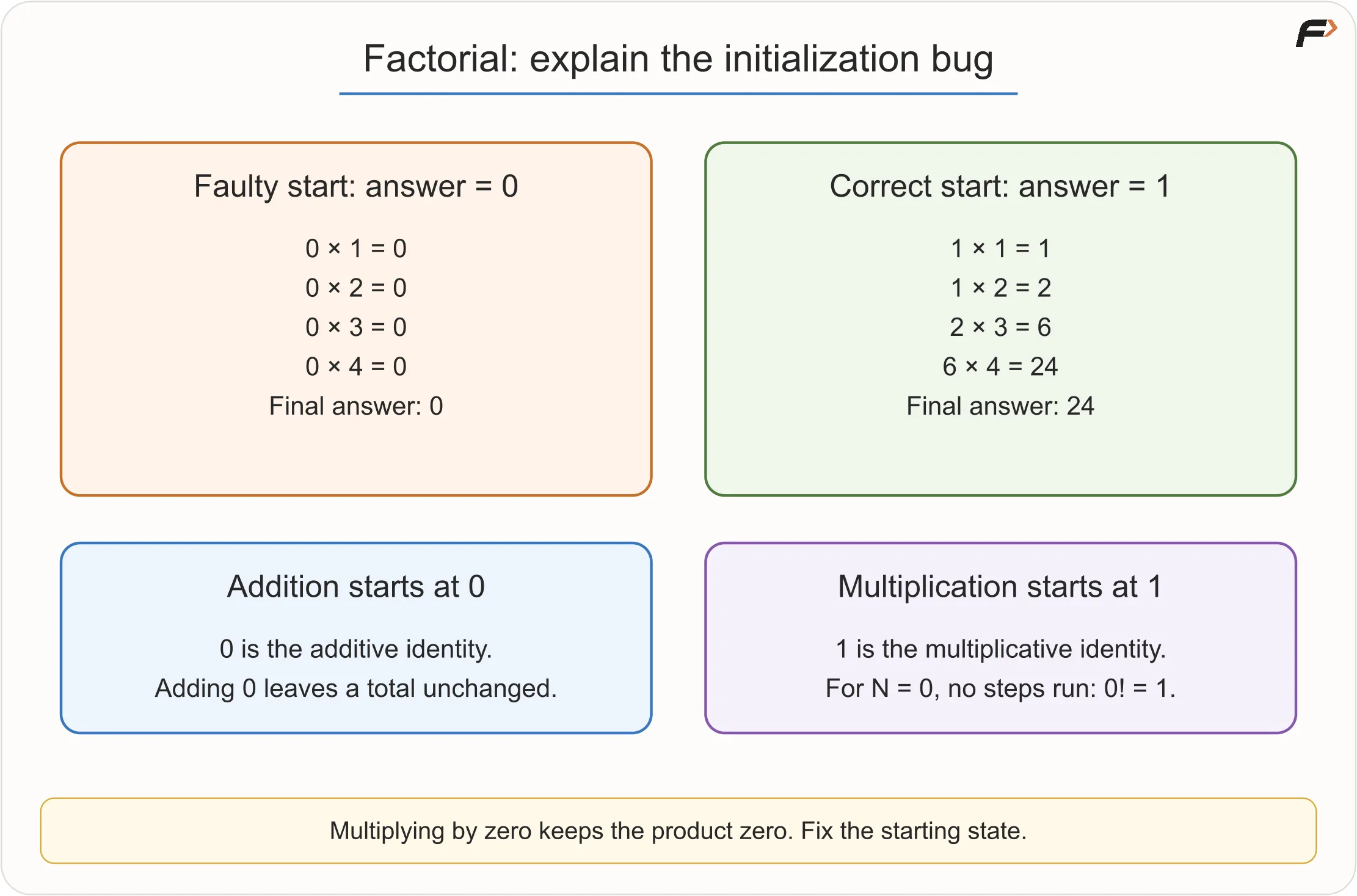
Trace for N = 4:
|
| Operation |
|
|---|---|---|---|
1 | 0 |
| 0 |
2 | 0 |
| 0 |
3 | 0 |
| 0 |
4 | 0 |
| 0 |
The bug is in the initialization. Since multiplication by zero always gives zero, the answer never grows.
The correct starting value is 1:
SET answer = 1For multiplication, 1 is the identity value because multiplying by 1 does not change the product. With this correction, 4! becomes:
1 * 2 * 3 * 4 = 24
Factorial Always Returns Zero
Edge Case, Invalid Input and Exceptional Situation
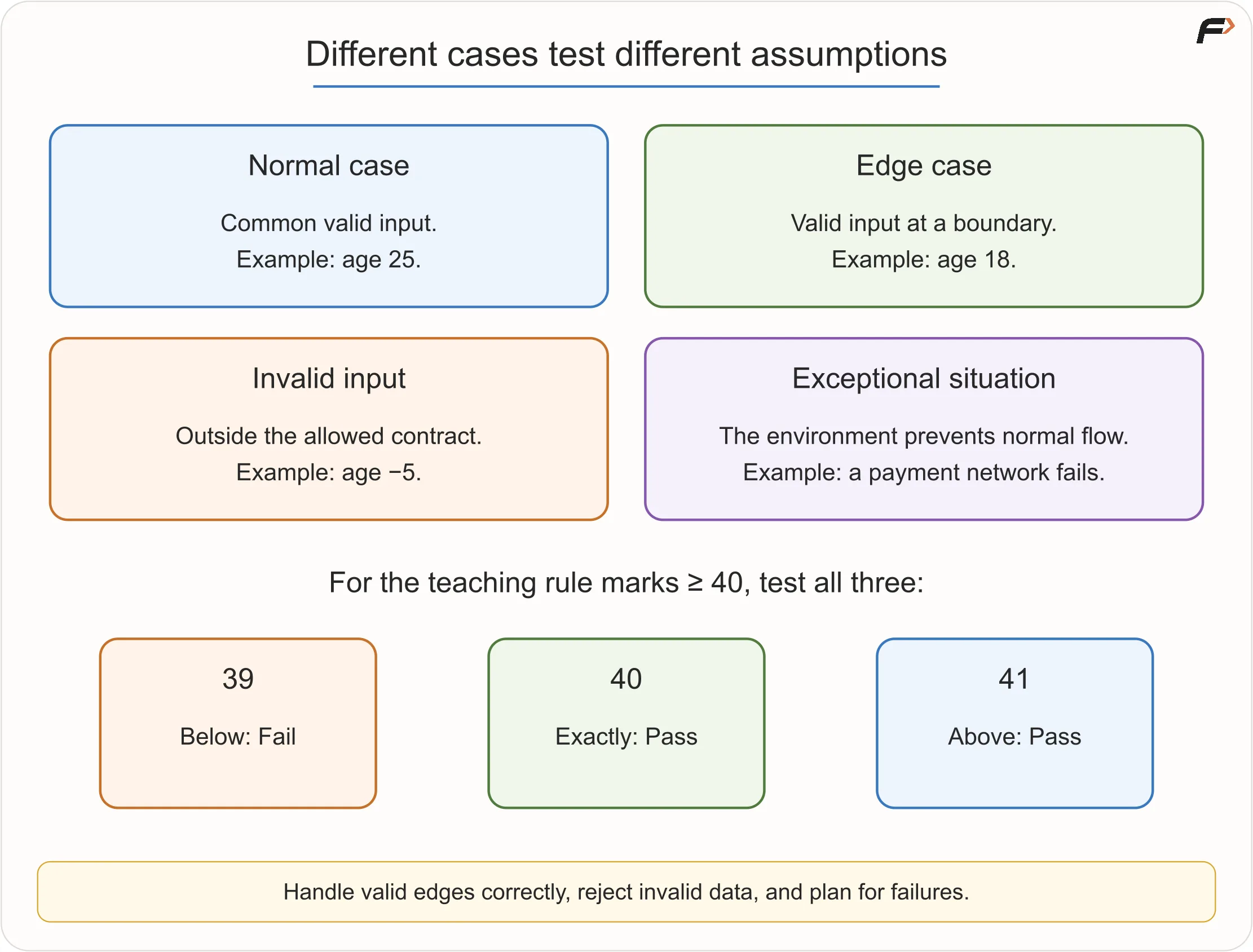
These terms are related, but they do not mean the same thing.
Case Type | Meaning | Example |
|---|---|---|
Normal case | Common valid input | age 25 for voting eligibility |
Edge case | Valid input near a boundary | age 18 when eligibility starts at 18 |
Invalid input | Input outside the allowed contract | age -5 when age cannot be negative |
Exceptional situation | External issue that interrupts normal flow | payment network failure |
An edge case is usually valid. It is not the same as invalid input.
For example, if the rule is:
Marks at least 40 are passing.
Then:
Marks | Case Type | Result |
|---|---|---|
39 | valid boundary-near case | Fail |
40 | edge case | Pass |
41 | valid boundary-near case | Pass |
-10 | invalid input, if marks must be 0 to 100 | Invalid |
The correct response depends on the contract. Edge cases should produce the correct normal result. Invalid inputs may be rejected. Exceptional situations may need retry or recovery.
Designing Better Tests
Random testing can help, but deliberate testing is stronger.
For a condition like:
marks >= 40use values around the boundary:
39: just below40: exactly on the boundary41: just above
This quickly reveals whether we wrote > by mistake instead of >=.
Useful beginner test categories include:
Test Category | Why It Helps |
|---|---|
Typical case | Checks normal behaviour |
Boundary case | Tests values near rule changes |
Equality or duplicate case | Useful in comparison problems |
Zero | Important for loops, counts, products and division |
Negative value | Tests validation or allowed negative inputs |
Smallest meaningful input | Reveals initialization mistakes |
Invalid input | Checks whether bad data is rejected |
Path coverage | Ensures each branch runs at least once |
A few carefully chosen tests are often better than many repeated tests that check the same path.
Designing Better Tests
A Disciplined Debugging Workflow
Debugging should be an investigation, not random editing.
Use this workflow:
Reproduce the failure: Find a specific input that reliably causes the wrong result.
Write the expected result manually: Know what the correct answer should be.
Reduce the input: Use the smallest failing case if possible.
Trace relevant state: Record important variables, conditions and branches.
Find the first divergence: Locate the earliest point where actual differs from expected.
Explain the cause: Understand why the wrong state appears.
Make a focused fix: Change the smallest part needed.
Retest: Test the failing case, nearby edge cases and some previously working cases.
A regression is a previously working behaviour that breaks after a later change. Retesting helps catch regressions.
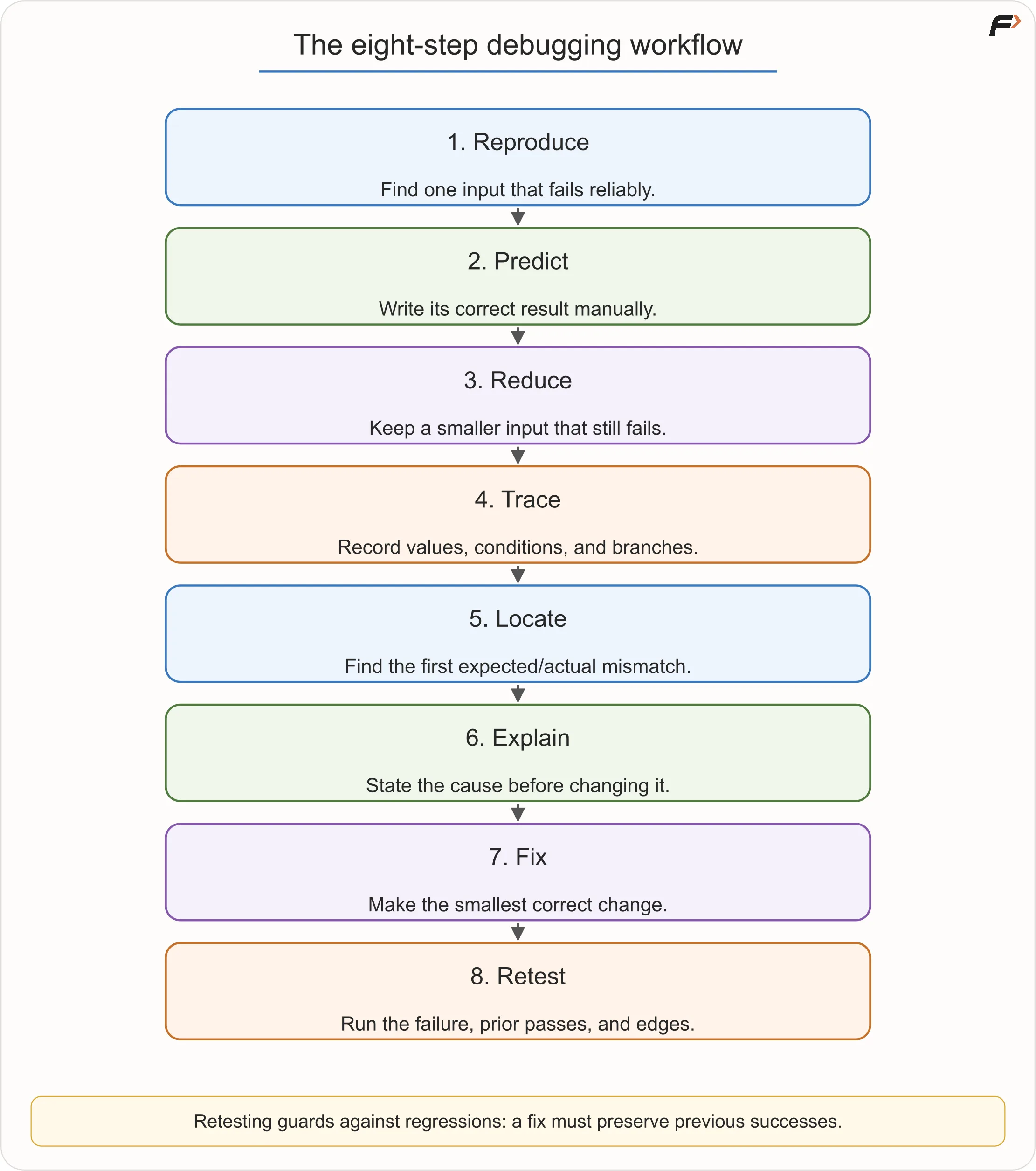
Debugging Workflow
Example: Loop Never Stops
Suppose the task is:
Print numbers from 1 to N.
Faulty algorithm:
SET i = 1

WHILE i <= N
    DISPLAY i
END WHILE
For N = 3, the output keeps printing 1 forever. The value of i never changes, so the condition i <= N remains true.
The fix is to update i inside the loop:
SET i = 1

WHILE i <= N
    DISPLAY i
    SET i = i + 1
END WHILE
Now for N = 3, the output is:
1 2 3
The loop stops when i becomes 4.
Key idea: A loop must usually change something that helps it move toward its stopping condition.
Example: Wrong Grade at Boundaries
Suppose the intended grading rule is:
Marks | Grade |
|---|---|
90 to 100 | A |
75 to 89 | B |
60 to 74 | C |
40 to 59 | D |
0 to 39 | F |
Faulty condition:
IF marks > 90
    grade = "A"
ELSE IF marks > 75
    grade = "B"
This may seem correct for values like 95 and 80, but it fails at exact boundaries.
For example:
Marks | Expected | Faulty Result |
|---|---|---|
90 | A | B |
75 | B | C |
The fix is to use inclusive comparisons where the requirement includes the boundary:
IF marks >= 90
    grade = "A"
ELSE IF marks >= 75
    grade = "B"
Good boundary tests would include:
Test Values | Purpose |
|---|---|
| checks A boundary |
| checks B boundary |
| checks pass/fail boundary |
Invariants: Truth That Stays True
An invariant is a statement that remains true at a certain point during a repeated process.
The word sounds advanced, but the idea is simple.
In the current-largest algorithm:
After each processed value,
largeststores the largest value seen so far.
In the sum from 1 to N algorithm:
Before processing
i,sumstores the total of the numbers already processed.
Invariants help explain why an algorithm works. They connect the middle steps to the final result.
For beginners, a useful habit is to complete this sentence:
“After every iteration, this variable represents ______.”
If you can answer that clearly, your loop logic is usually easier to trust and debug.
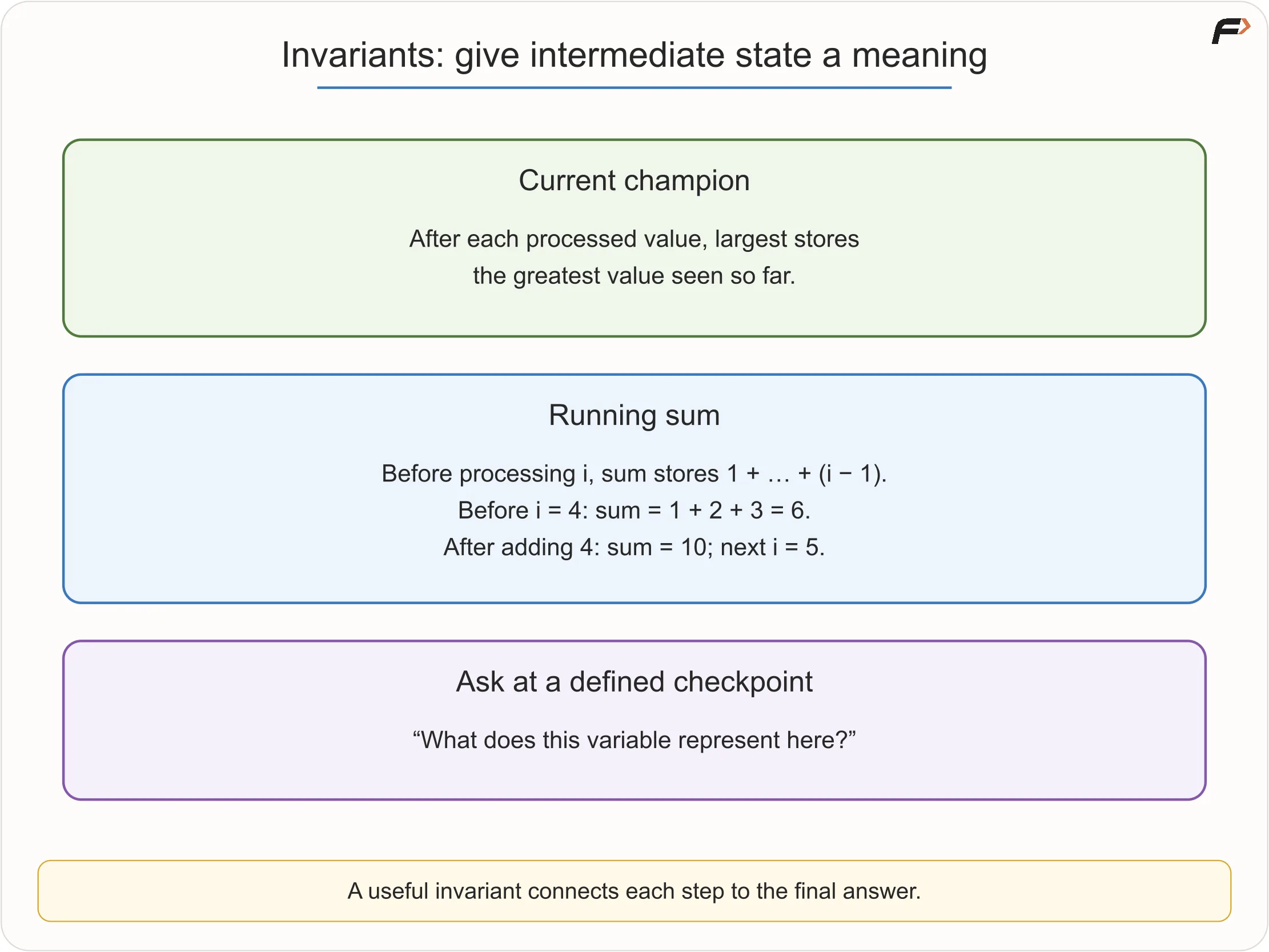
Invariants
Common Debugging Misconceptions
Misconception | Better Understanding |
|---|---|
Debugging starts only after code is written | Algorithms, flowcharts and pseudocode can also contain bugs |
If the program does not crash, it is correct | Logical errors may produce normal-looking wrong output |
More tests always mean better testing | Carefully chosen boundary tests can reveal more |
Edge case means invalid input | Edge cases are usually valid but special |
The highlighted error line is always the root cause | It may only be where the symptom appears |
Changing many things is faster | It makes the real fix harder to identify |
A passing sample proves the algorithm | It only proves that one input worked |
The computer behaves randomly | Unexpected behaviour usually has a cause |
Good debugging depends on patience and evidence.
Practical Debugging Habits
When you begin writing real code, keep the same reasoning habits:
Read the complete error message.
Reproduce the smallest failure.
Print or inspect relevant variable values.
Use a debugger when available.
Change one thing at a time.
Keep useful test cases and run them again.
Name variables clearly.
Check boundaries deliberately.
Tools can help you inspect execution, but they do not replace understanding the expected behaviour.
Key Terms
Term | Meaning |
|---|---|
Bug | A defect that causes incorrect or unexpected behaviour |
Debugging | Finding and correcting the cause of a defect |
Dry run | Manual simulation of an algorithm |
Trace table | Table that records important values over steps |
Expected state | What should be true at a point in execution |
Actual state | What the algorithm currently produces |
Syntax error | Violation of programming-language grammar |
Runtime error | Error that occurs during execution |
Logical error | Error where the program runs but produces wrong behaviour |
Edge case | Valid input near a boundary or special condition |
Invalid input | Data outside the allowed contract |
Regression | Previously working behaviour broken by a later change |
Invariant | A truth that remains valid during repeated steps |
Off-by-one error | A boundary mistake that runs one too many or one too few times |
Summary
A dry run helps you manually follow an algorithm before trusting it. A trace table records how important values change. Edge cases test the boundaries where mistakes often hide. Debugging uses all of these to find the first point where expected and actual behaviour differ.
The most useful debugging process is:
Reproduce => Predict => Trace => Find first divergence => Explain cause => Make focused fix => Retest
Once you learn to trace your own logic carefully, mistakes become less mysterious. They become evidence that points toward the fix.
Be the first to add a comment.