Introduction
The physical layer is the foundation of networking. Before websites load, packets are routed, or applications exchange data, the network must first move raw bits from one device to another through a real transmission medium.
This is the job of the Physical Layer, also called Layer 1 of the OSI model. It is the layer that turns digital data into physical signals and makes actual transmission possible over copper cables, optical fiber, or wireless links.
What the Physical Layer Does
The physical layer is responsible for carrying raw bits across a network medium. On the sending side, it converts binary data into signals. On the receiving side, it detects those signals and turns them back into bits for the upper layers.
Its responsibility is not to understand the meaning of data. It does not deal with applications, IP addressing, or routing decisions. Its role is to make sure that data can physically travel from one point to another.
Some of the key functions of the physical layer are:
Bit transmission: Moves raw 0s and 1s across the medium.
Signal conversion: Converts data into electrical, optical, or radio signals.
Media handling: Works with copper cable, fiber optic cable, and wireless transmission.
Transmission characteristics: Defines speed, timing, signal levels, and physical connection details.
Reception: Detects incoming signals and passes the recovered bits upward.
Why the Physical Layer Matters
Networking cannot happen without a real path for data movement. Higher layers may decide where data should go, but the physical layer makes the journey possible in the first place.
If the physical layer fails, the upper layers cannot function properly. A damaged cable, weak signal, noisy environment, or faulty port can disrupt communication even when logical configurations are correct.
That is why the physical layer matters in both network design and troubleshooting. Many practical connectivity problems begin at Layer 1.
How Data Travels at Layer 1
Computers store and process data in binary form, but bits cannot move directly through the real world without being represented physically. The physical layer solves this by turning bits into signals that can travel through a medium.
Depending on the technology being used, those signals can appear in different forms:
Copper cable: Data travels as electrical signals.
Optical fiber: Data travels as light pulses.
Wi-Fi and wireless links: Data travels as radio waves.
The receiving device reads those incoming signals and reconstructs the original bit stream.
Transmission Media
A physical layer always depends on some transmission medium. This is the path through which signals move between devices.
Common transmission media include:
Twisted pair copper cable: Common in Ethernet LANs.
Optical fiber: Used for high speed, long distance, and lower interference.
Wireless medium: Used in Wi-Fi and other radio-based communication.
Each medium has different characteristics in terms of speed, distance, cost, and resistance to interference.
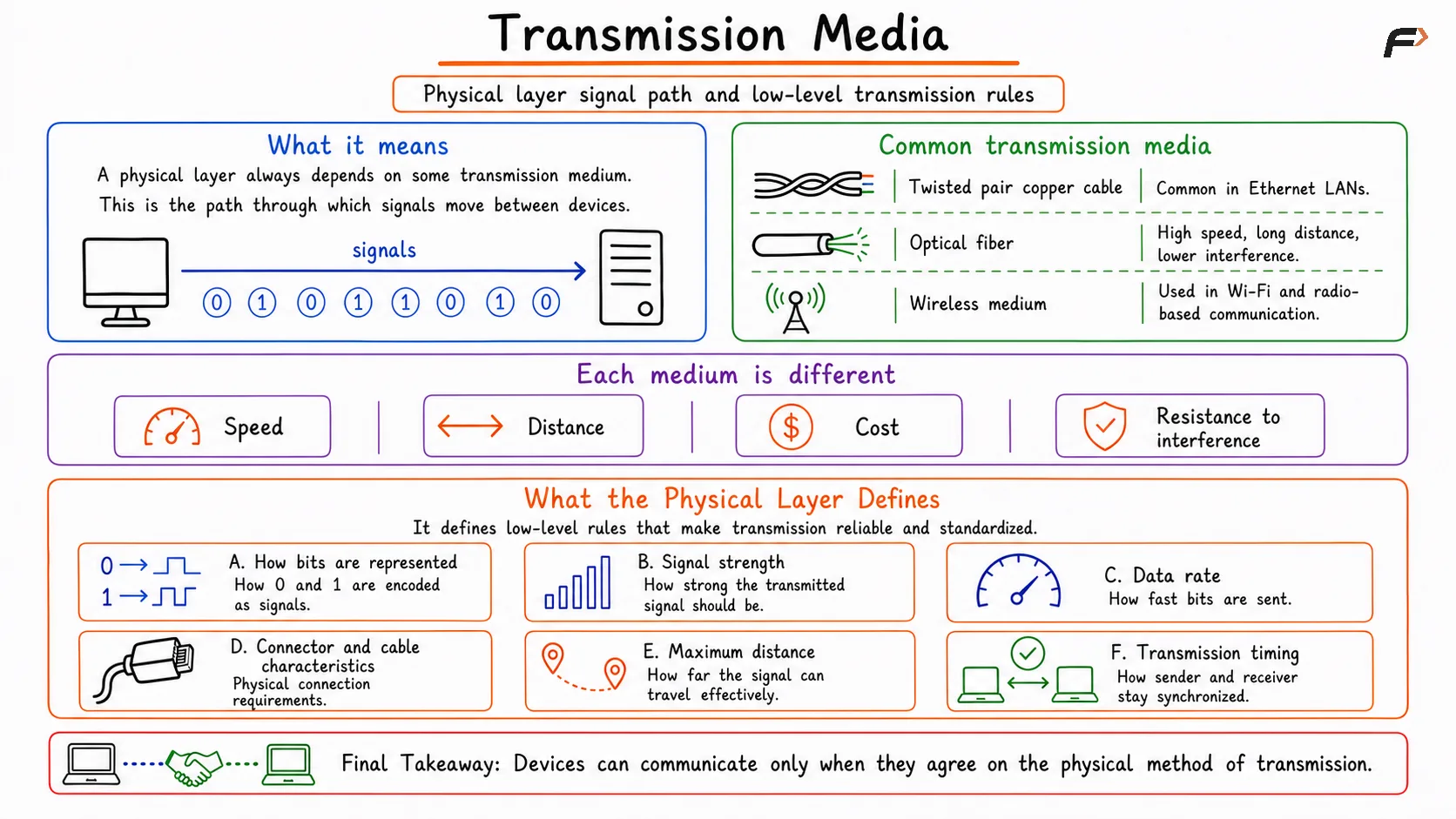
Overview of transmission media, explaining how signals travel between devices through twisted pair cables, optical fiber, or wireless communication, and comparing each medium based on speed, distance, cost, and resistance to interference.
What the Physical Layer Defines
The physical layer is not limited to just sending signals. It also defines the low-level rules that make transmission reliable and standardized between devices.
It helps define things such as:
How bits are represented: How 0 and 1 are encoded as signals.
Signal strength: How strong the transmitted signal should be.
Data rate: How fast bits are sent.
Connector and cable characteristics: The physical connection requirements.
Maximum distance: How far the signal can travel effectively.
Transmission timing: How the sender and receiver stay synchronized.
These details are essential because two devices can communicate only when they agree on the physical method of transmission.
Bandwidth vs Throughput
Two important terms often discussed with the physical layer are bandwidth and throughput. They are related, but they are not the same.
Aspect | Bandwidth | Throughput |
|---|---|---|
Meaning | Maximum capacity of a link | Actual data rate achieved in practice |
Focus | Theoretical or rated capability | Real-world performance |
Example | 100 Mbps, 1 Gbps, 10 Gbps | 60 Mbps, 80 Mbps, 900 Mbps in actual use |
Affected by | Link design and physical capability | Congestion, overhead, errors, device limits, interference |
Bandwidth tells how much data a link can ideally carry. Throughput tells how much data is actually being delivered under real conditions.
Common Physical Layer Problems
Since the physical layer deals with real hardware and real signals, several practical problems can affect it.
Some common Layer 1 issues are:
Cable cut: A broken cable stops transmission completely.
Loose connection: A weak or unstable connection can interrupt signal delivery.
Signal degradation: Signals weaken as they travel over distance.
Noise or interference: External electromagnetic interference can affect signal quality.
Bad port: A damaged switch port, NIC port, or connector can disrupt communication.
Medium limitations: Some media cannot support very high speeds or long distances.
These problems often appear as slow communication, unstable links, or total loss of connectivity.
Real-World Examples
The physical layer is involved whenever a device connects and sends data over a real link.
Examples include:
An Ethernet cable carrying electrical signals between a laptop and a switch.
A fiber optic link carrying light pulses between two network devices.
A Wi-Fi connection carrying radio signals between a phone and an access point.
In all these cases, the higher layers may remain the same, but the physical transmission method changes.
Summary
Physical layer is the lowest layer of the OSI model and is responsible for transmitting raw bits as real signals across a communication medium. It handles signal representation, transmission media, speed, distance, and other low-level physical characteristics required for network communication.
It uses electrical signals in copper cables, light pulses in fiber optics, and radio waves in wireless communication. It also plays a major role in practical troubleshooting because cable faults, loose connections, interference, and signal degradation all belong to Layer 1.
Be the first to add a comment.