Introduction
DHCP, or Dynamic Host Configuration Protocol, is used to automatically give devices the network settings they need when they join a network. Instead of manually entering an IP address and other details on every device, DHCP handles the process automatically.
This makes networks much easier to manage, especially when many devices connect and disconnect regularly.
What Is DHCP?
DHCP is a client-server protocol that assigns network configuration dynamically. When a device connects to a LAN or Wi-Fi network, it usually needs these settings before it can communicate properly:
IP address: The device’s address in the network
Subnet mask: Defines the network boundary
Default gateway: Used to reach other networks
DNS server: Used to resolve domain names
Lease time: Tells how long the configuration is valid
So DHCP does not just assign an IP address. It provides the full basic configuration needed for communication.
Why DHCP Is Needed
Without DHCP, every device would need manual configuration. That may be manageable for a very small setup, but it becomes inefficient and error-prone in larger networks.
DHCP is useful because it:
Automates IP assignment
Reduces manual errors
Makes address usage efficient
Helps devices join the network quickly
In home networks, the router often works as the DHCP server. In larger networks, dedicated DHCP servers are commonly used.
DHCP DORA Process
DHCP typically works through a four-step process called DORA:
Discover
Offer
Request
Acknowledge
This is how a client gets its configuration.
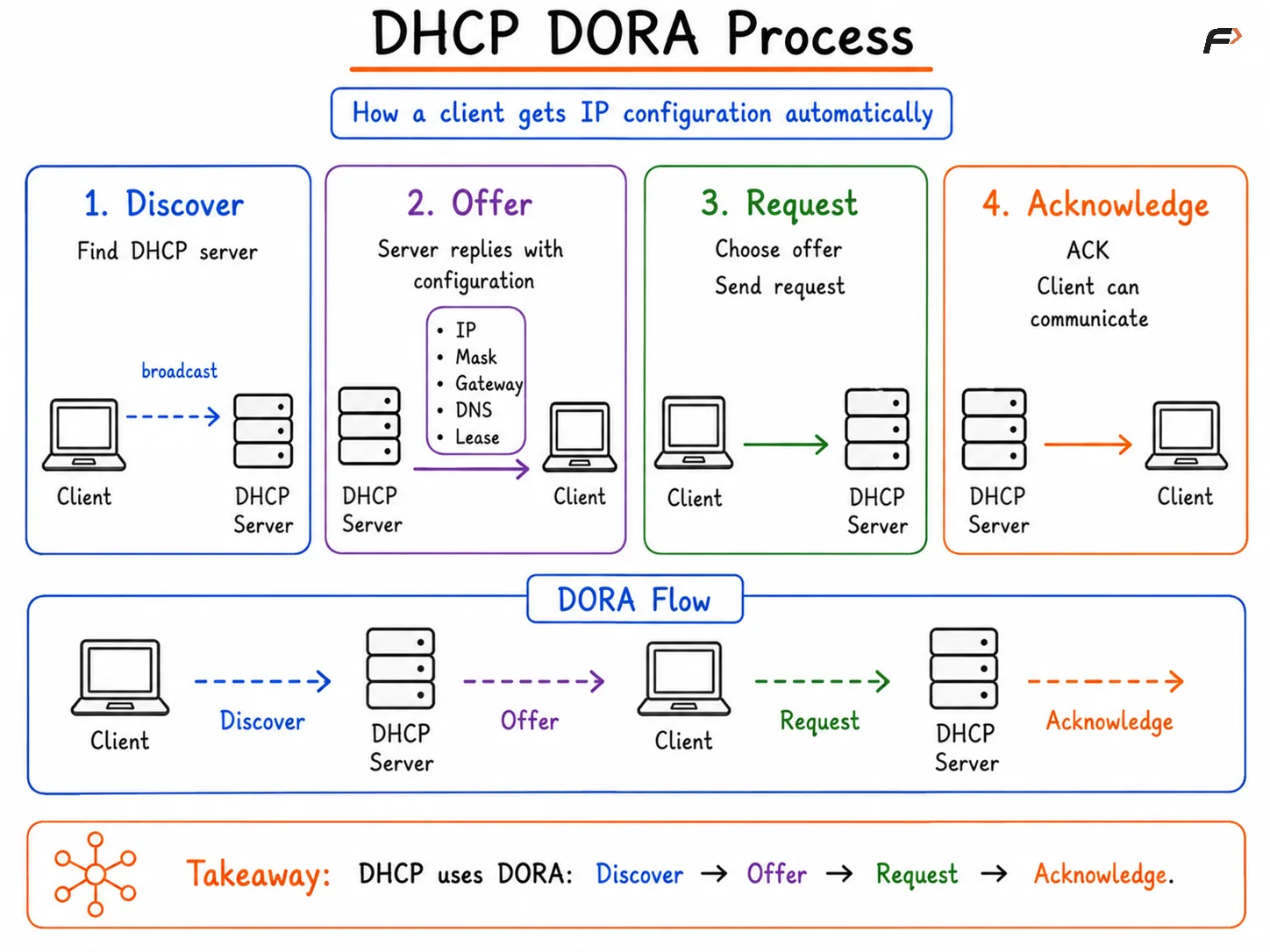
DHCP DORA Process
Discover
When a device joins the network, it usually does not yet know its IP address or the DHCP server address. So it sends a broadcast message to find a DHCP server.
The client is basically asking:
Is there any DHCP server on this network?
Offer
A DHCP server replies with an offer. This offer contains a proposed IP address and other configuration values.
The offer usually includes:
IP address
Subnet mask
Default gateway
DNS server
Lease time
Request
The client selects one offer and sends a request message back. This tells the server that the client wants to use that offered configuration.
Acknowledge
The server then sends an acknowledgment, or ACK, confirming that the configuration has been assigned. After that, the client can start normal communication on the network.
A simple flow looks like this:
Client Discover => Server Offer => Client Request => Server Acknowledge
DHCP Lease
DHCP does not usually assign an address permanently. Instead, it gives the client a temporary assignment called a lease.
This helps the network reuse IP addresses efficiently. If a device leaves the network and does not renew its lease, that address can later be assigned to another device.
Before the lease expires, the client usually tries to renew it automatically. If renewal succeeds, the same configuration can continue. If not, the client may need to restart the DHCP process.
Important DHCP Details
A few important DHCP points are worth remembering:
Transport protocol: DHCP uses UDP
Server port:
67Client port:
68Initial communication: Often uses broadcast because the client does not yet have an IP address
In larger routed networks, a DHCP relay may be used so that clients on one subnet can reach a DHCP server on another subnet.
Summary
DHCP is the protocol that automatically provides devices with network settings such as IP address, subnet mask, default gateway, DNS server, and lease time. It removes the need for manual IP configuration and makes networks easier to manage.
Its core working is based on the DORA process: Discover, Offer, Request, and Acknowledge. Along with lease assignment and renewal, this allows devices to join and communicate on the network quickly and efficiently.
Be the first to add a comment.