Introduction
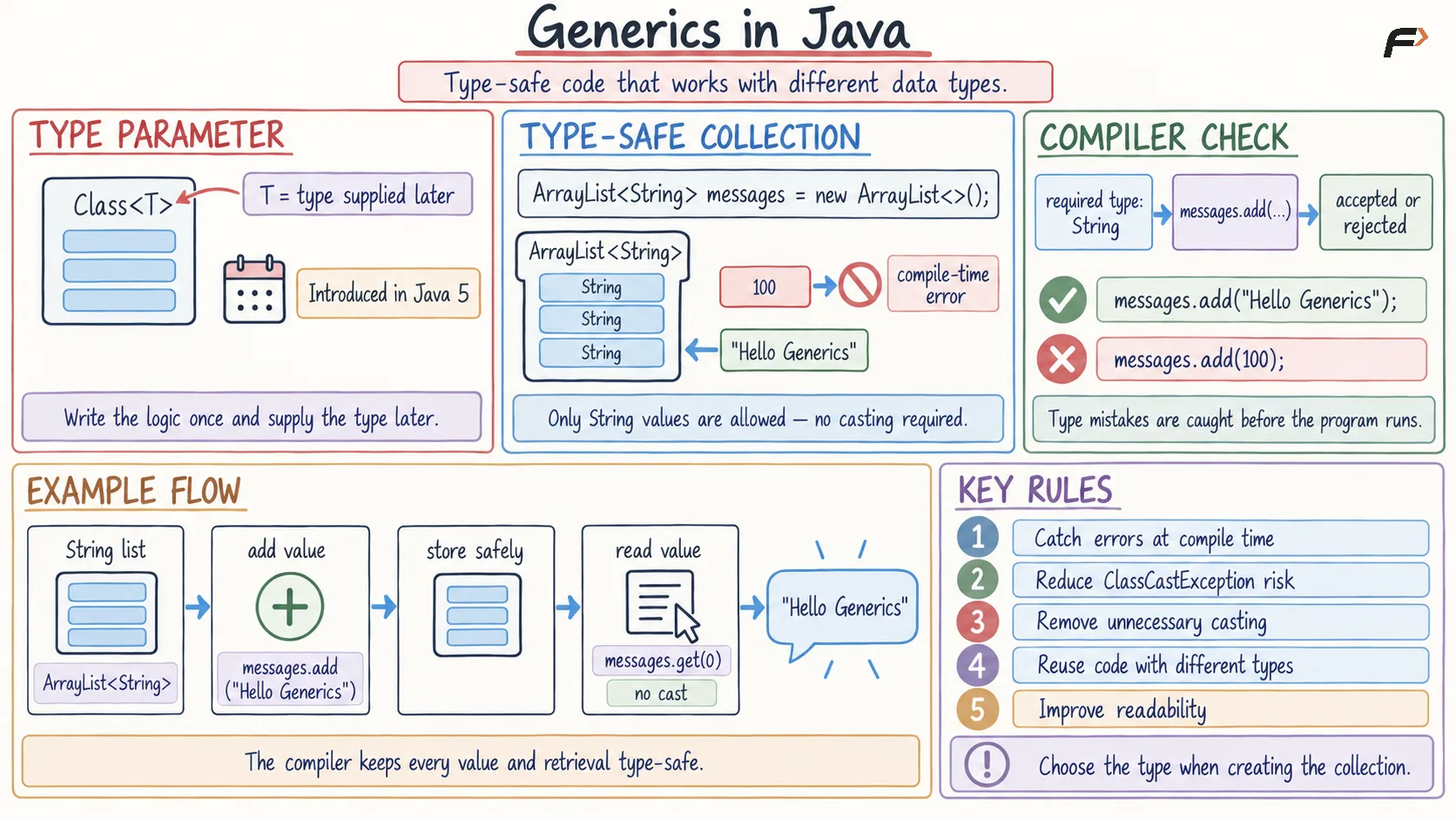
Generics in Java allow classes, interfaces, and methods to work with different data types while maintaining compile-time type safety.
Generics were introduced in Java 5. They use type parameters such as <T> to represent a data type that is supplied later.
For example:
ArrayList<String> names = new ArrayList<>();Here, the list can only store String values.
Why Are Generics Used?
Generics provide the following benefits:
Detect type errors at compile time
Reduce the risk of
ClassCastExceptionRemove unnecessary type casting
Allow the same code to work with different data types
Improve code readability and reusability
Collections Without and With Generics
Without generics, a collection can store values of different types. This may cause type-casting errors during execution.
With generics, the required element type is specified when the collection is created.
Generic Collection Example
import java.util.ArrayList;public class Main { public static void main(String[] args) { // Create a list that can only store String values ArrayList<String> messages = new ArrayList<>(); // Add a valid String value messages.add("Hello Generics"); // Adding an integer would cause a compile-time error // messages.add(100); // No explicit type casting is required String message = messages.get(0); // Display the stored value System.out.println(message); // Output :- Hello Generics }}Because the list is declared as ArrayList<String>, Java prevents other data types from being added.
Generics in Java
Generic Class in Java
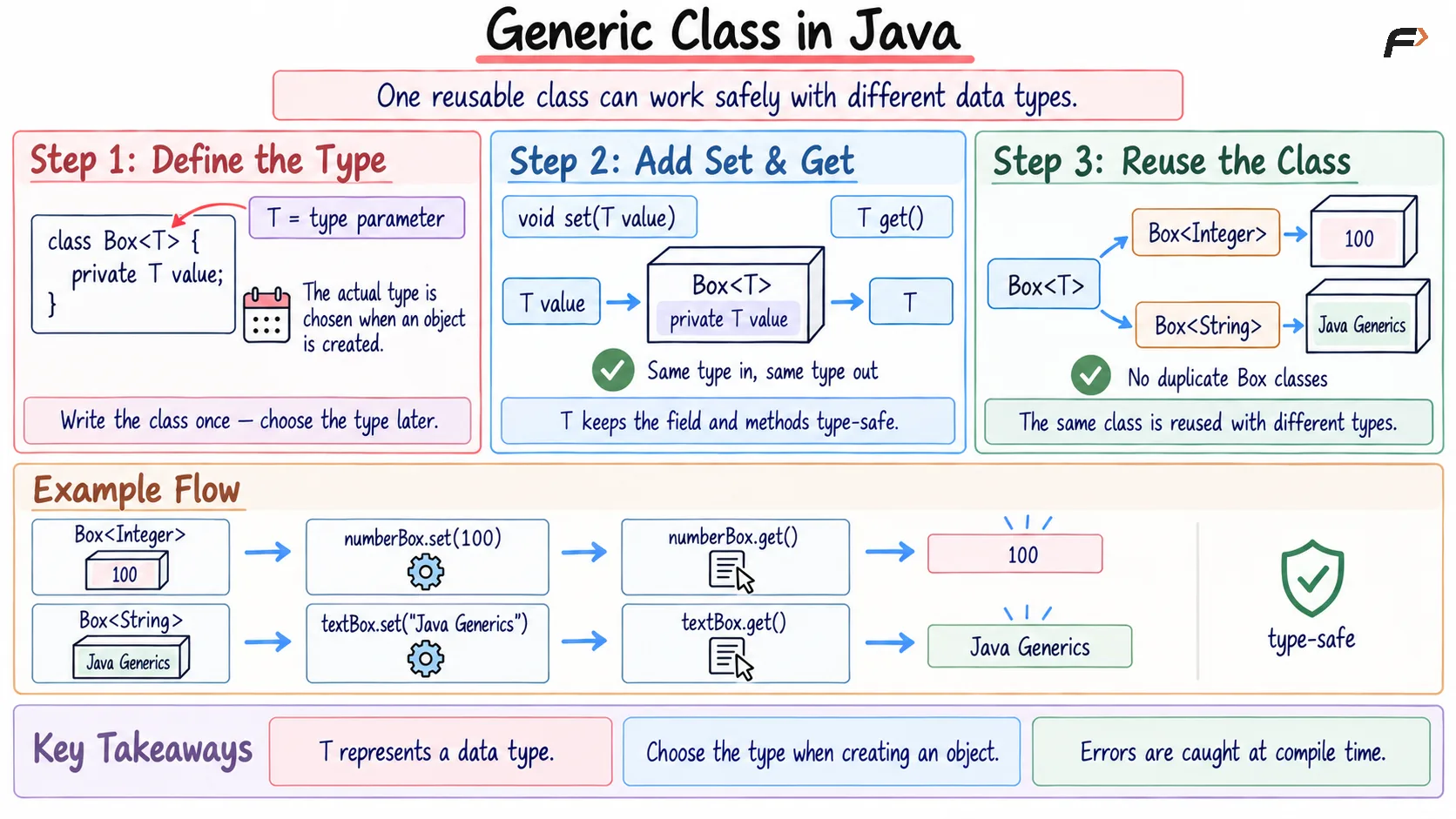
A generic class is a class that can work with different data types without rewriting the class for each type.
Syntax
class ClassName<T> { // T represents a data type}T is a type parameter. Its actual type is provided while creating an object.
Generic Class Example
// Generic class that can store any reference typeclass Box<T> { // Value has the type supplied through T private T value; // Store a value in the box void set(T value) { this.value = value; } // Return the stored value T get() { return value; }}public class Main { public static void main(String[] args) { // Create a Box that stores Integer values Box<Integer> numberBox = new Box<>(); numberBox.set(100); // Retrieve the Integer value System.out.println(numberBox.get()); // Output :- 100 // Create another Box that stores String values Box<String> textBox = new Box<>(); textBox.set("Java Generics"); // Retrieve the String value System.out.println(textBox.get()); // Output :- Java Generics }}The same Box<T> class works with both Integer and String, providing code reusability without losing type safety.
Generic class in Java
Generic Method in Java
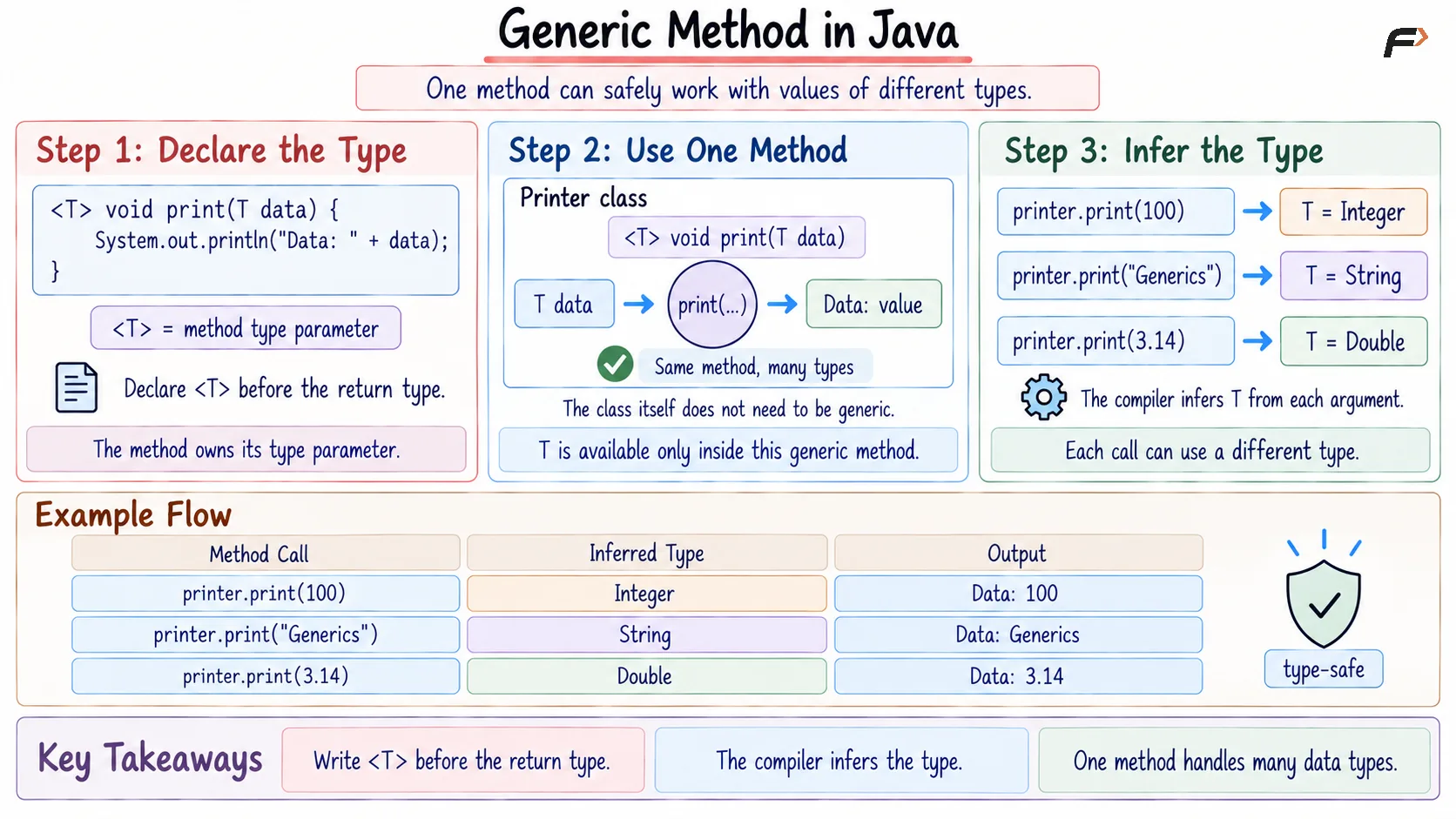
A generic method declares its own type parameter and can work with values of different types.
The type parameter is written before the method’s return type.
Syntax
<T> void methodName(T value) { // Method body}Generic Method Example
// Class containing a generic methodclass Printer { // T is declared specifically for this method <T> void print(T data) { System.out.println("Data: " + data); }}public class Main { public static void main(String[] args) { // Create the Printer object Printer printer = new Printer(); // Use the same method with an Integer printer.print(100); // Output :- Data: 100 // Use the same method with a String printer.print("Generics"); // Output :- Data: Generics // Use the same method with a Double printer.print(3.14); // Output :- Data: 3.14 }}A generic method reduces the need to create multiple overloaded methods for different data types.
Generic method in Java
Bounded Type Parameters
A bounded type parameter restricts the types that can be used with a generic class or method.
For example, the following syntax accepts Number and its subclasses:
<T extends Number>This allows types such as Integer, Double, and Float, but not String.
Bounded Generic Example
// T is restricted to Number and its subclassesclass NumericBox<T extends Number> { // Store a numeric value private T number; // Initialize the numeric value NumericBox(T number) { this.number = number; } // Calculate and return its square double square() { double value = number.doubleValue(); return value * value; }}public class Main { public static void main(String[] args) { // Integer is allowed because it extends Number NumericBox<Integer> integerBox = new NumericBox<>(10); System.out.println(integerBox.square()); // Output :- 100.0 // Double is also allowed NumericBox<Double> doubleBox = new NumericBox<>(5.5); System.out.println(doubleBox.square()); // Output :- 30.25 // String is not a subclass of Number // NumericBox<String> textBox = new NumericBox<>("Hello"); }}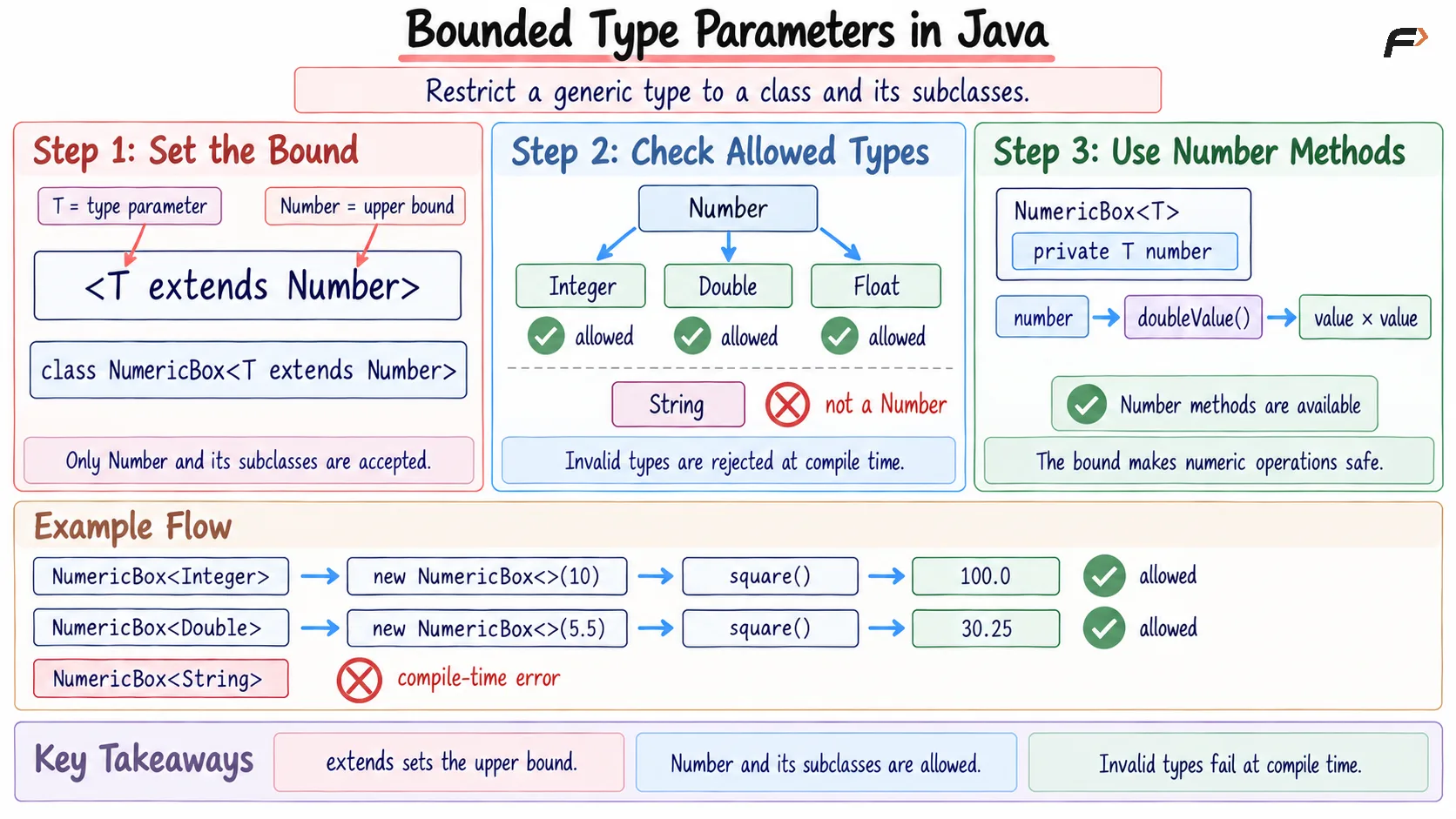
Bounded type parameters
Wildcards in Java Generics
The wildcard symbol ? represents an unknown generic type. It provides flexibility when a method needs to accept different generic types.
The main wildcard forms are:
<?>: Accepts an unknown type<? extends T>: AcceptsTor its subclasses<? super T>: AcceptsTor its superclasses
Upper-bounded wildcards are commonly used when reading values, while lower-bounded wildcards are useful when adding values.
Generics vs Raw Types
Generics | Raw Types |
|---|---|
Specify the required data type | Do not specify a data type |
Provide compile-time type checking | Lose compile-time type safety |
Usually do not require casting | May require explicit casting |
Reduce type-related runtime errors | Can produce unchecked warnings and errors |
Raw types should generally be avoided in new Java code.
Summary
Generics in Java provide type safety and code reusability by allowing classes, interfaces, and methods to work with different data types.
Generic classes and methods reduce duplicated code, bounded types restrict accepted values, and wildcards provide flexibility when working with unknown generic types.
Be the first to add a comment.