Introduction
File handling in Java is the process of creating, reading, writing, updating, and deleting files using a Java program. File handling allows a program to store data permanently. Unlike variables, data written to a file remains available after the program stops running.
Java provides file-handling classes through the java.io and java.nio.file packages. The modern Path and Files APIs provide simple methods for common file operations.
Common File-Handling Classes
Class or Interface | Purpose |
|---|---|
| Represents the location of a file or directory |
| Provides methods to create, read, write, and delete files |
| Represents a file or directory using the older I/O API |
| Writes character data to a file |
| Reads text efficiently |
| Reads text from a file in a beginner-friendly way |
This article uses Path and Files for simple text-file operations.
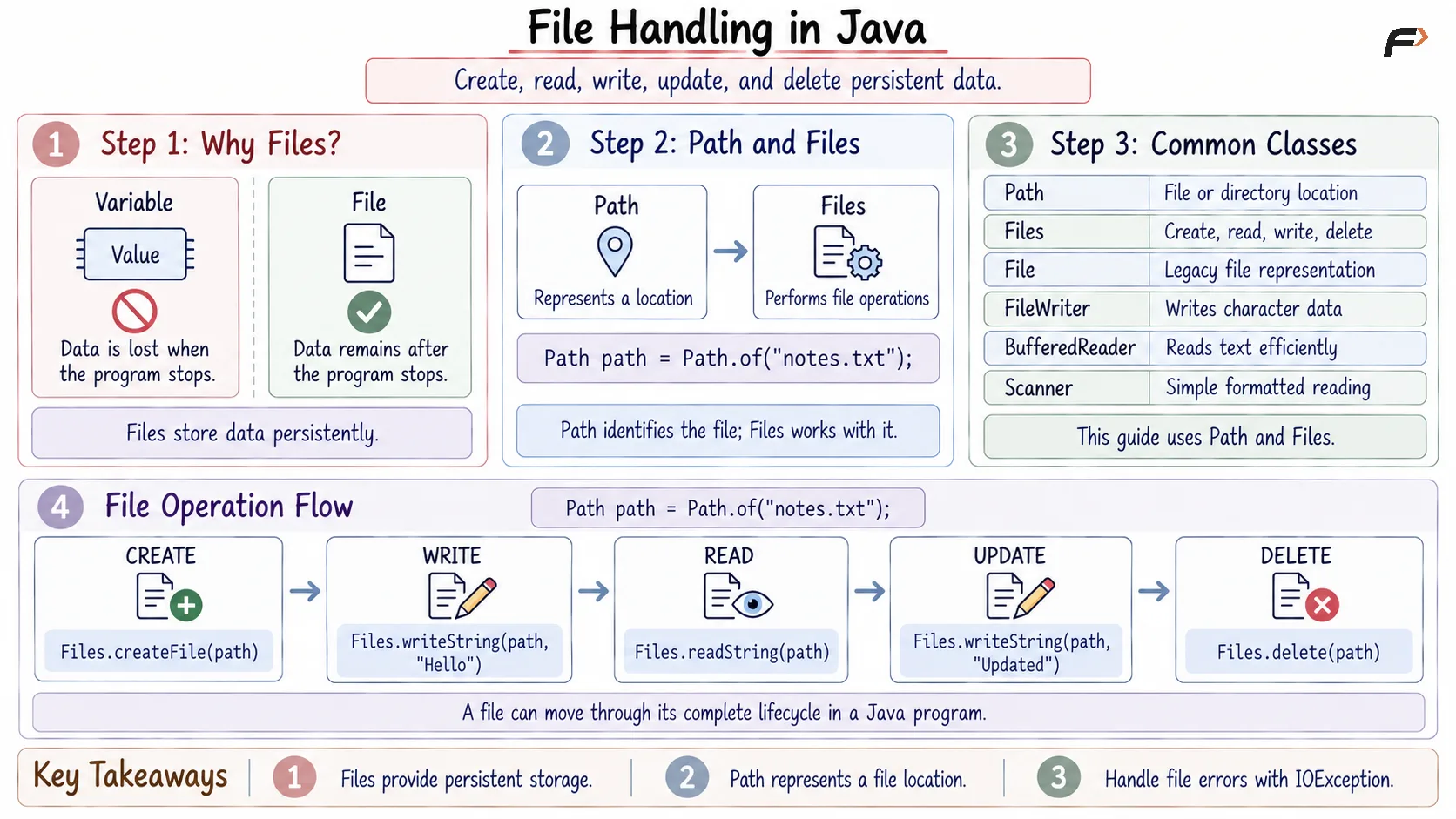
File handling in java
Creating and Writing to a File
The Files.writeString() method writes text to a file. If the file does not exist, Java creates it. If it already exists, its previous contents are replaced by default.
import java.io.IOException;import java.nio.file.Files;import java.nio.file.Path;public class Main { public static void main(String[] args) { // Create a Path representing the file location Path filePath = Path.of("notes.txt"); try { // Create the file if required and write text into it Files.writeString( filePath, "Learning Java File Handling" ); // Confirm that the writing operation completed System.out.println("File created and data written."); // Output :- File created and data written. } catch (IOException exception) { // Handle problems such as invalid paths or permissions System.out.println("Unable to write the file."); } }}The file is created in the program’s current working directory because only a filename is provided.
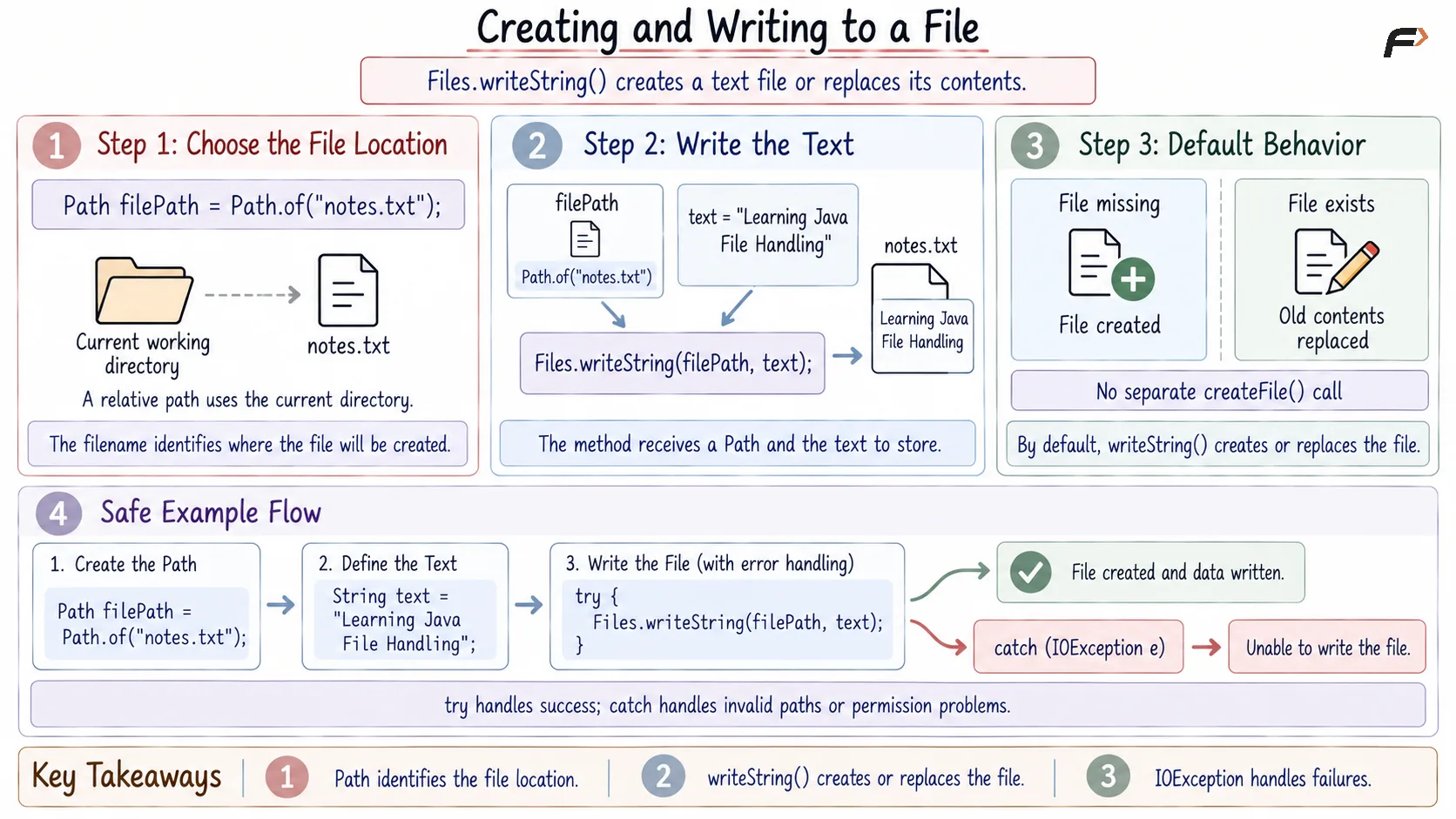
Creating and Writing to a File
Reading a File in Java
The Files.readString() method reads the complete contents of a small text file as a string.
import java.io.IOException;import java.nio.file.Files;import java.nio.file.Path;public class Main { public static void main(String[] args) { // Create a Path for the existing file Path filePath = Path.of("notes.txt"); try { // Read the complete file contents String content = Files.readString(filePath); // Display the data read from the file System.out.println(content); // Output :- Learning Java File Handling } catch (IOException exception) { // Handle a missing or unreadable file System.out.println("Unable to read the file."); } }}readString() is convenient for small text files. Large files should normally be read gradually using a buffered reader or stream.
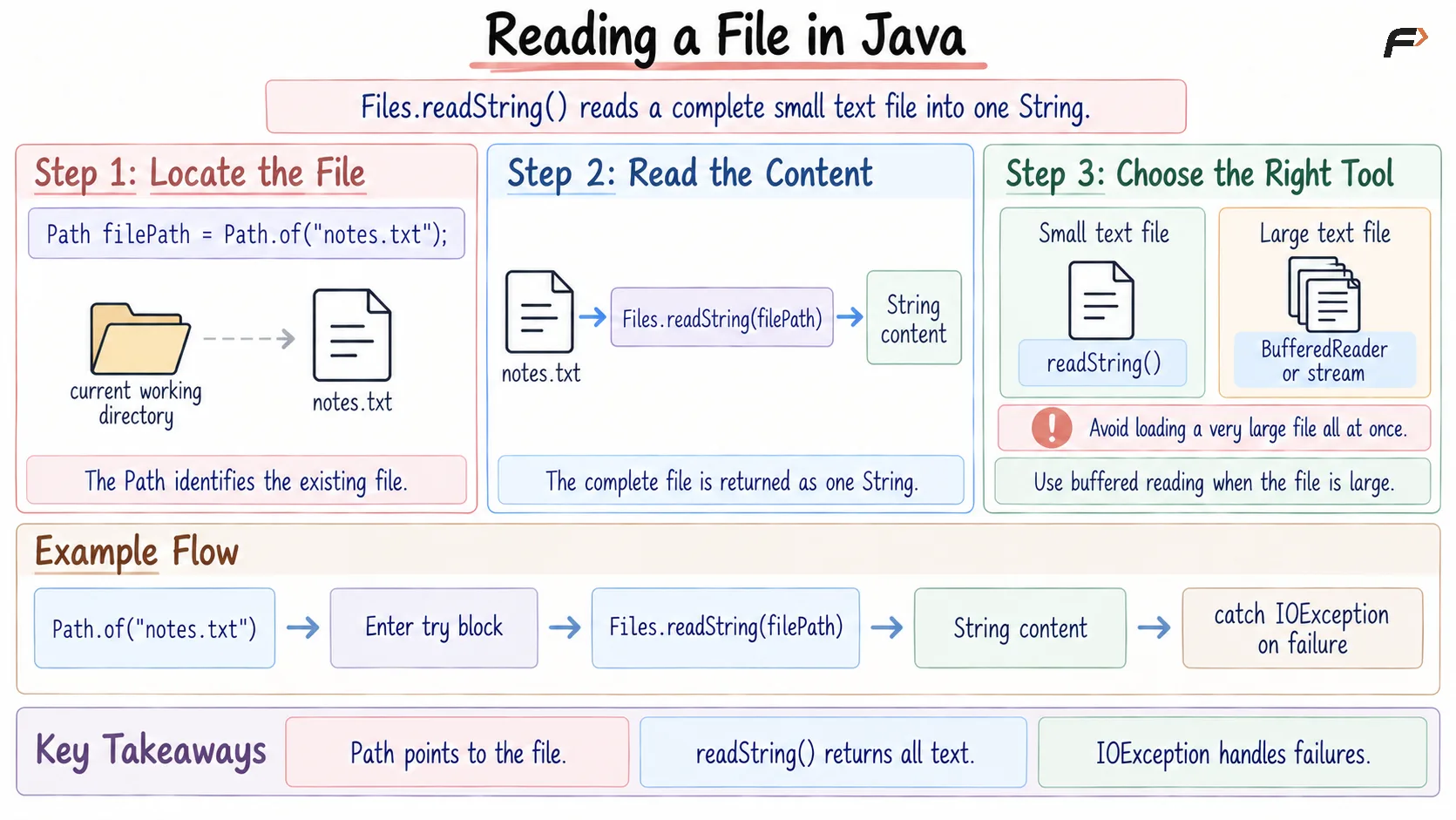
Reading a File
Appending Data to a File
Appending adds new data to the end of a file without deleting its existing contents.
Use StandardOpenOption.APPEND to open the file in append mode.
import java.io.IOException;import java.nio.file.Files;import java.nio.file.Path;import java.nio.file.StandardOpenOption;public class Main { public static void main(String[] args) { // Path of the file created earlier Path filePath = Path.of("notes.txt"); try { // Add a new line without replacing existing content Files.writeString( filePath, System.lineSeparator() + "This is the second line.", StandardOpenOption.APPEND ); // Confirm that new data was added System.out.println("Data appended successfully."); // Output :- Data appended successfully. } catch (IOException exception) { // Handle errors while appending data System.out.println("Unable to append data."); } }}The file now contains its original text followed by the newly appended line.
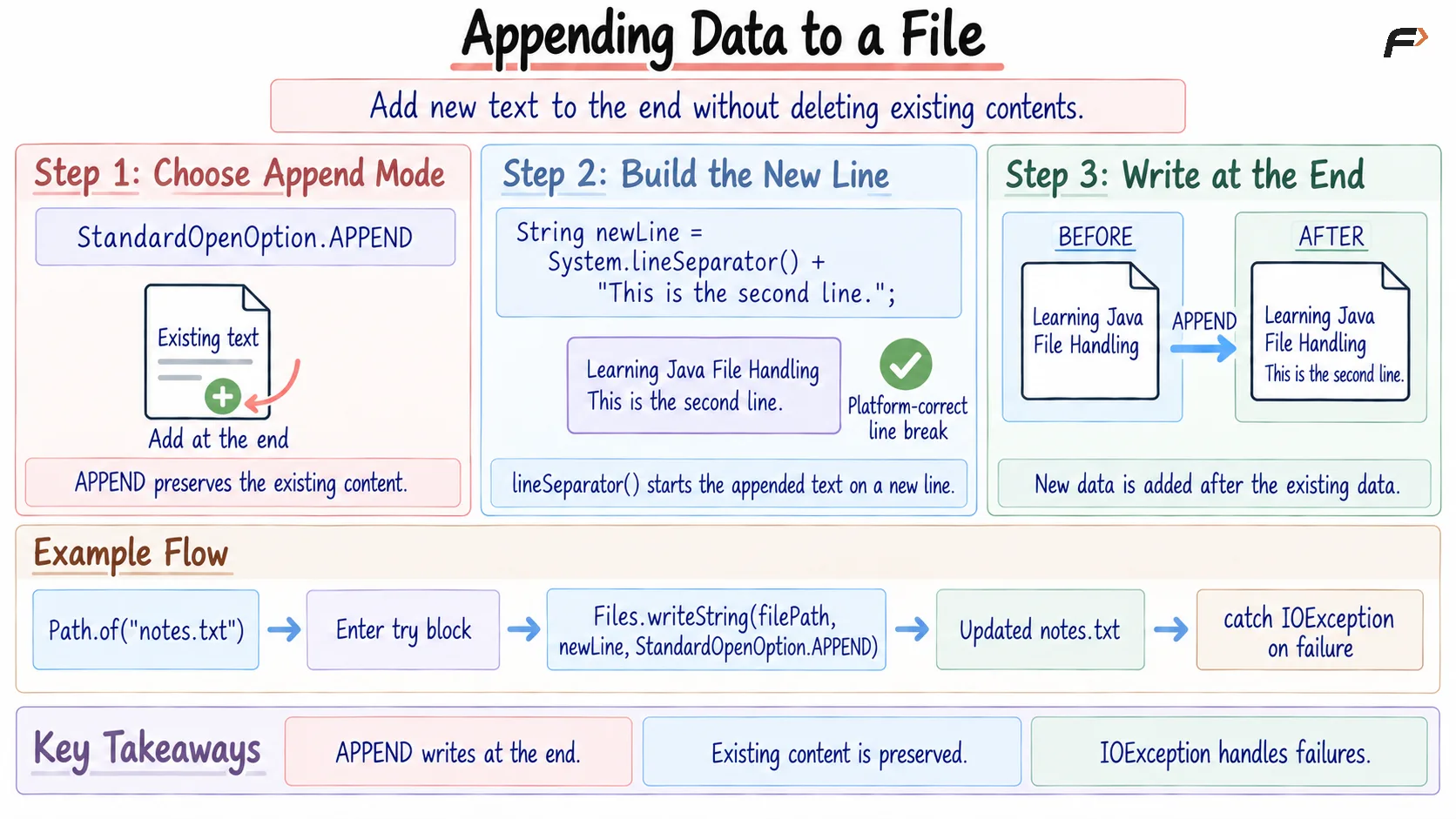
Appending data to a File
Deleting a File in Java
The Files.deleteIfExists() method deletes a file when it exists. It returns true when the file is deleted and false when the file is not found.
import java.io.IOException;import java.nio.file.Files;import java.nio.file.Path;public class Main { public static void main(String[] args) { // Specify the file that should be deleted Path filePath = Path.of("notes.txt"); try { // Delete the file if it exists boolean deleted = Files.deleteIfExists(filePath); // Check whether deletion was successful if (deleted) { System.out.println("File deleted successfully."); // Output :- File deleted successfully. } else { System.out.println("File does not exist."); } } catch (IOException exception) { // Handle permission or file-system errors System.out.println("Unable to delete the file."); } }}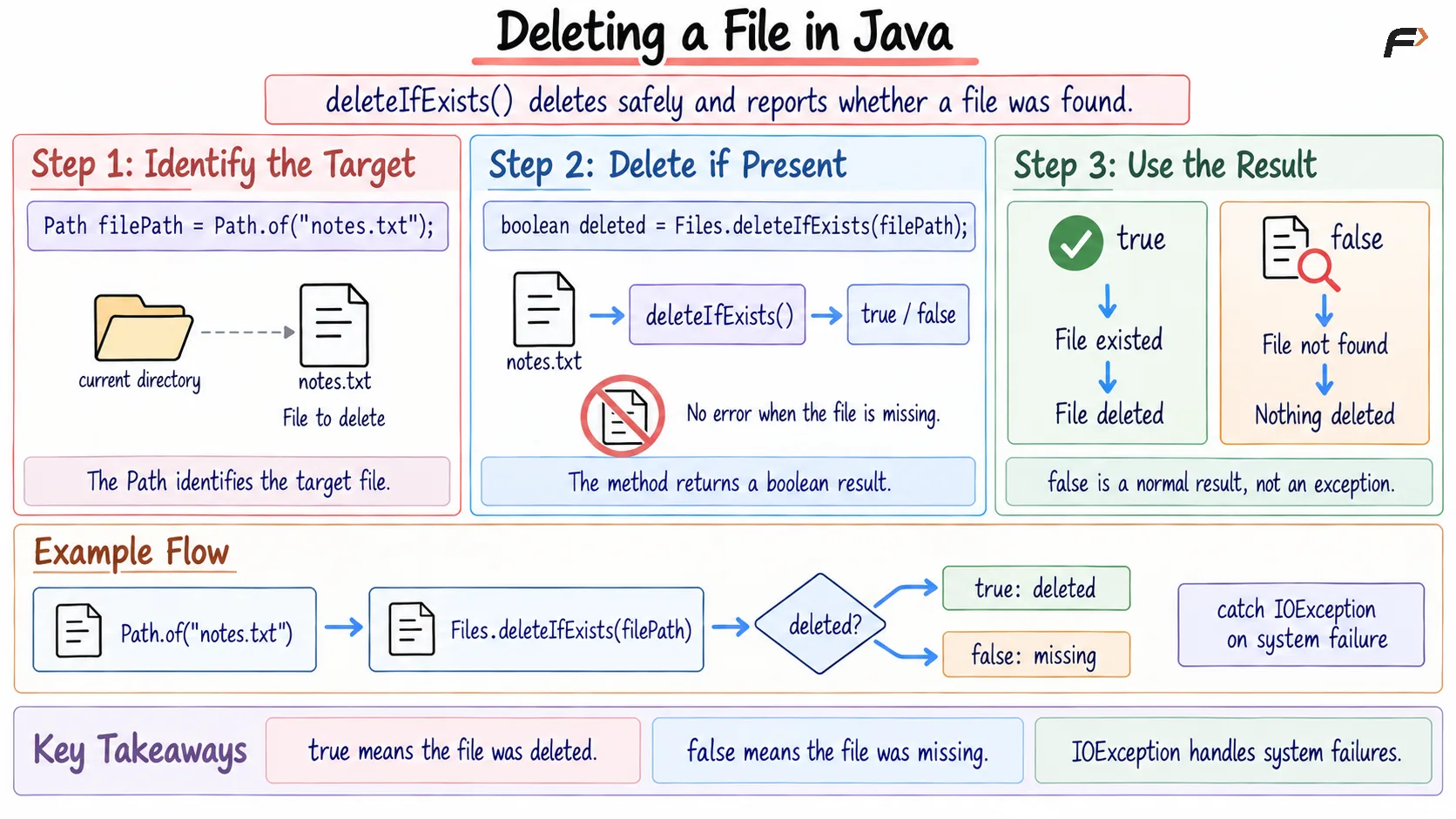
Deleting a File
File Paths in Java
Java supports two types of file paths:
Relative path: Describes a location relative to the program’s current working directory.
Absolute path: Provides the complete location of the file.
// Relative pathPath relativePath = Path.of("notes.txt");// Example absolute path on WindowsPath absolutePath = Path.of("C:", "data", "notes.txt");Using Path.of() with separate path parts helps Java construct the path using the operating system’s correct separators.
Why Is IOException Handled?
File operations may fail because:
The file does not exist
The path is invalid
The program lacks permission
The storage device is unavailable
Another application is using the file
Many file methods throw IOException, so the operation should be handled using try-catch or declared using throws.
Summary
File handling in Java allows programs to store and retrieve data from files.
The Path interface represents a file location, while the Files class provides convenient methods to write, read, append, and delete files. File operations should be placed inside exception-handling code because they may produce an IOException.
Be the first to add a comment.