Introduction
Similar information is often stored in separate database tables. Bringing it together is useful for reports and searches, but overlapping data can create repeated rows in the combined output. SQL UNION combines the results of two or more SELECT queries into a single result set and removes duplicate rows. It helps create a consolidated output containing each distinct selected row once, without changing the source tables.
How UNION Works
UNION combines the results of two or more SELECT queries and removes duplicate rows. The combined output is called a result set. The source tables remain unchanged. This is useful when similar information is stored in different tables, such as customer lists from different branches.
Place UNION between the SELECT queries. Each query must follow these rules:
Same number of columns: If one query selects two columns, the other must also select two.
Matching positions and compatible types: Select the same kind of information in the same position, such as an ID first and a name second.
Clear output names: The source column names may differ. The combined result uses the column names or aliases from the first SELECT.
UNION Example
Assume these tables already contain the following data. An attendee_id identifies the same person in both lists, and shared attendees have matching names.
online_attendees
attendee_id | attendee_name |
|---|---|
101 | Asha |
102 | Kabir |
onsite_attendees
attendee_id | attendee_name |
|---|---|
102 | Kabir |
103 | Meera |
Combine the lists
Select the ID and name from each table, then combine the two query results with UNION. ORDER BY sorts the final result by attendee_id.
SELECT attendee_id, attendee_nameFROM online_attendeesUNIONSELECT attendee_id, attendee_nameFROM onsite_attendeesORDER BY attendee_id;Expected result
attendee_id | attendee_name |
|---|---|
101 | Asha |
102 | Kabir |
103 | Meera |
The inputs contain four rows altogether. Kabir appears twice with the same ID and name, so UNION keeps one copy of that row. Asha and Meera each appear once, giving three distinct rows.
The diagram highlights the matching rows and shows how they contribute to the combined result.
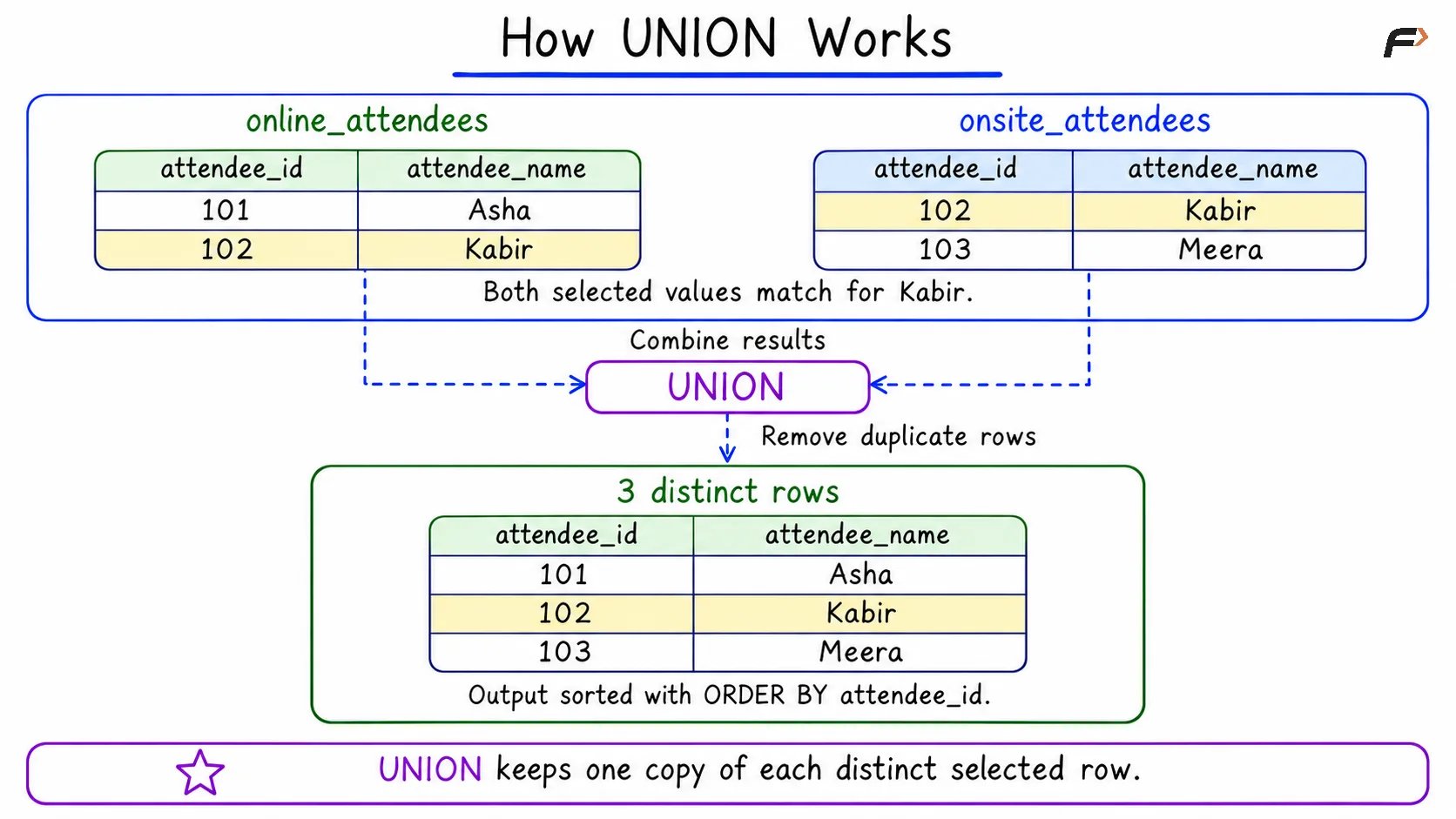
How UNION Works
Important points to remember
The whole selected row matters: UNION compares every selected column. If the same ID appears with two different names, both rows can remain. It also removes repeated rows within an individual input result.
Ordering needs ORDER BY: UNION does not guarantee sorted output. Place ORDER BY after the final SELECT to sort the combined result.
NULL has a duplicate-removal rule: NULL represents missing or unknown information. Corresponding NULL values count as matching during duplicate removal when the other selected values also match.
Summary
UNION combines the results of multiple SELECT queries and removes duplicate rows, keeping each distinct row only once. The queries must have the same number of columns, with compatible data types in corresponding positions. Duplicate detection considers all selected columns. Use ORDER BY to define the output order.
Be the first to add a comment.