Introduction
SQL queries often need to combine records from different sources while preserving every occurrence. Repeated values can represent separate orders, transactions, or events, so keeping them is important for accurate reports and counts.
UNION ALL combines the results of two or more SELECT queries into a single result set without removing duplicate rows. It is useful when every returned row matters, even when its selected values match another row.
How UNION ALL Works
Place UNION ALL between two or more SELECT queries to combine their rows into one result. It preserves duplicates within each input and across inputs. Repeated rows containing NULL, SQL’s marker for a missing or unknown value, are also preserved.
The SELECT queries must follow these rules:
Same column count: Each query must return the same number of columns.
Compatible columns: Columns are matched by position, and corresponding data types must be compatible. The first column combines with the first, the second with the second, and so on.
Example in MySQL and PostgreSQL
Each row represents a separate order. To keep the example small, both tables store only customer_id, which can appear more than once.
Run either complete script where these example tables do not already exist. The syntax is the same in both databases.
CREATE TABLE online_orders (customer_id INT);CREATE TABLE store_orders (customer_id INT);INSERT INTO online_orders (customer_id)VALUES (101), (102), (102);INSERT INTO store_orders (customer_id)VALUES (102), (103);SELECT customer_idFROM online_ordersUNION ALLSELECT customer_idFROM store_ordersORDER BY customer_id;Expected output
customer_id |
|---|
101 |
102 |
102 |
102 |
103 |
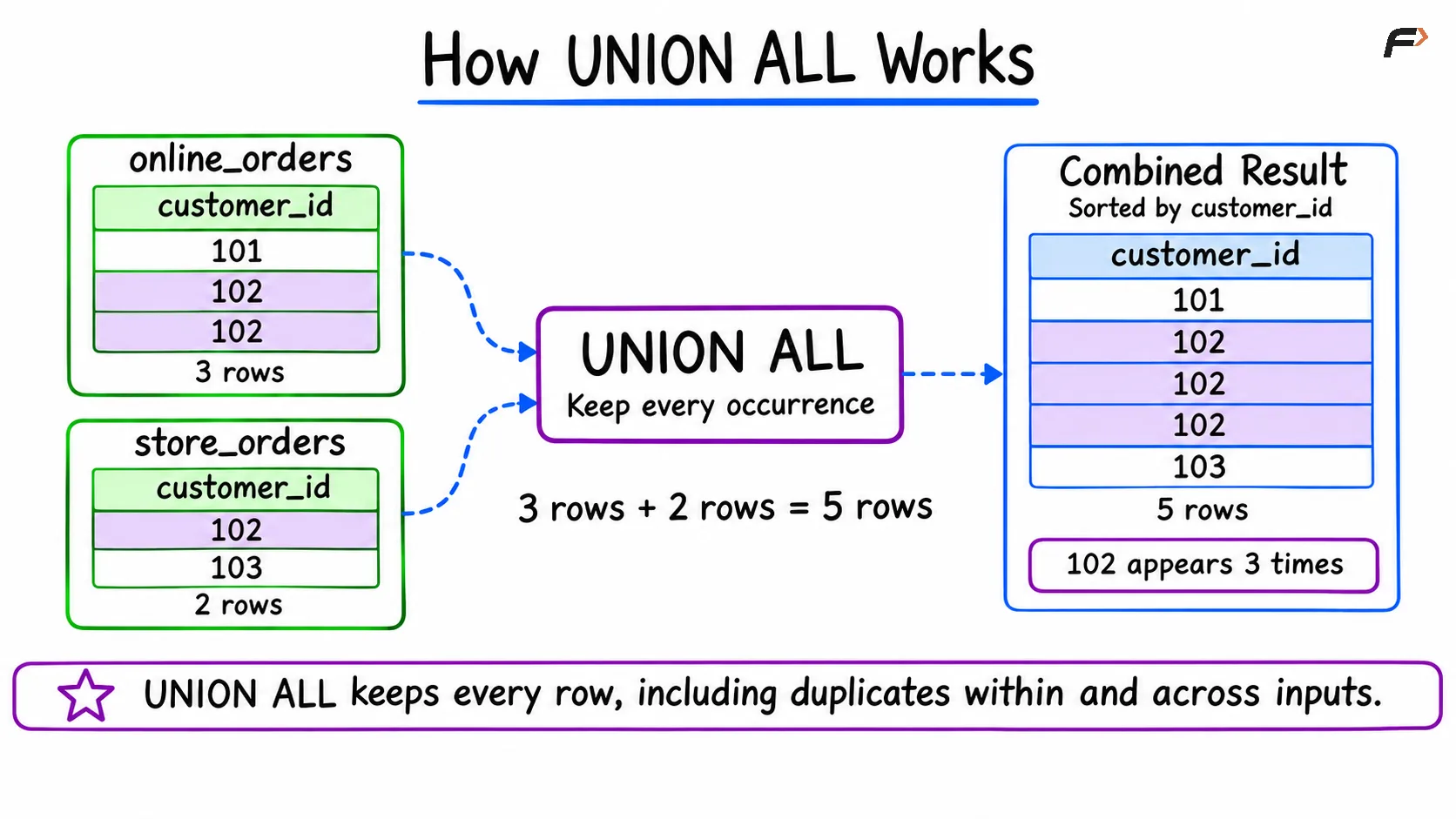
How UNION ALL Works
Customer 102 appears three times: twice from online_orders and once from store_orders. All five input rows remain.
The final ORDER BY sorts the combined result; UNION ALL alone does not guarantee row order.
Summary
UNION ALL combines compatible SELECT results into one result set and preserves every returned row, including duplicates. Match the number and positions of columns, use compatible data types, and add a final ORDER BY when the output must be sorted. Choose UNION ALL when every occurrence matters and UNION when you need distinct rows.
Be the first to add a comment.