Introduction
A college keeps separate lists for its coding and robotics clubs. To identify students who belong to both, it needs the student IDs common to both lists.
In DBMS, this operation is called intersection, and SQL provides INTERSECT to perform it. It returns only the distinct rows present in both query results, excluding entries found in just one. Even if a matching entry appears multiple times, plain INTERSECT includes it only once.
What Is Intersection?
Intersection returns the distinct rows present in both query results. In set notation, A ∩ B represents the elements shared by A and B.
For example, the intersection of {101, 102, 103} and {102, 103, 104} is {102, 103}.
UNION collects rows from either query, while INTERSECT keeps only the shared rows. Plain INTERSECT removes duplicate rows from its result.
Using INTERSECT in SQL
Place INTERSECT between two SELECT statements. Our sample lists contain these student IDs:
List | Student IDs |
|---|---|
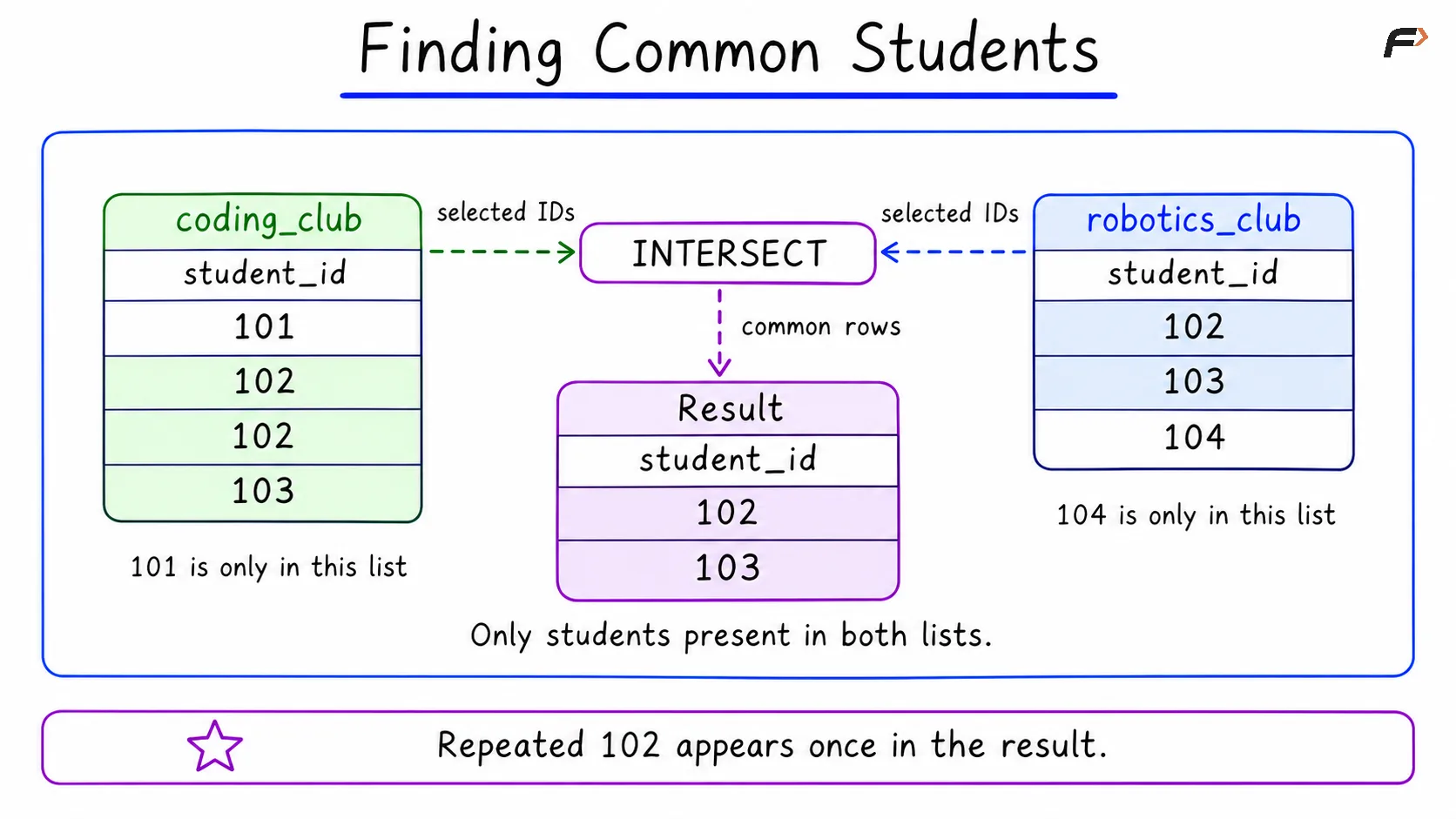
coding_club | 101, 102, 102, 103 |
robotics_club | 102, 103, 104 |
The repeated 102 is intentional so we can see how duplicates are handled. Run either complete script in a database where these sample tables do not already exist.
CREATE TABLE coding_club ( student_id INT NOT NULL);CREATE TABLE robotics_club ( student_id INT NOT NULL);INSERT INTO coding_club (student_id)VALUES (101), (102), (102), (103);INSERT INTO robotics_club (student_id)VALUES (102), (103), (104);SELECT student_idFROM coding_clubINTERSECTSELECT student_idFROM robotics_clubORDER BY student_id;Expected Output
Both versions produce:
student_id |
|---|
102 |
103 |
Students 102 and 103 appear in both lists. Student 102 appears only once in the result, even though the coding list repeats it. Students 101 and 104 are excluded because each appears in only one list.
The final ORDER BY student_id sorts the output. INTERSECT alone does not guarantee row order.
Finding Common Students
Rules to Remember
Compatible columns: Both queries must select the same number of columns, with compatible data types in corresponding positions. Column names can differ.
Complete-row matching: If you select both student_id and student_name, both values must match. The same ID with a different selected name represents a different row.
No common rows: If the query results share no rows, the intersection is empty.
Summary
Intersection finds the distinct rows shared by two query results. In SQL, INTERSECT performs this operation and removes duplicate rows. Use compatible column lists, remember that every selected column participates in matching, and add a final ORDER BY when the result needs a predictable order.
Be the first to add a comment.