Introduction
NAT, or Network Address Translation, allows devices inside a private network to access the internet using a public IP address assigned to the router.
It does more than replace one IP address with another. A NAT router also tracks active connections, stores mappings in a NAT table, and uses port numbers to send replies back to the correct device and process.
Packet Flow When NAT Is in Action
Consider a laptop inside a home network opening a website on a public web server.
The packet starts with:
Source private IP address
Source port number
Destination public IP address
Destination port number
A typical path looks like this:
Laptop -> NAT Router -> ISP Network -> Internet -> Web Server
The laptop sends the packet to the NAT router before it reaches the internet.
The Problem NAT Must Solve
The source IP address of the laptop is private, such as 192.168.1.10.
Private IP addresses are not globally routable on the internet. If the router forwards the packet without changing this source address, the web server's reply cannot directly reach the laptop.
So the NAT router must translate the packet before forwarding it.
Address Translation Process
Suppose the original packet looks like this:
Field | Value |
|---|---|
Source |
|
Destination |
|
The router has a public IP address, such as 203.0.113.5.
It creates a mapping:
Private Side | Public Side |
|---|---|
|
|
After translation, the packet becomes:
Field | Value |
|---|---|
Source |
|
Destination |
|
Now the packet appears to come from the router's public address and can travel across the internet.
Why Port Numbers Are Needed
A NAT router may have only one public IP address, but many internal devices may use the internet at the same time.
For example:
Laptop
Phone
Smart TV
Tablet
If all of them share the same public IP, the router needs a way to separate their connections. Port numbers provide that separation.
Each outgoing connection gets a unique public port number. This is how the router can identify which internal device and process should receive the response.
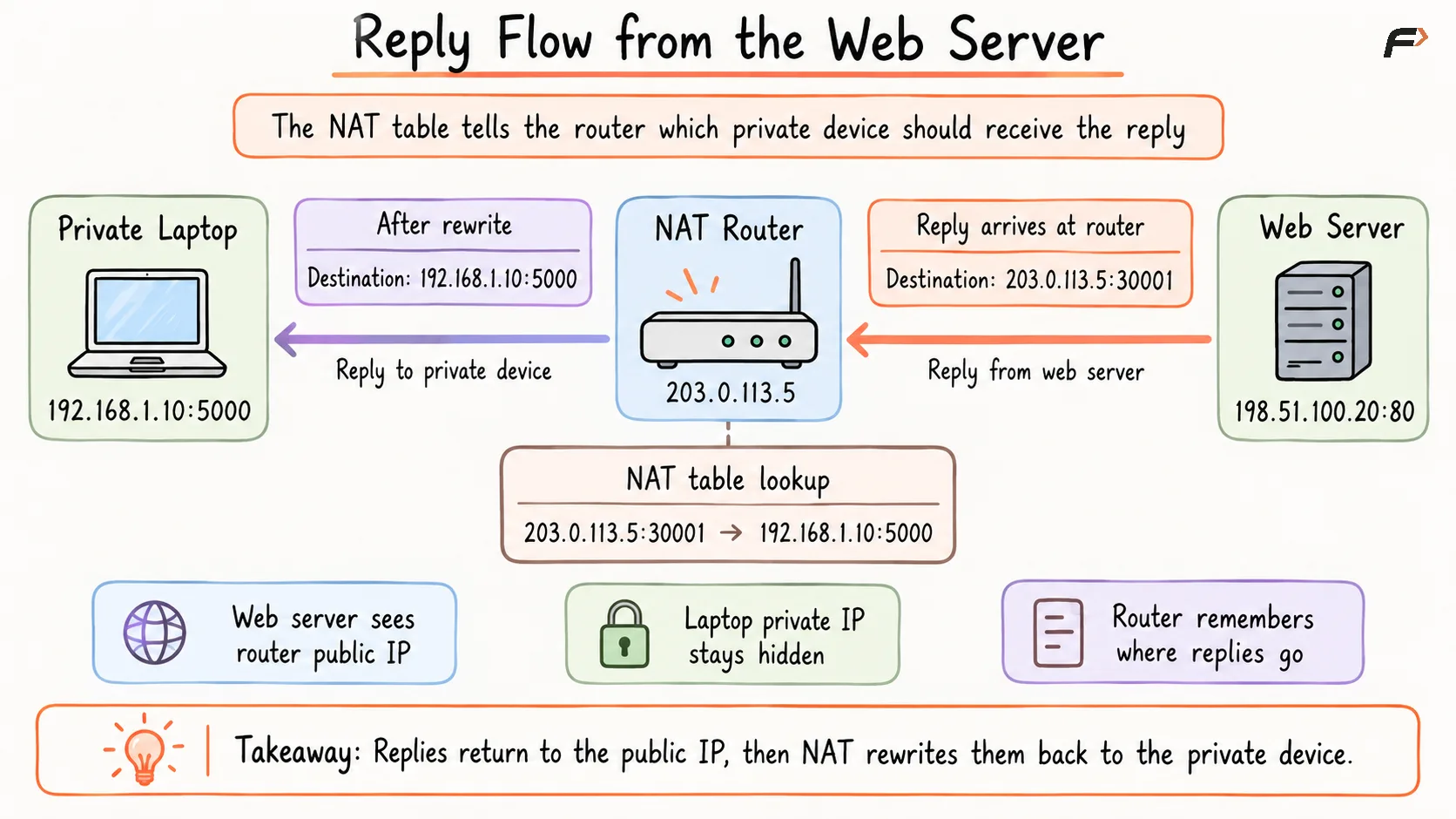
Reply Flow from the Web Server
Reply Flow from the Web Server
The router rewrites the destination back to the laptop's private IP and port. The response then reaches the original browser process.
As a result:
The web server sees the router's public IP.
The laptop's private IP stays hidden from the internet.
The NAT router remembers where the reply should go.
NAT Table
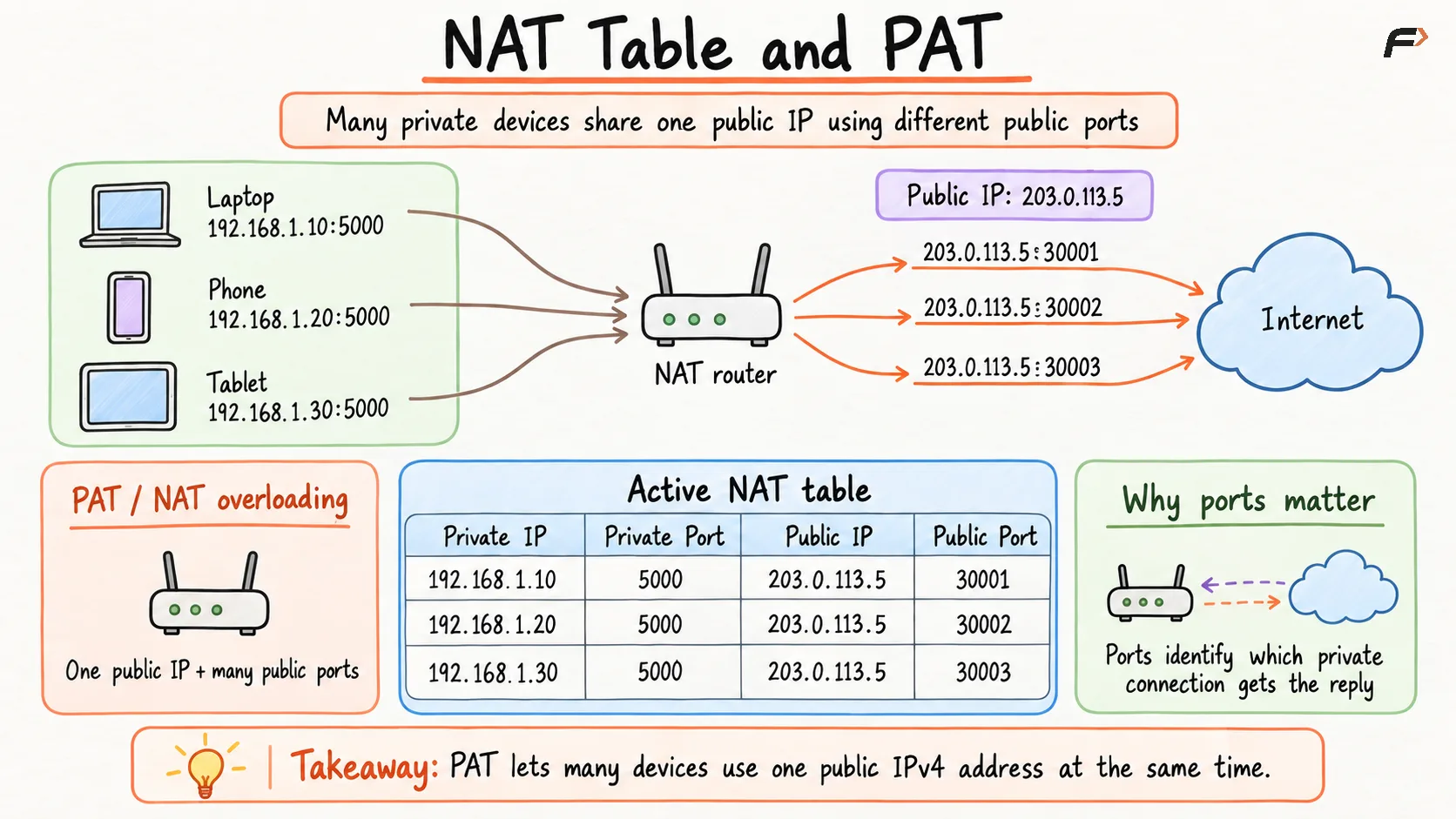
The NAT table stores active translations.
NAT Table and PAT
All devices share the same public IP. The public port number makes each connection unique.
Without this table, the router would receive replies from the internet but would not know which internal device should get them.
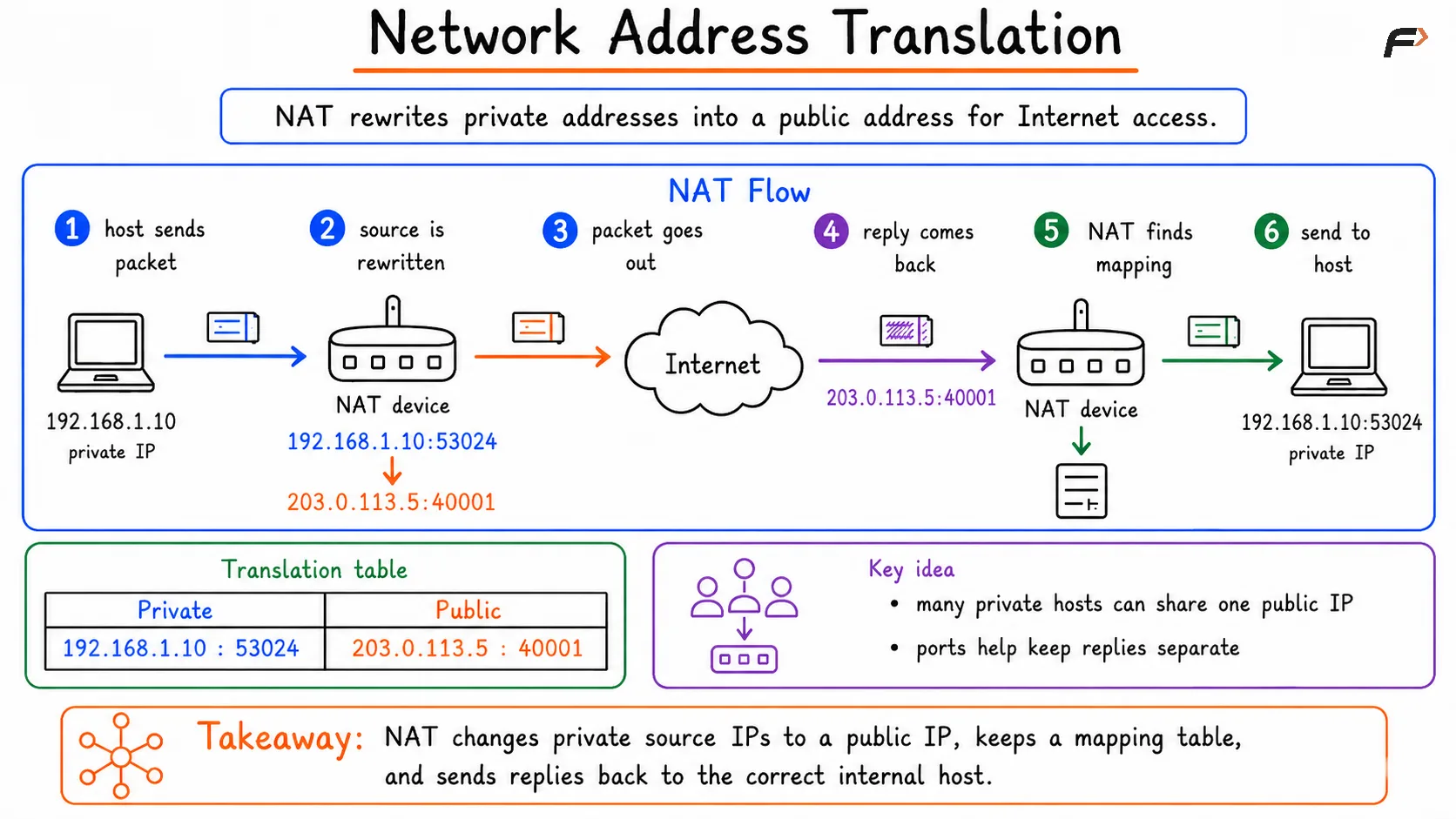
A typical outbound flow looks like this:
Network Address Translation
Port Address Translation
Port Address Translation, or PAT, is the NAT technique that allows many private devices to share one public IP address by using different port numbers.
PAT is also called NAT overloading.
In simple terms:
Many private devices -> One public IP address + many public ports
This is the most common NAT behavior in home and office networks.
Conclusion
NAT packet flow starts when a private device sends traffic toward the internet. The NAT router replaces the private source IP and port with its public IP and an assigned public port.
When the reply comes back, the router uses the NAT table to translate the packet back to the correct private device and process.
Port numbers make this many-to-one sharing possible. That technique is called PAT, and it is the reason many devices can use the internet through a single public IPv4 address.
Be the first to add a comment.