Introduction
A thread is an execution path inside a process. A process acts like a container, while threads are the workers running inside that container.
A process owns resources such as memory and open files, but a thread is the part that actually runs. Multiple threads inside the same process can share resources while executing different parts of the program.
Why Threads Are Needed
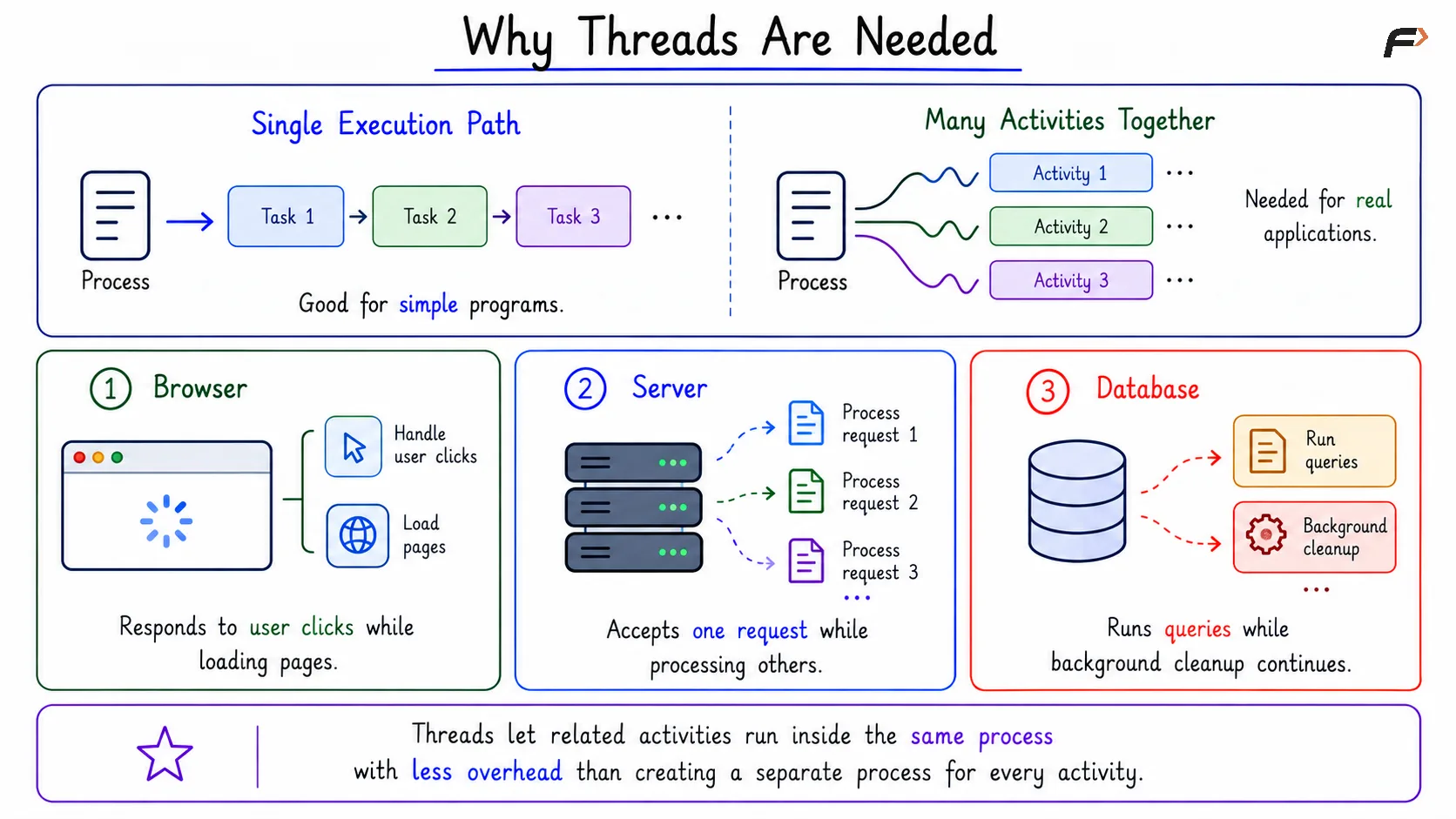
A single execution path is enough for simple programs, but many real applications need multiple activities to make progress together. Examples include:
Browser: Handles user clicks while loading pages.
Server: Accepts one request while processing others.
Database: Runs queries while background cleanup continues.
Creating a separate process for every small activity can be costly. Threads allow related activities to run inside the same process with less overhead than separate processes.
Why Threads Are Needed
What Exactly Is a Thread?
A thread is a schedulable execution path inside a process. Schedulable means the operating system or runtime can give it CPU time.
A thread has its own execution state, but it shares the process environment. This is what makes threads lighter than processes, but also more sensitive to shared-data mistakes.
Private State and Shared Resources
Each thread needs its own private execution state because each thread may be running a different part of the program.
Private to Each Thread | Shared by Threads in Same Process |
|---|---|
Program counter | Code |
CPU registers | Heap |
Stack | Global variables |
Thread state | Open files |
Thread-local execution path | Address space and permissions |
At the same time, threads inside one process share memory and resources. This makes communication faster, but it also means careless updates to shared data can affect other threads.
Single-Threaded Process
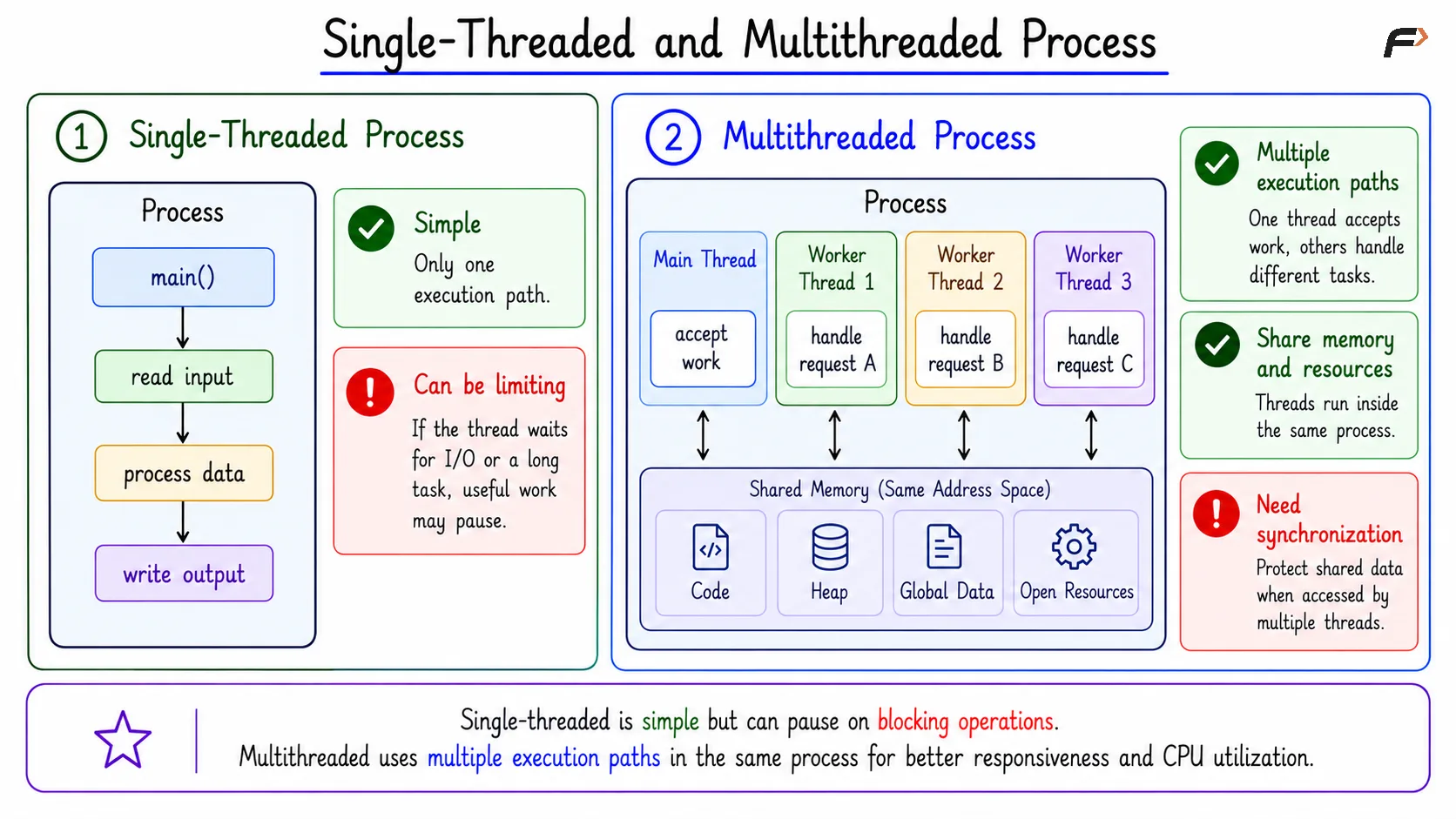
A single-threaded process has only one execution path. The program may start in main, read input, process data, and then write output in one sequence.
This design is simple because only one path touches the program state at a time. However, it can become limiting when the only thread waits for disk, network, user input, or a long CPU-heavy operation.
If the only thread blocks, useful work inside that process may pause. The problem is not always correctness; the problem is often responsiveness and CPU utilization.
Single-Threaded and Multithreaded Process
Multithreaded Process
A multithreaded process has multiple execution paths inside the same process. One main thread may accept work, while worker threads handle separate tasks.
For example:
Worker Thread 1: Handles request A.
Worker Thread 2: Handles request B.
Worker Thread 3: Handles request C.
These threads share the same process memory and resources, so they can cooperate efficiently. This sharing is useful, but it also means the program must protect shared data when multiple threads may access it at the same time.
Threads on Multicore Systems
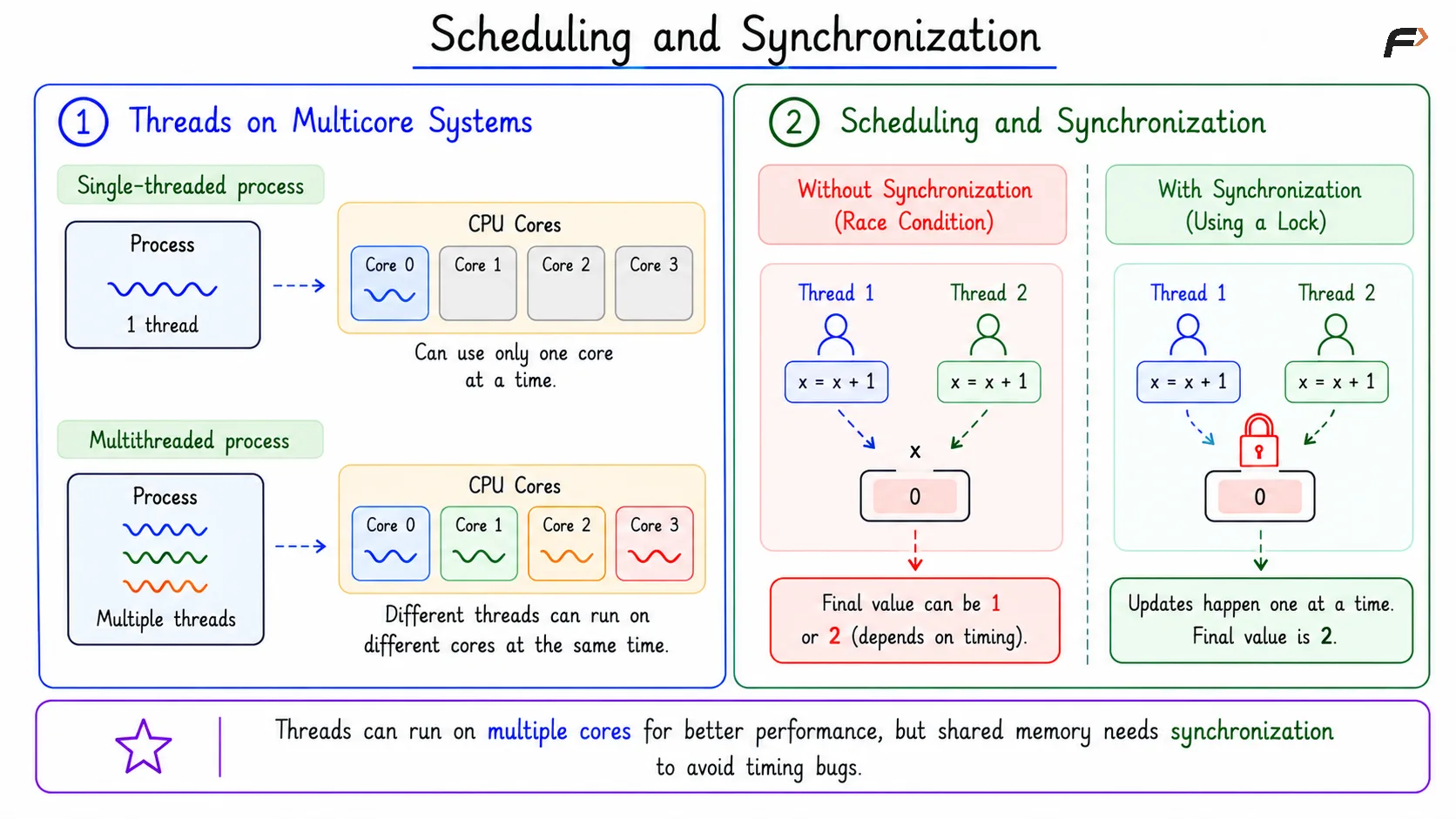
On a multicore system, runnable threads may execute on different CPU cores at the same time.
If a process has only one runnable thread, it can use only one core at that instant. If it has many runnable threads, different threads may run on different cores and use more CPU capacity.
This is one reason threads matter for performance. A multithreaded process can improve responsiveness and parallel execution when the work can be divided safely.
Scheduling and Synchronization
Threads are powerful because they share memory, but that same sharing can create timing bugs. If two threads update the same data at the same time without control, the final result may depend on execution timing.
This is where synchronization becomes important. Locks, semaphores, monitors, and other synchronization tools are used to coordinate access to shared data.
Scheduling and Synchronization
Where Threads Appear in Real Systems
Threads are common because one process often needs many activities to happen without freezing the whole program.
System | Common Thread Use |
|---|---|
Browser | UI thread, network thread, rendering thread |
Backend server | Worker threads for client requests |
Database | Query workers, logging threads, checkpoint threads |
Editor or IDE | UI thread, indexing thread, background save thread |
Summary
A thread is a schedulable execution path inside a process. It has its own program counter, registers, stack, and state, while sharing the process code, heap, global variables, open files, address space, and permissions.
Single-threaded processes are simple, but multithreaded processes improve responsiveness and can use multiple CPU cores. Threads are efficient because they share resources, but shared memory also means correctness depends on synchronization.
Be the first to add a comment.