Introduction
A process is usually defined as a running program. That definition is correct, but it is too small to explain how the operating system actually manages execution.
In an operating system, a process is an OS-managed execution container for a running program. It gives the OS one clear unit to schedule, protect, track, control, and clean up.
Why Processes Are Needed
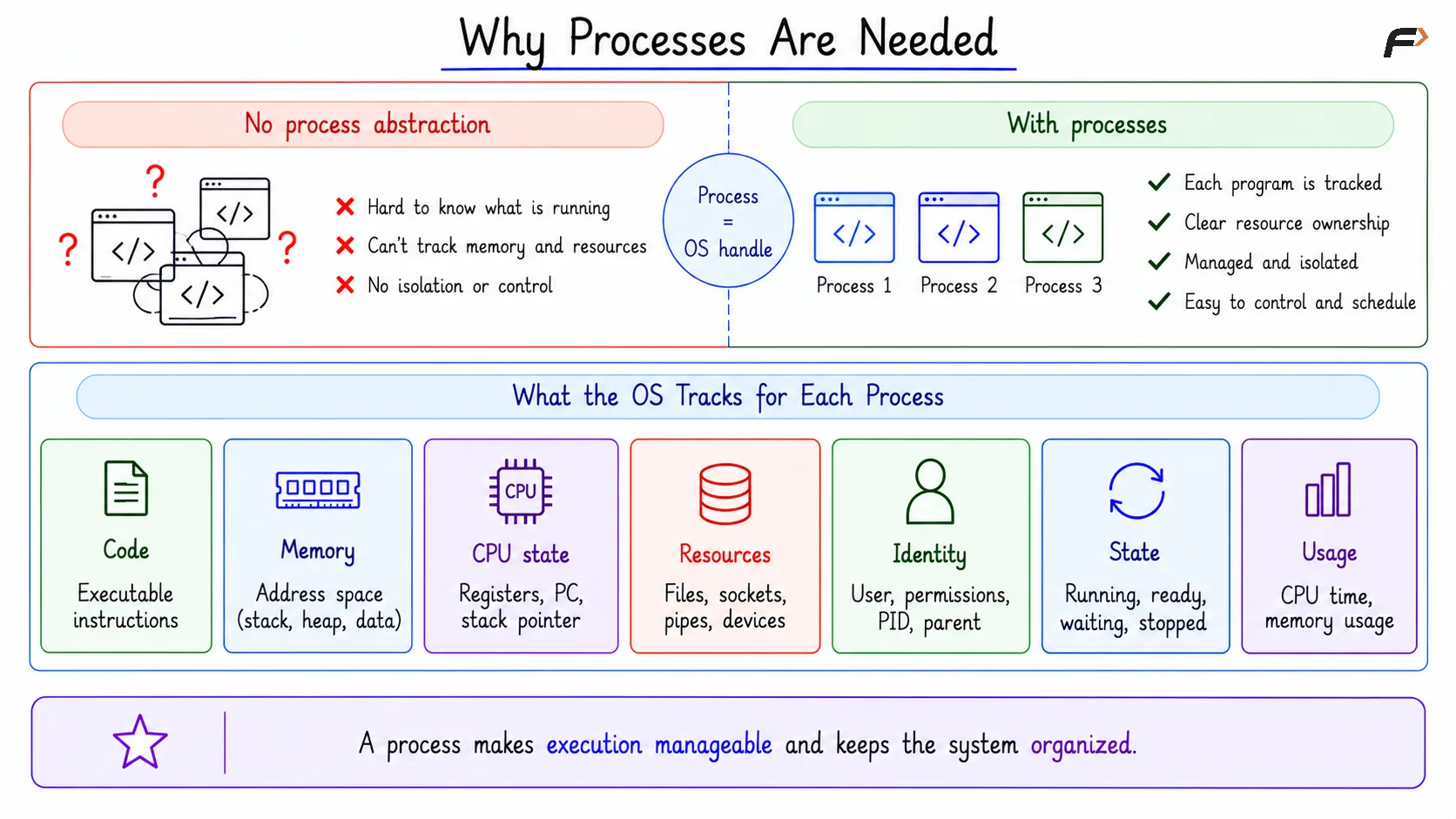
The operating system needs a proper way to manage every running program. Without the process abstraction, the OS would struggle to know which code is running, which memory belongs to it, and which resources it is using.
For every running program, the OS may need to track:
Code: The executable instructions being run.
Memory: The address space, stack, heap, and data areas.
CPU state: Registers, program counter, and stack pointer.
Resources: Open files, sockets, pipes, and devices.
Identity: User, permissions, PID, and parent process.
State: Whether it is running, ready, waiting, stopped, or finished.
Usage: CPU time, memory usage, and other accounting details.
A process is the OS handle for a running program. It makes execution manageable instead of treating running code as an unorganized activity.
Why Processes Are Needed
Program Vs Process
A program is a passive file stored on disk. It contains code and metadata, but it is not executing by itself.
A process is an active running instance of that program. When the OS starts a program, it creates a process and attaches memory, CPU state, resources, permissions, and kernel information to it.
Term | Meaning | Example |
|---|---|---|
Program | Passive file stored on disk | A browser executable file |
Process | Active running instance managed by OS | Browser currently running |
What A Process Contains
A process is more than only program code. It contains everything the operating system needs to run, pause, resume, protect, and clean up that execution.
The main parts of a process are:
Program code: The actual executable instructions.
Memory view: Code, data, heap, stack, and mapped memory.
Execution state: CPU-related information needed to resume execution.
Open resources: Files, sockets, pipes, and other active resources.
Permissions: User identity and access rights.
Scheduling state: Whether the process is running, ready, or waiting.
Kernel metadata: PID, PPID, resource usage, and management details.
Memory Parts Of A Process
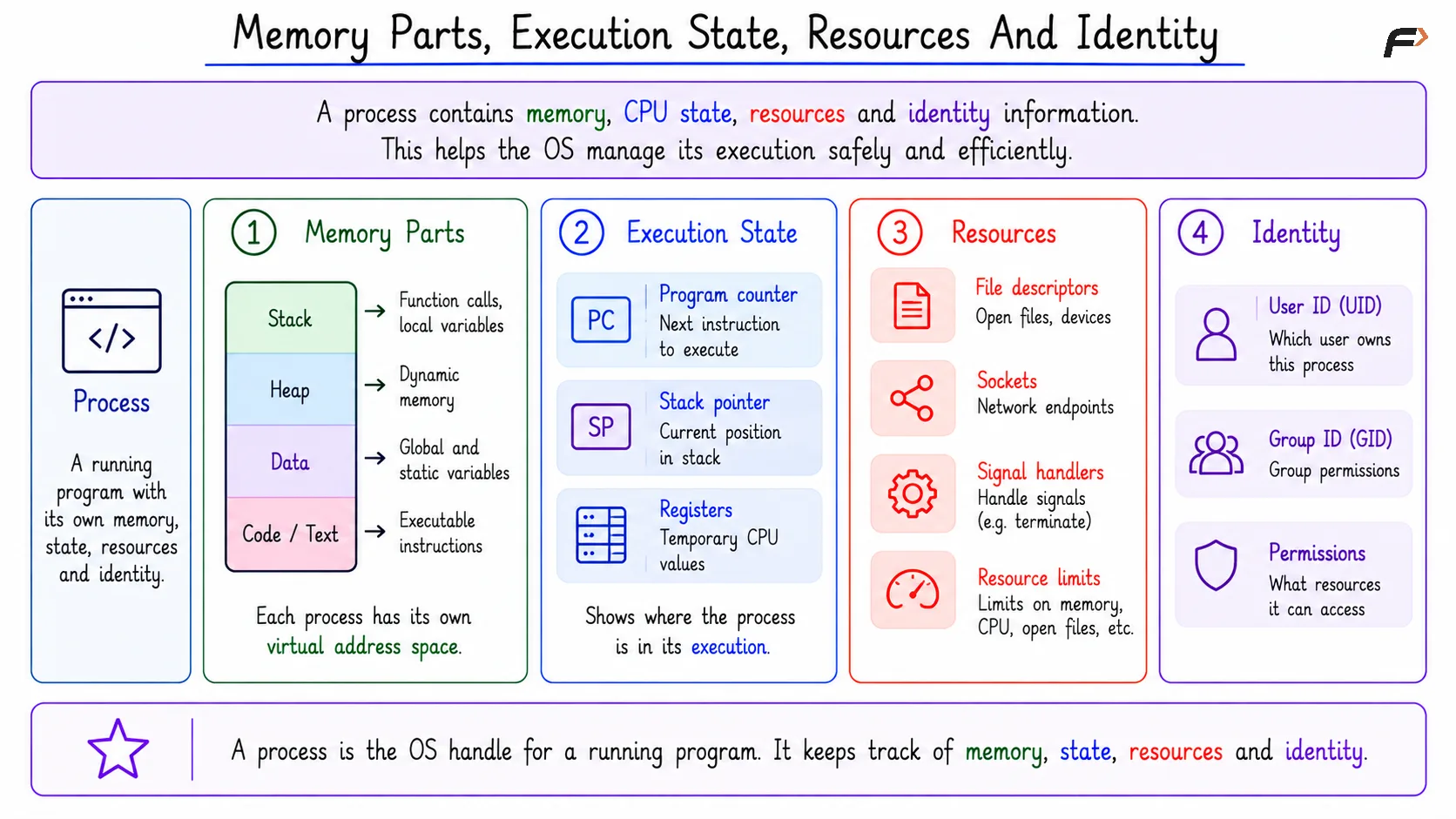
The memory of a process is usually divided into different regions. These regions help the program store instructions, data, temporary function information, and dynamic memory.
Important memory parts include:
Code or text: Stores executable instructions.
Data: Stores global and static variables.
Heap: Used for dynamic memory allocation during runtime.
Stack: Stores function calls, local variables, and return addresses.
Execution State Of A Process
The execution state tells the OS where the process currently is in its execution. This matters because a process may run for some time, pause, wait for I/O, and later continue.
Important execution-state details include:
Program counter: Address of the next instruction to execute.
Stack pointer: Current position in the stack.
Registers: Temporary CPU values used during execution.
Memory Parts, Execution State, Resources And Identity
Resources And Identity
A process also carries resources and identity information. This helps the OS decide what the process owns, what it can access, and how much it is allowed to consume.
Common examples include:
File descriptors: References to open files, sockets, or devices.
Sockets: Network communication endpoints.
Signal handlers: Rules for handling signals such as pause or terminate.
Credentials: User ID, group ID, and permission-related data.
Resource limits: Limits on memory, open files, CPU usage, or process count.
PID And PPID
PID stands for Process ID. It is a unique number used by the operating system to identify a process.
PPID stands for Parent Process ID. It identifies the parent process that created or started another process.
For example, when a shell starts a command, the shell is the parent process and the command becomes the child process.
PIDs help the OS and system tools identify processes. PPIDs help organize processes into parent-child relationships.
Parent And Child Processes
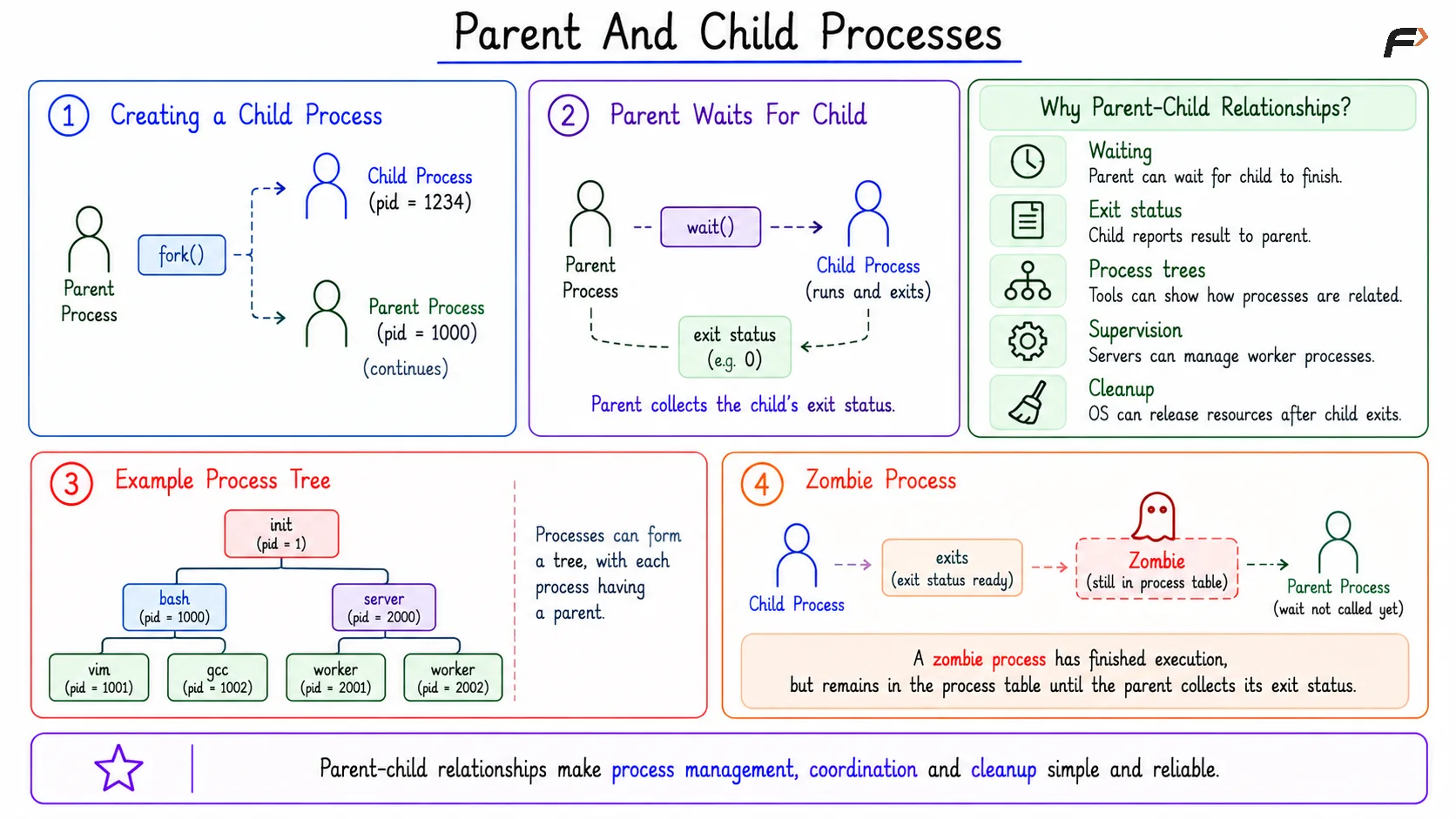
Processes often form parent-child relationships. A parent process may create a child process, wait for it, collect its exit status, or manage it as part of a larger workflow.
Parent-child relationships help with:
Waiting: A parent can wait for a child to finish.
Exit status: A child can report completion result to the parent.
Process trees: Tools can show how processes are related.
Supervision: Server or supervisor processes can manage workers.
Cleanup: The OS can release resources after the child exits.
A zombie process can appear when a child process has finished, but the parent has not collected its exit status yet. The child is no longer executing, but a small entry remains until cleanup happens.
Parent And Child Processes
How The OS Uses Processes
The operating system uses processes to manage execution in a structured way. Once work is represented as a process, the OS can schedule it, protect it, observe it, and clean it up.
Processes help the OS with:
Scheduling: Deciding which process or thread gets CPU time.
Protection: Separating process memory using virtual address spaces.
Resource tracking: Recording memory, files, CPU time, and credentials.
Control: Pausing, resuming, terminating, waiting for, or inspecting a process.
Cleanup: Releasing memory, files, and other resources after exit.
This is why processes are central to operating systems. They convert running programs into manageable units.
Real-World Examples
Processes appear in many common situations. A terminal command, browser tab, backend server, database, or Python script may all involve processes.
Examples include:
python app.py: The Python interpreter runs your file as a process.Browser tab: A browser may isolate tabs using separate processes.
Terminal command: The shell creates a child process, the command runs, then exits.
These examples show that processes are not only a theory topic. They are how the OS tracks and manages real execution.
Summary
A process is more than a running program. It is an OS-managed execution container that includes code, memory, CPU state, resources, permissions, PID, PPID, and kernel metadata.
The operating system uses processes to schedule work, protect memory, track resource usage, control execution, and clean up safely. The central idea is simple: processes make running programs manageable, observable, and safe.
Be the first to add a comment.