Introduction
An interface is a blueprint that defines a set of behaviours that implementing classes must provide. It specifies what a class should do without requiring one particular implementation.
Interfaces are mainly used to achieve abstraction, support polymorphism, and allow a class to follow multiple sets of behaviour.
Syntax of an Interface
An interface is declared using the interface keyword.
interface InterfaceName { void methodName();}A class uses the implements keyword to implement an interface.
class ClassName implements InterfaceName { public void methodName() { // Method implementation }}Features of Interfaces
Interfaces cannot be instantiated directly.
Methods without bodies are implicitly
publicandabstract.Interface fields are implicitly
public,static, andfinal.A class can implement multiple interfaces.
An interface can extend another interface.
Implementing methods must be declared
public.Interfaces help achieve abstraction and polymorphism.
Interface Example in Java
// Interface defines a payment behaviourinterface Payment { // Abstract method has no implementation // It is implicitly public and abstract void pay(double amount);}// CardPayment implements the Payment interfaceclass CardPayment implements Payment { // Provide the implementation of the interface method @Override public void pay(double amount) { System.out.println("Paid " + amount + " using card."); }}public class Main { public static void main(String[] args) { // Create a CardPayment object using an interface reference Payment payment = new CardPayment(); // Call the implemented interface method payment.pay(500); // Output :- Paid 500.0 using card. }}In this example, the Payment interface declares the pay() method. The CardPayment class implements the interface and provides the actual payment logic.
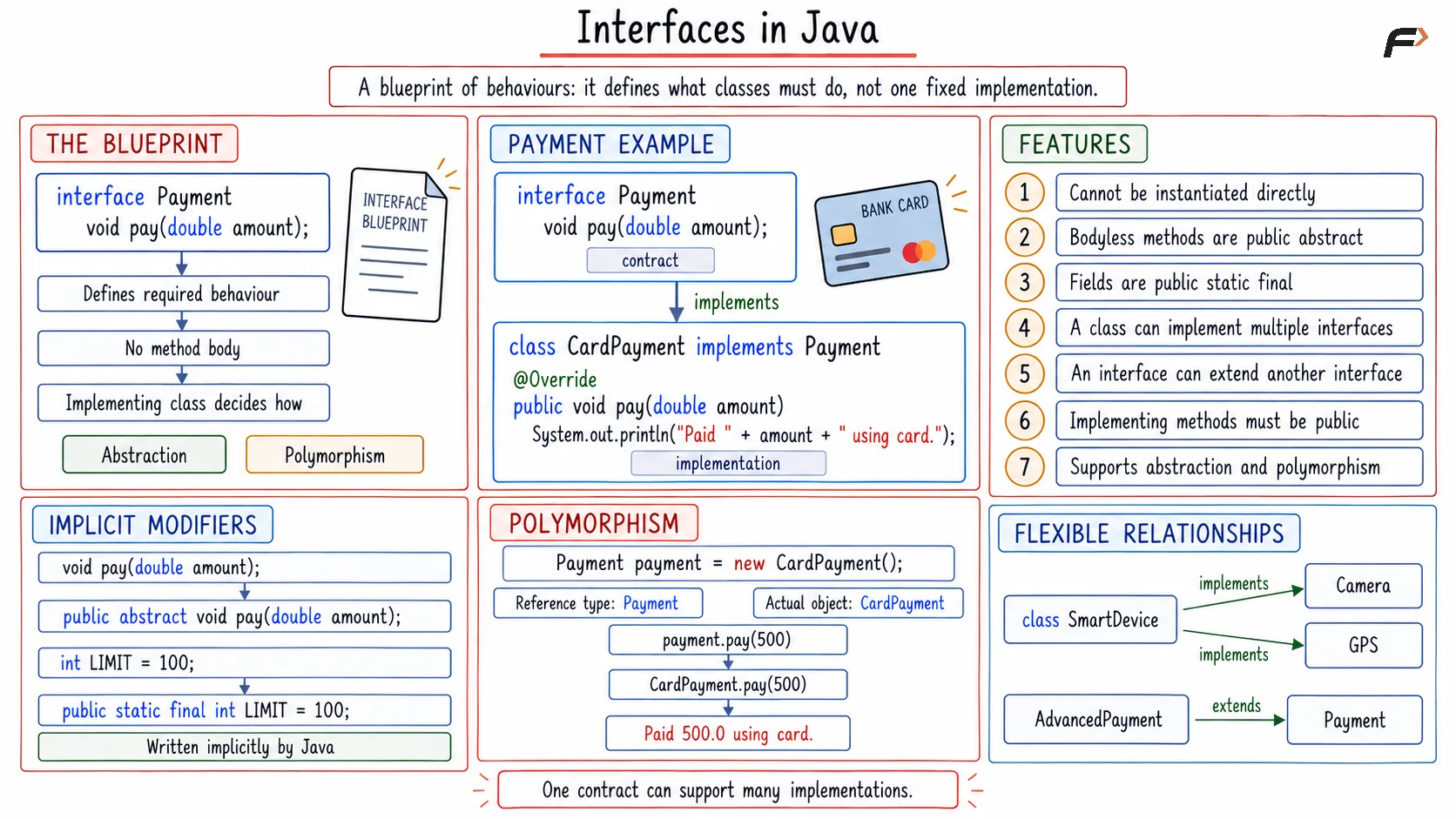
Interface
Multiple Interfaces in Java
Java does not allow a class to extend multiple classes. However, one class can implement multiple interfaces.
// First interface defines printable behaviourinterface Printable { void print();}// Second interface defines scannable behaviourinterface Scannable { void scan();}// Printer implements two interfacesclass Printer implements Printable, Scannable { // Implement the method from Printable @Override public void print() { System.out.println("Printing document."); } // Implement the method from Scannable @Override public void scan() { System.out.println("Scanning document."); }}public class Main { public static void main(String[] args) { // Create an object of the implementing class Printer printer = new Printer(); // Call methods from both interfaces printer.print(); // Output :- Printing document. printer.scan(); // Output :- Scanning document. }}Here, the Printer class follows the behaviours defined by both Printable and Scannable.
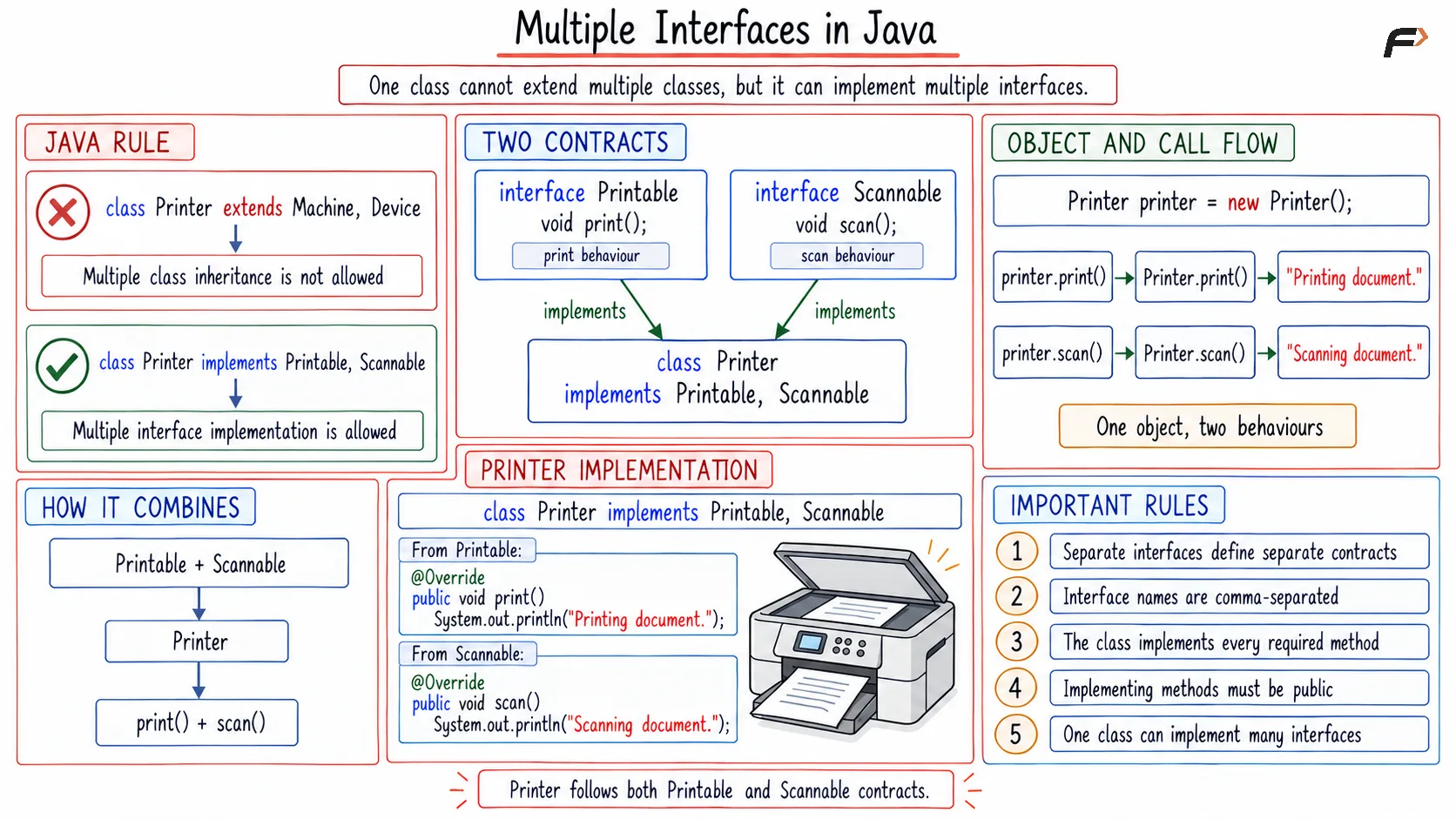
Multiple interfaces in Java
Types of Interface Methods
Abstract Methods
Abstract methods do not contain a body. Implementing classes must define them.
void display();Default Methods
A default method contains an implementation and uses the default keyword.
default void showMessage() { System.out.println("Default interface method."); // Output :- Default interface method.}Static Methods
A static interface method belongs to the interface and is called using its name.
static void information() { System.out.println("Static interface method."); // Output :- Static interface method.}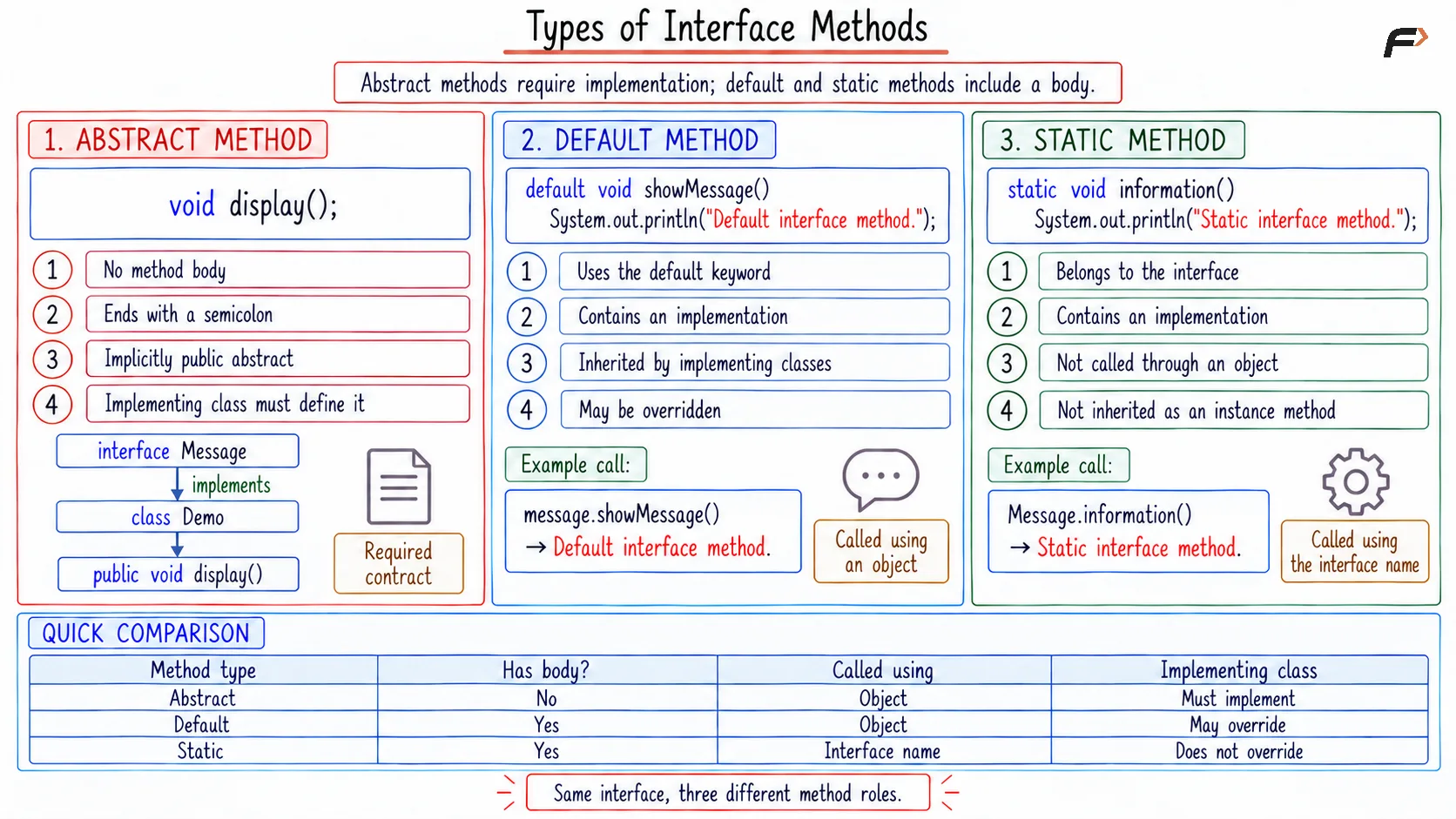
Types of interface method
Interface vs Abstract Class
Interface | Abstract Class |
|---|---|
Implemented using | Extended using |
A class can implement multiple interfaces. | A class can extend only one abstract class. |
Fields are constants by default. | Can contain instance attributes. |
Does not have constructors. | Can have constructors. |
Suitable for defining common behaviour. | Suitable for sharing data and common code between related classes. |
Advantages of Interfaces
Abstraction: Hides implementation details.
Multiple behaviours: A class can implement multiple interfaces.
Loose coupling: Code can depend on an interface rather than a specific class.
Consistency: Different classes can follow the same method structure.
Flexibility: Implementations can change without changing the interface.
Summary
An interface in Java defines behaviours that implementing classes must provide. Interfaces help achieve abstraction, polymorphism, loose coupling, and multiple interface implementation.
A class can implement one or more interfaces using the implements keyword and provide separate implementations for their methods.
Be the first to add a comment.