Introduction
Exception handling in Java is a mechanism for detecting and handling unexpected problems that occur while a program is running.
An exception interrupts the normal flow of a program. Java provides keywords such as try, catch, finally, throw, and throws to handle these situations.
Why Is Exception Handling Used?
Exception handling helps developers:
Prevent programs from terminating unexpectedly
Display meaningful error messages
Separate error-handling code from regular logic
Continue execution when an error can be handled
Perform cleanup operations after an error
Common exceptions include division by zero, invalid array indexes, missing files, and invalid input.
Types of Exceptions in Java
1. Checked Exceptions
Checked exceptions are verified by the compiler. They must be handled using try-catch or declared using throws.
Examples include:
IOExceptionSQLExceptionFileNotFoundException
2. Unchecked Exceptions
Unchecked exceptions occur during program execution. The compiler does not require them to be handled.
Examples include:
ArithmeticExceptionNullPointerExceptionArrayIndexOutOfBoundsExceptionNumberFormatException
3. Errors
Errors represent serious problems that applications generally should not try to handle.
Examples include:
OutOfMemoryErrorStackOverflowError
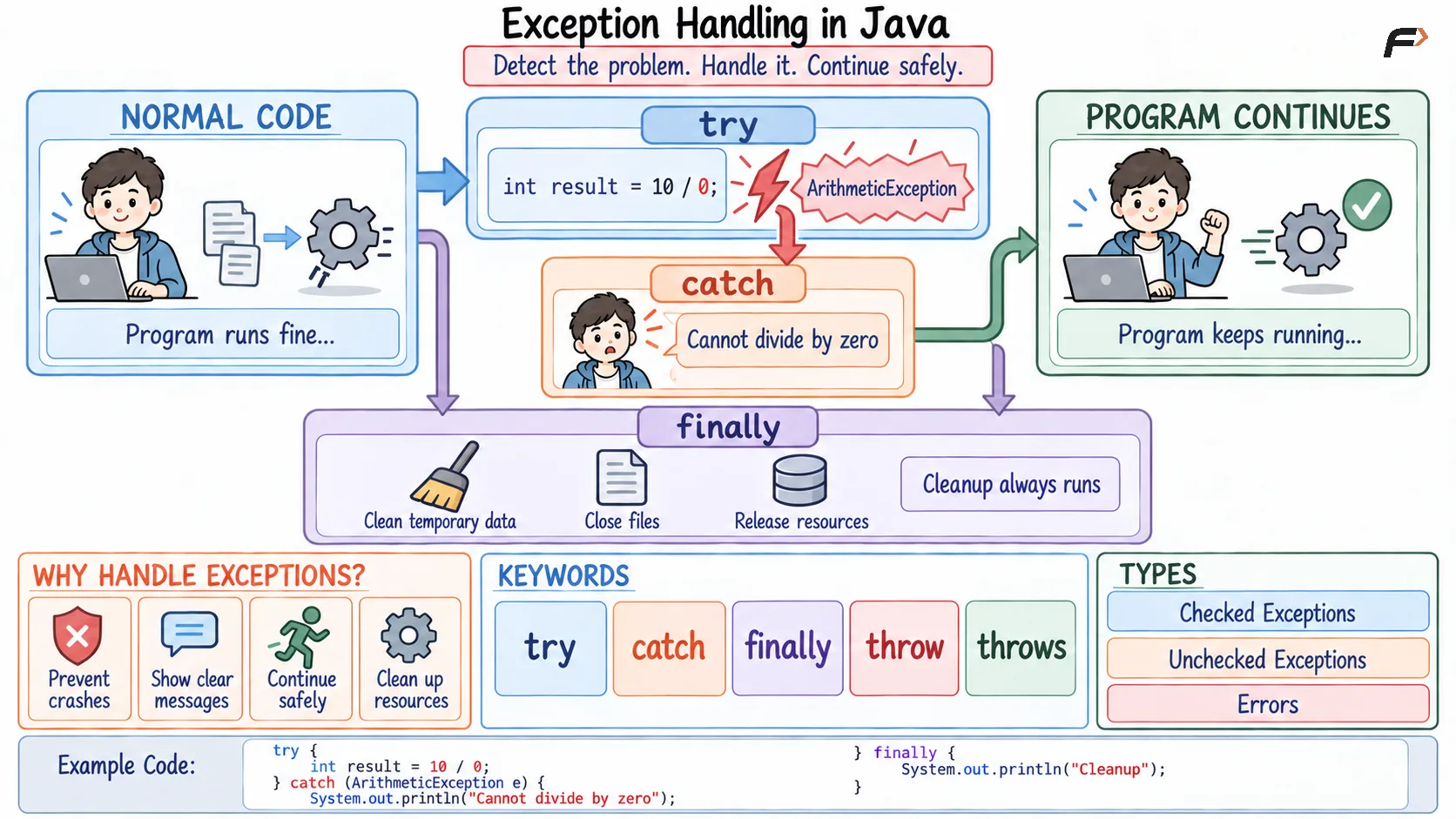
Exception Handling in Java
Java Exception-Handling Keywords
Keyword | Purpose |
|---|---|
| Contains code that may produce an exception |
| Handles a matching exception |
| Runs after |
| Explicitly throws an exception |
| Declares exceptions that a method may pass to its caller |
Try-Catch-Finally in Java
The try block contains risky code. If an exception occurs, Java transfers control to a matching catch block.
The optional finally block executes after exception handling and is commonly used for cleanup.
Try-Catch-Finally Example
public class Main { public static void main(String[] args) { // The try block contains code that may fail try { // Dividing an integer by zero causes ArithmeticException int result = 10 / 0; // This line is skipped when the exception occurs System.out.println(result); } catch (ArithmeticException exception) { // Handle the specific arithmetic exception System.out.println("Cannot divide by zero."); // Output :- Cannot divide by zero. } finally { // This block runs after try-catch System.out.println("Execution completed."); // Output :- Execution completed. } }}When division by zero occurs, the remaining code in the try block is skipped. The catch block handles the exception, and the finally block runs afterward.
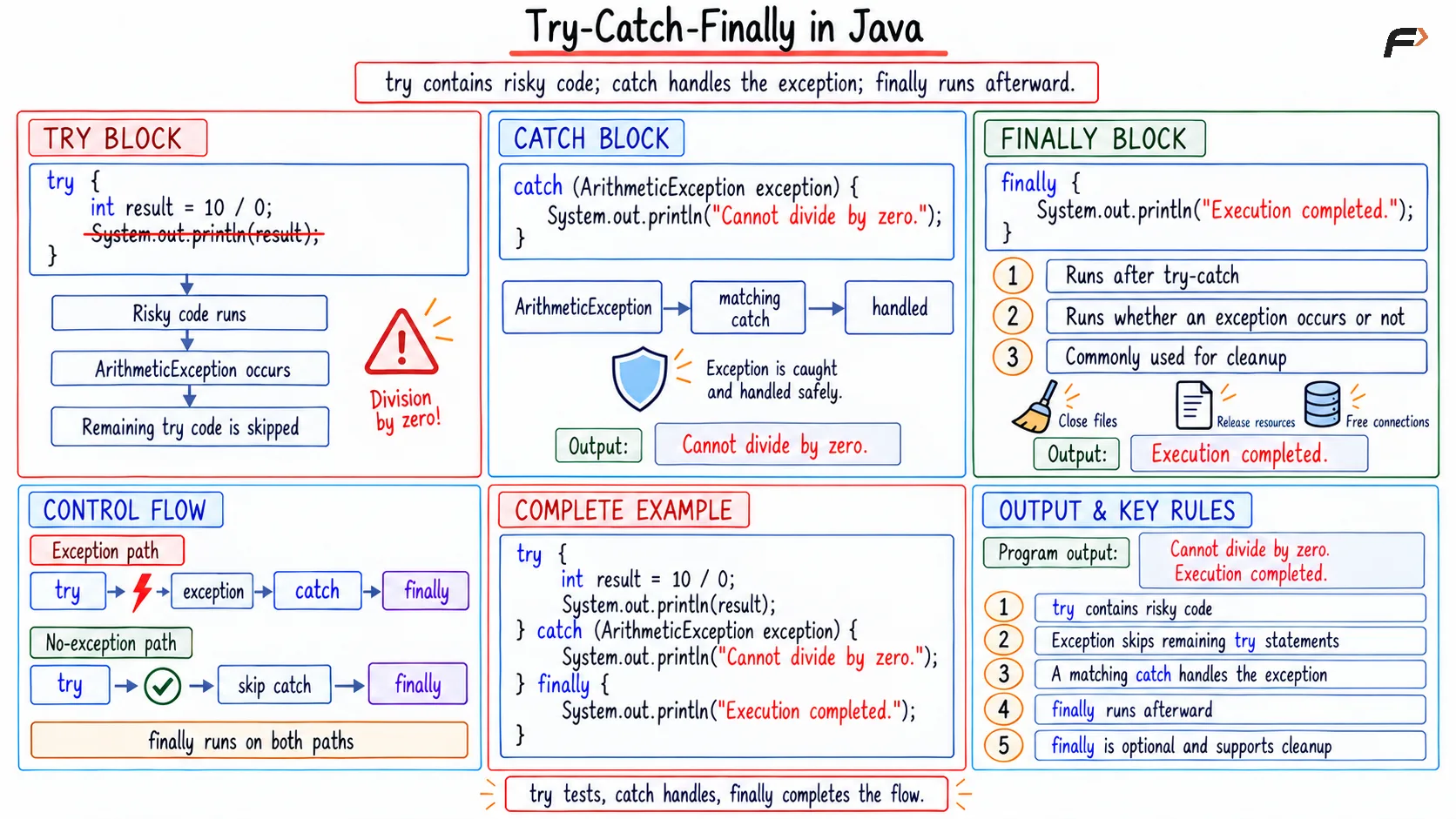
Try-catch-finally in Java
Throw Keyword in Java
The throw keyword is used to explicitly create and throw an exception.
throw new IllegalArgumentException("Invalid value");It is useful when a program needs to reject invalid data.
Throws Keyword in Java
The throws keyword is written in a method declaration. It indicates that the method may pass an exception to its caller.
void methodName() throws ExceptionType { // Method code}Throw and Throws Example
// Class used to validate a person's ageclass AgeValidator { // Declare that this method may throw an exception static void validateAge(int age) throws IllegalArgumentException { // Check whether the supplied age is valid if (age < 18) { // Explicitly throw an exception throw new IllegalArgumentException( "Age must be 18 or above." ); } // This runs only when the age is valid System.out.println("Age is valid."); }}public class Main { public static void main(String[] args) { try { // Call the method with an invalid age AgeValidator.validateAge(16); } catch (IllegalArgumentException exception) { // Display the message stored in the exception System.out.println(exception.getMessage()); // Output :- Age must be 18 or above. } }}In this example, throw creates the exception, while throws declares it in the method signature.
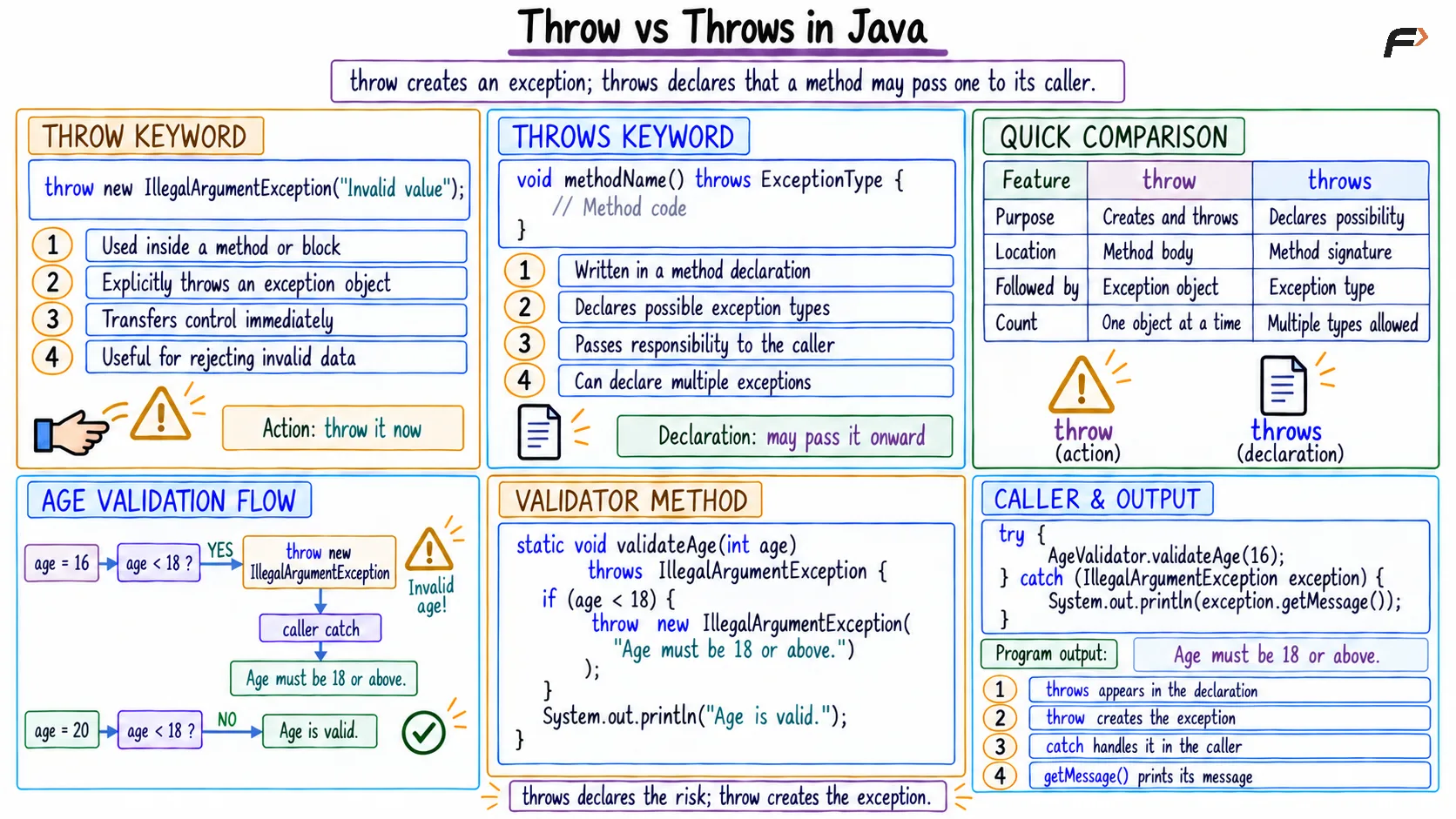
Throw vs throws in Java
Throw vs Throws
|
|
|---|---|
Explicitly throws an exception | Declares possible exceptions |
Used inside a method | Used in a method signature |
Throws one exception object at a time | Can declare multiple exception types |
Followed by an exception object | Followed by exception class names |
Advantages of Exception Handling
Prevents sudden program termination
Provides meaningful error information
Makes programs more reliable
Keeps error-handling code organized
Allows cleanup using
finallyHelps errors move to the appropriate caller
Summary
Exception handling in Java manages unexpected runtime problems without allowing them to terminate the program abruptly.
The try block contains risky code, catch handles exceptions, finally performs cleanup, throw explicitly creates an exception, and throws declares exceptions that a method may pass to its caller.
Be the first to add a comment.