Introduction
Java attributes and methods are important parts of a class. Attributes store the data or state of an object, while methods define the actions that the object can perform.
For example, a Car can have attributes such as color and speed, along with methods such as start() and stop().
What Are Attributes in Java?
An attribute in Java is a variable declared inside a class but outside its methods. Attributes are also known as fields or member variables.
Features of Java Attributes
They store information about an object.
They can use primitive or reference data types.
Each object can have different attribute values.
Access modifiers can control their visibility.
They can be accessed using the dot (
.) operator.
Example of Attributes in Java
// Declare a class with attributes that describe a carclass Car { // Define attributes to store the car's color and speed String color = "Blue"; int speed = 80;}public class Main { public static void main(String[] args) { // Create an object of the Car class Car car = new Car(); // Access the object's attributes using the dot (.) operator System.out.println(car.color); // Blue System.out.println(car.speed); // 80 // Modify the value of an object's attribute car.color = "Red"; System.out.println(car.color); // Red }}In this example, color and speed are attributes of the Car class. The object car accesses and modifies them using the dot operator.
Access Modifiers for Attributes
Access modifiers control where an attribute can be accessed.
public: The attribute can be accessed from any class.private: The attribute can only be accessed within its own class.protected: The attribute can be accessed within the same package and by subclasses.Default access: The attribute can be accessed within the same package.
It is common to declare attributes as private and access them through methods. This helps protect an object’s data.
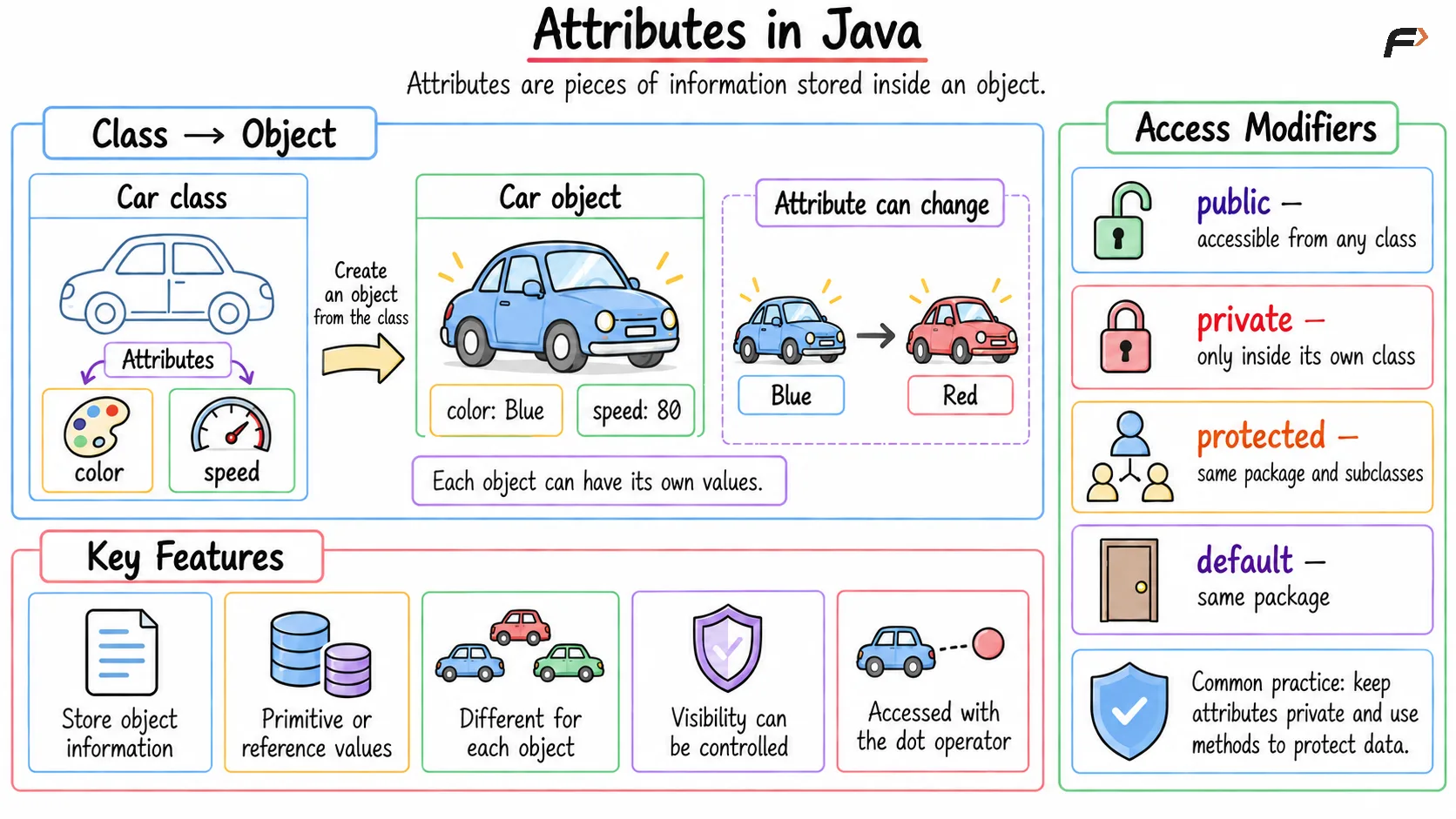
Attributes in Java
What Are Methods in Java?
A method in Java is a block of code that performs a particular task. It runs when it is called and may accept input values or return a result.
Methods define the behaviour of a class. Attributes provide an object’s state, while methods implement its behaviour.
A basic method contains:
An access modifier
A return type
A method name
Optional parameters
A method body
returnType methodName(parameters) { // Method body}Features of Java Methods
They perform specific operations.
They make code reusable.
They can receive values through parameters.
They can return a result.
They help divide a program into smaller sections.
Example of a Method in Java
// Declare a class that contains a methodclass Calculator { // Define a method that takes two integers and returns their sum int add(int a, int b) { return a + b; }}public class Main { public static void main(String[] args) { // Create an object of the Calculator class Calculator calculator = new Calculator(); // Call the add() method using the object and store the returned value int result = calculator.add(10, 5); System.out.println(result); // 15 }}Here, add() is a method that accepts two integers and returns their sum. It is called using the calculator object.
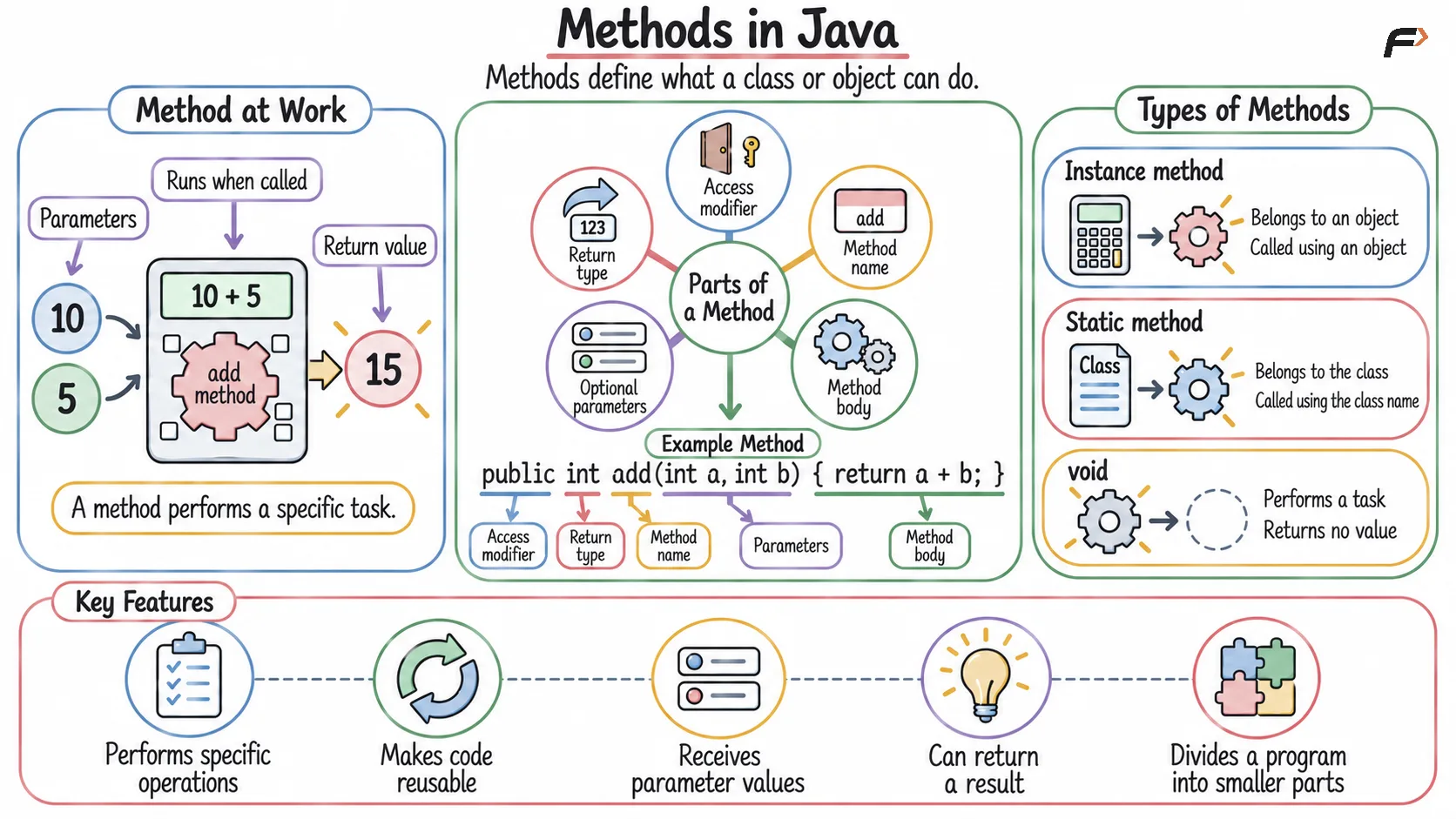
Methods in Java
Types of Methods in Java
Java methods can be broadly divided into two types:
Instance methods: Belong to objects and are called using an object.
Static methods: Belong to the class and are called using the class name.
Methods that do not return a value use the void return type.
Summary
Java attributes are variables declared inside a class that store the data or state of an object. They can have different access modifiers and are commonly accessed or modified using the dot (.) operator.
Java methods are blocks of code that define the behaviour of a class and perform specific tasks. They can accept parameters, return values, and may be instance methods called through objects or static methods called through the class.
Be the first to add a comment.