Introduction
There are many system calls, so memorizing names one by one is not the best starting point. A better way is to understand what kind of operating system service the program is requesting.
System call types group OS services by responsibility. Once the responsibility is clear, it becomes easier to identify whether the call belongs to process control, file management, device management, information maintenance, communication, or protection.
Why System Call Categories Matter
System calls are not random function names. They are grouped according to the work the operating system performs for a user program.
For example, starting a process belongs to process control, opening a file belongs to file management, and checking permissions belongs to protection. The category depends on what the OS is managing.
Major Types of System Calls
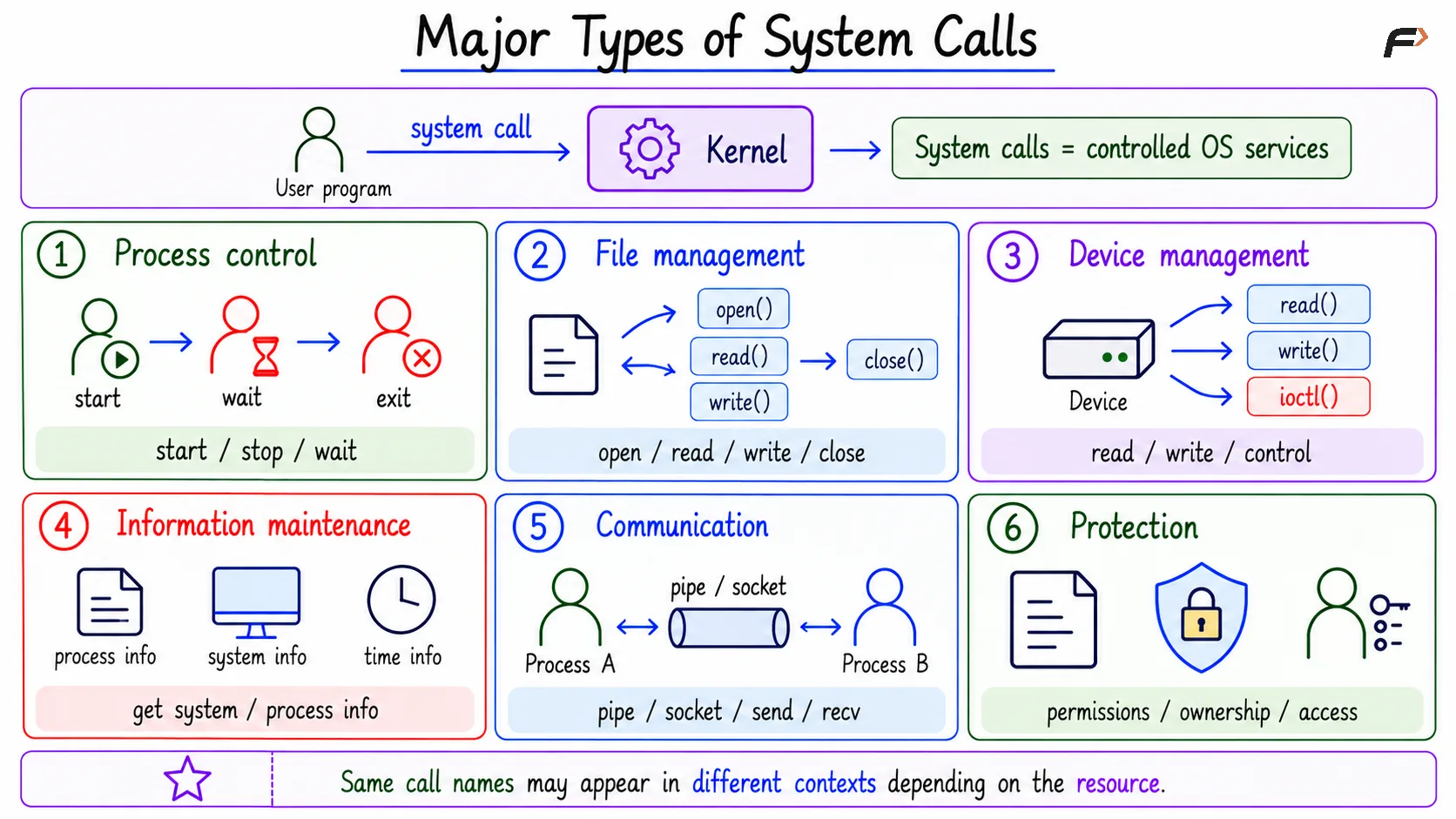
The main types of system calls are:
Process control: Start, stop, wait for, or manage processes
File management: Create, open, read, write, close, or delete files
Device management: Request, release, read from, write to, or control devices
Information maintenance: Get or set system, process, file, or device information
Communication: Support data exchange between processes or systems
Protection: Control access, permissions, ownership, and security rules
The same system call name may sometimes appear in more than one practical context, depending on the resource being accessed.
Types of System Calls
Process Control System Calls
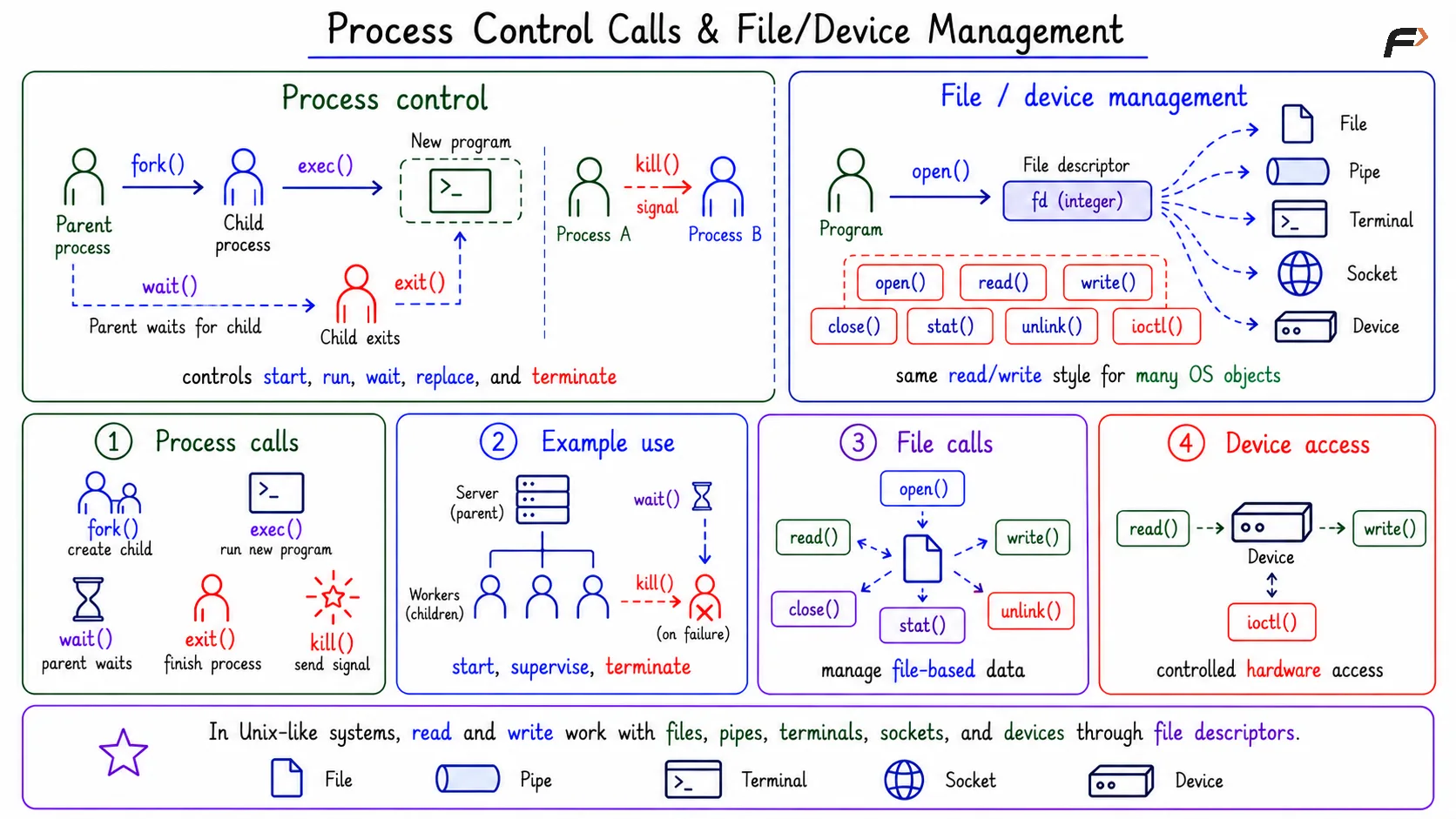
Process control system calls manage program execution. They answer questions such as: how does a program start, stop, wait, or replace its running image?
Common examples include:
fork: Creates a new process.
exec: Runs a new program in a process.
wait: Waits for a child process to finish.
exit: Terminates the current process.
kill: Sends a signal to a process.
Starting a server process, terminating a failed process, or waiting for a child process are all process control tasks.
File and Device Management
File management system calls handle file-based data. They are used when a program needs to open, read, write, close, delete, or inspect files.
Common file-related system calls include open to open a file, read to read data, write to write data, close to close a file descriptor and stat to retrieve information about a file.
Device management system calls handle device-related resources. Examples include read, write, and ioctl, where ioctl is often used for device-specific control operations.
The important point is that read and write are not limited to normal files. In Unix-like systems, many objects can be accessed through file descriptors, including files, pipes, terminals, sockets, and devices.
Process Control Calls & File/Device Management
Information, Communication, and Protection
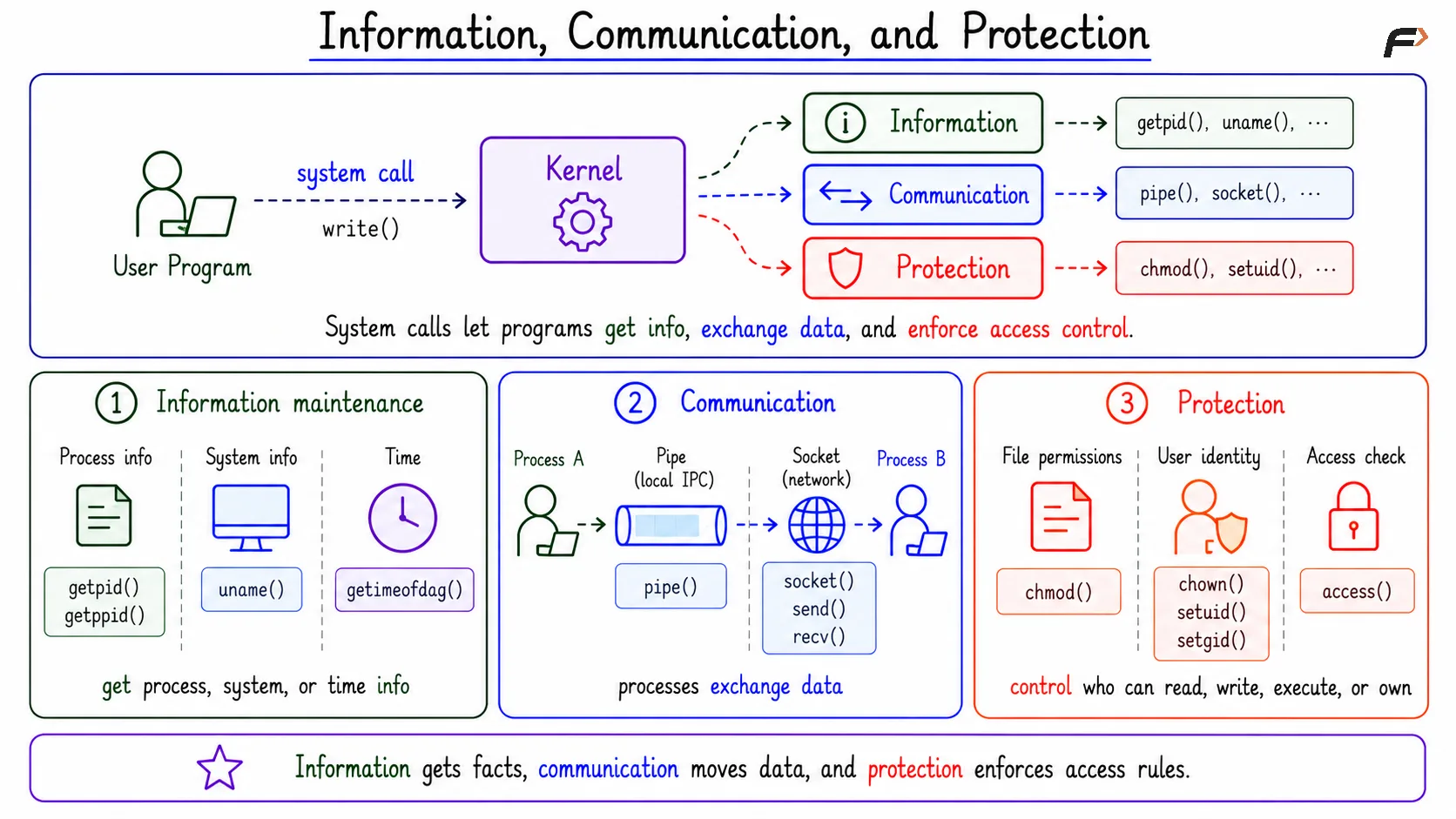
Information maintenance system calls provide information about the system or running processes. Examples include getpid, getppid, uname, and gettimeofday.
Communication system calls help processes exchange data. Examples include:
pipe: Creates a communication channel.
socket: Creates a network communication endpoint.
send and recv: Send and receive data.
Protection system calls deal with access control. Examples include chmod, chown, setuid, setgid, and access. These calls help decide who is allowed to read, write, execute, own, or use a resource.
Information, Communication, and Protection
How to Classify a System Call
To classify a system call, focus on the OS responsibility rather than only the function name.
For example:
Start server process: Process control.
Open config file: File management.
Listen on a port: Communication.
Check permissions: Protection.
Write logs: Usually file management, or device management if the target is a device-like object.
This method is useful because names can overlap. A write call may write to a file, terminal, pipe, socket, or device. The category depends on what kind of OS-managed object is involved.
Library Function vs System Call
A library function is not automatically a system call. Some library functions enter the kernel, while others stay completely in user space.
For example, a function that formats a string may not need kernel help. But a function that opens a file or sends data over a socket needs OS-managed resource access, so it usually enters the system call path.
The useful question is: does this operation need kernel-managed resources? If yes, a system call is likely involved. If no, the work may remain inside ordinary user-space library code.
Summary
System call types classify OS services into process control, file management, device management, information maintenance, communication, and protection. Each category explains what kind of help the program is asking from the operating system.
Names like read and write can appear in different contexts because many OS objects use similar interfaces. The best way to classify a system call is to look at the responsibility being requested, not just the function name.
Be the first to add a comment.