Introduction
Signals are an operating system mechanism for notifying a process or thread that some event has occurred. They are small control notifications, not channels for transferring large data.
The basic idea is simple: an event occurs, the kernel delivers a signal, and the target process or thread reacts according to that signal's meaning.
What Is a Signal?
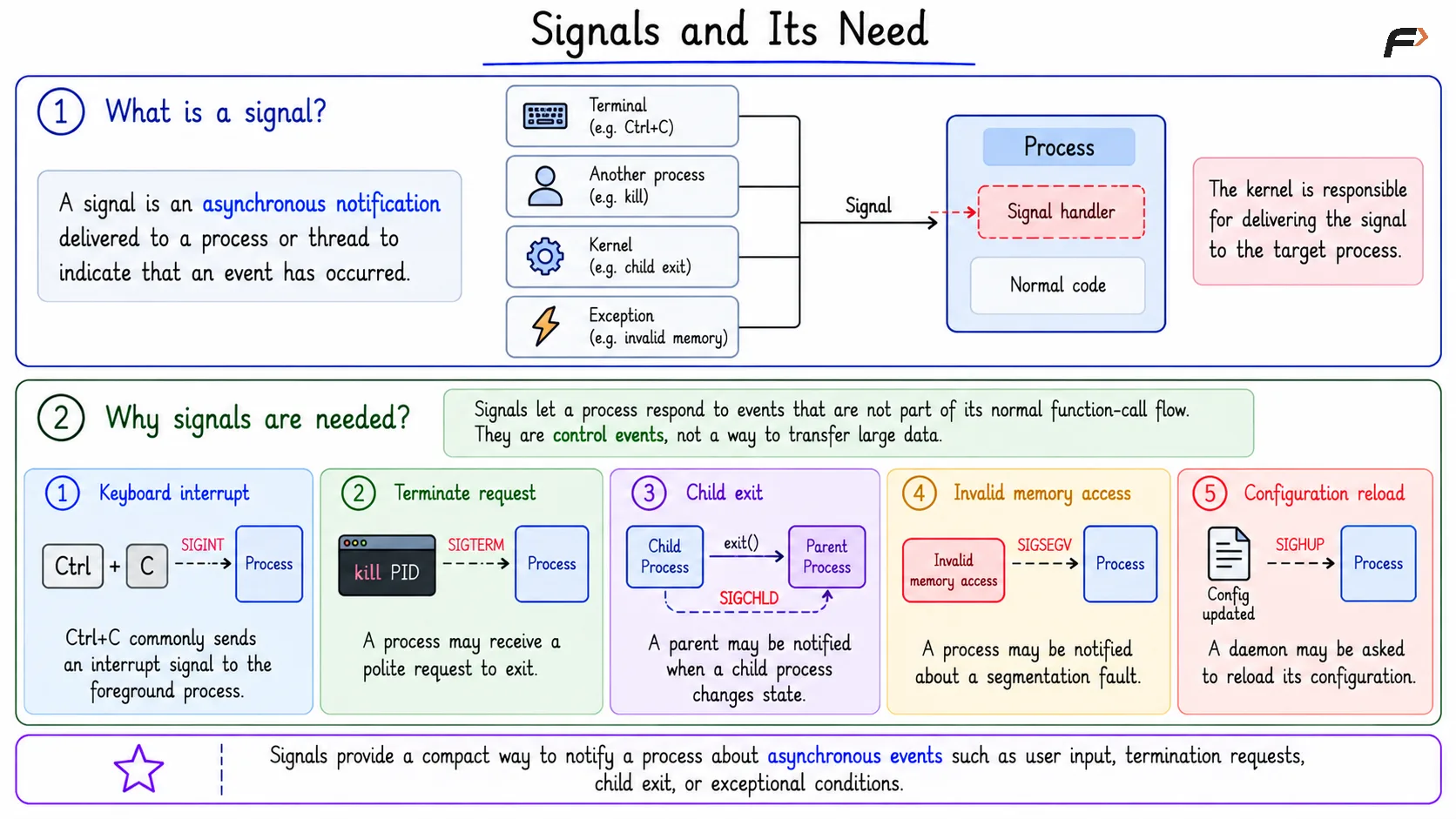
A signal is an asynchronous notification delivered to a process or thread to indicate that an event has occurred. It is asynchronous because it does not arrive as part of the program's normal step-by-step function-call flow.
Signals may come from the terminal, another process, the kernel, or an exceptional condition during execution. The kernel is responsible for delivering the signal to the target.
Why Signals Are Needed
Processes often need to respond to events that are not ordinary function calls. A user may press Ctrl+C, a process may be asked to terminate, a child process may exit, or a program may access invalid memory.
Signals provide a compact way to notify the process about such events:
Keyboard interrupt:
Ctrl+Ccommonly sends an interrupt signal to the foreground process.Terminate request: A process may receive a polite request to exit.
Child exit: A parent may be notified when a child process changes state.
Invalid memory access: A process may be notified about a segmentation fault.
Configuration reload: A daemon may be asked to reload its configuration.
These are control events, not bulk data transfers.
Signals and its Need
Common Signal Examples
SIGINT: Keyboard interrupt, usually generated byCtrl+CSIGTERM: Polite request to terminate a processSIGKILL: Forcefully terminates a process and cannot be caught or ignoredSIGCHLD: Indicates that a child process has changed state, often after terminationSIGSEGV: Indicates an invalid memory access or segmentation fault
The signal name matters because it tells the process what kind of event or request has occurred.
Signals Are Not Normal Function Calls
A normal function call is part of the program's planned control flow. A signal is different because the OS delivers it as a notification when an event occurs.
This is why signal handling must be careful. A handler may run at a point where the process was doing something else, so programs should keep signal handlers simple and avoid treating them like ordinary application functions.
The key distinction is that a function call is chosen by the program's own flow, while a signal is delivered by the OS according to an event.
kill Means Send a Signal
A common confusion is that kill always means terminate. In Unix-like systems, kill means send a signal to a process.
The result depends on which signal is sent:
kill -TERM <pid>: SendsSIGTERM, asking the process to terminate gracefully.kill -KILL <pid>: SendsSIGKILL, forcing termination.kill -HUP <pid>: SendsSIGHUP, often used to ask daemons to reload configuration.
This difference matters in real systems. SIGTERM gives a process a chance to clean up, while SIGKILL ends it forcefully.
Signals as IPC
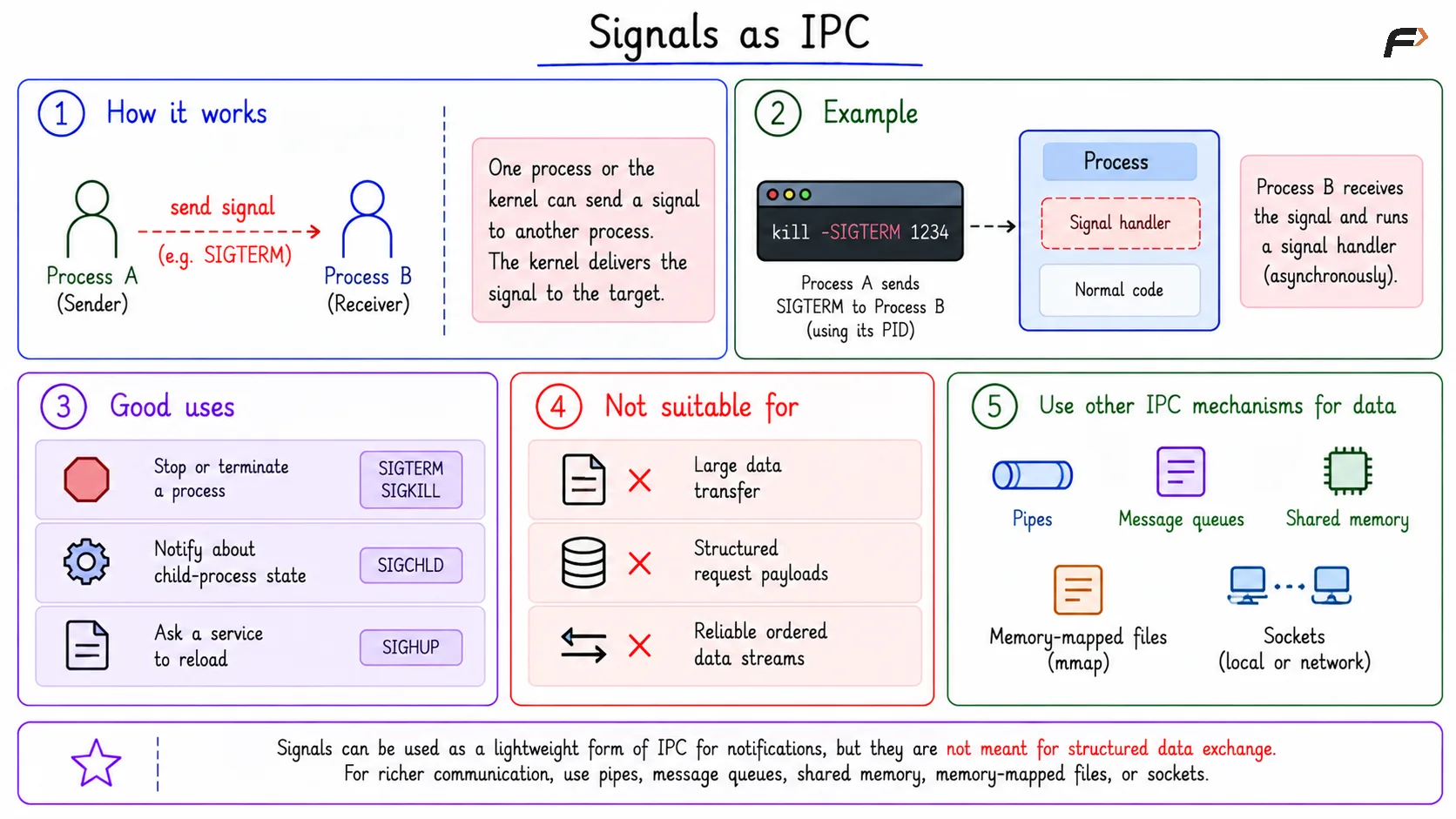
Signals are sometimes treated as a lightweight form of IPC because one process or the kernel can notify another process. But signals are not meant for structured data exchange.
Good uses include:
Stopping or terminating a process
Notifying about child-process state
Asking a service to reload
Poor uses include:
Large data transfer
Structured request payloads
Reliable ordered data streams
For richer communication, mechanisms such as pipes, message queues, shared memory, memory-mapped files, or sockets are better choices.
Signals as IPC
Summary
A signal is a small asynchronous notification delivered to a process or thread when an event occurs. Common examples include SIGINT, SIGTERM, SIGKILL, SIGCHLD, SIGSEGV, and SIGHUP.
Signals are useful for control and notification, not bulk data transfer. A process may terminate, ignore, stop, continue, or run a handler, but some signals such as SIGKILL cannot be caught or ignored.
Be the first to add a comment.