Introduction
Java is a high-level, class-based, object-oriented programming language. It follows the principle of “Write Once, Run Anywhere”, which means compiled Java programs can run on any platform that supports Java.
Some basic features of Java are:
Platform independence
Object-oriented programming
Simple and readable syntax
Automatic memory management
Built-in error handling
1. Sample Code
The following program prints Hello World:
public class Main { public static void main(String[] args) { System.out.println("Hello World"); }}class Maindefines a class namedMain.main()is the starting point of the program.System.out.println()displays output on the screen.
The file should be saved as Main.java.
2. Comments
Comments are notes added to explain code. They are ignored by the compiler.
// This is a single-line comment/* This is a multi-line comment*/3. Data Types
Data types specify the kind of value a variable can store. Java has eight primitive data types.
byte: Stores small integers from-128to127.short: Stores integers larger than the range ofbyte.int: Stores regular integer values and is the most commonly used integer type.long: Stores very large integer values.float: Stores decimal values with limited precision. Its value requires anfsuffix.double: Stores decimal values with greater precision.char: Stores a single character.boolean: Stores eithertrueorfalse.
Example:
// Declare a byte variable to store small integer valuesbyte level = 10;// Declare a short variable to store the yearshort year = 2026;// Declare an integer variable to store the marksint marks = 85;// Declare a long variable to store large integer valueslong population = 8000000000L;// Declare a float variable to store decimal valuesfloat price = 10.5f;// Declare a double variable to store decimal values with higher precisiondouble distance = 123.456;// Declare a character variable to store a single characterchar grade = 'A';// Declare a boolean variable to store a true or false valueboolean passed = true;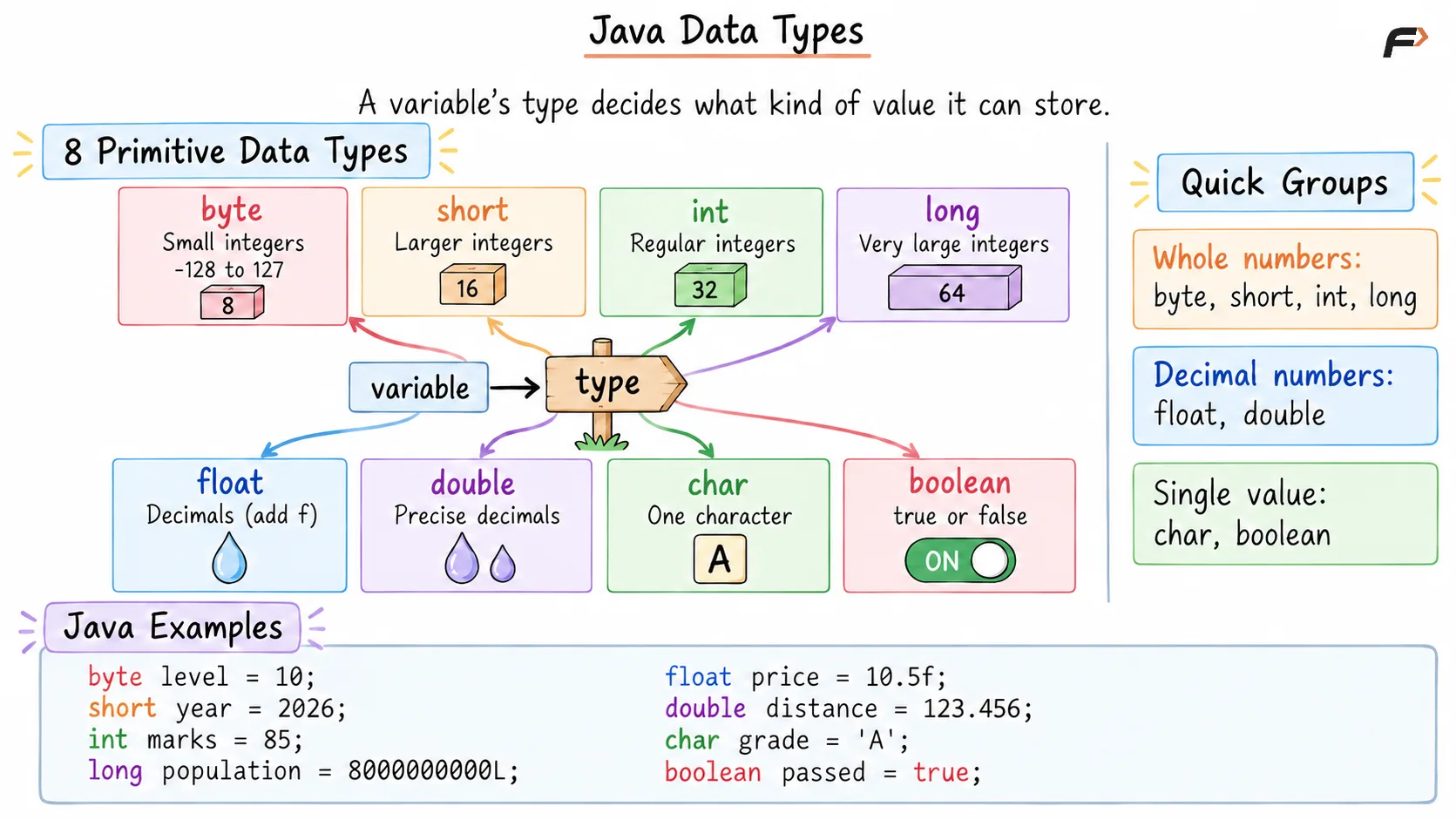
Data Types
4. Operators
Operators are used to perform calculations and comparisons.
Arithmetic Operators
+adds two values.-subtracts one value from another.*multiplies two values./divides one value by another.%returns the remainder after division.
// Declare two integer variablesint a = 10;int b = 3;// Perform additionSystem.out.println(a + b); // 13// Perform subtractionSystem.out.println(a - b); // 7// Perform multiplicationSystem.out.println(a * b); // 30// Perform integer divisionSystem.out.println(a / b); // 3// Find the remainder after divisionSystem.out.println(a % b); // 1Relational Operators
Relational operators compare two values and return either true or false.
==checks whether two values are equal.!=checks whether two values are different.>checks whether the left value is greater.<checks whether the left value is smaller.>=checks whether the left value is greater than or equal to the right value.<=checks whether the left value is smaller than or equal to the right value.
// Store the age in an integer variableint age = 20;// Check if age is equal to 20System.out.println(age == 20); // true// Check if age is greater than 18System.out.println(age > 18); // true// Check if age is less than 18System.out.println(age < 18); // falseLogical Operators
Logical operators combine or modify boolean conditions.
&&returns true when both conditions are true.||returns true when at least one condition is true.!reverses the result of a condition.
// Store the person's ageint age = 20;// Store whether the person has a driving licenseboolean hasLicense = true;// Check if the person is at least 18 years old and has a licenseSystem.out.println(age >= 18 && hasLicense); // true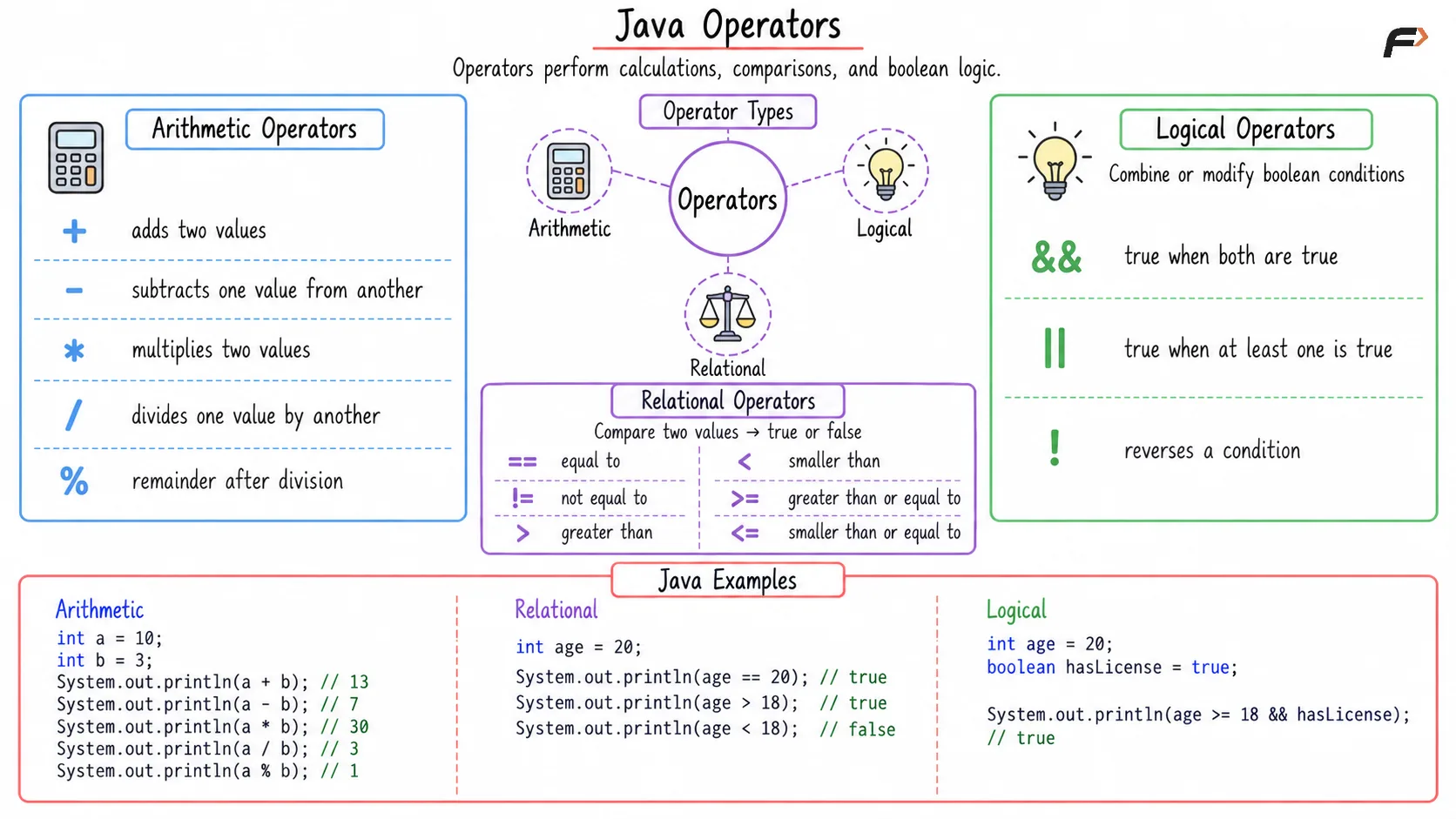
Operators
5. Input and Output
Java uses System.out.println() for output. The Scanner class can be used to read input.
import java.util.Scanner;public class Main { public static void main(String[] args) { // Create a Scanner object to read input from the user Scanner sc = new Scanner(System.in); // Read the user's age as an integer int age = sc.nextInt(); // Read the user's name as a string String name = sc.next(); // Display the name and age System.out.println(name + " is " + age); // Close the Scanner to release system resources sc.close(); }}Scanner is easy to use and suitable for beginners. BufferedReader is usually faster but requires additional conversion when reading numbers.
8. Arrays
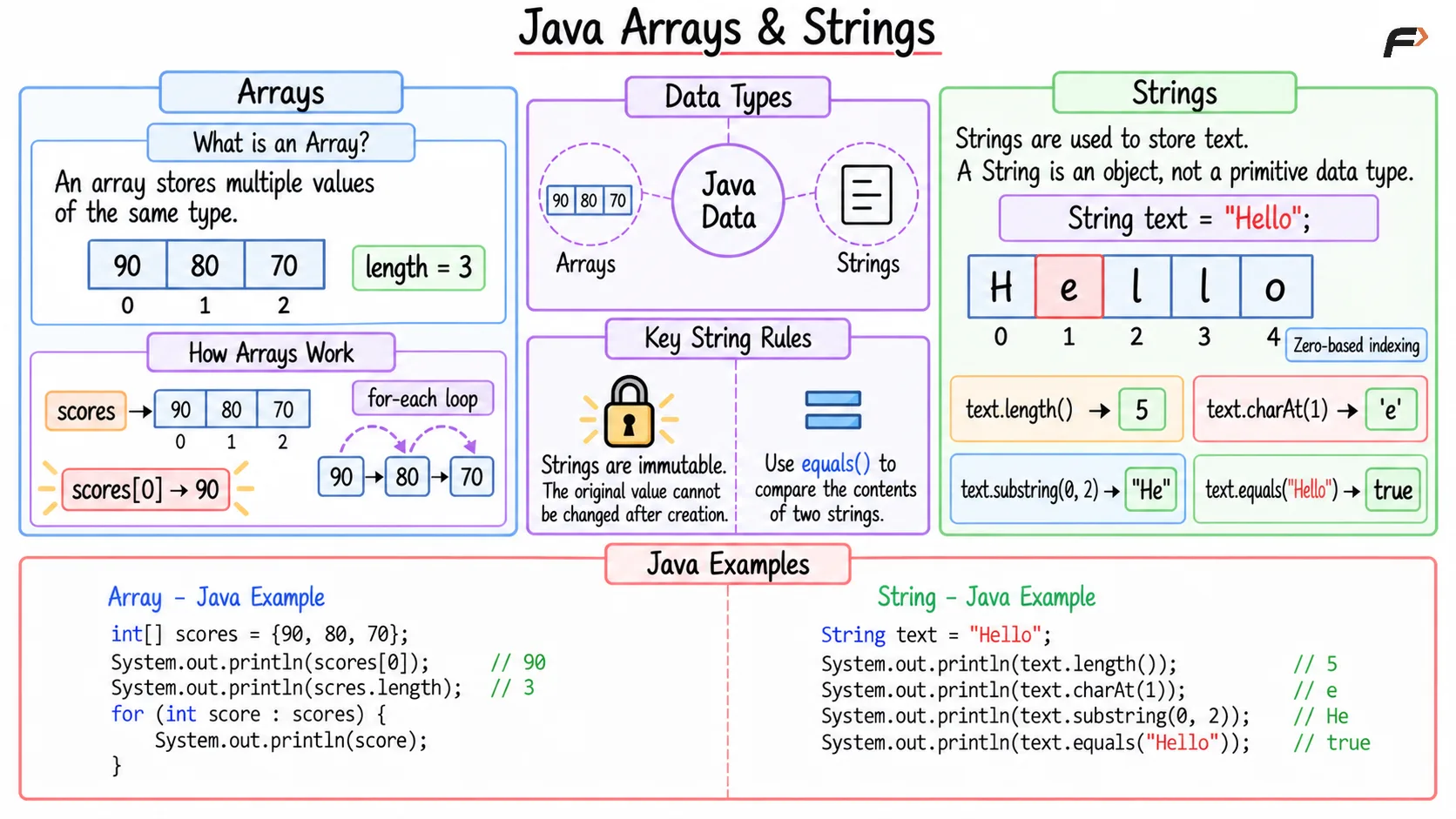
An array stores multiple values of the same type.
// Create an array to store scoresint[] scores = {90, 80, 70};// Access and print the first element of the arraySystem.out.println(scores[0]); // 90// Print the total number of elements in the arraySystem.out.println(scores.length); // 3// Iterate through each score in the arrayfor (int score : scores) { // Print the current score System.out.println(score);}9. Strings
Strings are used to store text. A String is an object, not a primitive data type.
// Store a string in a variableString text = "Hello";// Find and print the length of the stringSystem.out.println(text.length()); // 5// Access and print the character at index 1System.out.println(text.charAt(1)); // e// Extract and print characters from index 0 to 1System.out.println(text.substring(0, 2)); // He// Check if the string is equal to "Hello"System.out.println(text.equals("Hello")); // trueStrings are immutable, which means their original value cannot be changed after creation.
Use equals() to compare the contents of two strings.
Java arrays and strings
10. Conditional Statements
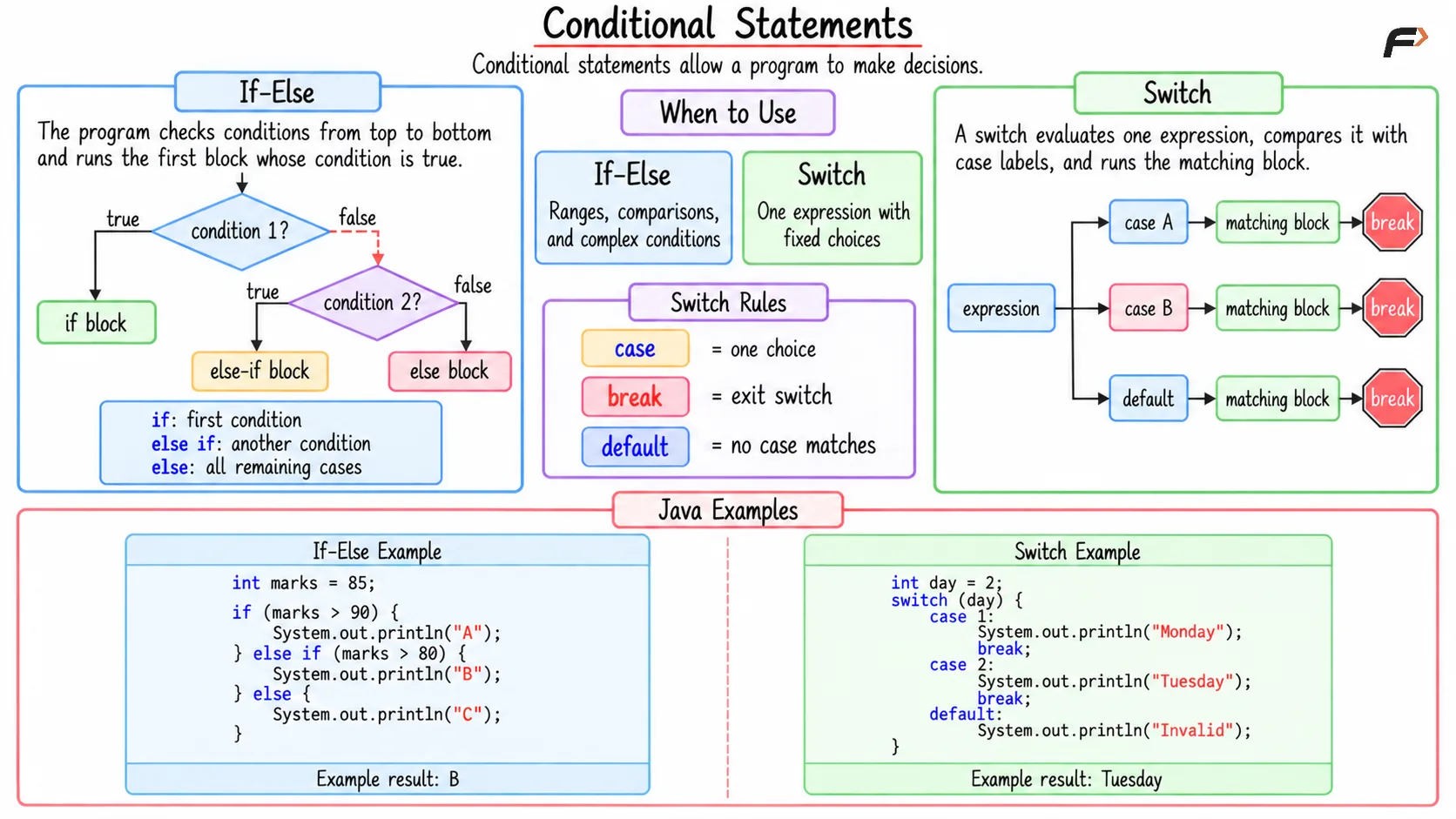
Conditional statements allow a program to make decisions.
If-Else
// Store the marks in an integer variableint marks = 85;// Check the marks and assign the appropriate gradeif (marks > 90) { System.out.println("A");} else if (marks > 80) { System.out.println("B");} else { System.out.println("C");}The program checks each condition and runs the first block whose condition is true.
Switch
// Store the day numberint day = 2;// Match the day number with the corresponding dayswitch (day) { case 1: System.out.println("Monday"); break; case 2: System.out.println("Tuesday"); break; default: System.out.println("Invalid");}break stops the switch after a matching case. default runs when no case matches.
Conditional Statements
11. Loops
Loops repeat a block of code.
For Loop
// Loop from 0 to 4for (int i = 0; i < 5; i++) { // Print the current value of i System.out.println(i);}A for loop is generally used when the number of repetitions is known.
While Loop
// Initialize the loop counterint i = 0;// Continue the loop while i is less than 5while (i < 5) { // Print the current value of i System.out.println(i); // Increment i to move to the next iteration i++;}A while loop runs while its condition remains true.
Do-While Loop
// Initialize the loop counterint i = 0;// Execute the loop body at least once before checking the conditiondo { // Print the current value of i System.out.println(i); // Increment i to move to the next iteration i++;} while (i < 5); // Continue while i is less than 5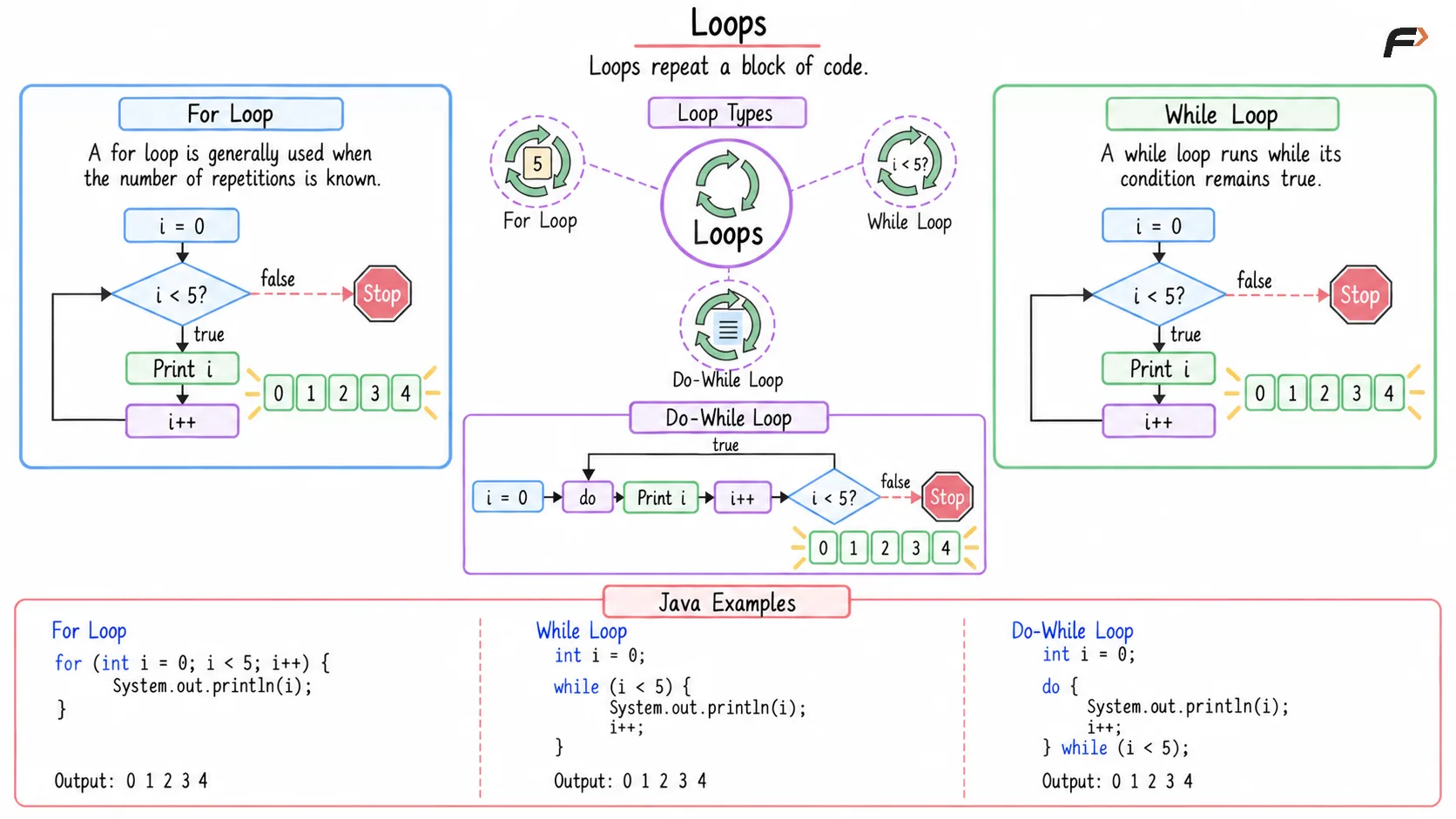
Loops
Summary
The basic concepts of Java include:
Classes and the
main()methodComments and data types
Operators and strings
Input and output
Arrays and conditional statements
Loops
Be the first to add a comment.