Dry Runs, Edge Cases and Debugging
A dry run is the manual execution of an algorithm using selected input while recording how important values and decisions change.
The word “dry” means the program is not actually running on a computer. We are simulating its execution on paper or mentally.
A useful dry run answers:
- Which instruction executes next?
- What are the current values?
- Is the condition true or false?
- Which branch is selected?
- Does the loop run again?
- What is finally displayed?
1. Debugging begins with the first mismatch
A bug is a defect that causes incorrect or unexpected behaviour. Debugging is the systematic process of finding and correcting it.
When a result is wrong, beginners often say, “The computer is giving the wrong answer.” Usually, the computer is faithfully producing the result described by our instructions. The real question is:
At which exact step did our intended logic and the actual logic become different?
Debugging is not random editing. It is investigation.
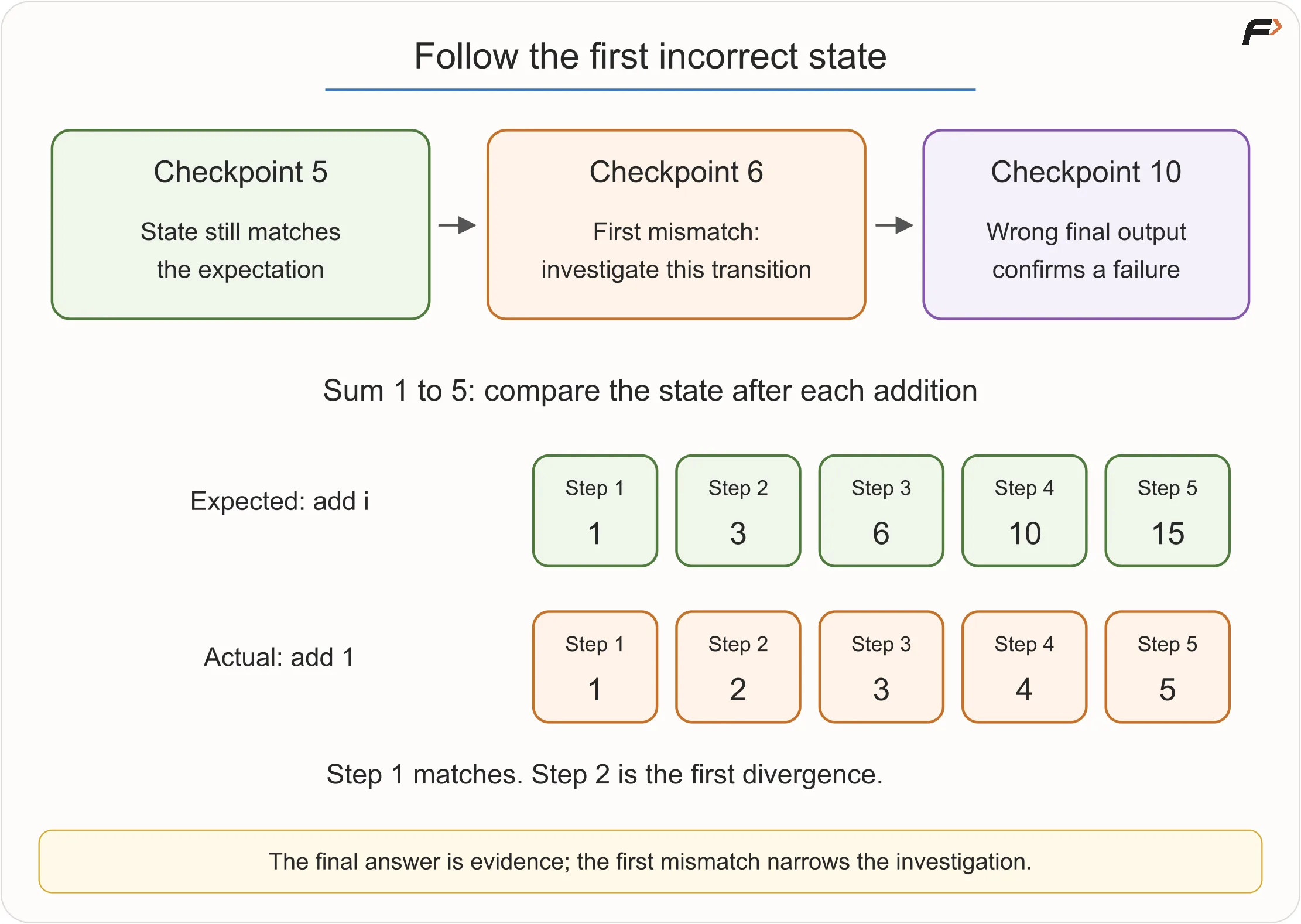
Imagine a courier tracking a parcel through ten checkpoints. The parcel was correct at checkpoint 5 but wrong at checkpoint 6. There is little value in blaming checkpoint 10 first. The earliest incorrect checkpoint is where the investigation should focus.
Programs also carry state through checkpoints. A dry run lets us inspect those checkpoints.
First Divergence
2. Use a trace table to record state
A trace table records state over time.
Consider this digit-sum pseudocode, assuming the input is a non-negative integer:
READ N
SET sum = 0

WHILE N > 0
    SET digit = N MOD 10
    SET sum = sum + digit
    SET N = N DIV 10
END WHILE

DISPLAY sum
For N = 472:
| Iteration | N before | digit | sum before | sum after | N after | Loop again? |
|---|---|---|---|---|---|---|
| 1 | 472 | 2 | 0 | 2 | 47 | Yes |
| 2 | 47 | 7 | 2 | 9 | 4 | Yes |
| 3 | 4 | 4 | 9 | 13 | 0 | No |
Output: 13.
Why the table is powerful
Suppose the algorithm accidentally uses N MOD 100. The first extracted value becomes 72 rather than 2. The table exposes the first wrong state immediately.
Do not record every object in the universe. Record only values relevant to the behaviour being investigated. That is abstraction applied to debugging.
3. Expected state versus actual state
Debugging needs two stories:
- Expected: what should happen according to the requirement.
- Actual: what the current algorithm does.
Example: sum from 1 to 5.
Expected totals after each number:
1, 3, 6, 10, 15
Faulty algorithm uses sum = sum + 1 instead of sum = sum + i.
Actual totals:
1, 2, 3, 4, 5
The two stories diverge in the second iteration. That directs attention to the repeated update, not the input or final output statement.
The first matching row does not prove the update is right. A carefully chosen second step can reveal a defect that the first step hides.
4. Three broad error families
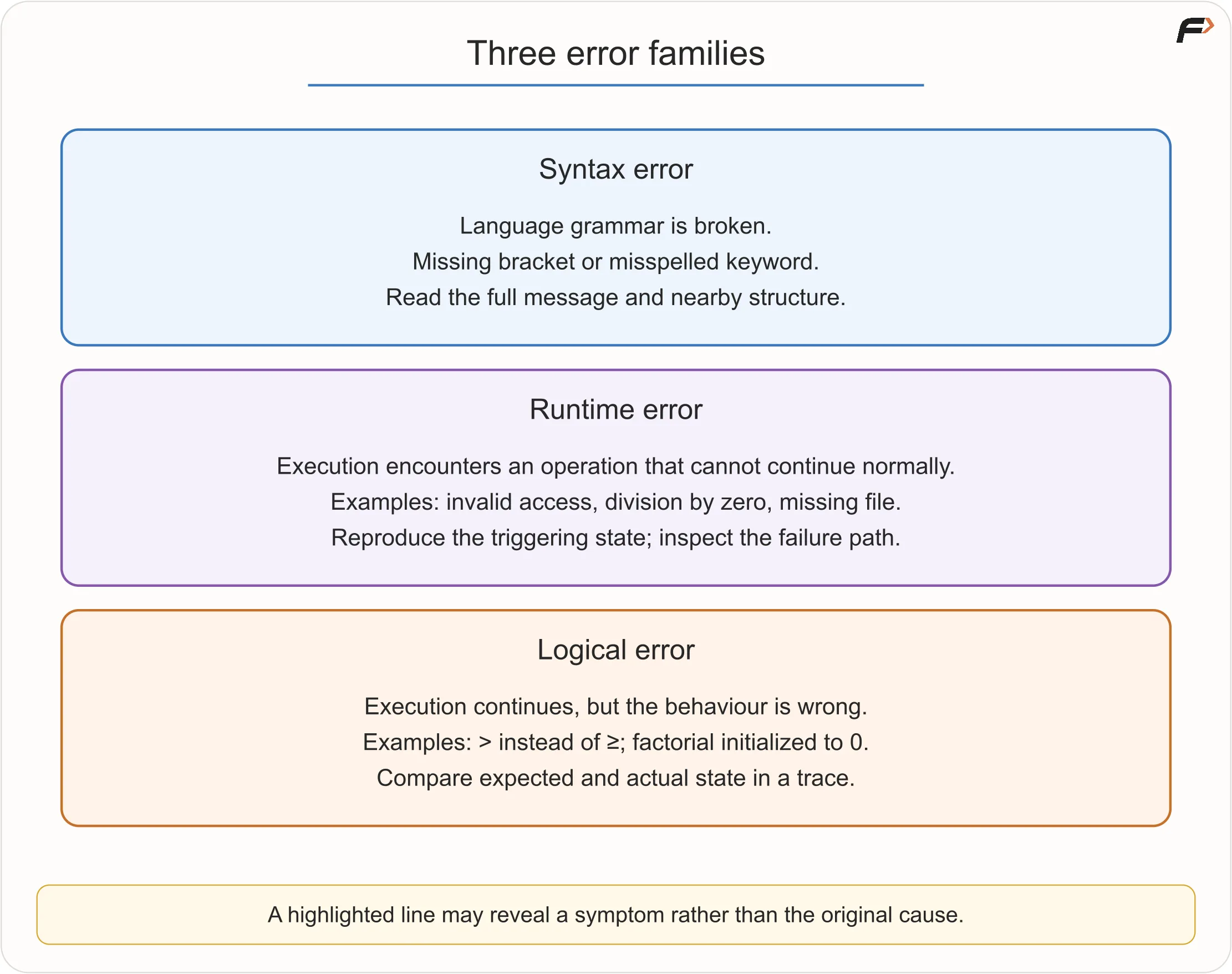
Syntax error
A syntax error violates the grammar of a programming language.
Examples later in code may include a missing bracket, misspelled keyword or malformed expression. A compiler or interpreter can often point near the location, although its message may describe the symptom rather than the root cause.
Flowcharts do not use C++ or Java syntax, so this error belongs mainly to the language tracks.
Runtime error
A runtime error occurs after execution begins, when an operation cannot continue normally.
Examples:
- dividing by zero;
- trying to access a missing position;
- opening an unavailable file without handling failure; or
- exhausting an allowed resource.
The exact behaviour depends on the language and environment.
Logical error
A logical error allows execution to continue but produces incorrect behaviour.
Examples:
- using
>instead of>=for an inclusive boundary; - calculating discount after displaying the bill;
- initializing factorial to zero;
- checking average marks when every subject must pass; or
- updating the wrong counter.
Logical errors are often the hardest because the system may not crash. It may confidently produce a believable but incorrect result.
Error Families
Worked example: factorial always returns zero
Requirement: calculate N! = 1 × 2 × ... × N for a non-negative integer N. Assume this input contract has been checked.
Faulty algorithm:
READ N
SET answer = 0

FOR i FROM 1 TO N
    SET answer = answer * i
END FOR

DISPLAY answer
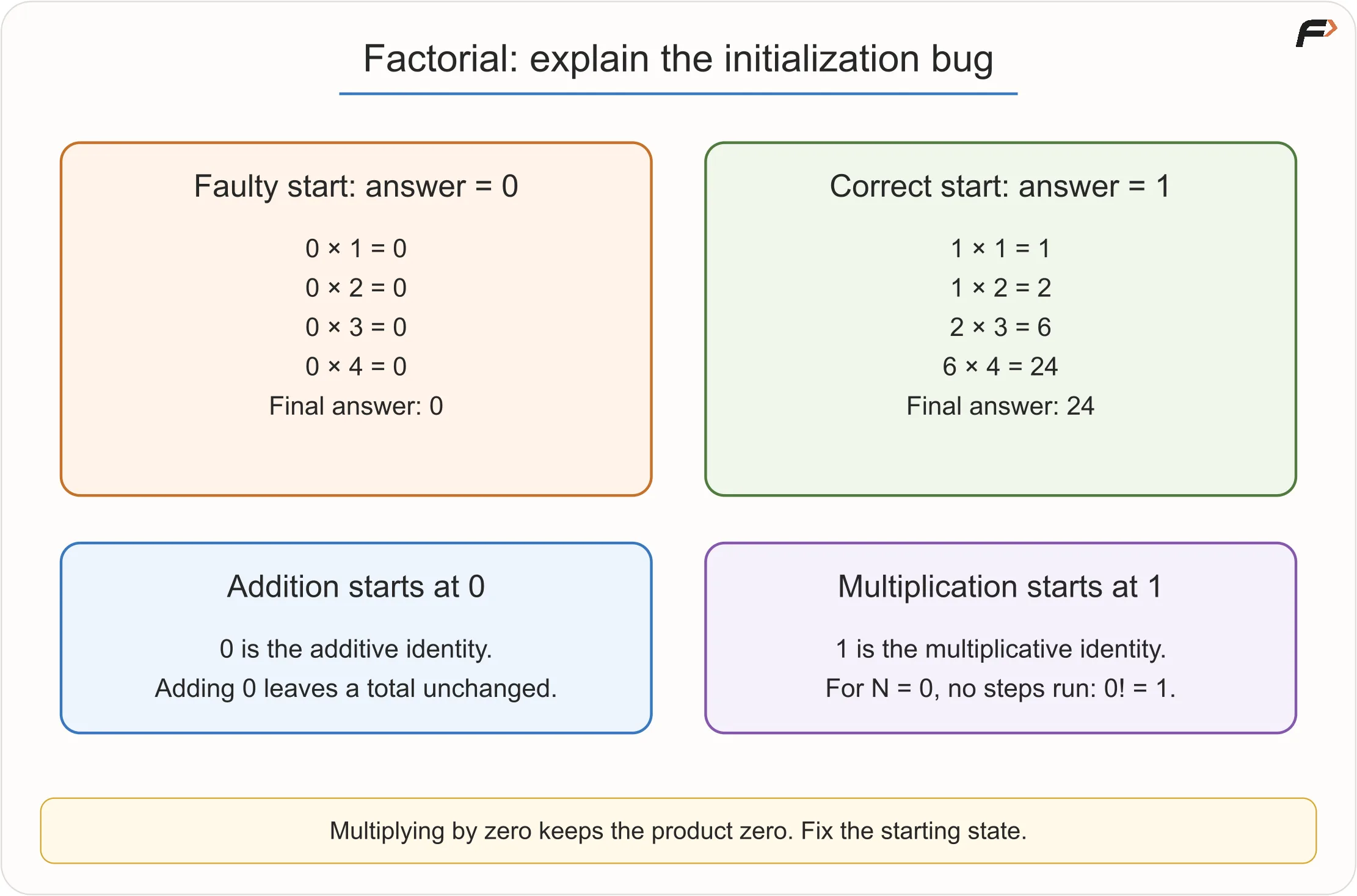
Trace for N = 4:
i | answer before | operation | answer after |
|---|---|---|---|
| 1 | 0 | 0 × 1 | 0 |
| 2 | 0 | 0 × 2 | 0 |
| 3 | 0 | 0 × 3 | 0 |
| 4 | 0 | 0 × 4 | 0 |
Root cause: zero destroys a product. The product accumulator needs the multiplicative identity 1.
Fix: SET answer = 1.
This also makes 0! equal 1 when the loop runs zero times, matching the mathematical definition.
Factorial Initialization
With the correction, N = 4 produces 1 × 2 × 3 × 4 = 24. The earliest incorrect state is the initialization itself: before any multiplication, a product of no processed factors should be represented by 1, not 0.
An error location is a clue, not a verdict
In a language that requires semicolons after these declarations, imagine line 8 is int a = 6 and line 9 is int b = 7;. The missing semicolon belongs on line 8, but a diagnostic may point at line 9, where the parser discovers that something is wrong. Read the complete message and inspect the surrounding structure; the exact diagnostic depends on the tool.
Some execution problems can also be detected before running. Calling something a runtime error describes when the failure occurs; it does not mean every such defect is impossible to predict. Behaviour such as division by zero or invalid access depends on the language and operation.
5. Edge case, invalid input and exceptional situation
These ideas are often mixed together.
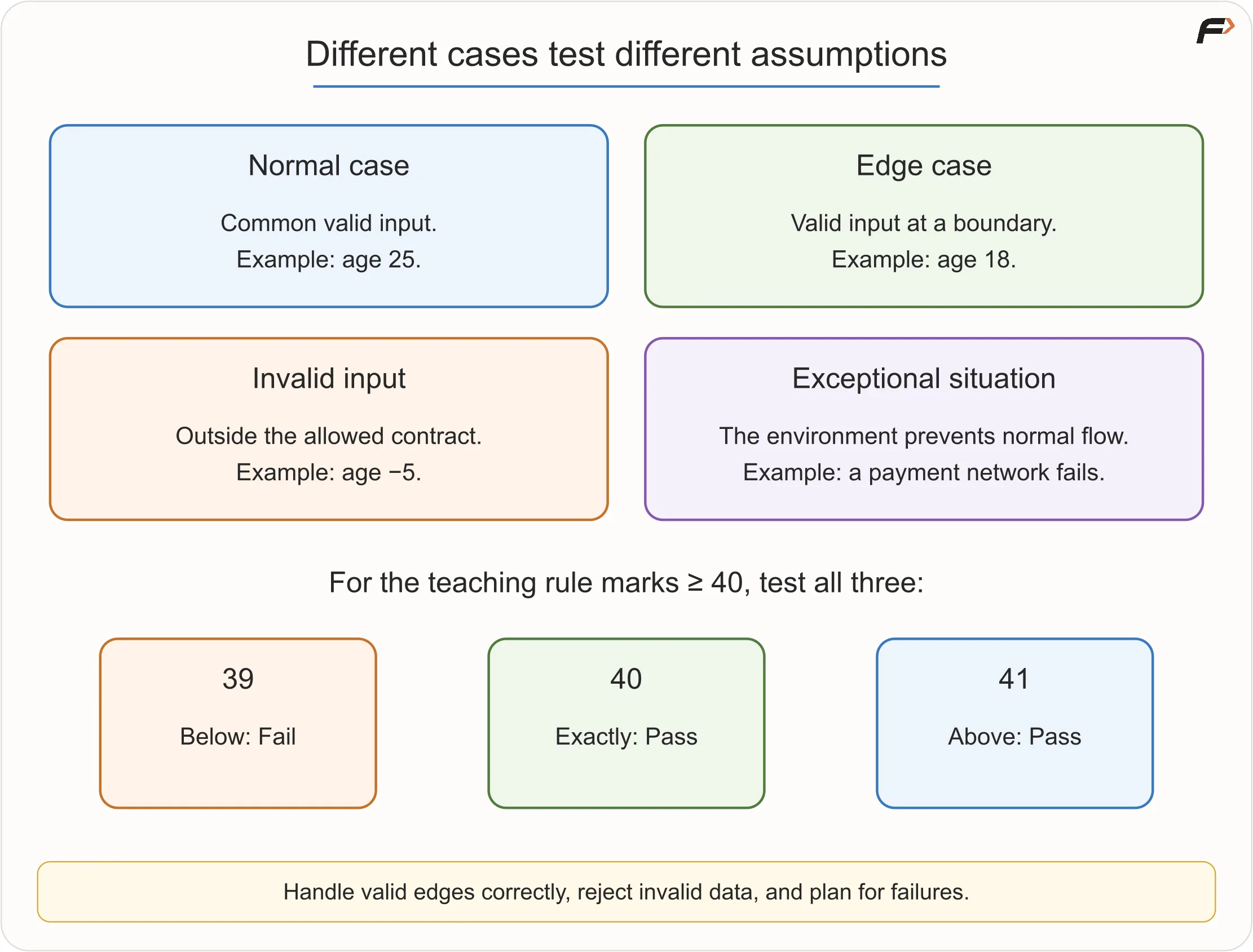
Normal case
A common valid input, such as age 25 under a simplified voting-eligibility rule.
Edge case
A valid input near a boundary or special structural condition, such as age 18 when eligibility begins at 18.
Invalid input
Data outside the allowed contract, such as age -5 if the system accepts only non-negative ages.
Exceptional situation
An event that may be valid in the real environment but prevents the normal flow, such as a network failure during payment.
The required response differs:
- an edge case must produce the correct normal result;
- invalid input may be rejected or requested again;
- an exceptional situation may need recovery, retry or a clear failure response.
Test Categories
6. Design tests that reveal mistakes
Random tests have value, but deliberate tests are more educational.
For a condition marks >= 40, test:
- 39: just below the boundary;
- 40: exactly on the boundary;
- 41: just above the boundary.
This trio reveals whether > and >= have been confused.
Useful beginner test categories
Typical case
A normal input that exercises the expected route.
Boundary pair
Values on both sides of a rule change.
Equality or duplicate case
Useful in comparisons such as largest values.
Zero
Important for counts, products, division and loops.
Negative value
Use when allowed, and validate when forbidden.
Smallest meaningful input
Often reveals initialization mistakes.
Invalid input
Confirms the program does not treat nonsense data as a normal case.
Path coverage
Choose inputs so every branch is taken at least once.
For a small flowchart, choose inputs that exercise its different feasible routes, then compare each result with the requirement. Taking every branch at least once is a useful starting point; it does not prove every possible path or input combination is correct. Loops can create many paths, so use deliberate representative tests rather than assuming exhaustive coverage.
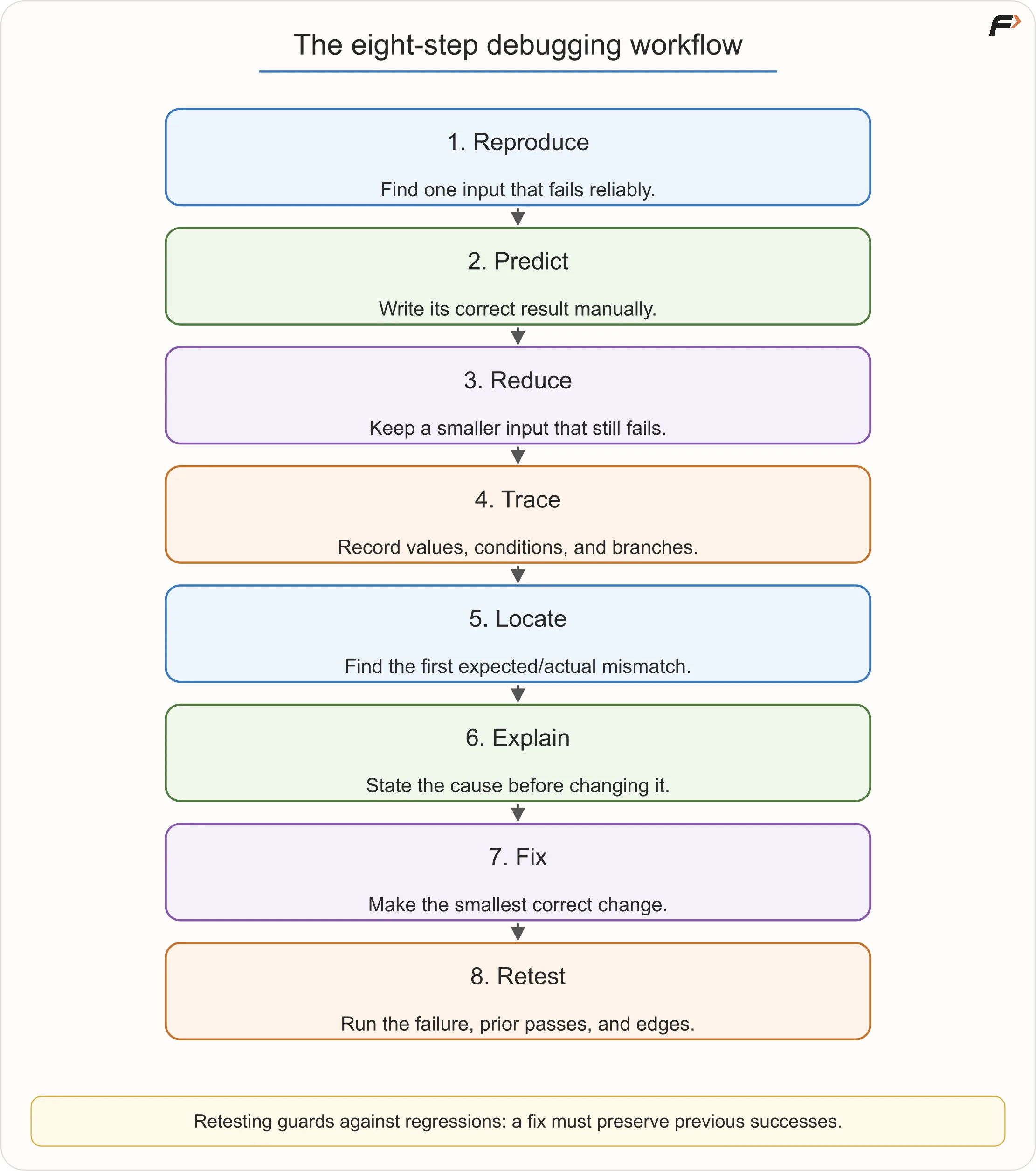
7. A disciplined debugging workflow
Step 1: Reproduce the failure
Find a specific input that reliably produces an incorrect result. “Sometimes it fails” is not yet a useful debugging case.
Step 2: Write the expected result manually
If we do not know the correct answer, we cannot identify divergence.
Step 3: Reduce the input
Prefer the smallest case that still fails. A failure on 1,000 values is difficult to inspect; a failure on three values may reveal the same root cause.
Step 4: Trace relevant state
Record variables, conditions and chosen branches.
Step 5: Find the first divergence
Do not focus only on the final wrong answer. Locate the earliest state that differs from expectation.
Step 6: Explain the cause before changing it
Say, “The product remains zero because multiplication starts from zero,” rather than “Changing it to one seems to work.”
Step 7: Make the smallest correct fix
Avoid rewriting unrelated logic while investigating one cause.
Step 8: Retest
Run:
- the failing input;
- one or more inputs that previously passed; and
- nearby edge cases.
A correction can solve one case and accidentally break another.
Debugging Workflow
A regression is previously working behaviour broken by a later change. Retesting successful cases protects against this.
8. Practise on more bug investigations
The following cases apply the same method to the additional examples in the learning notes.
printing 1 to N never stops
Assume N has already been read as a positive integer.
Faulty algorithm:
SET i = 1

WHILE i <= N
    DISPLAY i
END WHILE
For N = 3, the condition remains 1 <= 3 forever because i never changes.
Root cause: the loop has a starting state and condition but no progress step.
Fix:
SET i = i + 1
after displaying i.
What the fix must do
A loop needs more than a condition that is currently true. Its body must normally change something that can eventually make the condition false.
For N = 3, the corrected loop displays 1, 2, 3 and stops when i becomes 4. Adding the update after the loop would not help: the loop must be able to reach that update on every repetition.
wrong grade only at boundaries
Faulty rules:
IF marks > 90
    grade = "A"
ELSE IF marks > 75
    grade = "B"
...
The program may appear correct for 95 and 80. It fails at exactly 90 and 75.
This is why only testing “comfortable middle values” is weak. Boundary values reveal inclusive-versus-exclusive mistakes.
Fix the comparisons according to the stated ranges, such as marks >= 90.
Test 89, 90, 91 and 74, 75, 76 around these grade boundaries. With the intended ranges, the grades should be B, A, A and C, B, B, respectively.
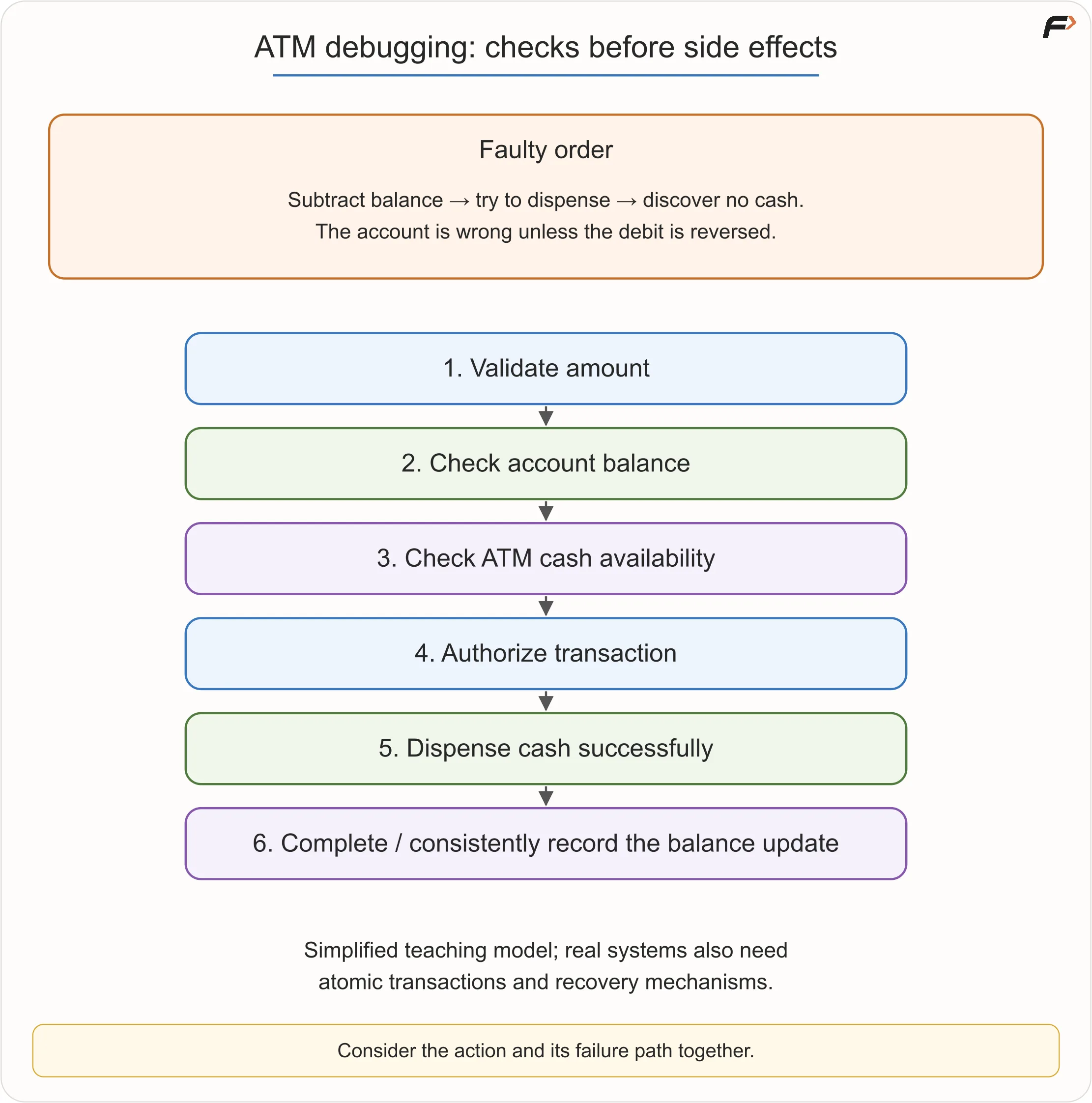
ATM balance becomes wrong
Faulty order:
- Subtract amount from account balance.
- Ask the ATM to dispense cash.
- ATM reports that it lacks the requested notes.
The final account balance is now wrong unless the system reverses the first action.
At beginner level, use the safer model:
- Validate amount.
- Check account balance.
- Check ATM cash availability.
- Authorize transaction.
- Dispense cash.
- Complete or consistently record the balance update.
Real banking systems require atomic transactions and recovery mechanisms, which are advanced topics. The beginner lesson is that side effects and failure paths must be considered together.
ATM Ordering
9. Invariants: truth that survives every step
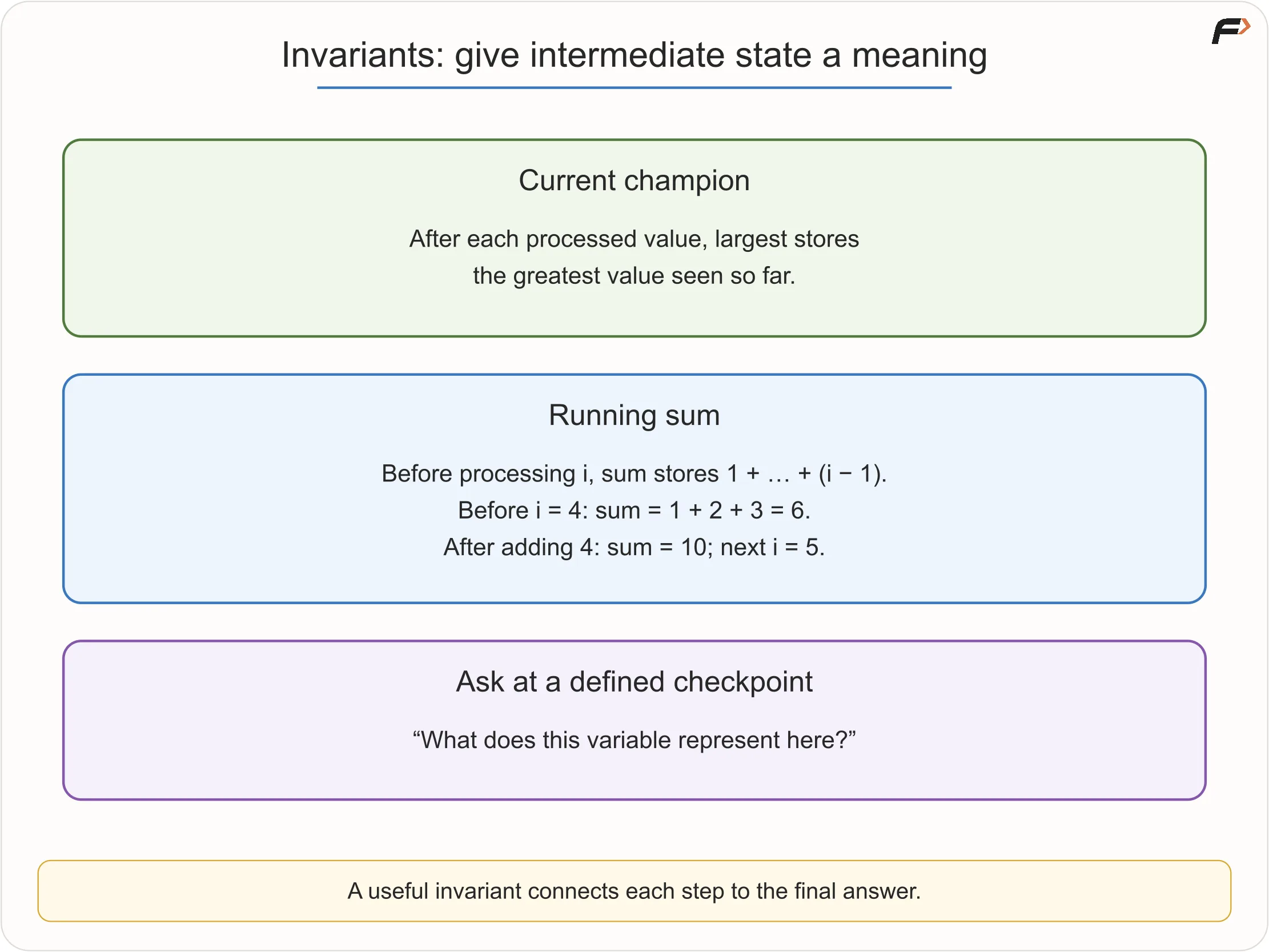
An invariant is a statement that remains true at a particular point throughout a repeated process.
The word may sound advanced, but the idea is natural.
In the current-champion algorithm, after each processed value:
largest stores the largest value seen so far.In the sum from 1 to N algorithm, before processing i:
sumstores the total of all integers already processed from 1 throughi - 1.
An invariant helps answer two questions:
- Why is the intermediate state meaningful?
- Why does termination produce the correct final result?
For a first lecture, learners do not need formal proofs. They should practice completing the sentence: “After every iteration, this variable represents….”
Invariants
10. Common debugging misconceptions
“Debugging begins after code is written.”
Incorrect. Requirements, algorithms, flowcharts and pseudocode can all contain bugs.
“If the program does not crash, it is correct.”
Logical errors often produce normal-looking output.
“More test cases always means better testing.”
Ten repetitive inputs may reveal less than three carefully selected boundary inputs.
“An edge case is invalid.”
An edge case is usually valid but unusual. Invalid data violates the contract.
“Fix the line highlighted by the error message.”
The highlighted line may be where a symptom is detected, not where the bad state began.
“Changing several things is faster.”
Then it becomes unclear which change fixed the cause or introduced a new bug.
“A passing sample proves the algorithm.”
It proves only that this input did not expose a failure.
“The computer randomly behaves differently.”
Unexpected behaviour has causes: state, input, environment, concurrency or undefined operations. At this level, begin by making the input and steps reproducible.
11. Practical debugging habits for the language tracks
When real code begins, preserve the same reasoning:
- Read the complete error message.
- Reproduce the smallest failure.
- Print or inspect relevant variable values.
- Use a debugger to pause and step through execution when introduced.
- Change one hypothesis at a time.
- Keep successful test cases and run them again after a fix.
- Name values and steps clearly enough that the logic can be followed.
Tools assist investigation. They do not replace understanding the expected state.
12. Semester, viva and interview readiness
Be ready to:
- define dry run, trace table, bug and debugging;
- differentiate syntax, runtime and logical errors;
- distinguish an edge case from invalid input;
- trace a loop and state its output;
- identify off-by-one and initialization mistakes;
- explain why a loop terminates;
- propose boundary tests; and
- explain a correction through root cause, not trial and error.
In coding interviews, a strong candidate proactively dry-runs the chosen approach, calls out edge cases, and tests boundaries before saying “done.”
13. Key terms
| Term | Meaning |
|---|---|
| Bug | Defect causing incorrect or unexpected behaviour |
| Debugging | Systematic process of finding and correcting a defect |
| Dry run | Manual simulation of an algorithm |
| Trace table | Table recording relevant state over steps or iterations |
| Expected state | What should be true at a point in execution |
| Actual state | What the current algorithm actually produces |
| Syntax error | Violation of programming-language grammar |
| Runtime error | Failure encountered during execution |
| Logical error | Executing instructions that produce the wrong behaviour |
| Edge case | Valid input near a boundary or unusual condition |
| Invalid input | Data outside the allowed contract |
| Regression | Previously working behaviour broken by a later change |
| Invariant | Property that remains true at a defined point through repetition |
| Off-by-one error | Boundary mistake that performs one too many or too few steps |
Final takeaway
Debugging is not “try something and run again.” It is:
Reproduce → Predict → Trace → Find first divergence → Explain cause → Make focused fix → Retest
Once a learner can break their own logic deliberately, mistakes stop feeling mysterious. They become evidence.