Image 1
Types of Networks
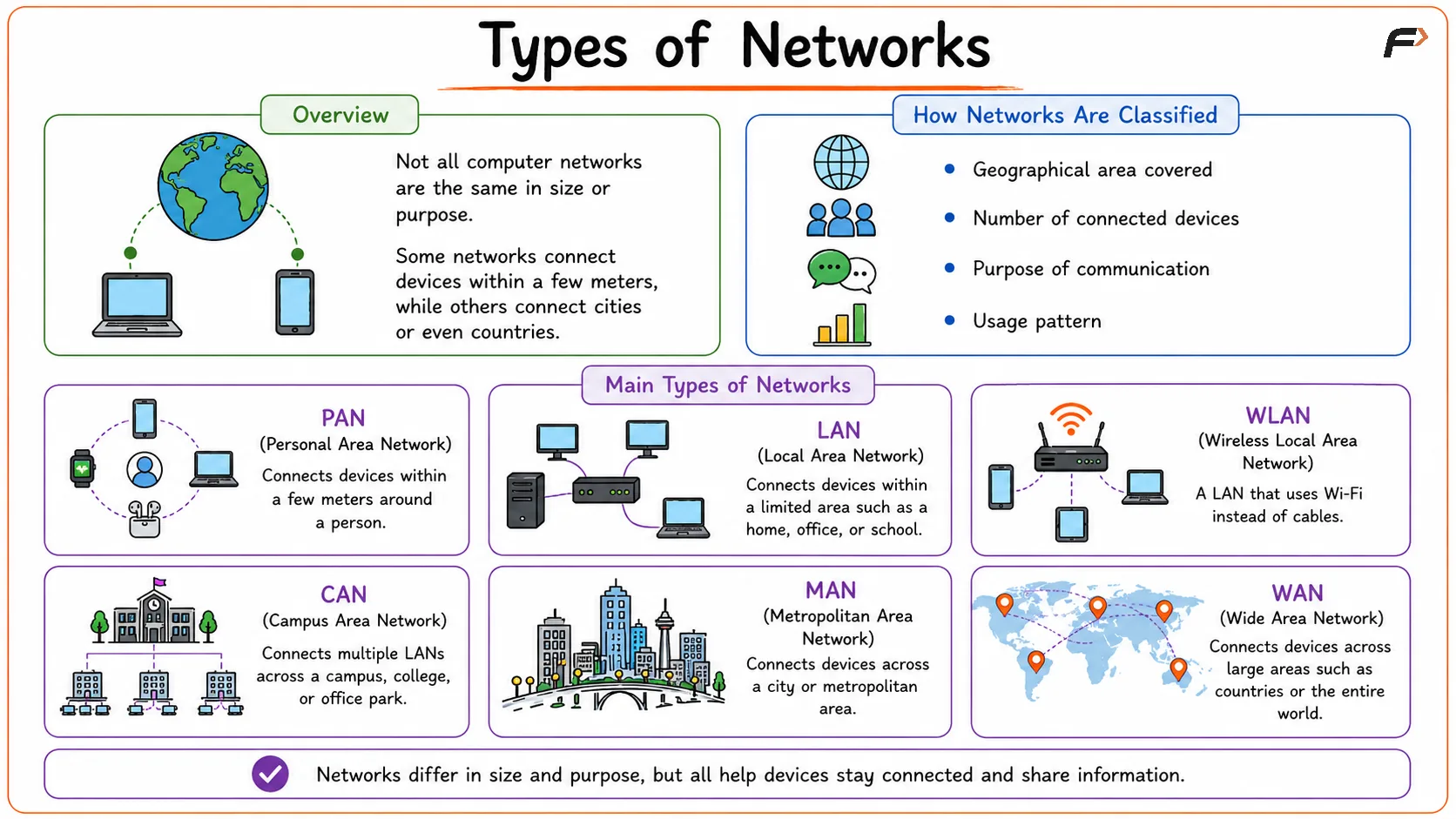
Computer networks can be classified based on the geographical area they cover and the scale at which they operate. Some networks are designed to connect devices around a single person, while others connect systems across cities, countries, and even continents. Understanding these network types is important because they form the foundation of modern communication systems.
The major types of networks are:
- Personal Area Network (PAN)
- Local Area Network (LAN)
- Wireless Local Area Network (WLAN)
- Campus Area Network (CAN)
- Metropolitan Area Network (MAN)
- Wide Area Network (WAN)
As we move from PAN to WAN, the geographical coverage increases and the network becomes larger and more complex.
1. Personal Area Network (PAN)
PAN stands for Personal Area Network. It is the smallest type of network and is designed to connect devices around a single person. The primary purpose of a PAN is to enable communication between personal devices over a very short distance.
A PAN typically operates within a range of a few meters and is commonly used for connecting devices that belong to the same user.
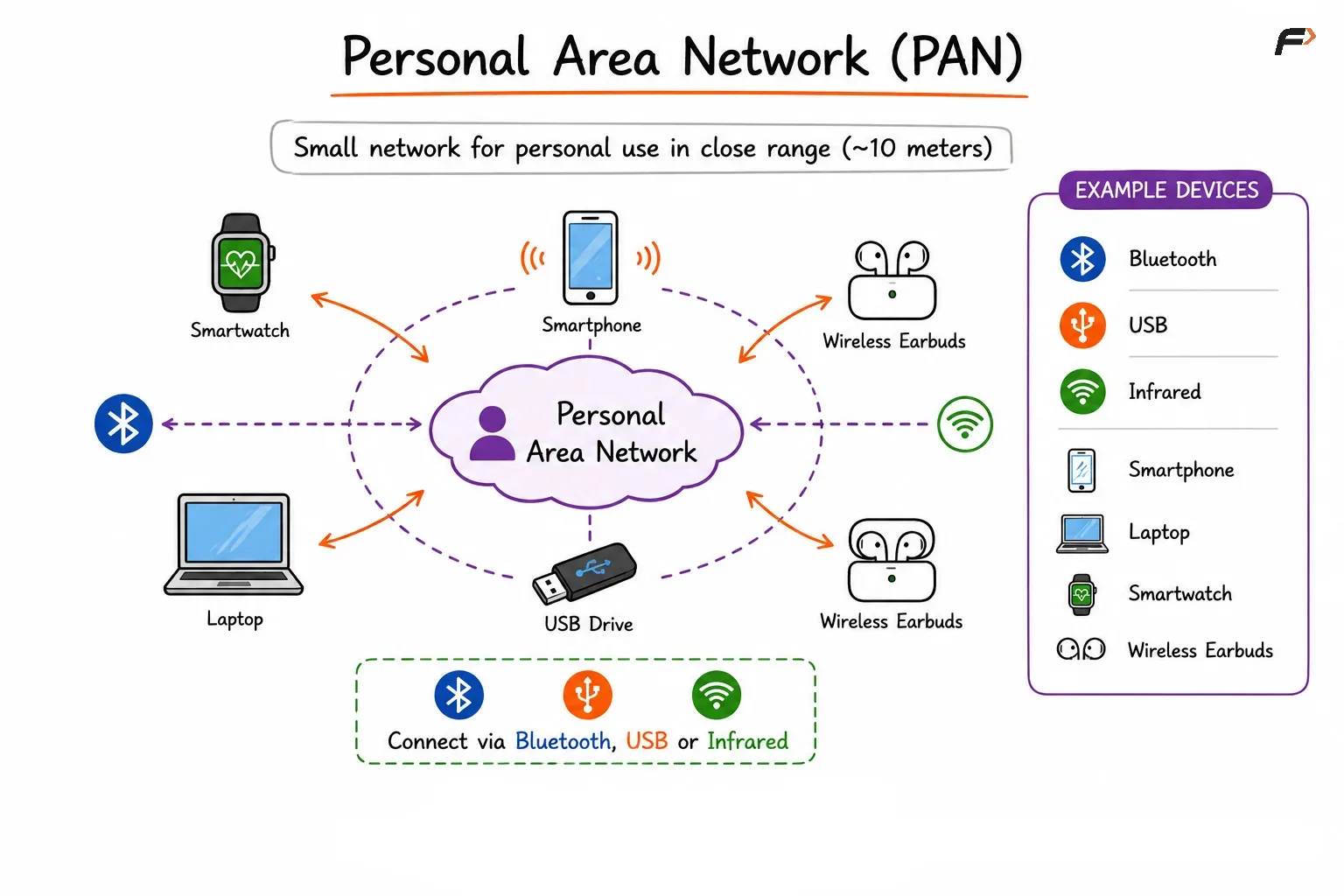
Image 11
Some common examples of PAN are:
- Smartphone connected to wireless earbuds
- Smartphone connected to a smartwatch
- Mobile hotspot shared with nearby devices
The main characteristics of a PAN are:
- Very small coverage area
- Limited to a single user
- Low power consumption
- Does not necessarily require Internet connectivity
- Used for personal communication between devices
2. Local Area Network (LAN)
LAN stands for Local Area Network. It connects devices within a small geographical area such as a home, office, one floor of a building, or a college computer laboratory.
Devices located in the same place often need fast communication and access to shared resources. A LAN makes this possible by providing a high-speed network within a limited area.
Consider an office containing laptops, desktop computers, printers, and other devices. If all these devices are connected and can communicate with each other, they form a LAN.
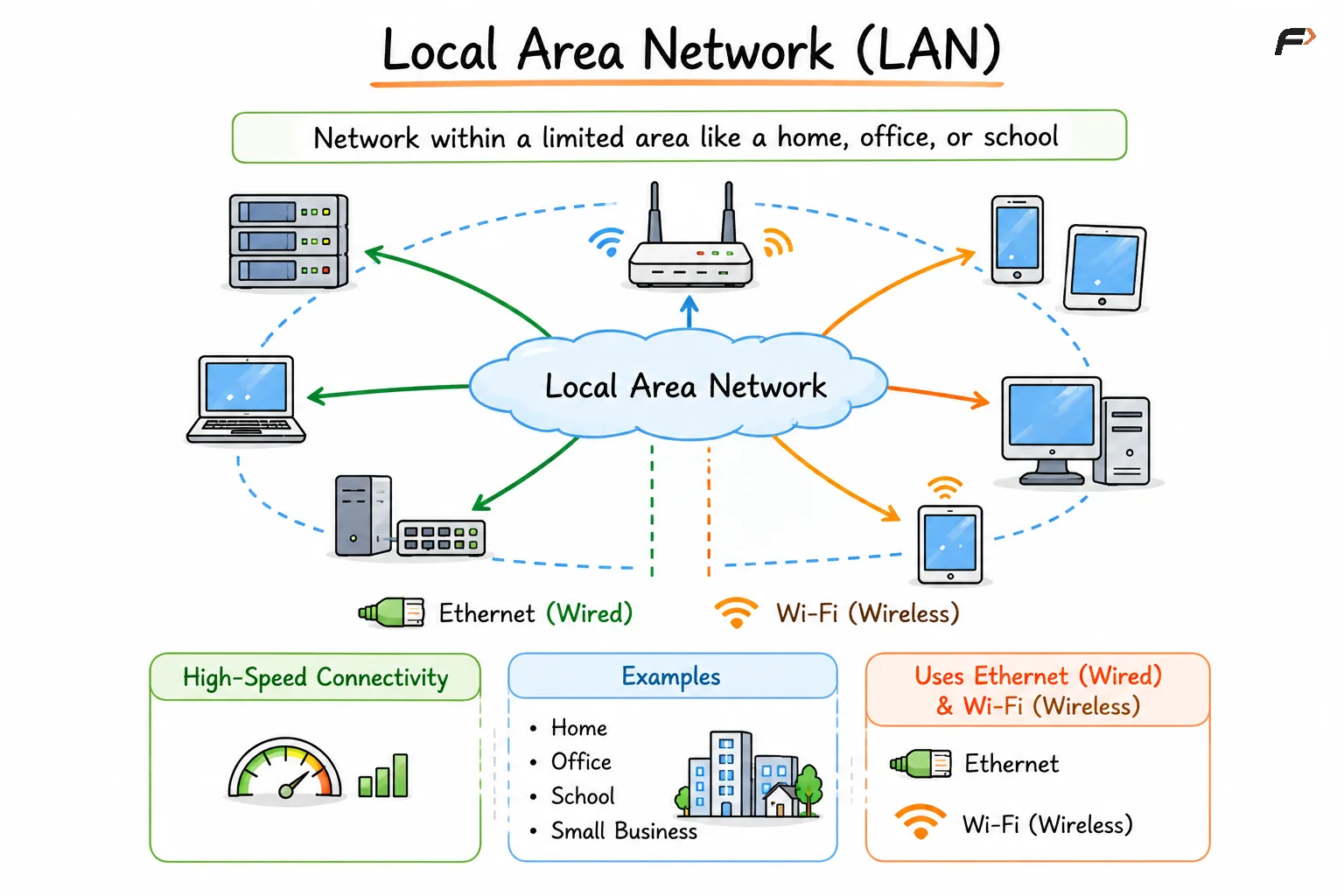
Image 12
Common examples of LAN include:
- Home Wi-Fi network
- Office network
- College computer lab network
Key features of a LAN are:
- Small geographical coverage
- High-speed communication
- Low latency
- Shared Internet access
- Privately managed network
3. Wireless Local Area Network (WLAN)
A WLAN, or Wireless Local Area Network, is essentially a LAN that uses Wi-Fi instead of physical cables. The purpose and coverage area remain the same; only the communication medium changes.
For example, imagine an office with ten computers. If those computers are connected using network cables, the setup is considered a LAN. However, if the same computers are connected through Wi-Fi, the network becomes a WLAN.
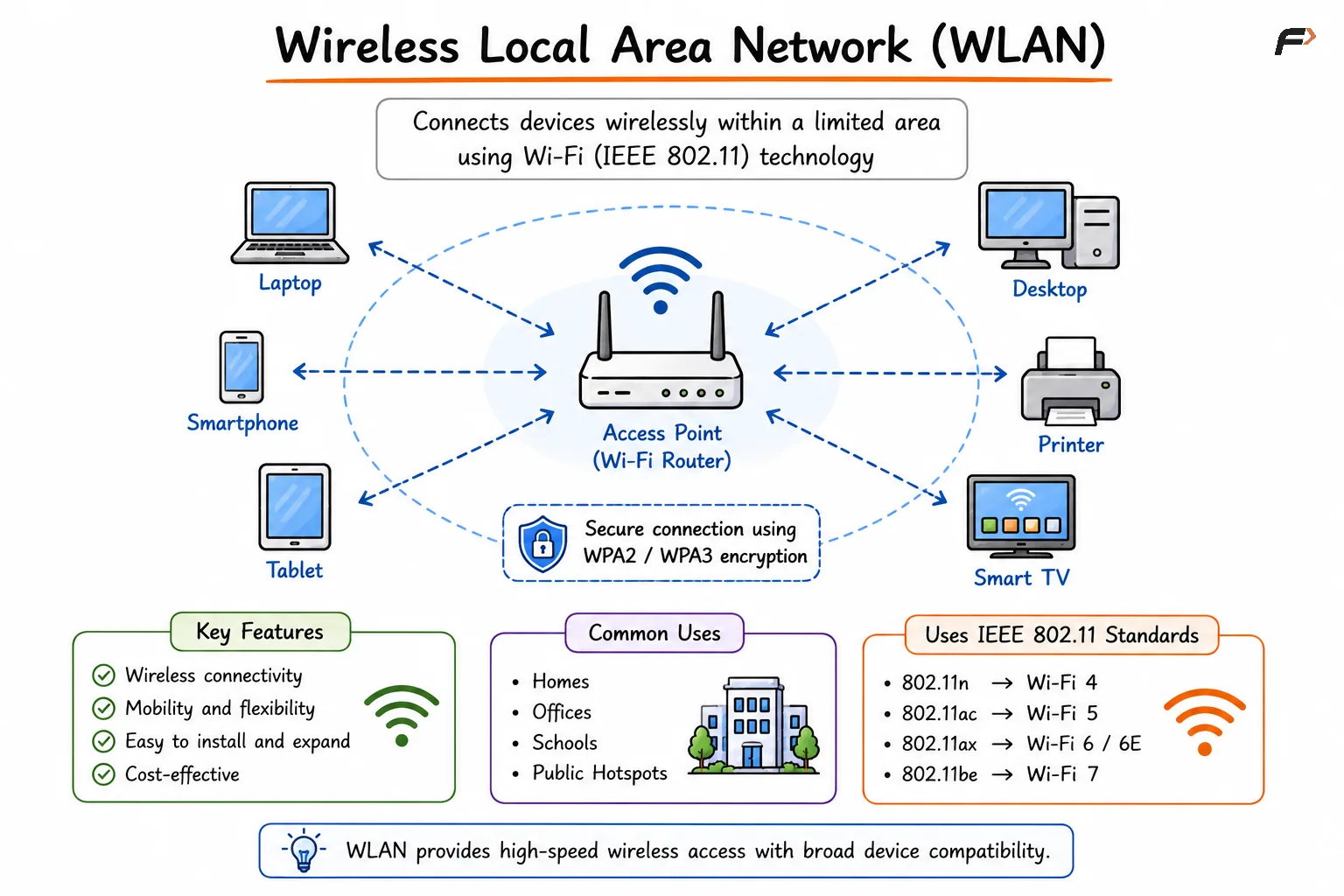
Image 13
In simple terms:
- LAN uses wired connections.
- WLAN uses wireless connections such as Wi-Fi.
4. Campus Area Network (CAN)
CAN stands for Campus Area Network. It connects multiple LANs within a campus, college, university, corporate office park, or any similar organizational area.
A single campus may contain multiple buildings, departments, laboratories, libraries, and hostels. Each building may have its own LAN, and a CAN is used to interconnect all of these LANs into a larger network.
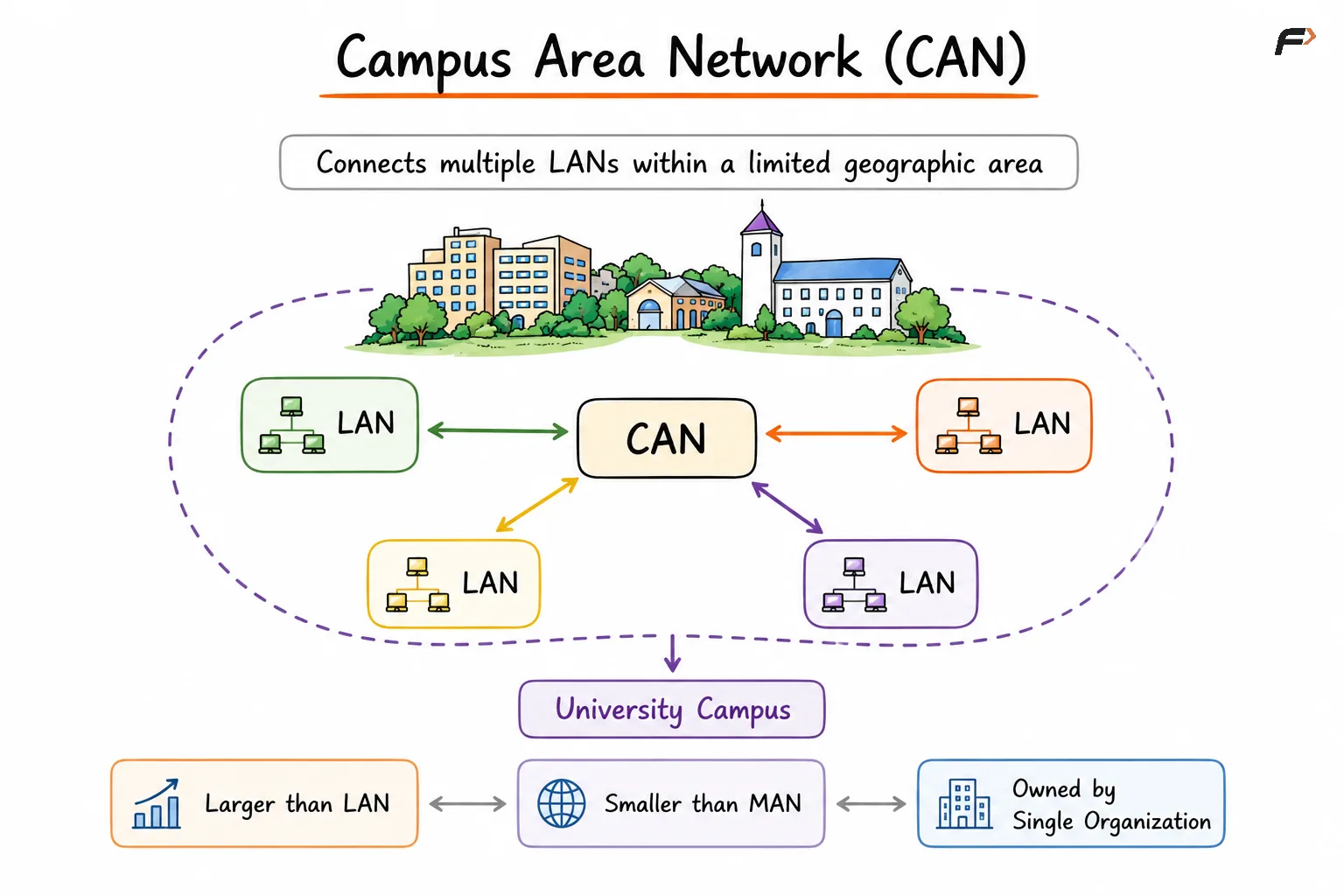
Image 14
Examples of CAN include:
- University campuses
- College campuses
- Corporate office parks
- Large organizational premises
A CAN is larger than a LAN but smaller than a city-wide network.
5. Metropolitan Area Network (MAN)
MAN stands for Metropolitan Area Network. It connects multiple LANs across a city or a large urban area. As the name suggests, a MAN operates at a metropolitan scale and is larger than a LAN or CAN.
Suppose an organization has multiple offices located in different parts of a city. Each office may have its own LAN, and a MAN can be used to connect all these LANs together.
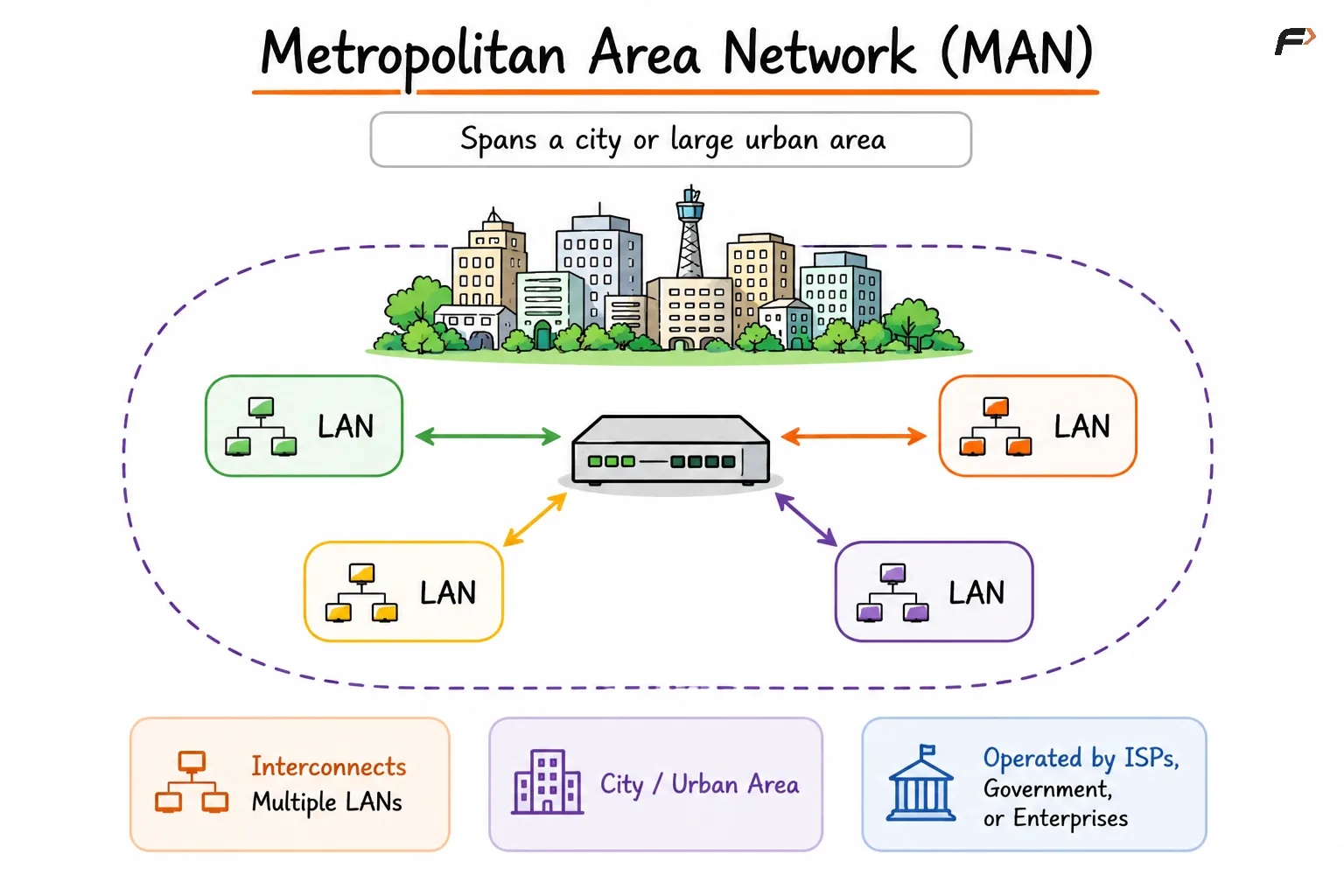
Image 15
A simple example would be:
- Office LAN 1 located in one part of the city
- Office LAN 2 located in another part of the city
- A city-wide network connecting both offices
Telecommunication providers such as Airtel, Jio, and other service providers commonly use MAN infrastructure to provide connectivity across urban areas.
A MAN is:
- Larger than a LAN
- Larger than a CAN
- Smaller than a WAN
6. Wide Area Network (WAN)
WAN stands for Wide Area Network. It covers very large geographical areas such as multiple cities, states, countries, or even continents. WANs are designed to connect networks that are separated by large distances.
For example, a network in New York may need to communicate with another network in London, or a network in London may need to communicate with one in Tokyo. Such long-distance communication is made possible through WAN infrastructure.
WANs typically rely on telecommunication infrastructure such as fiber-optic networks and undersea communication cables to connect networks across the world.
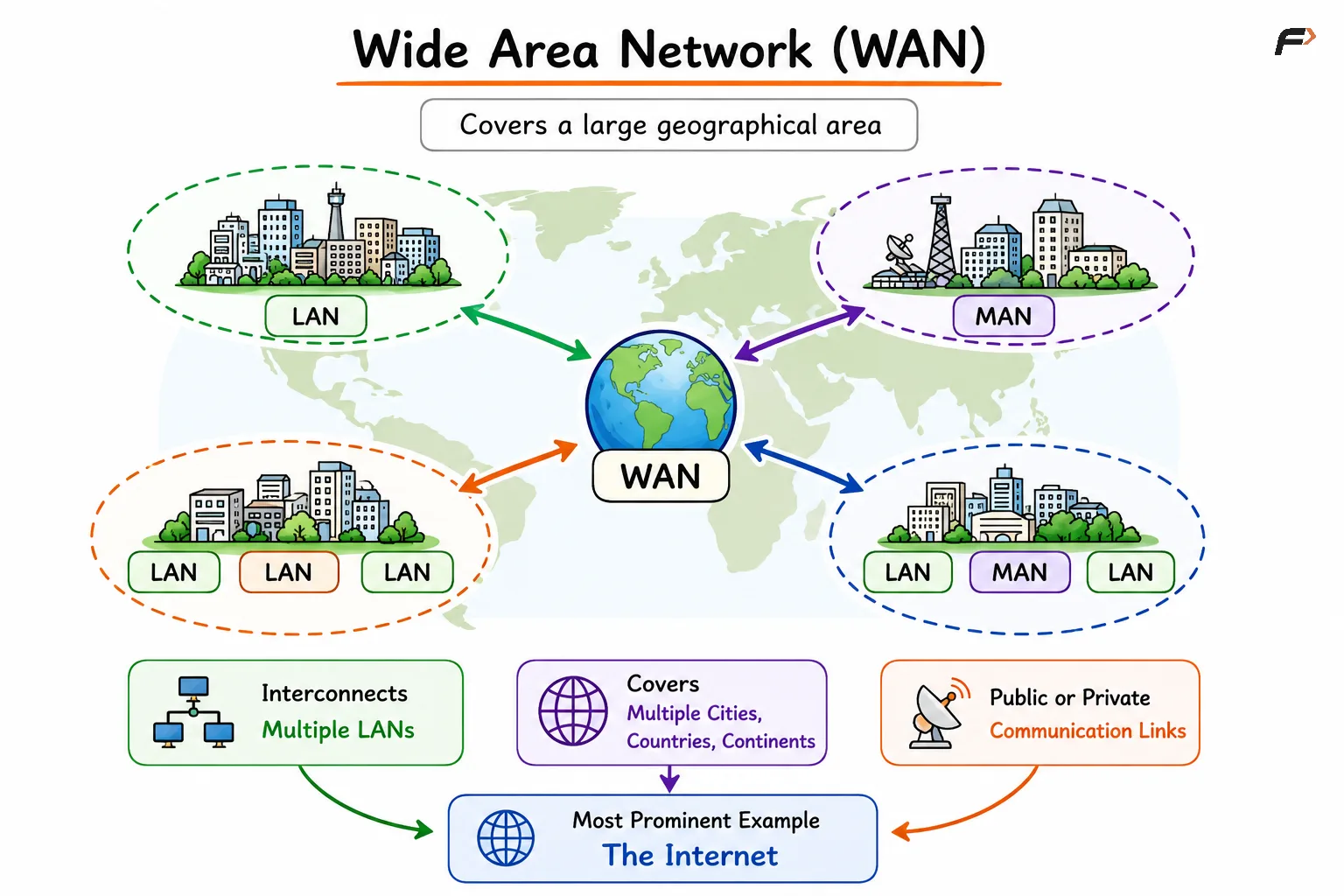
Image 16
Some common examples of WAN include:
- The Internet
- AWS regions connected across countries
- Google Cloud regions connected across countries
One important concept to remember is that a WAN is usually formed by connecting multiple smaller networks together over long distances.
For example, an AWS data center in Mumbai and another AWS data center in New York may communicate through WAN infrastructure. In this case, WAN acts as the bridge connecting networks separated by thousands of kilometers.
Key characteristics of WAN are:
- Covers very large geographical areas
- Connects multiple smaller networks
- Uses telecom infrastructure
- Often relies on fiber-optic and undersea cables
- Has higher latency compared to LANs
Network Scale Comparison
One of the easiest ways to remember the different network types is to arrange them according to their scale.
| Network Type | Coverage |
|---|---|
| PAN | Around a single person |
| LAN | Home, office, or computer lab |
| WLAN | Wireless version of a LAN |
| CAN | Campus or office park |
| MAN | City or large urban area |
| WAN | Countries and continents |
As we move from PAN to WAN, the geographical coverage continuously increases. PAN is the smallest network type, while WAN is the largest and is responsible for connecting networks across the world.
Conclusion
Computer networks are classified according to the area they cover. PAN connects devices around a single user, LAN and WLAN provide local connectivity, CAN connects multiple LANs within a campus, MAN connects networks across a city, and WAN connects networks across countries and continents. Together, these network types form the building blocks of modern communication systems and help us understand how connectivity scales from personal devices to global infrastructure.